 Daniel Okafor
A desk that glides from sitting to standing mid-raid changes how long a session actually feels. The best motorized gaming desks pair electric height adjustment with surfaces wide enough for triple monitors, a mechanical keyboard, and your peripherals. You get the ergonomic upside of a sit-stand frame plus the footprint a serious rig demands. This guide ranks proven electric standing desks for gamers, from budget frames to dual-motor workstations. You will see real ratings, review counts, and prices, so you can match a desk to your room, your rig, and your wallet without guesswork or marketing fog.
Quick answer: For most gamers in 2026, our top pick among the best motorized gaming desks is the FLEXISPOT EN2 — our #1 rated choice. See the full ranked comparison, alternatives and buying advice below.
Pros
- Generous 63x28 inch desktop surface accommodates multi-monitor setups
- Motorized height adjustment transitions quietly between sit and stand modes
- Programmable memory settings save preferred standing heights for quick recall
- Heavy-duty steel T-legs provide physical stability under full load
- Integrated cable tray keeps power cords organized underneath desk
Cons
- Assembling the large steel frame requires space and two-person effort
- Motorized lift requires an accessible wall power socket nearby for operation

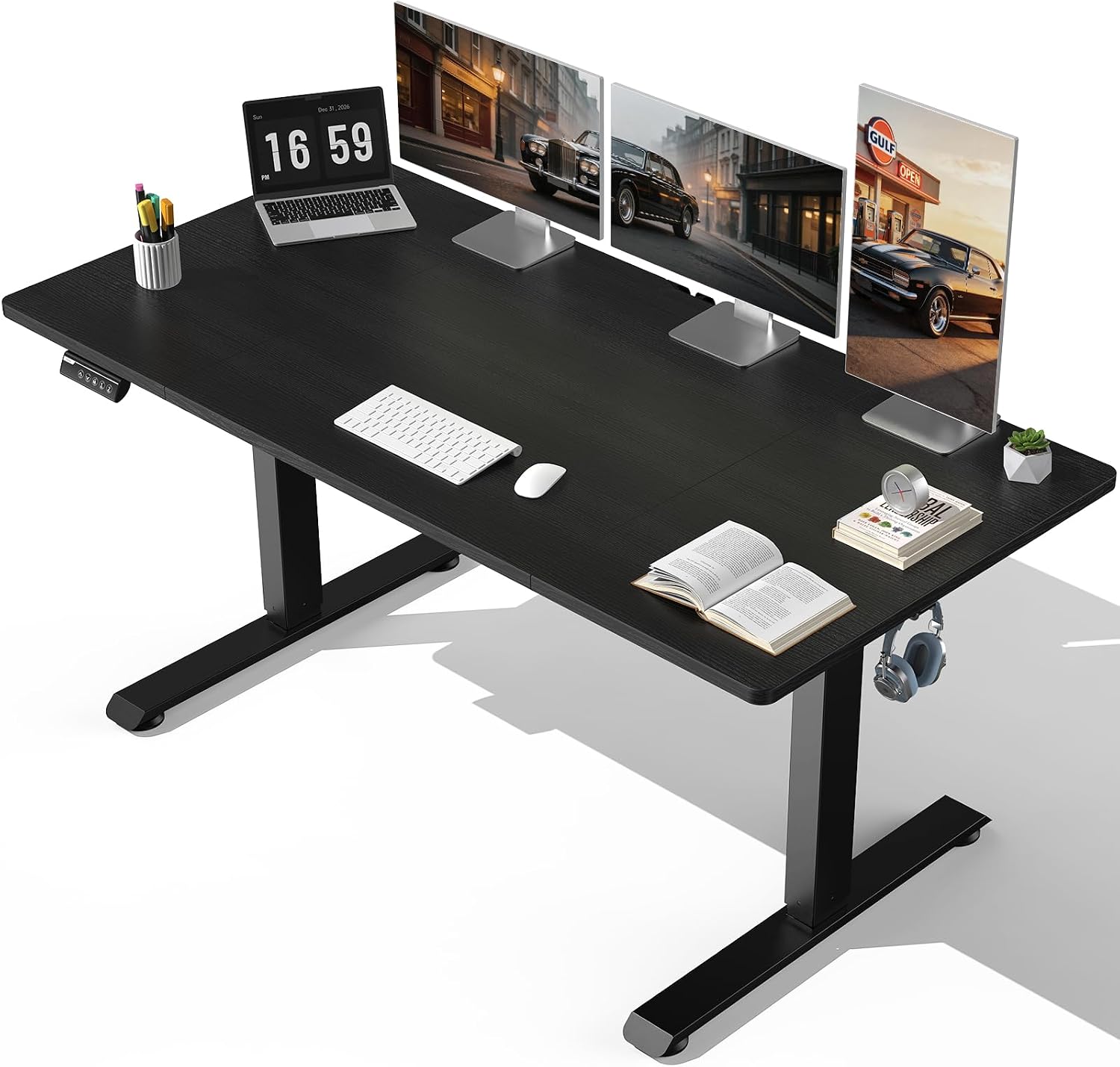
Pros
- Designed with WOBBLE-FREE HEAVY-DUTY STABILITY. Engineered to solve the common issue of for reliable daily operation
- Designed with SILENT EFFICIENT DUAL MOTOR LIFT. Powered by a premium dual for reliable daily operation
- Dimensions measure 28"D x 55"W x 48"H for spatial allocation
- Rated load capacity supports up to 175 pounds
Cons
- Requires measuring doorways and room clearance for COLAMY Electric St prior to placement

Pros
- Travels from 25 in to 50.5 in on three-stage legs, covering short and tall users
- Dual motors with four programmable presets on an LED keypad
- A 1.25 in thick one-piece top spanning 60 in by 30 in in butcher block laminate
- Holds 200 lb, enough for two monitors, a tower and a full desk of gear
- Heavy-duty steel T-style legs plus a lifetime warranty from the maker
Cons
- The cable management tray is a separate accessory, so cords ride the frame bare out of the box
- A 60 by 30 in one-piece top is a two-person lift onto the leg frame
- Mains powered with a control box, so the desk must sit within reach of a wall outlet
The surface is 60 in wide by 30 in deep and travels between 25 in and 50.5 in on three-stage legs. That bottom figure matters: many two-stage desks stop near 28 in, which is too tall for shorter users who want forearms level at a keyboard.
- Load limit is 200 lb, covering two monitors on an arm, a tower and a laptop dock
- The top is one piece at 1.25 in thick, not two panels butted together
- The 30 in depth suits a 34 in ultrawide with room for a keyboard and notebook
At 50.5 in the desk suits standing users well past six feet tall. Pair the range with a monitor arm so the screen height moves independently of the surface.
Pros
- Internal water reservoir supports plumbing-free portable operation
- Dual upper and lower spray arms deliver 360-degree dish washing
- High heat drying mode leaves tableware dry and spot-free
- Space-saving design sits easily under kitchen upper cabinets
- Transparent front door panel allows viewing wash cycle progress
Cons
- Internal dish rack accommodates service settings for small families
- Top water tank filling requires checking cabinet height clearance

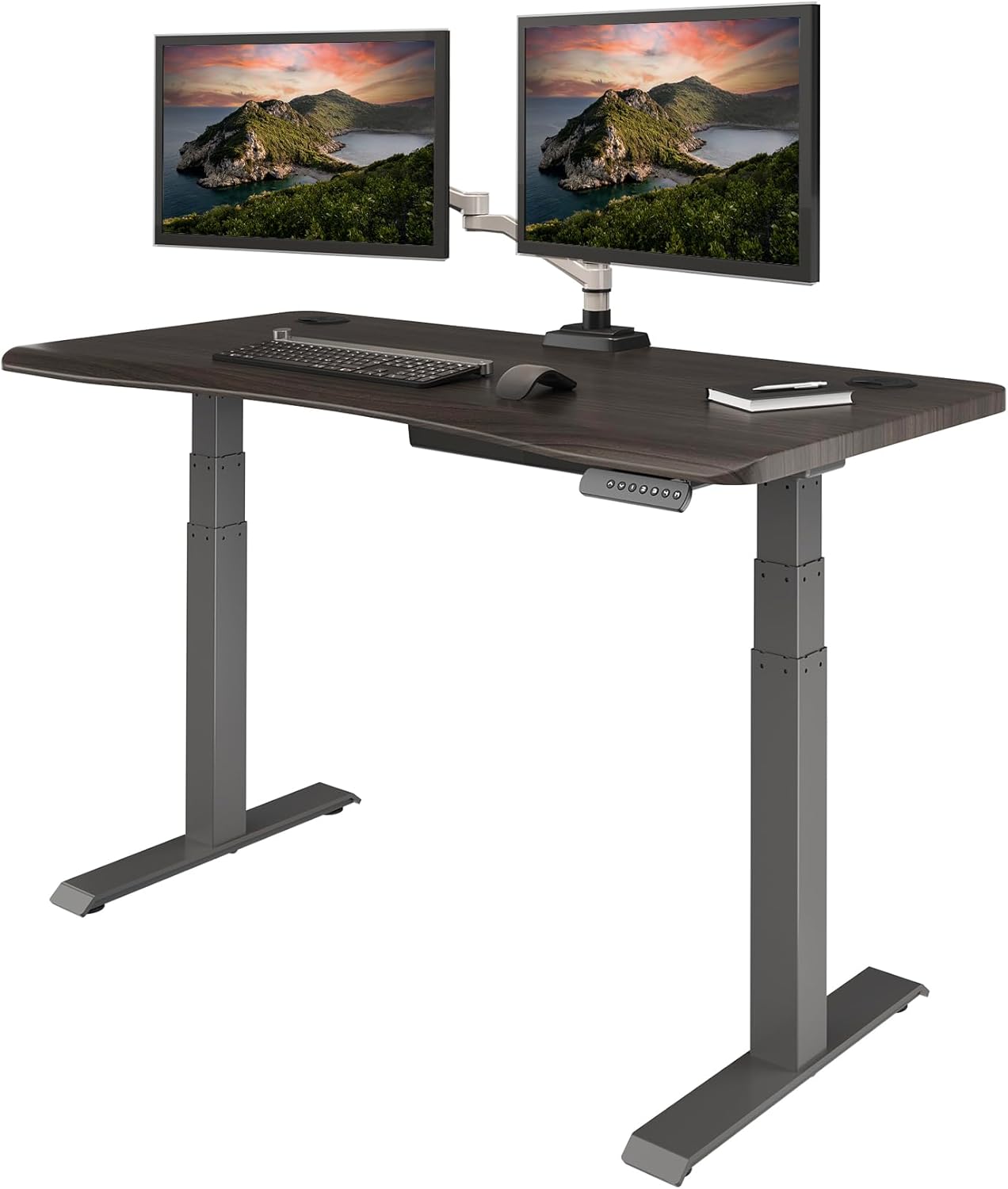
Pros
- Height adjusts from 28 to 46 inches, covering seated and standing positions for most heights
- Reinforced steel frame with anti-wobble design stays stable even at full extended height
- Motor runs under 50dB, quiet enough for calls without background whirring
- 2 memory presets recall favorite heights with one button press
- Anti-collision sensor auto-stops and reverses within about 1 inch of an obstacle
Cons
- 132-pound weight capacity is lower than some heavy-duty standing desks built for multiple monitors plus equipment
- 48 x 24 inch desktop leaves limited legroom width for a wide keyboard tray or side storage
- Motor-driven height adjustment relies on a wall outlet, so it will not operate during a power outage
The desktop measures 48 inches wide by 24 inches deep, with electric height adjustment spanning 28 to 46 inches to cover both seated and standing positions for most adult heights. The frame is rated to hold up to 132 pounds of monitors, a laptop and accessories without sagging or losing stability during height changes.
- Height adjustment range: 28 to 46 inches
- Desktop size: 48 inches wide by 24 inches deep
- Weight capacity: up to 132 pounds
That capacity comfortably covers a dual-monitor arm setup or a monitor plus laptop dock, though heavier multi-monitor arrays with additional gear should be weighed against the limit first.

Pros
- Designed with Smooth Quiet Lifting The electric lifting system adjusts smoothly from for reliable daily operation
- Designed with Powerful Dual-Motor Powered by a dual-motor system the desk supports for reliable daily operation
- Dimensions measure 79"D x 32"W x 28.3"H for spatial allocation
- Rated load capacity supports up to 198 pounds
Cons
- Requires verifying available physical space for SANODESK Dual Moto prior to setup
- Regular cleaning is recommended to preserve the Alloy Steel, Wood finish

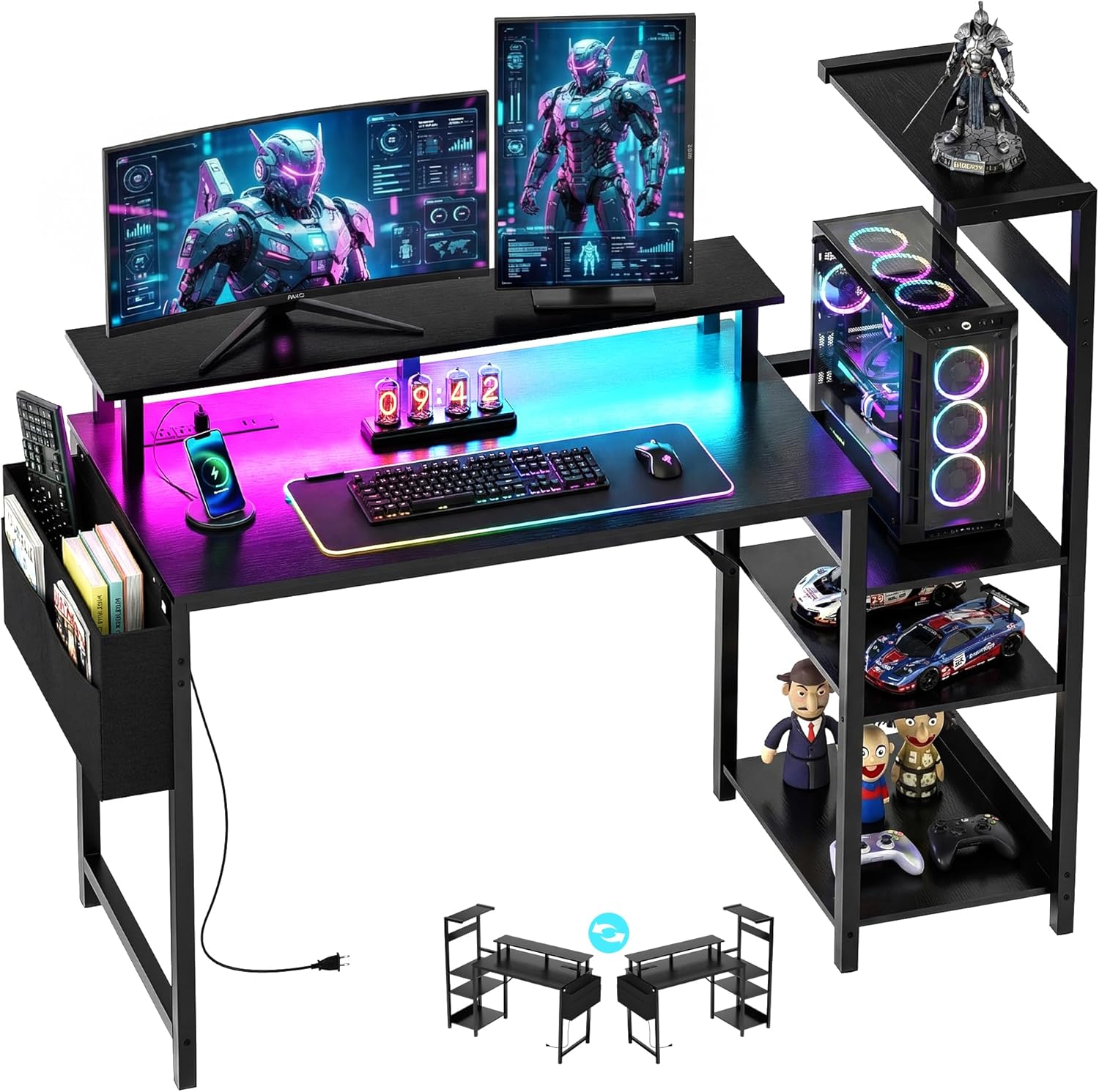
Pros
- 300 lb weight capacity metal frame handles dual towers and monitors
- 55" x 21.6" desktop, large enough for two full computer setups side by side
- Two open storage shelves plus a top hutch keep consoles and speakers off the desktop
- RGB LED strip syncs to music with an adjustable-sensitivity mic, over 60,000 colours via app
- Built-in CPU holder and monitor stand free up desk surface for keyboard and mouse
Cons
- 78.8" width needs a dedicated wall run, not suited to small bedrooms
- LED strip depends on a companion app and Bluetooth pairing, no physical remote mentioned
- Metal frame with hutch and shelves means a longer bolt-together assembly than a basic table
This desk measures 78.8"W x 21.6"D x 60"H, giving it enough footprint for a triple-monitor arrangement or two workstations sharing the surface. The metal frame is rated to hold 300 pounds, which covers a full tower PC, two monitors on stands, and typical desktop accessories without flexing.
- Desktop area: 55"L x 21.6"W for keyboard, mouse and paperwork
- Two lower storage shelves for CPU towers, consoles or speakers
- Top hutch shelf for books, figures or plants
- Built-in monitor stand raises screens above desk clutter
The dimensions suit a dedicated office or gaming room rather than a shared or compact bedroom corner.
This desk fits gamers and remote workers who want a single station that also stores hardware. The 300 lb capacity and dual shelving make it practical for anyone running two PCs, streaming equipment, or console peripherals that would otherwise clutter the floor.
- Suited to dedicated gaming rooms or home offices with wall space for a 78.8" run
- Good for users who want LED ambiance synced to games or music
- Storage shelves help households consolidating a PC and console setup on one desk
It is less practical for small apartments or shared bedrooms where a 78.8" wide footprint will not fit comfortably against available wall space.

Pros
- Workstation surface measures 53 inches wide by 18.9 inches deep at 29.8 inches tall, rated to hold up to 300 pounds
- Built-in power strip adds 3 AC outlets and 2 USB ports directly on the desk for centralized charging
- RGB LED strip offers 10 color presets, 8 brightness levels and 10 dynamic modes with a memory function
- X-shaped steel frame construction adds stability for dual-monitor or multi-display setups
- Reversible left/right side modules let the L-shape orientation match either side of a room
Cons
- Assembly takes an estimated 50 to 70 minutes even with included tools and labeled parts, and is easier with two people when flipping the desk upright
- Corner L-shape footprint needs more floor space than a straight desk, so it will not fit tight rooms as easily
The main workstation area measures 53 inches wide by 18.9 inches deep at a 29.8-inch working height, rated to support up to 300 pounds across the desktop. Built-in power comes from 3 AC outlets and 2 USB ports mounted on the desk itself, along with cable management channels to keep cords off the floor during long sessions.
- Dual open shelves, a CPU stand, an accessory hook and a tool bag are included for onboard storage
- RGB LED strip supports 10 color presets, 8 brightness grades and 10 dynamic lighting modes with a memory function
- X-shaped steel frame is designed to add stability under the weight of dual monitors and a desktop tower
The overall L-shape footprint spans 53.15 x 39.37 inches at the base, so it needs a corner or wall space to match.

Pros
- Electric lift adjusts smoothly from 27.95 to 45.67 inches to cover sitting and standing heights
- 3 programmable memory buttons recall preferred heights instantly
- Frame is tested for 50,000 lift cycles at up to 220 lbs (100 kg) of loaded weight
- 1-inch-thick desktop resists flex under monitors and heavier equipment
- Motor runs below 45dB, quiet enough for shared home office spaces
Cons
- 60 x 28-inch top is fixed in size, so it will not suit a corner or L-shaped office layout
- Requires a nearby power outlet for the electric lift motor to function
- Cable management is built in but still needs manual routing during setup
The desk lifts electrically between 27.95 and 45.67 inches, covering both seated and standing positions on the same frame. Maximum loaded capacity is rated to 220 lbs (100 kg), supported by a 2.5mm steel base and a reinforced double-beam frame.
The desktop itself is 1 inch thick across a 60 x 28-inch surface, sized to hold multiple monitors and other equipment without visible flex. DeskShow states the lifting mechanism has been tested through 50,000 lift cycles, aimed at withstanding years of daily height changes.

Pros
- Travels from 28.1 to 45.7 inches, covering seated and standing work for most adults
- 4 programmable memory presets on a six-button controller
- Motor runs under 50 dB, quiet enough to raise during a video call
- Clamp-on power unit adds 3 mains outlets and 2 USB charging ports at desk height
- 5-year warranty on the frame, motors and mechanical parts
Cons
- Ships in two separate cartons that may be delivered on different days
- The 55-inch top is a single piece, so it cannot be angled through a narrow stairwell in halves
- Top dimensions are hand-measured to a plus or minus 1 inch tolerance, so fitted accessories may need trimming
The frame travels from 28.1 inches to 45.7 inches, which covers seated work for most adults and standing work for users roughly between 5 ft and 6 ft 4 in. The one-piece top measures 55 by 28 inches, hand-measured to a plus or minus 1 inch tolerance, and the assembly is stated to carry 176 pounds on an industrial-grade steel frame.
- Lift motor runs under 50 dB, quiet enough for a shared room
- Six-button controller with 4 programmable memory presets
- Top is FSC-certified wood in a single piece rather than two joined halves
Check the low end against your chair. At 28.1 inches minimum, shorter users may still want a footrest, and anyone planning a keyboard tray gives up that clearance again.
What makes a motorized gaming desk different
A motorized desk uses one or two electric motors to raise and lower the tabletop. You tap a button and the whole rig, monitors included, travels with you. That beats a crank desk, which is slow and easily ignored.
For gaming, the appeal is twofold. You reset your posture between matches, and you keep a stable platform under heavy loads. A wobbly desk ruins aim, so frame rigidity matters as much as the motor itself.
These are not the same as fixed LED gaming tables. A motorized frame trades built-in RGB flair for adjustability and long-session comfort. If you sit for six-hour sessions, that trade usually pays off.
How to choose the best motorized gaming desks
Three specs decide whether a desk feels premium or frustrating: the motor setup, the height range, and the top. Get those right and the extras rarely matter.
Single motor vs dual motor
Single-motor desks cost less and lift lighter loads. They suit a single monitor and a clean setup. Dual-motor frames raise faster, hold more weight, and resist side-to-side wobble.
If you run two or three monitors plus a stream deck, choose dual motor. The COLAMY and SANODESK models below both use dual motors for that reason. Expect a firmer platform under heavy peripherals.
Height range and memory presets
Look for a range that covers your seated and standing elbow height. A span like 28 to 46 inches fits most adults. Taller players should confirm the top of the range before buying.
Memory presets save your favorite heights to one-touch buttons. Four presets let two people share a desk without fiddling. This is a small feature that you will use every single day.
Desktop size and weight capacity
Match the top to your monitor count. A 48-inch top handles one ultrawide comfortably. A 60-inch or 79-inch top swallows a triple-monitor arm without crowding your mouse hand.
Weight capacity matters more than people think. A 200 lb rating, like the Vari Ergo carries, easily holds monitors, a heavy PC, and a mic arm. Never load a desk near its ceiling.
Our top motorized gaming desk picks by use-case
Each pick below targets a different buyer. Find the row that sounds like you, then check the current price.
Best overall value: FLEXISPOT EN2
The FLEXISPOT EN2 earns the top slot on trust and balance. It holds a 4.6 rating across 3,069 reviews, the largest sample here by far. That volume tells you the frame performs over years, not just on day one.
You get a 55 x 28-inch whole-piece top, a clamp power strip, and tidy cable management. It is not the flashiest desk, and it lacks memory presets at this trim. But for a dependable electric base, few rivals match its track record.
Best premium stability: Vari Classic
Serious setups want a rock-solid platform, and the Vari Classic delivers. Its dual motor, memory presets, and T-style legs earn a 4.8 rating over 2,021 reviews. The 60 x 30-inch butcher block top feels genuinely commercial-grade.
The catch is price. It costs nearly four times the FLEXISPOT. It is not for tight budgets, but it is the desk you buy once and forget. If you compare it against other height-adjustable gaming desks worth the money, its stability still stands out.
Best for small rooms and tight budgets
Cramped bedroom or dorm? The Electric Standing Desk 48″ fits where bigger frames cannot. Its 48 x 24-inch top and 28 to 46-inch range cover the basics at, with memory presets included.
It holds a 4.8 rating over 75 reviews, strong for a budget motorized desk. Skip it if you run three monitors, since the top fills quickly. For single-monitor players who want a genuine electric lift cheaply, it is hard to beat. Shoppers watching spend should also scan our roundup of gaming desks under $200 for close rivals.
Best for big multi-monitor setups
Triple-monitor rigs need room, and the SANODESK Standing Desk gives you 79 x 32 inches of splice board. Its dual motor and black walnut top handle a sprawling setup. This is a battlestation, not a modest desk.
The COLAMY is a smaller 55 x 28-inch alternative with drawers and a footrest. If you want the widest deck for the money, the SANODESK wins. Plan your wall space first, because 79 inches is longer than most people expect. For layout ideas, our guide to the best desks for full gaming setups helps you plan around monitors and cable runs.
Best ergonomic edge: Vari Ergo
Wrist and forearm comfort matter over long sessions. The Vari Ergo adds a curved waterfall edge that softens the pressure point at the desk lip. It pairs that with four memory settings and a 200 lb capacity.
With a 4.8 rating over 103 reviews, it is a mid-premium pick. The 54 x 26-inch top suits one or two monitors, not a triple stack. Choose it if ergonomics rank above raw surface area.
Best budget large surface: Veken 63″
Want a wide top without premium pricing? The Veken Standing Desk spans 63 x 28 inches. It carries a standout 4.9 rating, though only across 79 reviews so far.
The smaller review pool is the trade-off, so treat that rating as promising rather than proven. Still, for a large sit-stand surface under $200, the value is obvious. It is a smart entry point for a growing setup.
Buying guide: sizes, specs and compatibility
Start with your monitor plan, then work outward. A single 27-inch monitor fits a 48-inch top. Dual monitors want 55 inches or more, and triples need 60 to 79 inches of clearance.
Check the tabletop thickness too. A 1-inch top, like the B0FPC7XF5D 60 x 28-inch model, resists sag under heavy monitor arms. Thin tops flex over time and telegraph every keystroke.
Confirm your monitor arm clamp fits the desk edge and the top thickness. Most VESA clamps handle a 1-inch top, but built-in cable trays can block clamp jaws. Measure before you order the arm.
Finally, think about noise. A quiet motor matters if you game or stream late at night. Cheaper single motors hum louder, while dual-motor units tend to run smoother and faster.
Common mistakes to avoid
The biggest error is buying a top that is too small. Gamers underestimate how much a keyboard, mousepad, and speakers eat. Size up one bracket from what feels adequate on paper.
The second mistake is ignoring weight capacity. Loading a desk near its limit slows the motor and stresses the frame. Add your PC, monitors, and accessories before you trust a rating.
A third trap is chasing RGB over adjustability. Fixed LED tables look great but lock your posture. If you value long-session comfort, a motorized frame beats built-in lights every time.
Last, do not skip cable management planning. A rising desk yanks loose cables when it travels. Use the included trays and clamp strips, or your monitors will tug on their ports. Browsing a broad comparison of top gaming desks can also stop you from overpaying for features you will not use.
Frequently asked questions
Are motorized desks stable enough for fast-paced gaming?
Yes, when you pick the right frame. Dual-motor desks with T-style or double-beam legs stay firm even at standing height. The Vari Classic and dual-beam B0FPC7XF5D resist the wobble that ruins precise aim.
Do I need dual motors for a gaming desk?
Not always. A single motor is fine for one monitor and a light load. Choose dual motors if you run multiple monitors, a heavy tower, or want faster, quieter height changes.
How much should I spend on a good motorized gaming desk?
Solid options start and premium desks reach. Around $170 to $330 hits the sweet spot for most gamers. The FLEXISPOT EN2 shows how much value that range offers.
Can a standing desk hold a full battlestation?
Absolutely. Many frames rate 200 lb or more, easily covering monitors, a PC, and peripherals. Just tally your gear weight and stay well under the stated ceiling for longevity.
What size desk fits three monitors?
Aim for at least 60 inches of width, and 79 inches is more comfortable. The SANODESK 79 x 32-inch top handles a triple stack with room for a keyboard. Smaller 48-inch tops crowd fast with three screens.
Final take
The right electric desk should disappear under your rig and just work. For most players, the FLEXISPOT EN2 blends proven reliability, a fair price, and clean cable routing. Big setups should stretch to the SANODESK or Vari Classic, while tight budgets do well with the 48-inch electric top or the Veken 63″. Pick the size and motor count your setup truly needs, then upgrade the chair and monitor arm next.