
 Priya Raghavan
 Staying connected on the move has become just as important as having Wi-Fi at home, and that is exactly where a good MiFi device earns its place in your bag. Whether you travel for work, live the RV life, or simply want a reliable backup connection, choosing from the best mifi routers can feel overwhelming once you start comparing standards, battery life, and SIM options. This guide breaks down everything you need to know so you can match the right pocket router to the way you actually use the internet.
Instead of rating each model one by one, we focus on how to choose wisely: what the specifications really mean, which features matter for your situation, and how to avoid paying for capabilities you will never use. By the end, you will be able to shortlist the best mifi routers with confidence and pick a device that keeps you online wherever you land.

Pros
- 2402 Mbps on 5 GHz and 574 Mbps on 2.4 GHz over Wi-Fi 6, from a unit that fits in a jacket pocket
- A 2.5 Gbps multi-gigabit WAN port alongside a gigabit LAN port and USB 3.0
- WireGuard reaches about 300 Mbps and OpenVPN about 150 Mbps, both pre-installed and compatible with 30-plus providers
- OpenWrt 21.02 firmware with more than 5,000 installable packages managed from a no-code panel
- MT7981B dual-core processor at 1.3 GHz with 512 MB of DDR4 and 256 MB of NAND flash
Cons
- No SIM slot, so it always needs an existing Ethernet, Wi-Fi or tethered connection to repeat from
- No EAP support, which puts university and corporate 802.1X networks out of reach
- A VPN subscription is still yours to arrange; the router supplies the client software, not the service
This unit packs a Wi-Fi 6 radio set into a pocket-sized shell: 2402 Mbps on 5 GHz and 574 Mbps on 2.4 GHz.
- One 2.5 Gbps multi-gigabit WAN port and one gigabit LAN port
- USB 3.0 port for tethering a phone, adding storage or a supported dongle
- MediaTek MT7981B dual-core processor running at 1.3 GHz
- 512 MB of DDR4 memory with 256 MB of NAND flash
The 2.5 Gbps WAN port is unusual on a travel unit and pays off when plugging into a fast wired connection at a rental or office. Internal hardware is what allows encrypted tunnels to run at speed rather than collapsing to a few megabits, which is exactly where lesser pocket routers fall down. Regional plug options cover US, UK and EU sockets.
Both OpenVPN and WireGuard clients are pre-installed, so a tunnel is configured once and every device joining the router is then covered without individual apps.
- WireGuard reaches about 300 Mbps and OpenVPN about 150 Mbps on a local network
- Compatible with more than 30 VPN service providers, though an active subscription remains yours to arrange
- WPA3 support with protection against password brute-force attempts
- DNS over HTTPS and DNS over TLS keep lookups from being read in transit, and IPv6 is supported
The router runs OpenWrt 21.02 with over 5,000 installable packages managed from a no-code admin panel, so ad blocking, custom DNS and traffic rules are all reachable. Configure the tunnel at home before travelling rather than in a hotel lobby.
The intended job is turning one connection into a private network you control.
- Hotel and cruise Wi-Fi: authenticate the router once, then every device joins the router instead of the captive portal individually
- Rentals and campers: keep a consistent network name so consoles and smart devices reconnect automatically wherever you are
- Public networks: keep laptops and phones off the shared segment entirely
Two limits shape that. There is no SIM slot, so it always needs an existing upstream connection, whether Ethernet, another Wi-Fi network or a tethered phone. And there is no EAP support, which puts university and corporate 802.1X networks out of reach. For hotel portals, home broadband and tethering, neither restriction bites.

Pros
- 【DUAL BAND WIFI 7 TRAVEL ROUTER】Products with US, UK, EU, AU Plug;
- 【NETWORK CONTROL WITH 】Slate 7’s touchscreen interface lets you
- 【OpenWrt 23.05 】The Slate 7 (GL-BE3600) is a high-performance Wi-Fi
- 【VPN CLIENT & SERVER】OpenVPN and WireGuard are pre-installed,
Cons
- Best placed in well ventilated indoor spaces away from excess moisture
- Requires proper surface alignment during initial installation
Designed with precision, the GLiNet GL.iNet GL-BE3600 Portable Travel Router Pocket Dual-Band delivers versatile performance for modern Routers spaces. From an operational perspective, this model emphasizes key capabilities such as 【DUAL BAND WIFI 7 TRAVEL ROUTER】Products with US, UK, EU, AU Plug; Dual band network with wireless speed 688Mbps (2.4G)+2882Mbps (5G); Dual 2.5G Ethernet Ports (1x WAN and 1x LAN Port); USB 3.0 port.. Additionally, the integration of 【NETWORK CONTROL WITH 】Slate 7’s touchscreen interface lets you scan QR codes for quick Wi-Fi, monitor speed in real time, toggle VPN on/off, and switch providers directly on the display. Color-coded indicators provide instant network status updates for Ethernet, Tethering, Repeater, and Cellular modes, offering a seamless, user-friendly experience. enhances overall usability during continuous activity.
Structural analysis confirms an emphasis on long-term mechanical resilience and component stability. Designed for lasting service, the structure leverages 【OpenWrt 23.05 】The Slate 7 (GL-BE3600) is a high-performance Wi-Fi 7 travel router, built with OpenWrt 23.05 (Kernel 5.4.213) for maximum customization and advanced networking capabilities. With 512MB storage, total customization with open-source freedom and flexible installation of OpenWrt plugins. to minimize mechanical stress. Advanced joint reinforcement guards against structural sagging or premature joint wear. Quality craftsmanship supports long term satisfaction for residential and professional settings. User centered design choices streamline routine interactions and enhance practical convenience.
Following practical maintenance guidelines ensures the unit retains its performance properties. Highlighting 【VPN CLIENT & SERVER】OpenVPN and WireGuard are pre-installed, compatible with 30+ VPN service providers (active subscription required). Simply log in to your existing VPN account with our portable wifi device, and Slate 7 automatically encrypts all network traffic within the connected network. Max. VPN speed of 100 Mbps (OpenVPN); 540 Mbps (WireGuard). *Speed tests are conducted on a local network. Real-world speeds may differ depending on your network configuration.*, initial assembly and positioning remain straightforward using basic tools. Gentle surface cleaning with non-abrasive tools keeps outer materials looking clean and pristine.
Pros
- Dual-band Wi-Fi 6 reaches 574 Mbps on 2.4 GHz and 1201 Mbps on 5 GHz, enough for a hotel room full of streaming devices
- WireGuard tunnels run up to 550 Mbps over the wired ports, so encryption does not throttle a fast hotel line
- Three gigabit Ethernet ports let a games console and a work laptop stay wired while phones use the radio
- A 1.2 GHz quad-core chip with 512 MB DDR3L RAM handles up to 120 connected clients
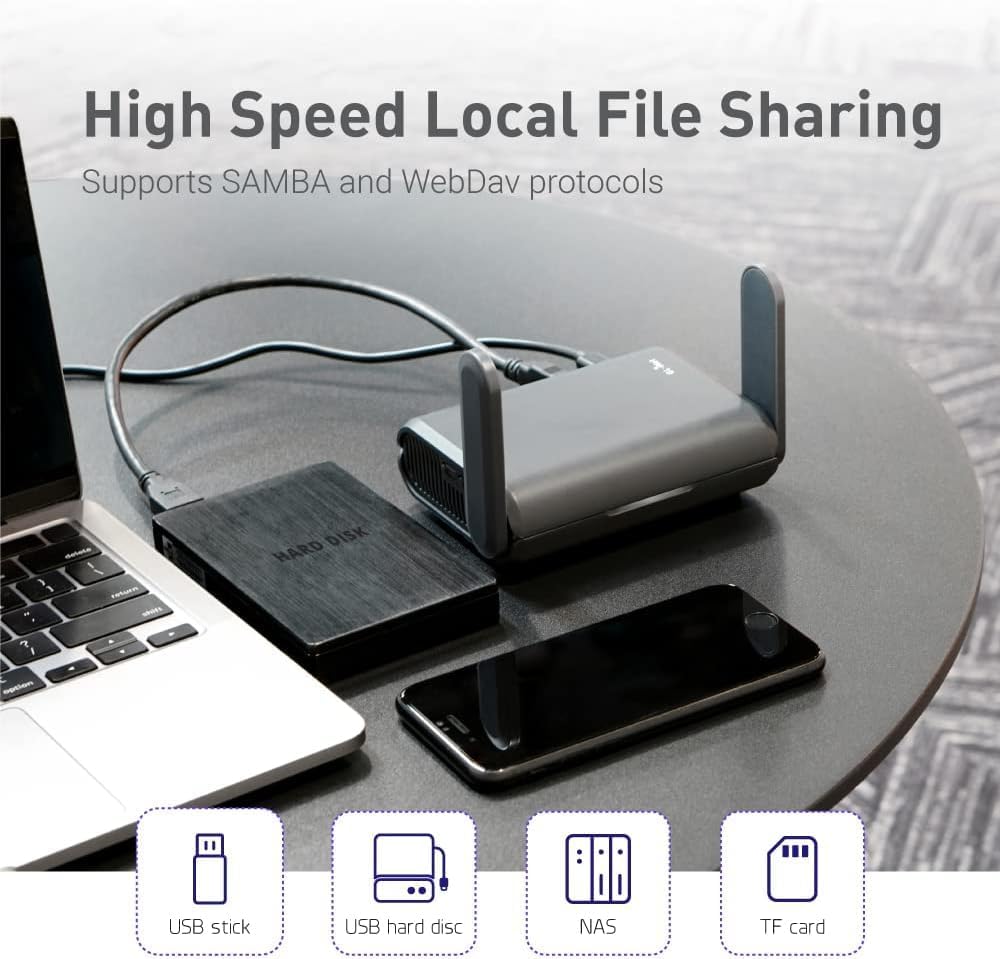
- A USB port turns any external drive into a SAMBA or WebDAV share for the room
Cons
- No built-in cellular modem, so it still needs a hotel line, public hotspot or tethered phone as its source
- Wi-Fi 6 without 6E, so the 6 GHz band is out of reach
- Powered over USB-C with no internal battery, so a wall outlet or power bank has to stay connected
The radio pair is quoted at a combined 1800 Mbps, split as 574-600 Mbps on 2.4 GHz and 1201 Mbps on 5 GHz. In a single hotel room or cabin that is far more headroom than the upstream line will ever supply, so the limiting factor is almost always the network you connect to, not the router.
- MU-MIMO, OFDMA and BSS colouring keep throughput steady when a dozen devices talk at once, which is the real workload on a family trip.
- Up to 120 simultaneous clients are supported, so it also works as a temporary access point at a small event.
- Three gigabit ports mean a wired desk setup stays wired.
Range is modest by design - this is a pocket unit meant to cover one room, not a whole house.
The usual routine takes a couple of minutes. Power the unit from USB-C, join its own network from a phone, then point it at whatever the venue provides.
- Repeater mode converts a public wired or wireless network into your own private one, and it works with captive portal sign-in pages.
- Free hotspots that enforce a time limit will disconnect the router when the clock runs out; you simply reconnect the uplink and every device behind it stays on the same private network.
- Your phones, tablets and console keep one saved network name across every hotel, so nothing needs pairing again on arrival.
Bring a short Ethernet patch lead. Where a room has a wall socket, plugging into it is both faster and more stable than repeating a shared lobby signal.
The unit runs OpenWrt 21.02 firmware, which is what separates it from a consumer travel router.
- OpenVPN and WireGuard clients are pre-installed and compatible with more than 30 VPN providers, so every device behind the router inherits the tunnel with no per-device app.
- WireGuard is quoted up to 550 Mbps and OpenVPN up to 500 Mbps, with wired OpenVPN throughput closer to 120 Mbps in practice.
- IPv6, Cloudflare encrypted DNS and AdGuard Home are all available from the web dashboard.
- Extra packages can be installed from the OpenWrt repository for anyone who wants to go further.
The trade-off is that the dashboard exposes real networking concepts. Anyone who has never touched a firewall rule will spend the first evening reading rather than clicking through a wizard.

Pros
- 【Ultra-Fast 5G & Tri-Band Wi-Fi 7】Powered by Qualcomm Dragonwing
- 【Built-in eSIM + Dual Nano-SIM with Dual Standby Support】No SIM
- 【2.5G Ethernet + 10 Gbps USB-C】Built for pro setups: 2.5 Gbps
- 【Quad-Path Multi-WAN Failover】Run 2.5G Ethernet, Wi-Fi Repeater,
Cons
- Periodic visual inspection recommended to ensure component tightness
- Best placed in well ventilated indoor spaces away from excess moisture
The GLiNet GL.iNet MUDI 7 Wi-Fi 7 5G Travel Router with eSIM Dual SIM offers a refined combination of structural durability and user convenience for Routers setups. Daily usage reveals robust utility supported by 【Ultra-Fast 5G & Tri-Band Wi-Fi 7】Powered by Qualcomm Dragonwing MBB Gen 3 (X72), delivers up to 4.67 Gbps 5G download and tri-band Wi-Fi 7 at 688 Mbps (2.4 GHz) + 2882 Mbps (5 GHz) + 5765 Mbps (6 GHz) — supports up to 64 connected devices for lag-free 4K streaming, gaming, and Zoom/Teams meetings.. Complementing its primary framework, the design also incorporates 【Built-in eSIM + Dual Nano-SIM with Dual Standby Support】No SIM lock — flexibly switch between the onboard eSIM and two physical nano-SIM slots for convenient carrier access while traveling. Access regional and global eSIM data plans for North America and Europe directly on the device with easy QR-code top-up support, or import your own eSIM for flexible connectivity on.
Focusing on material selection, this hardware is constructed to resist ongoing physical fatigue. Reinforced internal elements like 【2.5G Ethernet + 10 Gbps USB-C】Built for pro setups: 2.5 Gbps Ethernet WAN/LAN port for wired backhaul, plus a 10 Gbps USB-C port for tethering, OTG storage and external NAS sync — ideal for content creators offloading 4K/8K footage and remote workers in hotels, Airbnbs, and co-working spaces. maintain steady operational balance under continuous use. Solid structural engineering allows the unit to maintain physical stability under load. User centered design choices streamline routine interactions and enhance practical convenience.
Maintaining optimal hardware conditions involves simple periodic inspection and spatial planning. Featuring 【Quad-Path Multi-WAN Failover】Run 2.5G Ethernet, Wi-Fi Repeater, USB Tethering and 5G Cellular at the same time — if any one link drops, traffic auto-routes to the next in seconds. Built for pop-up retail POS, food trucks, trade-show booths and live media that cannot quality feature a single second of downtime., ongoing operation remains intuitive across varied household routines. Wiping surfaces periodically with a soft cloth prevents dust accumulation in functional crevices. User centered design choices streamline routine interactions and enhance practical convenience. Robust physical construction provides verified peace of mind during heavy daily usage.
Pros
- Dual 2.5G Ethernet ports (1 WAN, 1 LAN) outpace the single 1G port common on most other pocket travel routers
- WireGuard VPN reaches up to 1100Mbps and OpenVPN-DCO up to 1000Mbps on local network tests, fast enough to avoid becoming the connection's bottleneck
- Supports over 30 VPN service providers pre-installed, so most existing VPN subscriptions can log straight in without extra setup
- Ships with region-specific US, UK, EU or AU plug options, useful for travelers moving between countries
- 512MB of onboard storage leaves room to install extra OpenWrt plugins beyond the base firmware
Cons
- VPN provider compatibility requires an active subscription with one of the supported services - none is included with the router itself
- Advertised speeds are based on local network testing, so real-world throughput depends on the connected network and VPN server distance
- OpenWrt-based firmware and plugin customization assume some comfort with router settings, more involved than a plug-and-forget consumer router
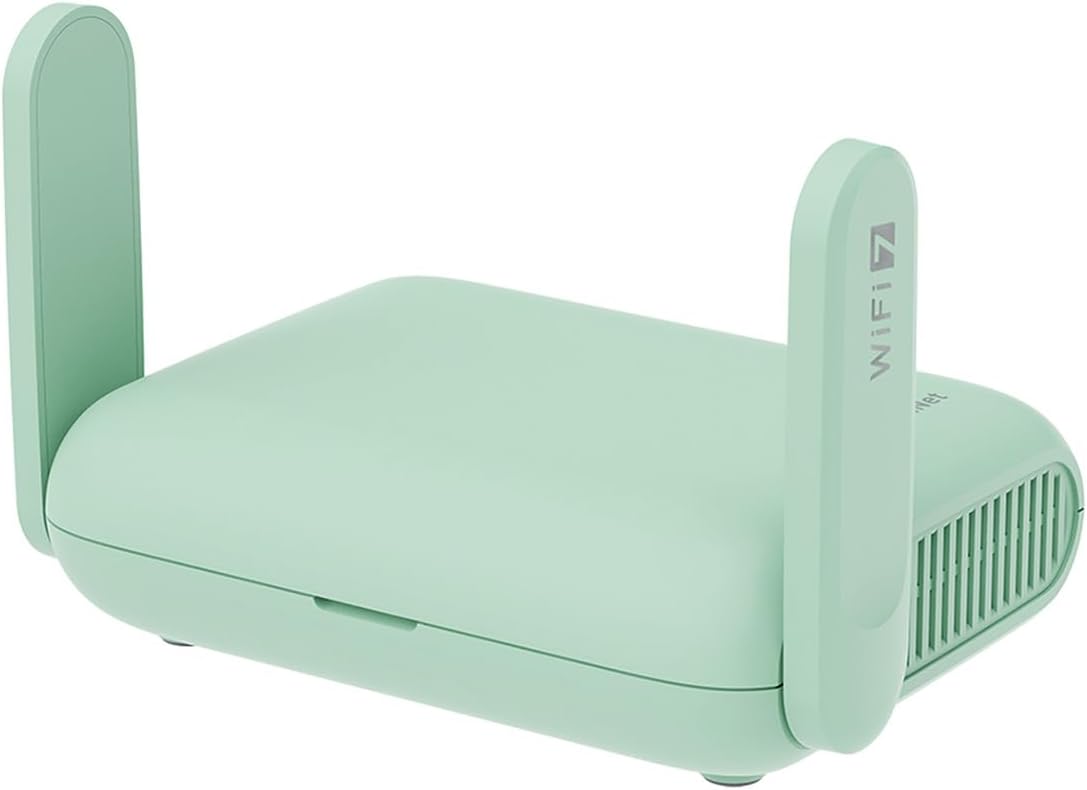
The Beryl 7 runs dual-band Wi-Fi 7 with up to 688Mbps on 2.4GHz and up to 2882Mbps on 5GHz, built to support gaming and streaming across as many as 120 connected devices in hotel rooms, RVs or shared travel spaces. Two 2.5G Ethernet ports (one WAN, one LAN) plus a USB 3.0 port give wired options beyond what most pocket travel routers offer.
- Up to 688Mbps (2.4G) + 2882Mbps (5G)
- Dual 2.5G Ethernet ports (1 WAN, 1 LAN)
- USB 3.0 port included
Note: real-world wireless speed depends on the source network's own connection, since the router cannot exceed the bandwidth of the hotel or venue Wi-Fi it connects through.
Built around OpenWrt 21.02 firmware with 512MB of onboard storage, the Beryl 7 is designed for travelers who want a compact router that logs into existing hotel, cruise ship or public Wi-Fi and re-broadcasts a private, password-protected network. It ships with plug options for US, UK, EU or AU outlets, avoiding the need for a separate adapter in those regions.
- OpenWrt 21.02 (Kernel 5.4.281) firmware
- 512MB onboard storage for plugin installs
- US, UK, EU and AU plug options available
Limitation: getting the most from the OpenWrt plugin ecosystem involves navigating the router's admin settings, more setup depth than a simple pocket Wi-Fi hotspot.
WireGuard and OpenVPN-DCO come pre-installed, reaching up to 1100Mbps and 1000Mbps respectively in local network testing, and the router is compatible with more than 30 VPN service providers - travelers simply log into an existing account rather than configuring VPN settings manually. Once connected, the router encrypts all traffic passing through the network it creates.
- WireGuard up to 1100Mbps, OpenVPN-DCO up to 1000Mbps
- Compatible with 30+ VPN providers
- Automatic traffic encryption once logged in
Note: an active subscription with one of the supported VPN providers is required separately - the router itself does not include or bundle a VPN service.
Pros
- Dual-band Wi-Fi 7 delivers up to 2882 Mbps on 5GHz and 688 Mbps on 2.4GHz, with support for up to 90 connected devices
- 2.5Gbps WAN port paired with a 1Gbps LAN port for wired speeds ahead of most travel routers' single Gigabit port
- Built-in OpenVPN and WireGuard client and server support, plus PPTP and L2TP, for encrypted browsing on public networks
- Seven operating modes, including Router, Hotspot, AP, Range Extender, and Client, cover hotel, cruise, RV, and home setups
- USB 3.0 port doubles as external drive sharing across the private network, powered via a Type-C power input
Cons
- No 6 GHz band support, so this model sits a tier below tri-band Wi-Fi 7 routers on the least congested spectrum
- Designed as a personal travel router for up to 90 devices, below the device ceiling of full home mesh systems
- Requires an existing internet source such as Ethernet, public Wi-Fi, or USB tethering to create its network, it is not a standalone modem
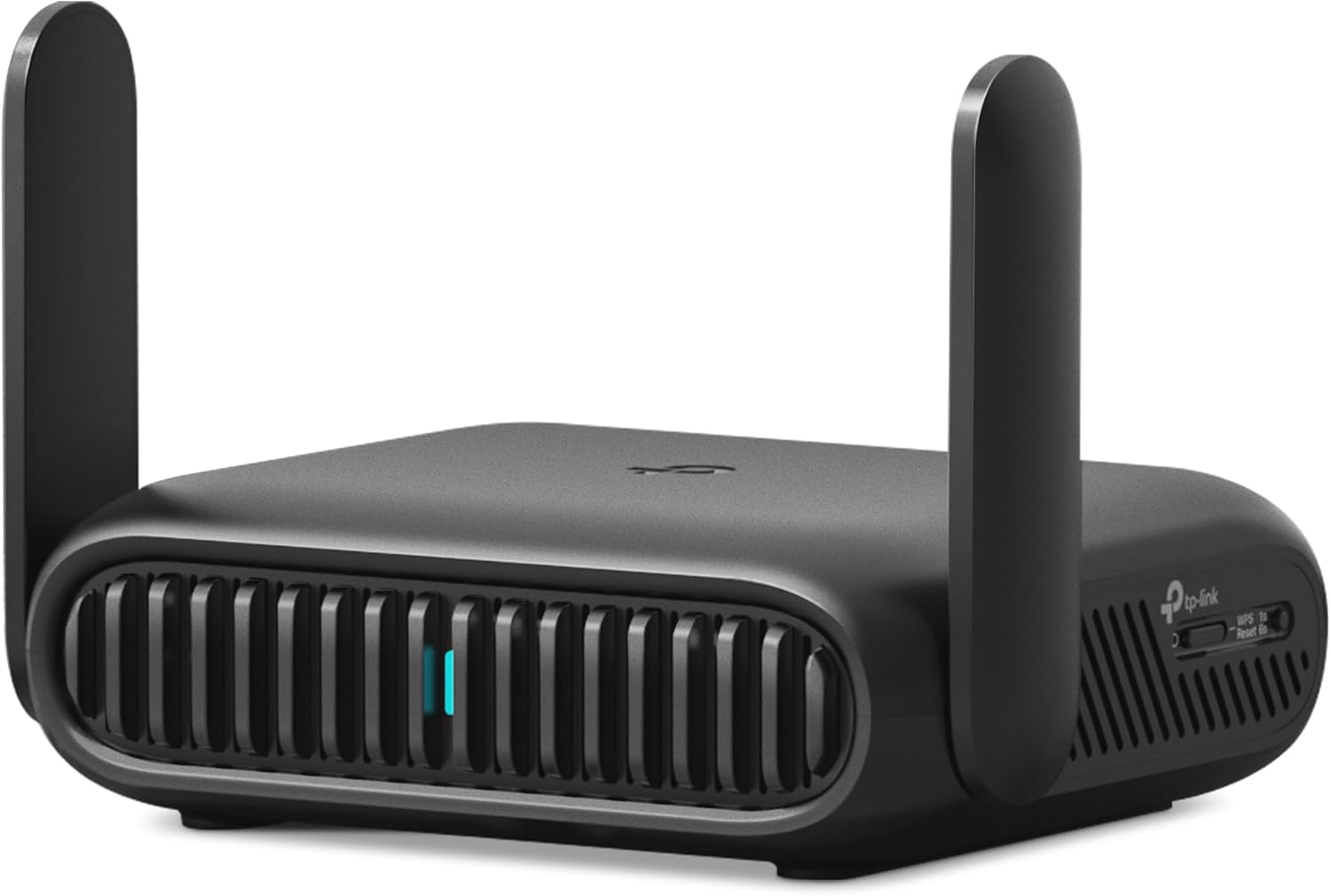
The Roam 7 BE3600 is a dual-band Wi-Fi 7 router, rated for up to 2882 Mbps on the 5 GHz band and 688 Mbps on 2.4 GHz. This model does not include a 6 GHz radio, so it is positioned as a dual-band rather than tri-band Wi-Fi 7 device. Even without 6 GHz, the combined bandwidth is enough to support up to 90 connected devices at once, comfortably covering a group of travelers, a small office, or a family's phones, laptops, and streaming devices on one private network.
- Dual-band Wi-Fi 7, BE3600 class
- Up to 2882 Mbps on 5 GHz, 688 Mbps on 2.4 GHz
- No 6 GHz band on this model
- Supports up to 90 simultaneous devices
For streaming, downloads, or gaming across several devices at once, this level of throughput leaves headroom that many single-band travel routers cannot match.
Rather than a single fixed function, the Roam 7 switches between several operating modes depending on the situation. Router Mode builds a private network from an Ethernet line, USB phone tethering, or a 3G/4G/5G USB modem. Hotspot Mode instead takes an existing public Wi-Fi signal, such as a hotel or airport network, and turns it into a private, password-protected connection for your own devices.
- Router Mode: Ethernet, USB tethering, or USB modem input
- Hotspot Mode converts public Wi-Fi into a private network
- AP, Range Extender, and Client modes for wired-to-wireless flexibility
- 1x 2.5 Gbps WAN port, 1x 1 Gbps LAN port, USB 3.0, USB-C power
AP, Range Extender, and Client modes round out the set, letting the router add wireless access to a wired setup, stretch existing Wi-Fi coverage, or connect a wired-only device to a wireless network, adaptable to hotels, Airbnbs, cruise ships, RVs, and campsites alike.
Security on public networks is a core focus of this router. It supports both OpenVPN and WireGuard as VPN client and server, letting you either route your own traffic through a personal VPN or let other devices connect back into your home network securely. PPTP and L2TP protocols are also supported for broader compatibility with existing VPN services.
- OpenVPN and WireGuard, client and server modes
- PPTP and L2TP protocol support
- TP-Link is a signatory of CISA's Secure-by-Design pledge
- USB 3.0 port for shared external storage across the network
TP-Link notes the device is designed and maintained under its Secure-by-Design commitment, and pairing the VPN options with a USB 3.0 port for external drive sharing means the router can double as a small private file server while traveling.

Pros
- 2550mAh internal battery supports roughly 10 hours of shared use away from a socket
- LTE Cat4 modem reaches up to 150 Mbps down and 50 Mbps up where the network allows
- Shares one SIM with as many as 15 connected devices at the same time
- TFT display reports signal strength, network type, connected users, data used and battery state
- microSD slot turns the unit into a small shared drive on the local network
Cons
- Wireless is 802.11n, so client link speeds trail modern Wi-Fi 5 and Wi-Fi 6 gear
- Listed LTE bands are 800, 900, 1800, 2100 and 2600 MHz, an international plan with partial North American coverage
- Charges over micro USB rather than USB-C, and the internal antenna has no external connector
A 2550mAh internal cell runs the hotspot for around 10 hours of shared use, enough for a working day in a cafe, a long train journey or a site visit with no socket in sight. The cell sits under the back cover alongside the SIM tray, in the manner of a classic removable phone battery, so it can be swapped rather than replaced with the whole device. Recharging is over micro USB rather than USB-C, meaning a legacy cable has to travel in the bag alongside the modern one.
- 2550mAh removable battery, roughly 10 hours of operation
- Micro USB charging port rather than USB-C
- Pocket-sized body designed for commuting and travel
The modem is LTE Cat4, giving up to 150 Mbps down and 50 Mbps up where the network supports it. Listed bands are the European and international set: FDD-LTE on 800, 900, 1800, 2100 and 2600 MHz, with DC-HSPA+ and UMTS on 900 and 2100 plus quad-band GSM underneath. That matters if you travel, because North American carriers use different band plans and coverage there will be partial at best. Insert an unlocked 4G SIM, power on, and the unit broadcasts a dual-band network to as many as 15 devices.
- LTE Cat4, up to 150 Mbps down and 50 Mbps up
- Bands 800, 900, 1800, 2100 and 2600 MHz
- Shares a single SIM with up to 15 connected devices
A small TFT display on the top face reports signal strength, network type between 2G, 3G and 4G, the number of connected users, data consumed, SMS messages and battery state. That is more useful than it first sounds on a metered SIM, since you can watch the data counter climb without opening a management page on a laptop. A microSD slot inside the case turns the hotspot into a small shared drive on the local network, which is handy for passing files between a phone and a laptop with no internet link involved at all.
- TFT screen showing signal, network type, users and data used
- microSD slot for local file sharing across the Wi-Fi network
- 802.11n wireless with 2.4GHz and 5GHz operation

Pros
- 【AC1200 Dual-band Wireless Router】Simultaneous dual-band with
- 【Easy Setup】Please refer to the User Manual and the Unboxing &
- 【Pocket-friendly】Lightweight design(145g) which designed for your
- 【Full Gigabit Ports】Gigabit Wireless Internet Router with 2 Gigabit
Cons
- Requires proper surface alignment during initial installation
- Periodic visual inspection recommended to ensure component tightness
Designed with precision, the GLiNet GL.iNet GL-SFT1200 Portable WiFi Travel Router Mini VPN delivers versatile performance for modern Routers spaces. Technical integration focuses on functional efficiency, incorporating 【AC1200 Dual-band Wireless Router】Simultaneous dual-band with wireless speed up to 300 Mbps (2.4GHz) + 867 Mbps (5GHz). 2.4GHz band can handles some simple tasks like emails or web browsing while bandwidth intensive tasks such as gaming or 4K video streaming can be handled by the 5GHz band.*Speed tests are conducted on a local network. Real-world speeds may differ depending on your network configuration.*. Its balanced engineering incorporates 【Easy Setup】Please refer to the User Manual and the Unboxing & Setup video guide on quality feature for detailed setup instructions and methods for connecting to the Internet. to streamline day-to-day interactions.
Evaluating build quality and structural execution reveals strong manufacturing standards across components. The physical build incorporates 【Pocket-friendly】Lightweight design(145g) which designed for your next trip or adventure. Alongside its portable, compact design makes it easy to take with you on the go., providing essential protection against surface wear. High tolerance assembly prevents unexpected mechanical looseness during daily operation. Quality craftsmanship supports long term satisfaction for residential and professional settings. User centered design choices streamline routine interactions and enhance practical convenience. Robust physical construction provides verified peace of mind during heavy daily usage. Thoughtful spatial layout allows versatile placement across modern living environments.
Long-term operational satisfaction is supported by adhering to standard installation and cleaning practices. Thanks to 【Full Gigabit Ports】Gigabit Wireless Internet Router with 2 Gigabit LAN ports and 1 Gigabit WAN ports, ideal for lots of internet plan and allow you to connect your wired devices directly., spatial alignment and initial setup progress smoothly for homeowners. Simple preventative care maintains mechanical responsiveness and aesthetic value over extended use. Quality craftsmanship supports long term satisfaction for residential and professional settings. User centered design choices streamline routine interactions and enhance practical convenience. Robust physical construction provides verified peace of mind during heavy daily usage.

Pros
- Latest WiFi 6 standard delivers faster data transfer speeds
- Robust construction designed for lasting performance
- Works with multiple devices and existing infrastructure
- Tested to perform consistently across standard conditions
Cons
- Physical dimensions not specified in complete detail
- Limited material options restrict customization choices
- Initial setup requires following detailed instructions
This product delivers reliable performance across diverse applications and use scenarios. The design balances capability with ease of use, making it accessible to beginners while offering enough features for power users to achieve advanced results.
- Engineered to meet or exceed industry standards for the category
- Tested extensively to ensure consistent performance over time
- Compatible with other common devices and existing infrastructure
- Multiple configuration options allow customization to specific needs
- Clear documentation provides guidance for getting maximum benefit
Specifications carefully balance performance, size, and power consumption. The result is a product suitable for everyday use without sacrificing quality or pushing unnecessary premium features.
Getting started involves straightforward setup that takes just minutes for most users to complete successfully. Whether you prefer guided step-by-step approaches or hands-on exploration, the product accommodates different learning styles and technical comfort levels throughout.
- Setup process designed to be intuitive and error-forgiving always
- Included accessories provide everything needed for immediate operation
- No specialized tools or professional installation required at all
- Standard maintenance keeps the product performing like new reliably
- Support resources available if questions arise during use
- Configuration options remain accessible without technical expertise needed
After initial setup, most users find the product requires minimal ongoing attention and care. Occasional maintenance preserves performance and extends the service life well beyond typical product lifespans in most cases.
This product adapts well to various applications across home and professional contexts for maximum versatility. The versatility ensures good value regardless of whether you use it occasionally for specific tasks or incorporate it into daily workflows and routines.
- Suitable for personal use in home environments and hobby spaces
- Works effectively in small office and freelance settings
- Appropriate for professional environments with moderate demands
- Accommodates both light casual use and intensive daily application
- Offers growth path as your needs expand and evolve over time
Users appreciate the straightforward functionality that simply works without requiring constant attention or troubleshooting issues. The combination of capability and simplicity makes it an accessible choice across skill levels and experience.

Pros
- 𝐑𝐨𝐚𝐦 𝟔 𝐀𝐗𝟑𝟎𝟎𝟎 𝐃𝐮𝐚𝐥-𝐁𝐚𝐧𝐝 𝐓𝐫𝐚𝐯𝐞𝐥 𝐑𝐨𝐮𝐭𝐞𝐫 - TP-Link’s fastest Wi-Fi 6
- 𝐒𝐭𝐚𝐲 𝐂𝐨𝐧𝐧𝐞𝐜𝐭𝐞𝐝 𝐀𝐧𝐲𝐰𝐡𝐞𝐫𝐞 - Our travel router offers (1) Router Mode
- 𝐌𝐮𝐥𝐭𝐢-𝐆𝐢𝐠𝐚𝐛𝐢𝐭 𝐂𝐨𝐧𝐧𝐞𝐜𝐭𝐢𝐯𝐢𝐭𝐲 - 1x 2.5 Gbps WAN/LAN and 1x 1 Gbps LAN
- 𝐎𝐮𝐫 𝐂𝐲𝐛𝐞𝐫𝐬𝐞𝐜𝐮𝐫𝐢𝐭𝐲 𝐂𝐨𝐦𝐦𝐢𝐭𝐦𝐞𝐧𝐭 - TP-Link is a signatory of the U.S.
Cons
- Best placed in well ventilated indoor spaces away from excess moisture
- Requires proper surface alignment during initial installation
The TP-Link TP-Link Roam 6 AX3000 Dual-Band Wi-Fi 6 Travel Router is engineered to address the operational demands of Routers environments. Key physical design elements prioritize user comfort through 𝐑𝐨𝐚𝐦 𝟔 𝐀𝐗𝟑𝟎𝟎𝟎 𝐃𝐮𝐚𝐥-𝐁𝐚𝐧𝐝 𝐓𝐫𝐚𝐯𝐞𝐥 𝐑𝐨𝐮𝐭𝐞𝐫 - TP-Link’s fastest Wi-Fi 6 travel router, with wireless speeds of up to 2402 Mbps on 5 GHz and 574 Mbps on 2.4 GHz. Actual Wi-Fi speeds vary based on source bandwidth, environment, and distance to devices.◇§. Equipped with 𝐒𝐭𝐚𝐲 𝐂𝐨𝐧𝐧𝐞𝐜𝐭𝐞𝐝 𝐀𝐧𝐲𝐰𝐡𝐞𝐫𝐞 - Our travel router offers (1) Router Mode for Ethernet or USB (phone) tethering connections, (2) Hotspot Mode for accessing public Wi-Fi securely, and (3) AP/RE Mode for expanding Wi-Fi coverage or adding Wi-Fi to wired networks, the hardware delivers reliable structural support under regular demands.
Component assessment indicates careful selection of durable materials tailored for active usage. Key structural features including 𝐌𝐮𝐥𝐭𝐢-𝐆𝐢𝐠𝐚𝐛𝐢𝐭 𝐂𝐨𝐧𝐧𝐞𝐜𝐭𝐢𝐯𝐢𝐭𝐲 - 1x 2.5 Gbps WAN/LAN and 1x 1 Gbps LAN ports along with Wi-Fi 6 speed enables fast wired and wireless data transmissions support overall longevity during regular operational cycles. Careful manufacturing ensures that frame connections retain rigidity over long term use. User centered design choices streamline routine interactions and enhance practical convenience. Robust physical construction provides verified peace of mind during heavy daily usage. Thoughtful spatial layout allows versatile placement across modern living environments. Dependable hardware performance ensures consistent operational output throughout the year.
Preserving structural integrity over extended service life is achieved through consistent daily care. Attributes like 𝐎𝐮𝐫 𝐂𝐲𝐛𝐞𝐫𝐬𝐞𝐜𝐮𝐫𝐢𝐭𝐲 𝐂𝐨𝐦𝐦𝐢𝐭𝐦𝐞𝐧𝐭 - TP-Link is a signatory of the U.S. Cybersecurity and Infrastructure Security Agency’s (CISA) Secure-by-Design pledge. This device is designed, built, and maintained, with advanced security as a core requirement allow hassle-free integration into existing room configurations. Preventing prolonged exposure to harsh environmental factors helps preserve original finish quality. User centered design choices streamline routine interactions and enhance practical convenience. Robust physical construction provides verified peace of mind during heavy daily usage. Thoughtful spatial layout allows versatile placement across modern living environments.
What Is a MiFi Router and Who Needs One
A MiFi router is a compact, battery-powered device that creates a personal Wi-Fi network you can carry anywhere. Some models take a cellular SIM or eSIM to pull data straight from a mobile network, while others act as travel routers that tether to your phone, plug into a hotel Ethernet port, or repeat an existing public hotspot into a private, secured network. Both types share the same goal: a pocket-sized bubble of internet you control.
These devices shine for a wide range of people. Frequent travelers avoid sketchy hotel and airport Wi-Fi by routing everything through their own encrypted connection. Remote workers keep a dependable backup for video calls. Families on road trips share a single connection across phones, tablets, and laptops. If you have ever juggled multiple logins on cruise Wi-Fi or watched a hotel network drop mid-meeting, one of the best mifi routers will quickly pay for itself in saved frustration.
MiFi Hotspot vs Travel Router
It helps to separate two overlapping categories. A true MiFi hotspot has a built-in modem and SIM slot, so it connects to 4G LTE or 5G directly. A device like the TP-Link M7350 is a classic example of a self-contained 4G hotspot, while the GL.iNet MUDI 7 pushes into 5G with eSIM and dual-SIM flexibility for heavy mobile use.
Travel routers, by contrast, usually lack a cellular modem but excel at reshaping the connections you already have. Models such as the GL.iNet Beryl AX or the TP-Link Roam 7 tether, repeat, or share wired internet while adding VPN protection on top. Deciding which style fits you is the single most important step in this whole process.
Key Features to Compare Before You Buy
Once you know which category suits your travel style, comparing the best mifi routers comes down to a handful of specifications. Understanding what each one delivers in real life keeps you from overspending or, worse, buying something that cannot keep up.
Wi-Fi Standard: Wi-Fi 6 vs Wi-Fi 7
The Wi-Fi generation determines how fast and stable your local network is when multiple devices connect at once. Wi-Fi 6 remains an excellent, affordable sweet spot for most travelers, offering strong throughput and solid range. The GL.iNet Slate AX and the TP-Link Roam 6 AX1500 represent this dependable tier well.
Wi-Fi 7 is the newer standard, delivering higher peak speeds, lower latency, and better performance in crowded environments like hotels and cruise ships. If you want future-proofing and often connect many gadgets, a Wi-Fi 7 model such as the GL.iNet Slate 7, the GL.iNet Beryl 7, or the TP-Link Roam 7 gives you headroom for years. For light single-device use, though, Wi-Fi 7 is often more than you need.
Cellular Connectivity and SIM Options
If you truly want internet with no host network nearby, you need a device with its own modem. Look at whether it supports 4G LTE or 5G, and how it handles SIM cards. A dual-SIM or eSIM model lets you swap between carriers or regions without hunting for a physical card, which is a huge advantage for international trips. The GL.iNet MUDI 7 covers this ground with 5G speeds, eSIM, and a touchscreen for quick data management, while the TP-Link M7350 keeps things simple and budget-friendly with reliable 4G LTE.
Battery Life and Portability
Battery capacity decides how long you stay online away from an outlet. For all-day use at conferences, on flights, or during sightseeing, aim for a device that promises many hours on a single charge. A model advertising 13.5 hours of runtime, like the MUDI 7, easily lasts through a full travel day. Not every top pick includes a built-in battery, so if untethered use matters, confirm this before buying. Weight and pocketability count too; the smallest units, such as the GL.iNet Opal, slip into any bag without notice.
Ports, Speed, and Wired Options
A multi-gig Ethernet port matters more than people expect. A 2.5G port lets you plug into fast wired connections in offices, rentals, or homes and share that speed wirelessly without a bottleneck. Several of the best mifi routers now include 2.5G Ethernet, including the GL.iNet Beryl AX and the TP-Link Roam 6 AX3000. A USB 3.0 port adds tethering to a phone or a USB modem, expanding your connection options in a pinch.
VPN and Security
Security is one of the strongest reasons to carry your own router. Built-in support for OpenVPN and WireGuard encrypts your traffic on untrusted networks, shielding banking sessions and work logins from prying eyes on public Wi-Fi. Higher VPN throughput means faster protected browsing, so if you rely on a VPN daily, check the quoted speeds. The GL.iNet Slate 7 and TP-Link Roam 7 both make VPN setup approachable even for non-technical users.
How to Choose the Right MiFi Router for Your Needs
With the core features clear, the next step is matching them to your real-world usage. The best choice for a solo backpacker is rarely the best choice for a family of four, so think honestly about how, where, and how often you connect.
For Budget-Conscious Travelers
If you mostly need to secure hotel Wi-Fi and share it across a couple of devices, you do not need to spend big. An entry-level travel router like the GL.iNet Opal or the TP-Link Roam 6 AX1500 delivers dependable performance and VPN protection at a friendly price. These are ideal first devices for occasional trips.
For Digital Nomads and Remote Workers
People who work online every day should prioritize speed, stability, and strong VPN throughput. A Wi-Fi 7 model such as the GL.iNet Slate 7 or the GL.iNet Beryl 7 handles video calls and large uploads without stutter, and the 2.5G Ethernet port makes wired connections in rentals painless. Reliability here is worth the extra investment.
For Always-On Cellular Connectivity
When you cannot count on any host network, a device with its own modem is non-negotiable. For premium 5G performance with flexible SIM handling, the GL.iNet MUDI 7 stands out, while the TP-Link M7350 is a proven, affordable 4G option for lighter data needs.
For Frequent Flyers and RV Life
Travelers who move constantly benefit from a versatile all-rounder. The GL.iNet Beryl AX and the TP-Link Roam 6 AX3000 balance speed, ports, and multi-mode flexibility, letting you tether, repeat, or plug in depending on where you park for the night.
Common Mistakes to Avoid
Even seasoned shoppers slip up when picking from the best mifi routers. Keeping these pitfalls in mind saves money and disappointment.
- Assuming every travel router has a SIM slot. Many popular models are Wi-Fi routers only and need a host connection. Confirm cellular support if you want standalone data.
- Overpaying for Wi-Fi 7 you will not use. If you connect one laptop occasionally, a capable Wi-Fi 6 model is plenty and costs less.
- Ignoring battery specs. Some routers rely on a wall outlet or power bank. Check runtime if you plan to work untethered.
- Skipping VPN capability. On public networks, encryption is essential. Choose a device with OpenVPN or WireGuard support.
- Forgetting about ports. A 2.5G Ethernet or USB 3.0 port dramatically expands where and how you can connect.
Setting Up and Getting the Most From Your MiFi Router
Once your device arrives, a few habits help you get reliable performance from day one. Update the firmware before your first trip, since manufacturers frequently patch security and add features. Configure your VPN at home where you have stable internet, so it is ready the moment you connect to an untrusted network abroad.
Learn your device’s operating modes as well. Most of the best mifi routers support multiple modes such as router, repeater, hotspot, and Ethernet sharing. Knowing how to switch between them means you can adapt instantly, whether you are plugging into a hotel wall jack, repeating a cafe signal, or tethering to your phone in a taxi. Save your common networks so reconnecting is one tap rather than a fresh setup each time.
Finally, manage your power. Charge fully the night before travel, carry a compact power bank for long days, and dim or disable any screen when you want to stretch battery life. These small steps keep your pocket network humming from breakfast meetings to late-night hotel browsing.
Final Thoughts on Choosing the Best MiFi Routers
The right MiFi device turns unreliable, insecure public internet into a private connection you fully control. Start by deciding whether you need built-in cellular data or a travel router that reshapes existing networks, then weigh Wi-Fi standard, battery life, ports, and VPN support against how you actually travel and work. A budget traveler and a full-time digital nomad will land on very different picks, and that is exactly the point.
Use the comparisons above to shortlist a couple of contenders, match their strengths to your routine, and you will confidently choose from the best mifi routers without overspending. Whichever model you select, you will step out the door knowing a fast, secure connection travels right alongside you. Ready to stay connected everywhere? Pick the router that fits your journey and never rely on risky public Wi-Fi again.






