 Daniel Okafor
A glowing rig looks incredible, but the best led lighting gaming desks do more than shine. They anchor your monitors, hide cable spaghetti, and add ambient RGB that syncs with your game or music. The trouble is that “LED desk” covers everything from a 47-inch Z-frame to a huge 78-inch L-shaped workstation, plus clamp-on light bars you bolt to a desk you already own. Below you will find 10 options ranked by rating, review volume, price, and real-world fit. You will also get a plain-English buying guide so you can match a desk to your room, your gear, and your budget without overspending.
Quick answer: For most setups in 2026, our top pick among the best led lighting gaming desks is the SEDETA 78.8″ Gaming Desk — our #1 rated choice. It pairs a huge surface with built-in LED strips, a monitor stand, and storage, at a fair price. See the full ranked comparison, alternatives and buying advice below.

Pros
- Designed with Z-Frame Gaming Desk - Heavy-duty Z-frame gaming desk with reinforced for reliable daily operation
- Designed with Infinity Mirror RGB Gaming Desk - Multi-depth infinity mirror LED for reliable daily operation
- Designed with Fast Installation - Quick assembly with clear step-by-step instructions and for reliable daily operation
Cons
- Requires measuring doorways and room clearance for ARES WING Z Shaped prior to placement

Pros
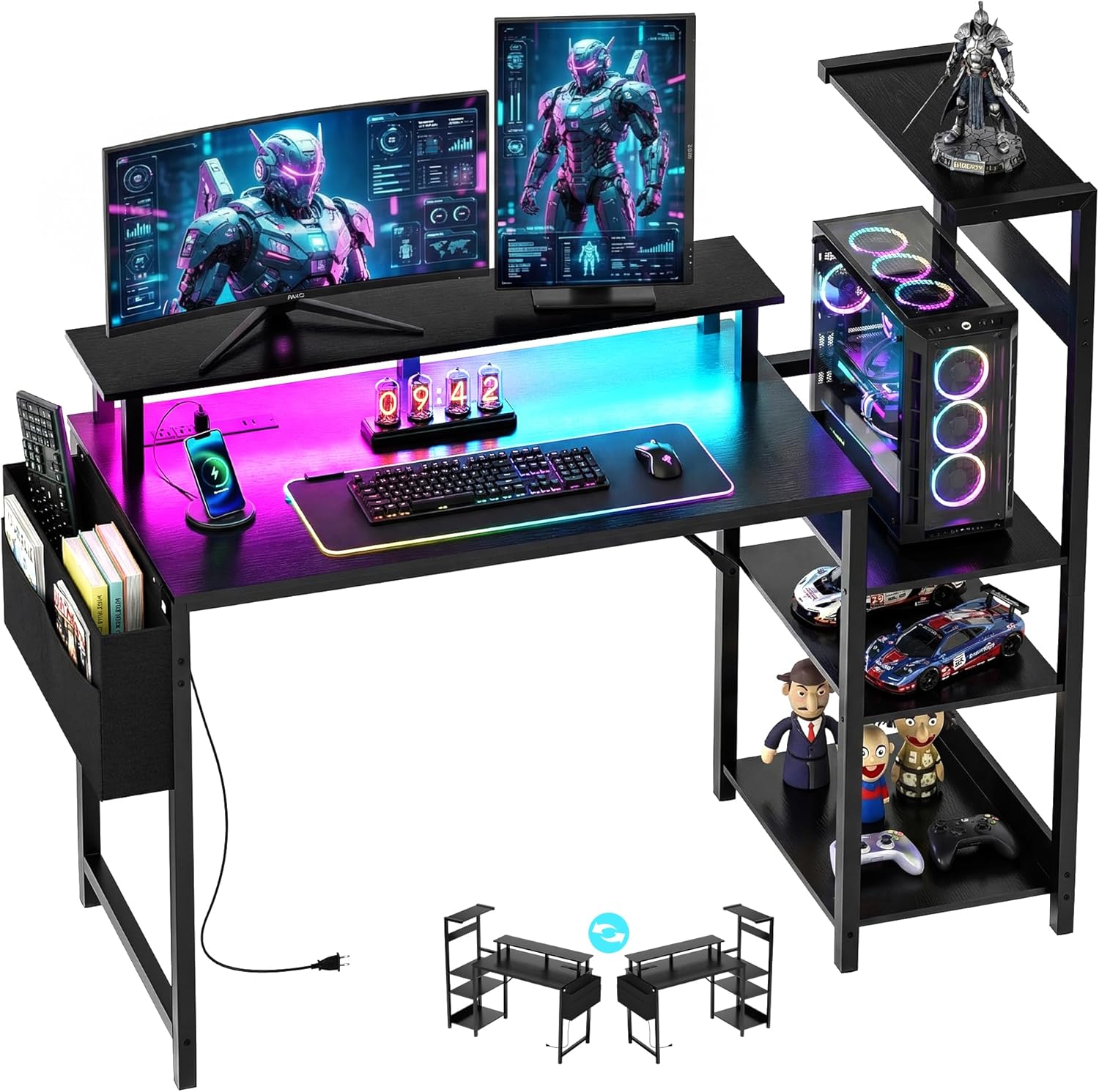
- IMMERSIVE ESPORTS LIGHTING EFFECTS This gaming table features built-in,
- INTEGRATED VERTICAL STORAGE SYSTEM This computer desk with shelves
- INTEGRATED FAST CHARGING STATION This home office desks features one
- INDUSTRIAL-GRADE STABILITY HIGH LOAD CAPACITY Constructed with a
- EASY ASSEMBLY This work desk comes with a detailed instruction manual,
Cons
- Requires checking room layout clearance for 39.3"D x 23.6"W x 66.9"H dimensions
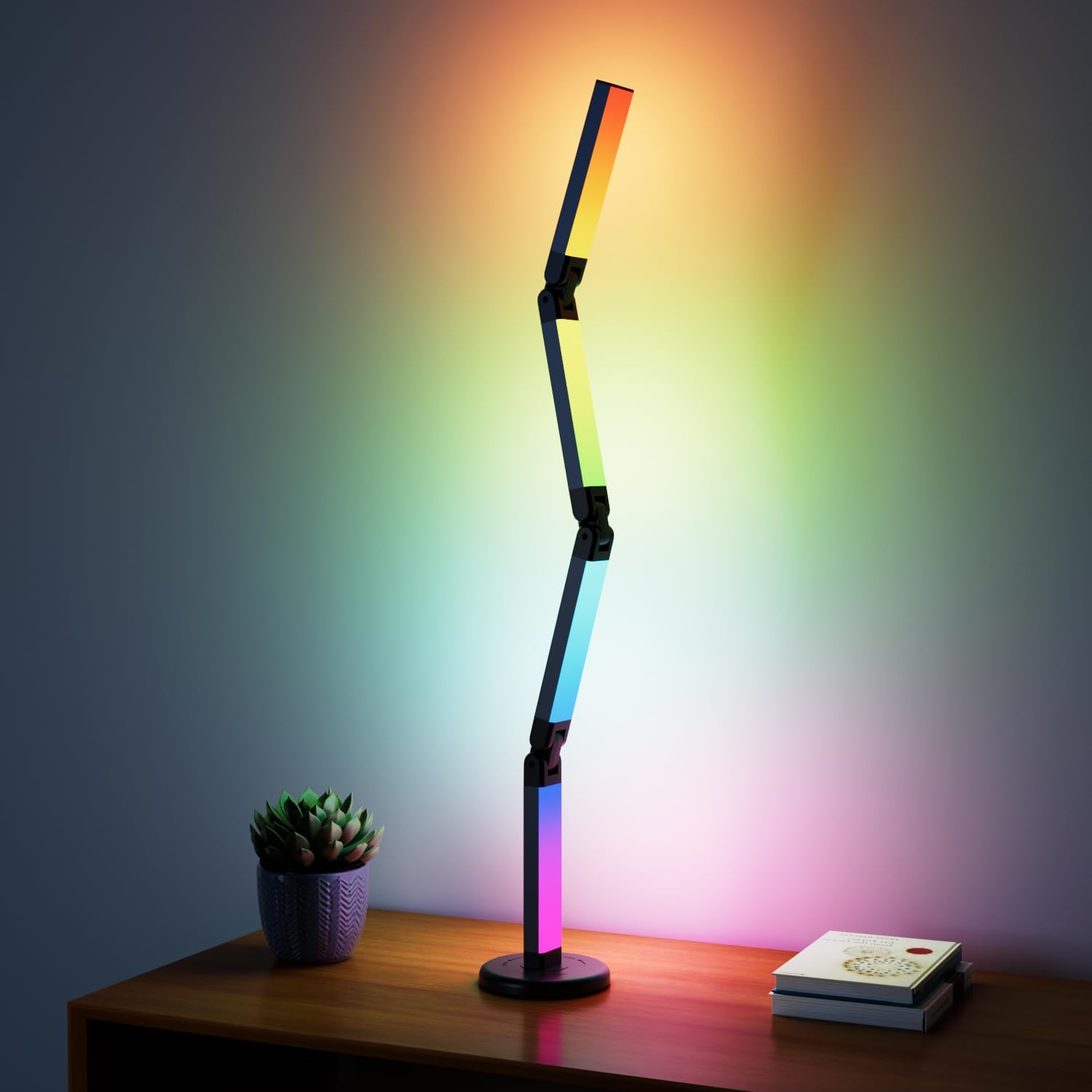
Pros
- Physical footprint measures 1.57"D x 3.94"W x 8.27"H for spatial placement
Cons
- Requires checking room space for Led Desk Lamp with Atm prior to installation
- Routine cleaning needed to maintain Plastic appearance

Pros
- Dimensions of 17.28 x 7.83 x 3.7 inches engineered for optimal spatial fitting
Cons
- Requires verifying placement clearance for 17.28 x 7.83 x 3.7 inches prior to installation

Pros
- Four independently adjustable panels fold inward for focused light or rotate outward to cover up to 80 inches of desk space
- Delivers up to 1800 lumens across 25 combined color-temperature and brightness settings
- 6 preset modes (Work, Game, Study, Relax, Night, Mother and Baby) switch lighting scenarios with one button
- Heavy-duty metal clamp with anti-slip pads fits desks up to 2.75 inches thick
- Remote control plus on-lamp buttons both operate brightness, color, and timer settings
Cons
- At 42 inches wide, the light bar needs a correspondingly wide desk to make use of the full coverage
- Clamp mount tops out at 2.75 inches of desk thickness, ruling out some thicker desk edges
- Timer presets are fixed at 1, 2, or 4 hours, with no custom duration setting
This 42-inch light bar delivers up to 1800 lumens across 5 color temperatures and 5 brightness levels, combining for 25 total lighting settings. Four independently adjustable panels fold inward for focused task lighting or rotate outward to spread illumination across up to 80 inches of desk space.
- Up to 1800 lumens across 25 lighting combinations
- 4 independently adjustable panels
- Coverage extends up to 80 inches when panels rotate outward
The wide coverage suits dual-monitor desks or drafting tables where a single-head lamp would leave part of the workspace dim.
A heavy-duty metal clamp with anti-slip pads mounts the lamp to desks up to 2.75 inches thick without drilling. The 27.7-inch flexible support arm bends up to 180 degrees, letting the light bar be angled toward a specific zone of the desk.
- Metal clamp fits desks up to 2.75 inches thick
- 27.7-inch arm bends up to 180 degrees
- No drilling or permanent mounting required
Desks thicker than 2.75 inches will not accept this clamp, so measuring the desk edge before ordering avoids a mounting mismatch.

Pros
- 300 lb weight capacity metal frame handles dual towers and monitors
- 55" x 21.6" desktop, large enough for two full computer setups side by side
- Two open storage shelves plus a top hutch keep consoles and speakers off the desktop
- RGB LED strip syncs to music with an adjustable-sensitivity mic, over 60,000 colours via app
- Built-in CPU holder and monitor stand free up desk surface for keyboard and mouse
Cons
- 78.8" width needs a dedicated wall run, not suited to small bedrooms
- LED strip depends on a companion app and Bluetooth pairing, no physical remote mentioned
- Metal frame with hutch and shelves means a longer bolt-together assembly than a basic table
This desk measures 78.8"W x 21.6"D x 60"H, giving it enough footprint for a triple-monitor arrangement or two workstations sharing the surface. The metal frame is rated to hold 300 pounds, which covers a full tower PC, two monitors on stands, and typical desktop accessories without flexing.
- Desktop area: 55"L x 21.6"W for keyboard, mouse and paperwork
- Two lower storage shelves for CPU towers, consoles or speakers
- Top hutch shelf for books, figures or plants
- Built-in monitor stand raises screens above desk clutter
The dimensions suit a dedicated office or gaming room rather than a shared or compact bedroom corner.
This desk fits gamers and remote workers who want a single station that also stores hardware. The 300 lb capacity and dual shelving make it practical for anyone running two PCs, streaming equipment, or console peripherals that would otherwise clutter the floor.
- Suited to dedicated gaming rooms or home offices with wall space for a 78.8" run
- Good for users who want LED ambiance synced to games or music
- Storage shelves help households consolidating a PC and console setup on one desk
It is less practical for small apartments or shared bedrooms where a 78.8" wide footprint will not fit comfortably against available wall space.

Pros
- Workstation surface measures 53 inches wide by 18.9 inches deep at 29.8 inches tall, rated to hold up to 300 pounds
- Built-in power strip adds 3 AC outlets and 2 USB ports directly on the desk for centralized charging
- RGB LED strip offers 10 color presets, 8 brightness levels and 10 dynamic modes with a memory function
- X-shaped steel frame construction adds stability for dual-monitor or multi-display setups
- Reversible left/right side modules let the L-shape orientation match either side of a room
Cons
- Assembly takes an estimated 50 to 70 minutes even with included tools and labeled parts, and is easier with two people when flipping the desk upright
- Corner L-shape footprint needs more floor space than a straight desk, so it will not fit tight rooms as easily
The main workstation area measures 53 inches wide by 18.9 inches deep at a 29.8-inch working height, rated to support up to 300 pounds across the desktop. Built-in power comes from 3 AC outlets and 2 USB ports mounted on the desk itself, along with cable management channels to keep cords off the floor during long sessions.
- Dual open shelves, a CPU stand, an accessory hook and a tool bag are included for onboard storage
- RGB LED strip supports 10 color presets, 8 brightness grades and 10 dynamic lighting modes with a memory function
- X-shaped steel frame is designed to add stability under the weight of dual monitors and a desktop tower
The overall L-shape footprint spans 53.15 x 39.37 inches at the base, so it needs a corner or wall space to match.

Pros
- 23.6-inch deep desktop across an L-shaped 59"D x 61"H footprint leaves room for dual monitors
- 5-tier open shelving plus a glass display cabinet add vertical storage beyond the desktop surface
- 2 fabric drawers and a multifunctional storage bag keep small items off the work surface
- Built-in power strip with 3 outlets and 2 USB ports charges gear without a floor extension cord
- RGB LED strip with app remote control offers over 60,000 colors and 29 flashing modes
Cons
- 61-inch-tall bookshelf section needs wall clearance, so it will not fit under a sloped ceiling nook
- Fabric drawers, rather than solid wood, mean heavier items are better kept on the open shelves
- Multi-piece assembly across the metal frame, shelving, and cabinet takes longer than a single-slab desk

Pros
- Triple-sided illumination lights the front, base, and reflected surface at once, unlike single-face light bars
- DreamView software syncs colors to on-screen content in real time on Windows, adding reactive lighting beyond static colors
- Matter support lets the bars work with Alexa, Google Home, or a Matter-compatible hub without needing a separate bridge
Cons
- DreamView screen sync software is Windows-only, so Mac or console users lose that specific feature
- Requires Wi-Fi plus Bluetooth for full functionality, so areas with weak wireless coverage may see lag in sync response

Pros
- 59-inch L-shaped layout with reversible configuration
- Integrated 3 AC outlets and 2 USB charging ports
- 10-color RGB LED lighting with 8 brightness levels
Cons
- Requires careful assembly with multiple components
- Fabric drawers may show wear with intensive daily use
What counts as an LED lighting gaming desk?
There are two distinct products hiding under this search term. Knowing which you want saves money and frustration.
Desks with integrated LED strips
These have RGB strips routed along the front edge or frame. Many include a controller or DIY cable so you can change colors and modes. Examples here range from the compact ARES WING to the SEDETA and ODK L-shaped models. The light is built in, so you get a clean look with no extra clamps.
Add-on light bars and lamps
If you already own a solid desk, you may only need lighting. Smart light bars like the Govee models and gooseneck LED lamps deliver richer, brighter effects than most strip-lit desks. They mount behind monitors or clamp to the edge. You keep your current surface and just add the glow.
How to choose the best led lighting gaming desks
Focus on five things: size, shape, lighting quality, cable management, and power features. Get these right and the RGB is the easy part.
Size and desk shape
Measure your space before you shop. A single-monitor setup fits happily on a 39 to 47-inch rectangular desk. Dual monitors or a stream deck want 53 inches or more. L-shaped and corner models give you a second wing for a console, tablet, or notes. If you game in a tight bedroom, a compact Z-frame keeps the footprint small while still looking sharp.
Lighting type and control
Cheaper desks use a single-color or basic RGB strip with a manual controller. Better systems offer RGBIC, meaning several colors run along one strip at once. Look for music sync, scene modes, and app or voice control if you want your lighting to react to gameplay. A DIY control cable, like the one on the ARES WING, lets you tune colors without an app.
Power, ports, and cable management
The nicest touch on a modern gaming desk is built-in power. Charging stations, USB-C ports, and a mounted power strip keep controllers and headsets topped up. Hooks, grommets, and pegboards route cables out of sight. Messy cables ruin even the best RGB, so treat management as a real feature, not an afterthought.
Best picks by use-case
Everyone games differently, so match the desk to how you play. Here is where each model earns its spot.
Best overall: large workstation
The SEDETA 78.8″ Gaming Desk wins on sheer versatility. At 78.8 inches it swallows dual monitors, a full keyboard tray of gear, and still leaves elbow room. You get a monitor stand, hutch, storage shelves, and integrated LED lighting. With a 4.7 rating across 1043 reviews, it is the most proven option here. It is not for cramped rooms, though; measure your wall first.
Best budget L-shaped: corner value
The ODK 53″ L-Shaped Desk gives you a corner layout, LED strip, power outlets, and storage shelves for. The reversible design fits a left or right corner, so it adapts to any room. Its 4.7 rating over 879 reviews shows the build holds up. If you want a bigger wing with drawers instead of open shelves, look higher up the list.
Best compact pick under $100
The ARES WING RGB Desk is a 47-inch Z-shaped table with a built-in LED light and DIY control cable. It suits a single-monitor rig, a starter setup, or a second desk. The Z-frame looks aggressive and stays stable. Review volume is still low at 3, so it is newer, but the price and format are hard to beat for small spaces.
Best for storage and cable control
The SEDETA L-Shaped Desk adds 2 drawers, a bookshelf, a glass cabinet, and a storage bag to its LED corner layout. It hides more clutter than any open-shelf rival. That makes it ideal if your setup doubles as a home office. At 4.7 stars and 371 reviews, it is a dependable pick for organizers who hate visible mess.
Best with charging station
The 39″ Gaming Desk with Charging Station bundles USB-C ports, a power strip, a hutch, and a pegboard organizer. It is the priciest here, but the integrated power turns it into a tidy command center. The 39-inch top suits single-monitor players who value ports over surface area. Skip it if you need room for dual displays.
Best drawer-heavy corner desk
The AODK L-Shaped Desk packs 4 drawers, a hutch, shelves, LED lights, power outlets, and a grid pegboard into a 59-inch reversible frame. It balances storage and price better than most. If you like the corner concept but want a wider budget spread, compare it against our roundup of the best l-shaped gaming desks before deciding.
Add-on lighting if you keep your current desk
Sometimes the desk is fine and only the glow is missing. These upgrades cost far less than a new table.
Smart RGBIC light bars
The Govee Gaming Light Bars H6047 deliver Wi-Fi control, music modes, and 60+ scene modes. With a 4.7 rating across 1827 reviews, they are the most-loved lighting product on this list. They work with Alexa and Google Assistant, so voice control is built in. Stand them behind your monitors for a wall wash of reactive color.
Want brighter, triple-sided output? The Govee Light Bars Pro upgrade the effect, with RGBIC illumination on three sides and the same music sync.
Task and ambient LED lamps
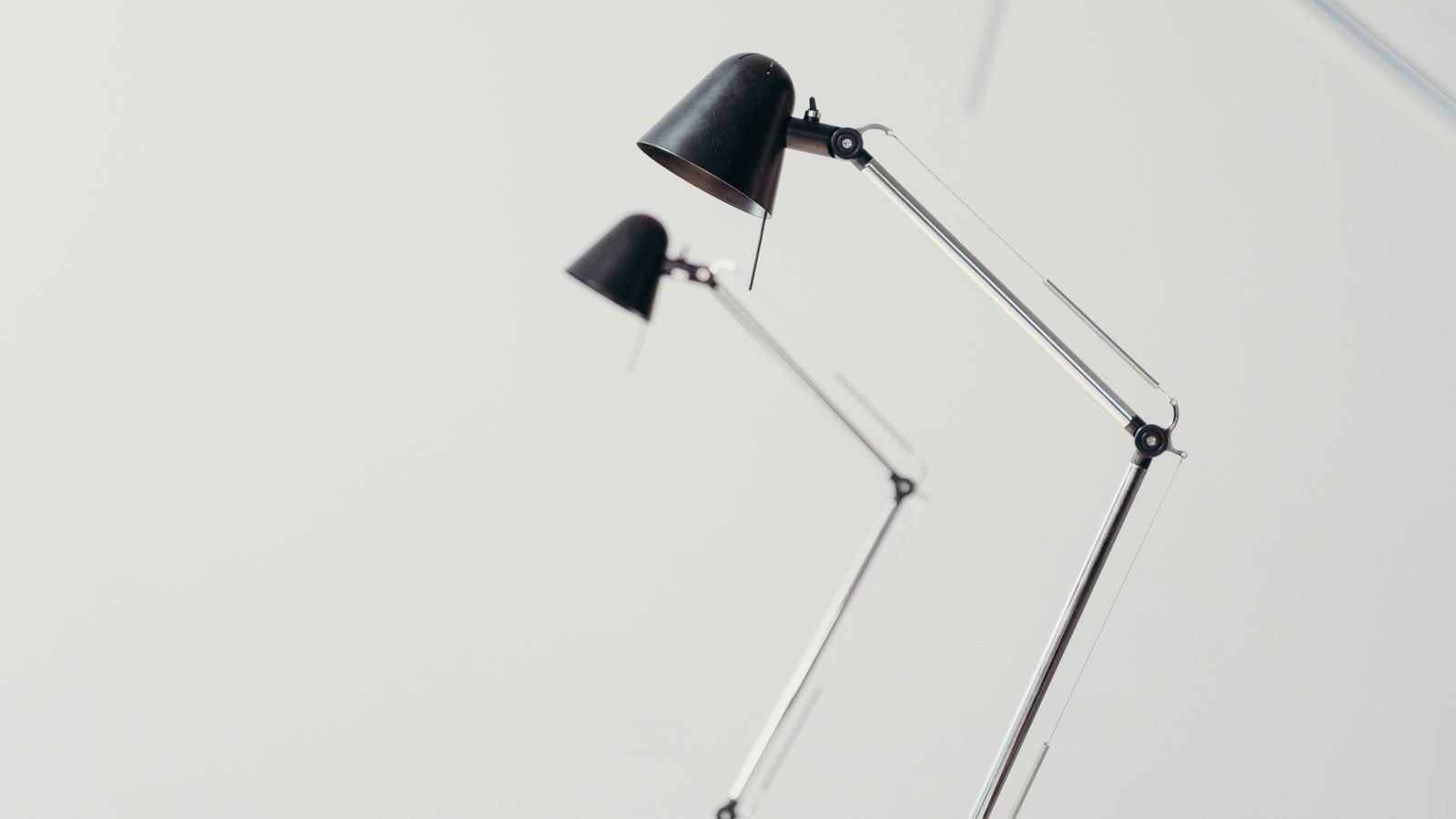
A good lamp fixes eye strain that RGB alone cannot. The ONEMIX 42″ LED Desk Lamp throws 1800 lumens across dual monitors with a clamp, remote, and flexible gooseneck. For pure vibe, the smart RGB lamp adds music sync and 16 million colors. Pair either with light bars for layered lighting.
Common mistakes to avoid
Most regret comes from a few predictable errors. Dodge these and you will love your setup.
- Buying too small. A 39-inch top feels roomy empty, then chokes once a second monitor and speakers arrive.
- Ignoring weight limits. Heavy monitor arms and towers need a sturdy frame, not a thin particleboard shelf.
- Forgetting cable routing. RGB looks cheap when cords dangle everywhere; prioritize grommets and hooks.
- Overpaying for built-in lights. If you want vivid effects, add-on Govee bars often beat a desk’s basic strip.
- Skipping the room fit. An L-shape needs a real corner; measure both walls, not just the desk.
Still weighing full desks against your options? Our guide to the best gaming desks covers non-LED models too, and the best gaming desks under $100 roundup is worth a look if budget leads your decision.
Practical buying guide: sizes, specs, and compatibility
Use this quick reference to translate specs into what actually fits your room and gear.
Match desk width to your monitors
Plan on roughly 24 inches of width per monitor plus 12 inches for peripherals. One monitor is comfortable at 39 to 47 inches. Two monitors want 53 to 60 inches. Ultrawide or triple-screen streamers should target 70 inches or more, like the SEDETA 78.8-inch model.
Check depth and monitor stands
A depth of 23 to 24 inches keeps your eyes a safe arm’s length from the screen. A raised hutch or monitor stand frees surface space and improves posture. If you use a monitor arm, confirm the desk edge is thick enough for the clamp.
Confirm lighting compatibility
Built-in strips usually run on a simple 12V adapter and a bundled controller. Smart bars need Wi-Fi and an app for music sync and scenes. If voice control matters, verify Alexa or Google support before buying. For corner layouts specifically, weigh these against dedicated corner desks for gaming to see the full field.
Frequently asked questions
Are LED gaming desks worth it over a normal desk plus lights?
It depends on your priorities. Integrated LED desks give a clean, all-in-one look with fewer wires. Adding light bars to a plain desk usually produces brighter, more reactive effects for less money. If you value effect quality, buy a solid desk and dedicated lighting.
Do LED desk lights sync with games and music?
Basic desk strips only cycle colors or hold a fixed shade. Smart products like the Govee light bars offer true music sync and 60+ scene modes through an app. For game reactivity, you generally need smart bars or a lighting system, not a desk’s built-in strip.
What size LED gaming desk should I buy?
Pick width based on monitor count: 39 to 47 inches for one screen, 53 inches or more for two. Add extra room for a keyboard, mouse, and speakers. An L-shaped or corner model gives a bonus wing for a console or laptop.
Can I mount light bars on a desk I already own?
Yes. Most light bars either stand on the surface or clamp to the edge behind your monitors. The Govee H6047 and Pro models plug into a wall outlet and connect over Wi-Fi. This is the cheapest path to reactive RGB without replacing furniture.
Are cheaper LED desks durable enough for heavy gear?
Budget desks like the ODK and ARES WING hold up well for typical single or dual setups. Check the stated weight limit before loading a big monitor and tower. High review counts, such as ODK’s 879 reviews, are a good sign of real durability.
The bottom line
Start with size and shape, then decide whether you want lighting built in or added on. For a proven all-rounder with room to grow, the SEDETA 78.8-inch desk is the safest bet. Tight on space or budget, the ARES WING and ODK L-shaped desks punch above their price. And if your current desk is fine, a set of Govee light bars delivers the biggest visual upgrade per dollar. Match one to your room and your rig, and your battlestation will look as good as it plays.