
 Priya Raghavan
 Choosing the Best Computer Processors for Gaming in 2026
Picking the right CPU is one of the most important decisions you will make when building or upgrading a gaming rig. The best computer processors for gaming are not always the most expensive ones; they are the chips that deliver high frame rates, feed your graphics card without bottlenecks, and leave room for future upgrades. Whether you are chasing high-refresh esports performance or smooth 4K single-player experiences, the processor you choose sets the ceiling for everything else in your build.
This guide walks you through how to think about gaming CPUs, which specifications actually matter, and how to match a processor to your budget and goals. Instead of ranking every chip one by one, we focus on giving you a framework so you can confidently pick the right part for your needs.

Pros
- 6 cores and 12 threads on the Zen 5 architecture, with a 5.4 GHz max boost clock
- Unlocked multiplier allows manual overclocking on compatible AM5 motherboards
- 38MB of combined cache and DDR5-5600 support speed up memory-bound workloads and gaming
- AM5 socket supports PCIe 5.0 on select motherboards for current-generation SSDs and GPUs
- Delivers over 100 FPS in many popular titles at stock settings, per official gaming benchmarks
Cons
- No cooler is included in the box, so a compatible AM5 cooler must be purchased separately
- Unlocked overclocking headroom requires a motherboard with adequate VRM cooling to fully use
- AM5 platform requires DDR5 memory only, so existing DDR4 kits from an older build cannot be reused
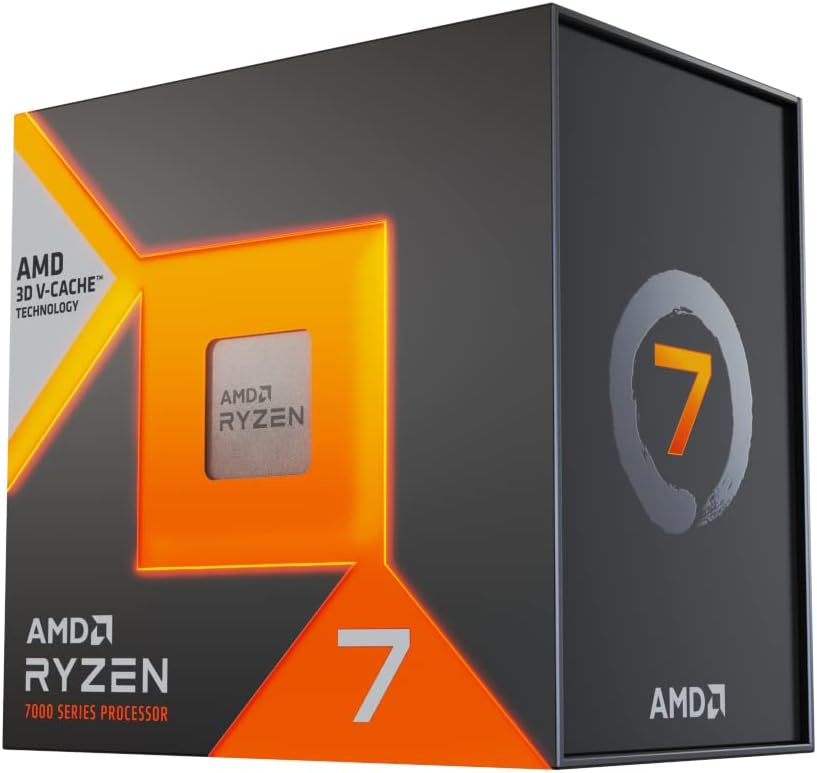
Pros
- 8 cores and 16 threads on a 5 nm process, with a 4.2 GHz clock quoted for the part
- 96 MB of L3 cache stacked on the compute die plus 8 MB of L2, which is what lifts frame rates in simulation-heavy games
- Integrated graphics running at 2200 MHz, so the machine boots and drives a display with no card fitted
- AM5 platform brings DDR5 memory and PCIe 5.0 lanes for both the graphics slot and an M.2 drive
- Holds clocks until it reaches a Tjmax of 89 C, so high load numbers are designed behaviour rather than a warning
Cons
- No cooler is included, so a large air tower or a 240 mm liquid cooler has to be added
- AM5 socket and DDR5 only, so an AM4 board and existing DDR4 kits do not carry over
- The integrated graphics are display-out class rather than gaming class, so a discrete card is effectively mandatory

Pros
- Eight Zen 5 cores and sixteen threads paired with 96MB of L3 from second-generation 3D V-Cache
- Boosts to 5.2 GHz because the stacked cache now sits beneath the compute die, letting heat escape upward
- Roughly 16% IPC uplift over the previous generation at comparable power draw
- Drops into existing Socket AM5 boards after a firmware update, reusing DDR5 memory and coolers
- Unlocked for overclocking and curve tuning, unlike earlier X3D parts with restricted voltage control
Cons
- No cooler in the box, so a large tower cooler or a 240mm liquid cooler has to be planned for separately
- Integrated graphics are display-class only, so a discrete card is effectively required for gaming
- AM5 only — AM4 and Intel boards cannot take it, making this a full platform decision

Pros
- The world's best gaming desktop processor that can deliver
- 12 Cores and 24 processing threads, based on AMD "Zen 5"
- 5.6 GHz Max Boost, unlocked for overclocking, 76 MB cache,
- For the state-of-the-art Socket AM5 platform, can support PCIe 5.0

Pros
- 6 cores and 12 threads with a 4.2 GHz maximum boost, enough for 100+ FPS in mainstream titles alongside a discrete card
- 19 MB of combined cache keeps working sets close to the cores in games and compile workloads
- Fully unlocked multiplier, so overclocking is available on B450, B550 and X570 boards
- A stock air cooler is supplied in the box, so no separate heatsink is needed to run at default clocks
- Drops into the mature Socket AM4 platform with DDR4-3200 memory support
Cons
- No integrated graphics at all, so a discrete graphics card is mandatory just to reach the desktop
- Limited to PCIe 3.0, so a Gen4 NVMe drive or a Gen4 graphics card runs at half its available link bandwidth
- AM4 is the end of its own road; there is no upgrade path to newer CPU generations without changing motherboard and memory together

Pros
- Sixteen Zen 5 cores and 32 threads, running a 4.3 GHz base up to a 5.7 GHz boost
- Second-generation 3D V-Cache sits under the compute die so clock speeds stay high
- AM5 socket drops into existing X670 and B650 boards after a BIOS update
- Integrated graphics allow display output without a discrete card fitted
- Boxed retail unit aimed at both gaming and multi-threaded content work
Cons
- No cooler in the box, so a 360 mm liquid unit or a large tower cooler is a separate purchase
- Draws enough power to demand a strong board VRM and steady case airflow
- The 3D V-Cache sits on one core complex, so current chipset drivers matter for correct thread scheduling

Pros
- 24 cores, 8 P-cores plus 16 E-cores, and 24 threads with integrated graphics on the same chip
- Unlocked up to 5.7GHz, with 36MB cache to feed the hybrid core architecture
- Supports PCIe 5.0 and 4.0 lanes plus Turbo Boost Max Technology 3.0 for prioritized single-core tasks
- Built for Intel 800 series chipset motherboards, positioning it for the current platform generation
Cons
- No thermal solution included, so a separate CPU cooler is required before first boot
- 125W base power draw calls for a case and power supply sized for sustained higher loads
- Requires an 800 series chipset motherboard, so it will not drop into older Intel boards

Pros
- 24-core hybrid design (8 P-cores + 16 E-cores) delivers strong multitasking headroom for gaming and creative workloads
- Boost clocks up to 5.5 GHz support fast single-thread responsiveness
- PCIe 5.0 and DDR5 support up to 7200 MT/s enable a modern, future-ready platform
- Unlocked multiplier gives overclockers direct control over core, memory, and fabric frequencies
- Intel Application Optimization helps balance thread scheduling for smoother frame delivery in supported titles
Cons
- Requires a new LGA1851 socket motherboard, so existing boards are not compatible
- Overclocking gains depend heavily on memory and fabric tuning, not core clocks alone
The 270K Plus ships unlocked, so its core multiplier can be adjusted when paired with an Intel Z-series or matching enthusiast chipset. Overclocking headroom on this platform extends beyond raw core clocks, since memory, fabric, and ring frequencies all influence real-world performance. Intel notes that tuning these interconnected clocks together, rather than pushing cores alone, produces more consistent gains. Because of this, hands-on enthusiasts get more control than a simple clock-speed slider would offer.
- An unlocked multiplier lets enthusiasts fine-tune core frequencies beyond stock settings.
- Memory frequency adjustments can meaningfully affect gaming and rendering performance alongside core speed.
- Fabric and ring bus tuning helps reduce internal latency during overclocked operation.
- The chip is rated to 125W base power and up to 250W turbo power under load.
- Adequate cooling capacity becomes essential once turbo power draw approaches its upper limit.
Enthusiasts who enjoy manual tuning will find several adjustable parameters beyond the core clock alone. Pairing the processor with sufficient cooling helps sustain these higher power states during extended sessions.

Pros
- The world's fastest gaming desktop processor and first gaming
- 8 Cores and 16 processing threads with AMD 3D V-Cache technology
- 4.5 GHz Max Boost, 100 MB cache, DDR4-3200 support
- For the advanced Socket AM4 platform, can support PCIe 4.0 on X570

Pros
- AMD Ryzen 9 Dual Edition
- Designed specifically for reliable operation in hardware applications
Cons
- High-efficiency thermal cooling required for AMD Ryzen 9 Dual Editi
- Motherboard socket and BIOS compatibility must be verified for AMD Ryzen 9 Dual Editi
What Makes a Great Gaming Processor
Games behave differently from productivity software. Many titles still lean heavily on a handful of fast cores rather than spreading work across dozens of threads. That is why raw core count is not the whole story when you are hunting for the best computer processors for gaming. A chip with fewer, faster cores often outperforms a chip with more, slower cores in real-world gameplay.
Here are the factors that matter most when evaluating a gaming CPU:
- Single-core and gaming clock speed: Higher per-core performance usually translates directly into more frames per second, especially at 1080p and 1440p.
- Cache size: Large caches keep game data close to the cores, reducing latency. This is where technologies like AMD’s 3D V-Cache make a dramatic difference.
- Core and thread count: Six to eight fast cores is the sweet spot for pure gaming, while more cores help if you stream, edit video, or run background tasks.
- Platform and socket: The socket determines which motherboards and memory you can use, and whether you can upgrade later without replacing everything.
- Power and cooling needs: Higher-end chips draw more power and need better cooling, which adds to the total cost of a build.
The Role of Cache and 3D V-Cache Technology
If there is one trend that has reshaped gaming CPUs, it is stacked cache. AMD’s 3D V-Cache chips add a large pool of extra Level 3 cache directly on top of the cores. Games love this because it slashes the time the processor spends waiting for data, which can push frame rates well above what clock speed alone would suggest.
This is why a chip like the AMD Ryzen 7 7800X3D earned such a strong reputation among gamers, and why the newer AMD Ryzen 7 9800X3D is widely regarded as one of the best pure gaming processors available today. Even older 3D V-Cache parts such as the Ryzen 7 5800X3D remain compelling for gamers on the AM4 platform who want a big frame-rate jump without a full system overhaul.
For most people building a dedicated gaming machine, an eight-core X3D chip hits a near-ideal balance of gaming speed, thermals, and price. It is the category to look at first if frames per second are your top priority.
Matching a Processor to Your Budget
The best value comes from matching your CPU to your resolution, your graphics card, and how much you actually play. Below is a simple way to think about the tiers.
Entry-Level and Budget Builds
If you are building your first gaming PC or working with a tight budget, you do not need to spend a fortune. A capable six-core chip can run the vast majority of modern titles at solid frame rates when paired with a mid-range graphics card. The Ryzen 5 5500 is a popular budget choice, and because it ships with a cooler, it keeps the overall build cost low. It is a smart pick for esports titles and 1080p gaming where every dollar counts.
Mid-Range Sweet Spot
The mid-range is where most gamers find the best balance of price and performance. A modern six-core such as the Ryzen 5 9600X offers strong single-core speed on a current platform, giving you a clear upgrade path down the road. If you want a chip that plays hard and doubles as a competent all-rounder for schoolwork or light content creation, this tier delivers excellent value without overspending.
High-End Gaming
For gamers who want the highest frame rates and plan to pair the CPU with a powerful graphics card, the high-end tier is worth the investment. The Ryzen 7 9800X3D sits at the top of many gaming charts, while the Ryzen 7 7800X3D remains a fantastic option often found at a lower price. On the Intel side, the Intel Core Ultra 7 270K brings a hybrid core design with strong all-around performance for gamers who prefer that ecosystem.
Enthusiast and Do-It-All Builds
If you stream while you game, edit video, or run heavy multitasking alongside your play sessions, high core-count chips make sense. The Ryzen 9 9900X and the flagship Ryzen 9 9950X3D combine many cores with strong gaming performance, so you get the best of both worlds. Intel’s Core Ultra 9 285K is another powerhouse aimed at users who demand top-tier performance across both gaming and productivity. For the ultimate no-compromise build, the Ryzen 9 9950X3D2 Dual Edition targets enthusiasts who want cutting-edge headroom.
Cores, Threads, and Real Gaming Performance
It is easy to assume that more cores automatically mean better gaming, but the reality is more nuanced. Most games are optimized to use a moderate number of threads, so once you have six to eight fast cores, additional cores do little for frame rates in the majority of titles. What those extra cores do help with is everything happening around your game: voice chat, a browser full of tabs, streaming software, and recording tools all appreciate the extra headroom.
This is why a focused gaming chip such as the Ryzen 5 9600X can keep pace with far pricier processors in pure gameplay, while a many-core part like the Ryzen 9 9900X earns its price when you multitask heavily. Decide honestly how you use your PC. If gaming is nearly all you do, prioritize speed and cache over sheer core count and put the savings toward a better graphics card.
Threads matter too, but mostly as a supporting factor. Simultaneous multithreading lets each core handle two tasks at once, which smooths out background activity and keeps your game responsive. For everyday gaming, though, the headline number to watch remains per-core speed backed by a healthy cache pool.
Do Not Forget the Rest of the Platform
A processor never works alone. To unlock its full potential, pair it with fast memory, a capable cooler, and a motherboard that supports the features you want. Skimping on any of these can quietly hold back an otherwise excellent gaming CPU. Fast, well-tuned memory in particular can add meaningful frames, especially on chips that rely on quick data access.
Cooling deserves special attention on higher-end parts. A chip like the Core Ultra 9 285K or the Ryzen 9 9950X3D can draw significant power under load, so a strong air cooler or a liquid cooler helps them sustain peak clocks. Budget chips that include a cooler in the box, such as the Ryzen 5 5500, keep things simple and affordable for first-time builders.
Resolution Changes Everything
Your target resolution has a big impact on how much CPU you truly need. At 1080p, the processor does more of the heavy lifting because frames come so quickly, so a fast gaming chip pays off in a big way. At 1440p, the balance shifts and both the CPU and graphics card matter. At 4K, your graphics card becomes the main limiting factor, which means an ultra-expensive CPU may deliver smaller gains.
The practical takeaway is simple. Competitive players on high-refresh 1080p monitors benefit most from the fastest gaming CPUs, such as the X3D family. Gamers focused on 4K single-player worlds can often save money on the processor and put more of the budget toward the graphics card and memory.
AMD vs Intel for Gaming
Both AMD and Intel make excellent gaming processors, so the right answer depends on your priorities. AMD’s X3D chips have set the pace for pure gaming performance thanks to their stacked cache, and the AM5 platform offers a long upgrade runway. Intel’s latest Core Ultra chips deliver a strong hybrid architecture with efficient background handling and competitive gaming numbers.
When comparing the two, think about the whole platform rather than just the chip. Consider motherboard prices, memory support, cooling requirements, and how long you expect to keep the socket before upgrading. A slightly cheaper processor on a dead-end platform can end up costing more when it is time to upgrade.
How to Choose Your Gaming CPU: A Quick Checklist
To wrap up, run through these questions before you buy. They will help you land on the right chip without overspending or leaving performance on the table.
- What resolution do you play at? Lower resolutions reward faster CPUs; higher resolutions lean more on the graphics card.
- Do you only game, or also create? Pure gamers should prioritize fast cores and big cache; creators benefit from more cores.
- What is your total budget? Remember to account for the motherboard, memory, and cooler, not just the processor.
- Do you want an upgrade path? Choosing a current platform lets you drop in a faster chip later without rebuilding.
- How much cooling can you provide? Higher-end chips need capable coolers to hit their full potential.
If you want the simplest recommendation, an eight-core 3D V-Cache chip like the Ryzen 7 9800X3D or the value-focused Ryzen 7 7800X3D covers the vast majority of gamers extremely well. Budget builders can lean on the Ryzen 5 5500, while do-it-all users should look at the Ryzen 9 9950X3D or Intel’s Core Ultra 9 285K.
Final Thoughts
The best computer processors for gaming are the ones that fit your resolution, your budget, and your future plans. Focus on strong single-core speed and generous cache for the highest frame rates, and only pay for extra cores if you plan to stream or create. With the right processor at the heart of your build, you will enjoy smoother, faster, and more responsive gaming for years to come. Compare current prices on the options above and choose the chip that matches your play needs today.


