Priya Raghavan
 Choosing the best modems for Spectrum is one of the smartest ways to take control of your home internet. When you buy your own modem instead of renting one from the provider, you stop paying a recurring equipment fee, you gain the freedom to upgrade whenever your plan changes, and you often get faster, more reliable performance. But with so many DOCSIS models on the market, it can be hard to know which one actually fits your Spectrum plan, your speed tier, and your budget. This guide breaks it all down so you can shop with confidence.
Below you will find a curated list of Spectrum-compatible modems, followed by a complete buying guide that explains speed tiers, DOCSIS versions, modem-router combos, and the features that matter most. Whether you have a basic plan or a gigabit-plus connection, this overview will help you match the right hardware to your needs.

Pros
- Handles cable plans up to 900 Mbps, with a Full-Band Capture tuner that locks onto channels faster than older tuner designs
- Single Gigabit Ethernet port pairs with any router you like, including mesh kits and gaming routers
- Upright 7.25 by 2.25 by 7.88 inch body takes almost no shelf depth beside a router
- Certified with Comcast Xfinity, Cox and Charter Spectrum, so activation follows a documented path
- Three connections total, power, coax and Ethernet, which keeps fault-finding down to a short list
Cons
- No Wi-Fi inside, so a separate router is mandatory for any wireless device in the house
- No telephone ports, which rules it out for bundled cable voice service
- Not compatible with Verizon Fios, AT&T, CenturyLink or any fibre, DSL or satellite connection
This is a modem and nothing more, which is exactly why it holds its speed ceiling well.
- Sized for actual cable service speeds up to 900 Mbps, so it comfortably covers the 400 to 800 Mbps tiers most households sit on
- A Full-Band Capture digital tuner scans the whole spectrum at once rather than hunting channel by channel, which shortens lock times after a reboot
- The Gigabit Ethernet port is the single outlet for all traffic, so the router you attach becomes the real determinant of Wi-Fi performance
If the Ethernet port is not feeding a router, it will drive a computer, smart TV or games console directly. That makes it a reasonable choice for a single-desk setup where wireless is not needed at all.
Installation comes down to three leads and one registration step with your provider.
- Coax from the wall plate to the modem, hand-tightened until snug rather than wrenched
- Power from the supplied adapter
- Ethernet out to the WAN port of your router
After that, the provider has to register the modem MAC address and serial number, both printed on the label. Photograph them before the unit goes behind furniture, because reading a label in a cupboard later is a chore. Give the modem several minutes on first power-up while it downloads its configuration file. The upright body has a small footprint but wants airflow around it, so avoid stacking a router directly on top of the case.
Compatibility is the single thing to confirm before ordering, because a cable modem is useless on the wrong network type.
- Certified with Comcast Xfinity, Cox, Charter Spectrum and a number of other cable operators
- Not compatible with Verizon Fios, AT&T, CenturyLink and any other fibre optic, DSL or satellite service
- No voice capability, so households on a cable telephone bundle need the provider supplied eMTA and cannot swap this in
One more check worth making is the plan tier. DOCSIS 3.0 here is matched to plans up to 900 Mbps, so a multi-gigabit service would need a DOCSIS 3.1 unit instead. Because there is no router inside, you also need a working router or mesh system ready before the changeover.

Pros
- DOCSIS 3.1 with wide OFDM channels, supporting cable plans advertised up to 2 Gbps downstream
- Two 1 Gigabit Ethernet ports, with the second able to carry a separate IP where the provider supports it
- CableLabs certified and qualified for Xfinity, Cox and Spectrum, so activation follows the standard self-install path
- Compact 5.13 x 1.75 x 5.25 in footprint standing vertically in a narrow media cabinet
- Separate LED indicators for power, upstream, downstream and online status, which makes a failed activation easy to diagnose
Cons
- Modem only, so a separate router or mesh system is required for any Wi-Fi at all
- Each Ethernet port is capped at 1 Gbps, meaning a single router link cannot carry a full 2 Gbps plan
- Works on cable coax only, with no support for fiber, DSL or satellite lines, and no telephone ports for cable voice service
This is a DOCSIS 3.1 modem, which uses wide OFDM channels rather than bonding many narrow DOCSIS 3.0 carriers. The practical result is support for cable plans advertised up to 2 Gbps downstream, along with lower latency under heavy load than the previous generation manages.
- Two 1 Gigabit Ethernet ports on the rear panel
- Each port is capped at 1 Gbps, so no single link carries a full 2 Gbps plan
- The second port can carry a separate IP where the provider supports it
That port ceiling is the detail to check against a service plan. On a gigabit tier it is irrelevant. On a multi-gig tier the throughput exists at the coax side but arrives on the LAN split across two ports, which needs a router able to use both, or acceptance that a single link tops out at a gigabit.
Installation follows the standard self-install path: run the coax from the wall outlet to the modem, connect power, wait for the front indicators to settle, then register the device MAC address with the provider through the companion app, a web portal or a phone call. The LEDs report power, upstream, downstream and online status separately, which makes diagnosing a stalled activation straightforward.
- Cabinet footprint of about 5.13 x 1.75 x 5.25 in standing vertically
- No wireless configuration to do, because the unit has no radio inside
- A router or mesh node plugs into the first Ethernet port
Keep the coax run short and avoid splitters wherever possible. Every split drops signal level at the modem, and that is the usual cause of intermittent downstream errors appearing days after an otherwise clean install.
Every modem in this line is CableLabs certified, and this model is tested and qualified for Xfinity, Cox and Spectrum. Providers keep their own approved device lists, so confirming the model against a specific plan beforehand avoids an activation refusal on the day.
- Cable coax service only, with no support for fiber, DSL or satellite lines
- This is a modem only, so a router or mesh system is required for Wi-Fi
- No telephone ports, meaning cable voice service still needs the provider's own device
That separation is a design decision rather than an omission. Keeping the modem and the router as separate boxes means the wireless side can be upgraded to a newer standard, or swapped for a mesh set, without touching the part that has to stay certified with the cable provider.
Pros
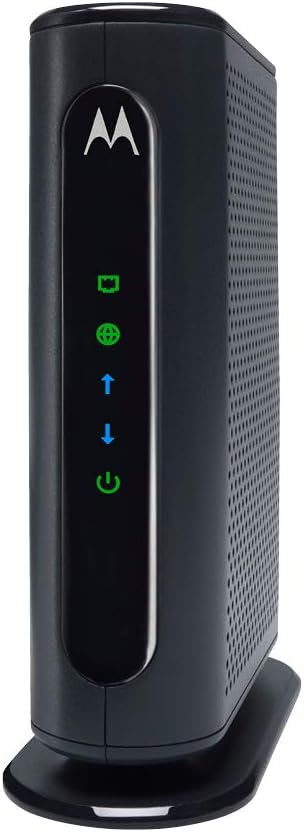
- DOCSIS 3.0 with 16x4 channel bonding supports service speeds up to 686 Mbps
- Full-Band Capture Digital Tuner improves connection reliability over older single-tuner modems
- One Gigabit Ethernet port connects directly to a router, PC, or streaming device
- Compact 4.9 x 2 x 6.1 inch design with a two-year warranty and surge protection circuits
- Certified for Comcast Xfinity, Charter Spectrum, Cox, and other major cable providers
Cons
- Actual real-world speeds are recommended only up to 375 Mbps, well below the theoretical 686 Mbps ceiling
- No built-in Wi-Fi router or phone support, so a separate router is required for wireless devices
- Not compatible with Verizon, AT&T, CenturyLink, or other fiber, satellite, or DSL services
The MB7420 uses DOCSIS 3.0 with 16x4 channel bonding, giving it a theoretical ceiling of 686 Mbps, though the manufacturer recommends it for actual cable service speeds up to 375 Mbps in real-world conditions. A Full-Band Capture Digital Tuner helps stabilize the connection compared with older single-tuner modem designs, reducing dropouts during peak usage hours.
A single Gigabit Ethernet port handles the wired connection out to a router, PC, HDTV, or game console. This modem has no built-in Wi-Fi radio, so it needs to be paired with a separate router, of any brand, to distribute a wireless signal through the home.
Setup involves three connections: power, coax cable, and Ethernet, and typically finishes with a call to your provider to activate the modem on their network. The compact chassis is designed to minimize shelf space and improve cooling airflow, and it includes a two-year warranty along with surge and lightning protection circuits built into the hardware.
USA-based phone and web support is available in English and Spanish if setup runs into issues. The MB7420 has no telephone jacks, so it will not support any voice-over-cable service that some providers bundle with internet.
This modem is certified for Comcast Xfinity, Charter Spectrum, Cox, BrightHouse, and other major cable internet providers, so it should activate without issue on any of those networks. It plugs into any router you choose, including mesh or gaming routers, since the modem and wireless router functions are handled by separate hardware here.
It is explicitly not compatible with Verizon, AT&T, CenturyLink, or other fiber-optic, satellite, or DSL services, since those use different signal delivery methods than cable. Before buying, confirm your provider supports customer-owned modems and that the MB7420 specifically appears on their approved device list.

Pros
- 24x8 DOCSIS 3.0 channel bonding supports cable plans up to 800 Mbps
- AC1900 dual-band Wi-Fi covers both 2.4GHz and 5GHz devices from one unit
- Four Gigabit Ethernet ports handle wired connections for desktops, consoles or smart TVs
- Power Boost amplifiers extend Wi-Fi signal strength and range beyond a standard router
- Approved for use with Comcast Xfinity, Cox and Charter Spectrum cable service
Cons
- Not compatible with fiber, DSL or satellite internet service, cable only
- Does not support home telephone service through the modem
- Residential use only, ruling out business-tier deployments needing higher device counts
This combo unit pairs a DOCSIS 3.0 modem with an AC1900 router in a single device.
- 24x8 DOCSIS 3.0 channel bonding supports cable internet plans up to 800 Mbps
- AC1900 dual-band Wi-Fi covers both 2.4GHz and 5GHz bands simultaneously
- The modem itself supports speeds up to 1000 Mbps, with actual throughput capped by the subscribed service tier around 650 Mbps
- Power Boost amplifiers and AnyBeam technology focus signal strength on connected devices
Because throughput is ultimately capped by the internet service plan, the modem's 800 Mbps ceiling matters most for households on higher-tier cable plans rather than entry-level speeds.
Setup centers on activation with a supported cable provider rather than complex configuration.
- Certified for Comcast Xfinity, Cox and Charter Spectrum cable internet service
- Not compatible with fiber, DSL, or satellite internet connections
- Technical support is available by phone, chat or email for activation or connection issues
- Built-in firewall security protects the network without needing a separate security appliance
Because compatibility is limited to specific cable ISPs, confirm your provider is on the certified list before purchase, since fiber and DSL households cannot use this modem.
Beyond wireless coverage, the unit includes dedicated ports for devices that benefit from a wired connection.
- Four Gigabit Ethernet ports support wired connections for desktops, consoles or smart TVs
- The built-in AC1900 router serves smartphones, laptops and tablets over Wi-Fi
- Power Boost amplification extends wireless range further than a standard built-in router
- The combo design replaces a separate modem and router with one device on the network
Because the modem does not support home telephone service, households needing VoIP through their cable provider will need a separate compatible device.
Pros
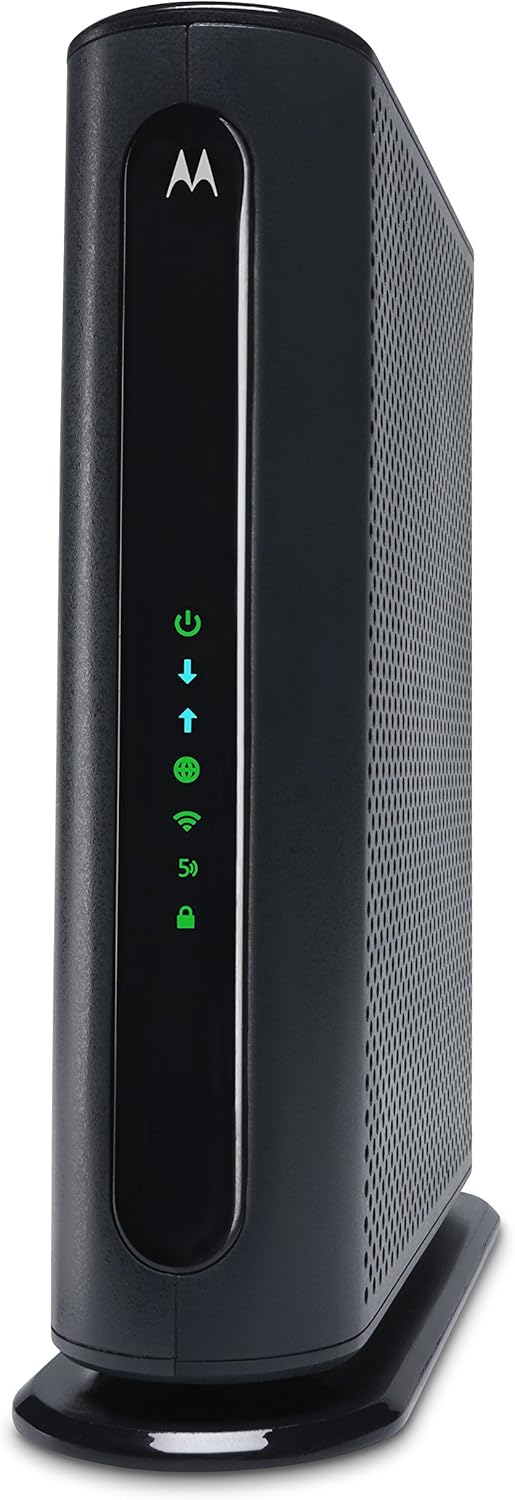
- 16x4 DOCSIS 3.0 bonding supports actual cable service speeds up to 375 Mbps
- AC1600 dual-band Wi-Fi (2.4GHz and 5GHz) pairs with 4 Gigabit Ethernet LAN ports for wired devices
- DFS channel access reduces Wi-Fi interference from neighboring networks compared with standard routers
- Broadcom modem chipset adds hardware-level denial-of-service attack protection
- Single combined unit removes a second power adapter and box compared with separate modem and router hardware
Cons
- No phone jack, so it cannot handle landline or VoIP calling
- Works only with cable internet; fiber, DSL and satellite services from Verizon, AT&T and CenturyLink are not compatible
- AC1600 Wi-Fi tops out below the AC1900 tier of Motorola's own higher-end model, a ceiling for very high-throughput home networks
The modem uses 16x4 DOCSIS 3.0 channel bonding, recommended for actual cable service speeds up to 375 Mbps. The built-in router runs AC1600 dual-band Wi-Fi across 2.4GHz and 5GHz bands running at the same time, so devices are not forced to share one crowded band.
- Four Gigabit Ethernet LAN ports provide wired connections for PCs, consoles and streaming devices
- DFS frequency support lets the router use 5GHz channels that many standard routers cannot access
- AnyBeam beamforming on both bands focuses the signal toward connected devices for a stronger link
Coverage in larger homes may still thin out at distant rooms or additional floors, since this is a single-point router rather than a multi-unit mesh system.
Combining the modem and router into one box means setup involves a single coax connection and one power cord rather than pairing two separate devices together. Activation with the cable provider uses the unit's MAC address and serial number, typically completed online or by phone.
- Four Gigabit LAN ports are active as soon as the modem finishes activation
- A Broadcom chipset provides built-in protection against denial-of-service attacks
- No phone jack is present, so voice calling is not supported by this model
Because there is no mesh or extender pairing built in, homes with dead zones will need a separate access point added to the network.
This modem is approved for use with Comcast Xfinity, Cox, Charter Spectrum, BrightHouse, WOW!, CableOne, RCN, Mediacom and other cable internet providers. As with any third-party modem, checking the current approved-device list for your specific provider before ordering avoids activation issues.
- Not compatible with fiber, DSL or satellite internet services, including those from Verizon, AT&T and CenturyLink
- Requires an active cable internet subscription; it will not function as a Wi-Fi router without one
- Replaces a provider-rented modem/router unit once activated, so only one device sits between the wall jack and your home network
Provider-approved device lists change periodically, so it is worth reconfirming compatibility if switching cable companies down the line.
Pros
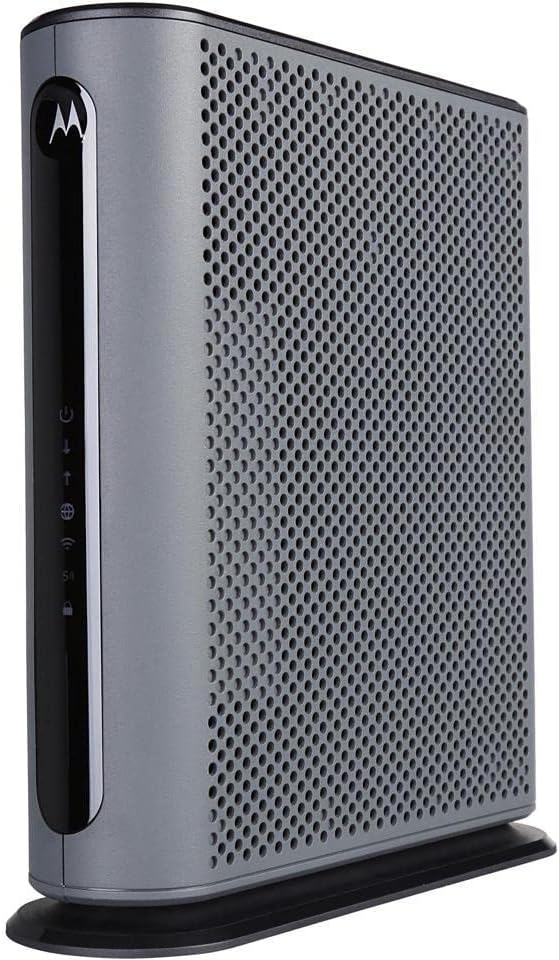
- 16x4 DOCSIS 3.0 channel bonding supports actual cable service speeds up to 375 Mbps
- AC1900 dual-band Wi-Fi runs 2.4GHz and 5GHz simultaneously alongside 4 Gigabit Ethernet ports
- Built-in DFS support opens extra 5GHz channels that most routers cannot access, cutting neighbor interference
- Broadcom modem chipset adds denial-of-service attack protection at the hardware level
- Combines modem and router into one unit, removing a second power cable and box from the desk
Cons
- No phone jack, so it cannot be used for any landline or VoIP calling service
- Only compatible with cable internet; fiber, DSL and satellite services such as Verizon, AT&T or CenturyLink will not work with it
- AC1900 Wi-Fi standard predates Wi-Fi 6, a ceiling for the newest high-throughput client devices
The modem side uses 16x4 DOCSIS 3.0 channel bonding, rated for actual cable internet service speeds up to 375 Mbps. The router side runs AC1900 dual-band Wi-Fi across 2.4GHz and 5GHz simultaneously, with Power Boost amplifying the wireless signal to the FCC-allowed limit for extended range.
- Four Gigabit Ethernet LAN ports handle wired connections to PCs, game consoles or streaming boxes
- DFS channel support opens additional 5GHz spectrum that standard routers cannot use, reducing crowding from neighboring Wi-Fi networks
- AnyBeam beamforming focuses the wireless signal toward connected devices instead of broadcasting evenly in all directions
Larger homes with multiple floors may still see weaker signal at the far edges, since this is a single-unit router rather than a mesh system.
Because the modem and router are combined into one unit, setup involves connecting a single coax cable from the wall and a single power cord, rather than pairing two separate boxes. Activation is completed with the cable provider using the device's serial number and MAC address.
- Four Gigabit Ethernet ports are ready for immediate wired connections out of the box
- A built-in firewall and Broadcom chipset add protection against denial-of-service attacks by default
- No phone jack is present, so this model cannot support telephone or VoIP service
Since it is not a mesh unit, homes with dead zones will need a separate access point added to the network.
This modem is approved for use with Comcast Xfinity (including X1), Cox, Charter Spectrum, Time Warner Cable, Suddenlink, WOW!, CableOne and several other cable internet providers. Buyers should confirm their specific provider's approved device list before ordering, since approval can vary by region.
- Not compatible with fiber, DSL or satellite services from Verizon, AT&T, CenturyLink, Frontier and similar providers
- Requires an active cable internet subscription; it does not work as a standalone Wi-Fi router without one
- Replaces a rented modem/router combo from the provider, removing that unit from the account once activated
Anyone switching providers in the future should re-check the approved device list, since not every cable company accepts every third-party modem model.

Pros
- Mid/high-split DOCSIS 3.1 cable modem delivers up to 2Gbps of
- Unlock faster cable internet speeds, such as Xfinity’s 900Mbps
- Faster download speeds powers your digital lifestyle with enhanced
- 10x faster upload speeds for seamless multi-family gaming, video
Cons
- Requires proper surface alignment during initial installation
- Periodic visual inspection recommended to ensure component tightness
Crafted with attention to functional details, the NETGEAR NETGEAR Nighthawk DOCSIS 3.1 Mid high-Split Cable Modem brings efficient performance to your Modems. Practical hands-on evaluation highlights core functional attributes including Mid/high-split DOCSIS 3.1 cable modem delivers up to 2Gbps of download speeds and 1Gbps of upload speeds. Furthermore, features like Unlock faster cable internet speeds, such as Xfinity’s 900Mbps download speeds and 100Mbps upload speeds. Works with all major US internet providers. Not compatible with Xfinity Voice plans ensure seamless adaptability across varied spatial layouts. Precision engineering delivers a stable foundation tailored for active household demands.
High standards of material craftsmanship ensure the framework manages daily physical loads easily. Materials engineering centers on Faster download speeds powers your digital lifestyle with enhanced speed, capacity, efficiency, and response times, preserving visual appeal and physical integrity over time. Thoughtful material placement preserves functional responsiveness throughout continuous service. Precision engineering delivers a stable foundation tailored for active household demands. Carefully selected components ensure minimal maintenance overhead over long service life. Attention to manufacturing details ensures reliable utility for your Modems. Using proper installation techniques maintains physical stability across daily activities. This balanced configuration fits smoothly into existing interior designs while maximizing efficiency.
To optimize operational lifespan and maintain visual quality, proper setup and care routines are recommended. With user-friendly details such as 10x faster upload speeds for seamless multi-family gaming, video conferencing and uploading even the largest files—simultaneously. Plus provides easy remote access to your home security cameras and files on your NAS, setting up the equipment requires minimal effort. Routine visual checks ensure that mounting hardware and structural screws stay properly tightened. Precision engineering delivers a stable foundation tailored for active household demands. Carefully selected components ensure minimal maintenance overhead over long service life. Attention to manufacturing details ensures reliable utility for your Modems.
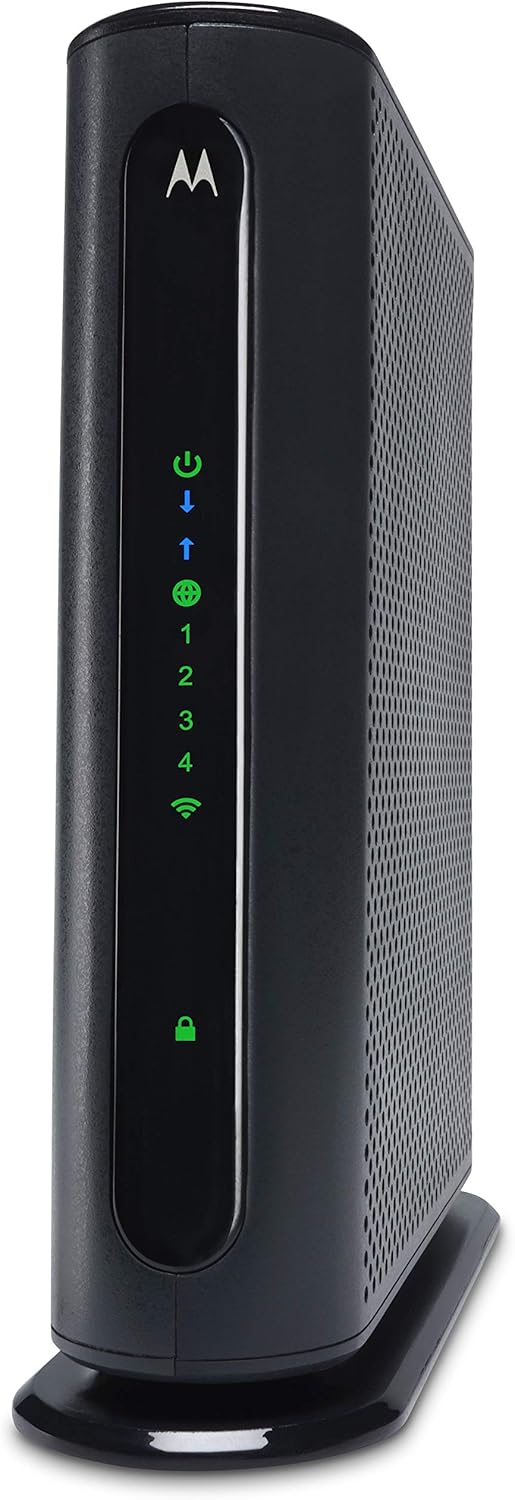
Pros
- Combines a DOCSIS 3.0 cable modem with an N450 WiFi router in one unit, reducing cable clutter versus two separate boxes
- 4 Gigabit Ethernet ports support wired connections for gaming consoles, smart TVs, and other devices
- Power Boost technology extends WiFi signal range for gaming, streaming, and video conferencing
- Owning the unit outright means avoiding the recurring modem rental fee some ISPs charge for provided equipment
Cons
- No telephone jack support, so it cannot be used for VoIP or landline phone service through the modem
- N450 WiFi is a single-band, older WiFi standard, without WiFi 6 or dual-band 5GHz support
- Speeds are capped around 343 Mbps, below the throughput ceiling of newer DOCSIS 3.1 modems
This is a DOCSIS 3.0 cable modem combined with an N450 WiFi router in a single unit, rated for internet speeds up to 343 Mbps.
- Confirmed compatible with Cox and Charter Spectrum internet plans, with similar service speed support for other providers
- Because it runs N450 WiFi rather than a newer dual-band or WiFi 6 standard, wireless throughput is a step behind current-generation routers
- No telephone jacks are included, so this modem does not support voice call service over the connection
For internet-only service without a phone line requirement, the combined modem and router setup covers standard broadband speeds without needing a separate router purchase.
Combining the modem and router into one device reduces the wiring and separate power adapters that two standalone boxes would require.
- 4 Gigabit Ethernet ports support wired connections to smart TVs, game consoles, and computers
- A single user interface manages both modem and router settings, rather than juggling two separate admin pages
- Because it is DOCSIS 3.0 rather than a newer wired-in modem, it does not include a battery backup for phone service during outages, matching its lack of telephone jack support
The vertical design also reduces the shelf footprint compared with two separate stacked devices, improving airflow around the unit.
Power Boost technology amplifies the wireless signal up to the limit set by the FCC, aimed at extending WiFi range and improving speeds for gaming, streaming, and video conferencing.
- AnyBeam beamforming focuses the wireless signal toward connected devices on the 2.4GHz N450 band rather than broadcasting evenly in all directions
- Because this is a single-band N450 router, there is no separate 5GHz band to offload devices onto during high traffic
- Owning the modem and router outright avoids the recurring modem rental fee some internet providers charge for supplied equipment
For households prioritizing straightforward setup over the newest WiFi standard, this combo covers basic wireless coverage for a small to mid-size home.

Pros
- Mid/high-split DOCSIS 3.1 technology supports download speeds up to 2.5Gbps and upload speeds up to 1Gbps
- Includes a 2.5Gig port for direct multi-gig connection, plus two Gigabit ports supporting link aggregation up to 2Gbps combined
- Compatible with all major US cable providers, including Xfinity, Spectrum and Cox, without provider-specific firmware
- Mid/high-split support is built specifically for newer high-upload-speed plans like Xfinity's 200Mbps upload tier
Cons
- Does not include Wi-Fi, so a separate router or mesh system is required to distribute the connection
- Made for use in the U.S. only, limiting compatibility with cable systems in other countries
- Reaching the full 2.5Gbps download speed depends on subscribing to an internet plan that actually offers it
Built on mid/high-split DOCSIS 3.1 technology, this modem supports download speeds up to 2.5Gbps and upload speeds up to 1Gbps, specifically engineered for newer cable plans that use mid/high-split infrastructure rather than older DOCSIS standards.
- 10x faster upload speeds than typical low-split modems, useful for video conferencing and large file uploads
- Supports simultaneous multi-device use like gaming and remote access to home security cameras
- Actual throughput depends on the internet plan subscribed to through your provider
Because mid/high-split speeds require a matching plan tier, checking with your ISP about mid/high-split availability in your area confirms whether the full 2.5Gbps ceiling is reachable.
This is a modem only, with no built-in Wi-Fi router, so it needs to be paired with a separate router or mesh system such as a WiFi 6E or WiFi 7 unit to distribute the connection through the home. A 2.5Gig port allows a direct multi-gig connection to a compatible router.
- 2.5Gig port for direct multi-gig speed to a supporting router
- Two Gigabit ports support link aggregation for up to 2Gbps combined
- Setup typically involves activating the modem with your provider before connecting a router
Anyone without an existing Wi-Fi router already in place will need that as a separate purchase, since this modem handles only the incoming internet connection, not in-home Wi-Fi distribution.
The modem works with all major US cable internet providers, including Xfinity, Spectrum, and Cox, without needing provider-specific firmware or activation codes beyond standard account setup. It is built for use in the United States only.
- Compatible across multiple major US cable ISPs rather than one specific provider
- Mid/high-split support targets providers rolling out higher upload tiers, such as Xfinity's 2Gbps/200Mbps plans
- Not intended for use with cable systems outside the U.S.
Before purchasing, confirming that your specific provider has enabled mid/high-split service in your area helps ensure the modem's top speeds are actually available on your account.
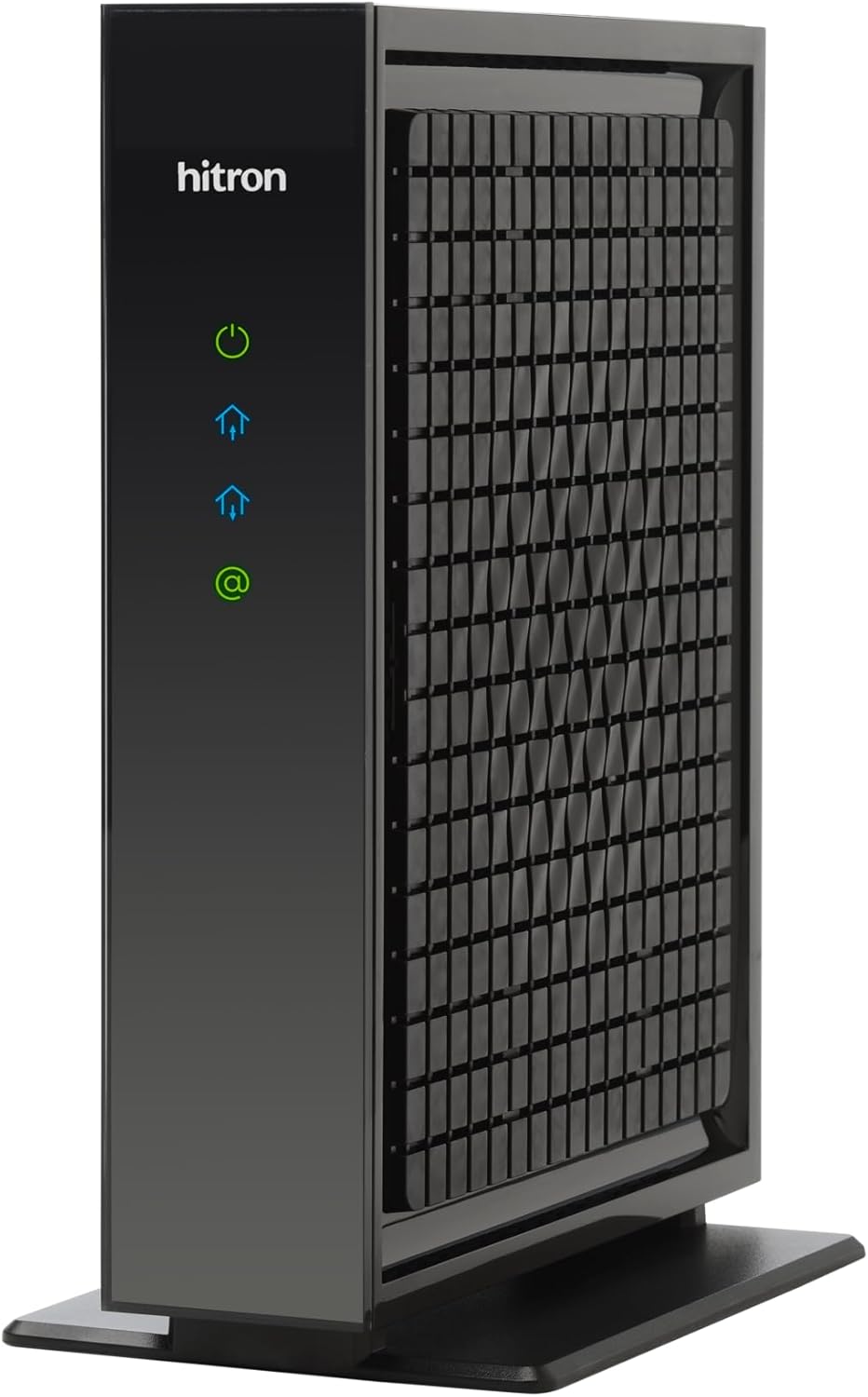
Pros
- DOCSIS 3.1 with a 2.5 Gbps Ethernet port supports internet plans up to 2.5 Gbps
- Backward compatible with DOCSIS 3.0 for slower legacy cable plans
- Compact footprint of 7 x 1.77 x 8.13 inches for a small equipment shelf or media cabinet
- Eliminates a monthly modem rental fee some cable providers charge for their own equipment
- Certified for major cable ISPs including Xfinity (up to 2.33 Gbps), Spectrum (1 Gbps), and Cox (2 Gbps)
Cons
- This is modem only, with no built-in Wi-Fi, so a separate router is required for wireless devices
- Without a router, only one device can connect at a time via a direct Ethernet cable
- Not compatible with fiber, DSL, satellite, or fixed wireless internet, cable service only
Built on DOCSIS 3.1 technology, this modem includes a 2.5 Gbps Ethernet port and supports internet plans up to that speed, while remaining backward compatible with DOCSIS 3.0 plans for households not yet on a multi-gig tier. It is certified to work with major US cable providers.
- Standard: DOCSIS 3.1, backward compatible with 3.0
- Max speed: 2.5 Gbps via a 2.5 Gbps Ethernet port
- Certified providers: Xfinity (up to 2.33 Gbps), Spectrum (1 Gbps), Cox (2 Gbps), plus Astound, Grande, RCN, Wave, Zito Media
It will not work with Verizon, AT&T, CenturyLink, DSL, satellite, or any fiber-based service, so confirming the type of internet service at the address is a required first step.
Setup requires activation with the internet provider before the modem will pass traffic, a standard step for any owned modem replacing rented equipment. The compact 7 x 1.77 x 8.13 inch body fits easily on a shelf near existing networking gear.
- Dimensions: 7 x 1.77 x 8.13 inches
- Setup step: ISP account activation required
- Ports: 1x 2.5 Gbps Ethernet
Because it has a single Ethernet port, the modem connects to one downstream device directly, which in most home setups will be a separate router rather than a computer, since a router is needed to create Wi-Fi and share the connection.
This unit is a modem only, with no wireless radio built in, so a separate Wi-Fi router is required to create a wireless network or to connect more than one device at a time. For full 2.5 Gbps speeds, that router also needs its own 2.5 Gbps-capable port.
- Required: a separate router with a matching 2.5 Gbps port for full speed
- Required: active cable internet service from a supported ISP
- Not included: Wi-Fi, multi-device switching without a router
Swapping this in for a rented ISP modem removes the equipment rental line some providers charge, though some ISPs have already reduced or dropped that fee, so it is worth checking current billing before assuming savings.
Why Buy Your Own Modem for Spectrum
Spectrum does not charge a monthly modem rental fee in the same way some other providers do, but owning your own equipment still delivers real advantages. First, you get to pick hardware that is engineered for your exact speed tier rather than a one-size-fits-all box. Second, a purchased modem gives you long-term flexibility – if you move, switch plans, or want to add a better router, your modem stays with you. Third, quality retail modems are frequently built with better cooling, more channels, and firmware that is updated for years.
Another key reason is performance stability. A modern DOCSIS modem with more downstream channels can bond more data at once, which reduces buffering and keeps speeds consistent during peak evening hours. If you have ever felt your connection slow down when the whole neighborhood is streaming, upgrading your modem can make a noticeable difference.
Understanding DOCSIS Versions
DOCSIS is the standard that cable modems use to communicate with your provider. The two versions you will see most often today are DOCSIS 3.0 and DOCSIS 3.1, and knowing the difference is the foundation of choosing well.
DOCSIS 3.0
DOCSIS 3.0 modems are the workhorses of the cable world. They are affordable, widely certified, and more than capable for plans up to roughly 600 to 900 Mbps depending on the channel count. A classic example is the Motorola MB7621, a modem-only unit that pairs with any WiFi router and supports cable plans up to 900 Mbps. For mid-tier plans, a 16×4 model such as the Motorola MB7420 delivers up to 686 Mbps and is certified across Spectrum, Cox, and Xfinity networks. These are excellent value picks for households that do not need multi-gig speeds.
DOCSIS 3.1
DOCSIS 3.1 is the newer, faster standard designed for gigabit and multi-gig plans. If your Spectrum plan is 1 Gbps or higher, or if you plan to upgrade soon, a DOCSIS 3.1 modem is the future-proof choice. The ARRIS SURFboard SB8200 is a popular multi-gig option with two Gigabit Ethernet ports and support for plans up to 2 Gbps. For the fastest tiers, the NETGEAR Nighthawk CM2500 handles plans up to 2 Gbps, while the NETGEAR Nighthawk CM3000 pushes even further to 2.5 Gbps. A strong value in this category is the Hitron CODA56, a modem-only DOCSIS 3.1 unit rated for 2.5 Gbps that keeps the cost down by leaving WiFi to your own router.
Matching a Modem to Your Spectrum Speed Tier
The single most important step is matching your modem to your internet plan. Buying more capacity than you need wastes money, while buying too little caps your speeds no matter how good your router is. Here is a simple way to think about it.
- Up to 300 Mbps: A basic DOCSIS 3.0 modem is plenty. Even an entry combo unit will keep up comfortably.
- 300 to 600 Mbps: A 16×4 or 24×8 DOCSIS 3.0 modem gives you headroom without overspending.
- 600 to 900 Mbps: Choose a high-channel DOCSIS 3.0 model like the Motorola MB7621, or step up to DOCSIS 3.1 for future flexibility.
- 1 Gbps and above: DOCSIS 3.1 is essential. Look at the ARRIS SB8200, Hitron CODA56, or a Nighthawk model.
- 2 Gbps to 2.5 Gbps: Only multi-gig DOCSIS 3.1 modems with 2.5G Ethernet, such as the NETGEAR Nighthawk CM3000, can deliver these speeds.
Always check your current Spectrum plan speed before buying. It is also wise to leave a little room to grow – if you expect to upgrade your plan within a year, buying a slightly faster modem now can save you from replacing it later.
Modem-Only vs Modem-Router Combos
One of the biggest decisions is whether to buy a standalone modem or an all-in-one combo that includes a WiFi router. Both approaches work well, and the right choice depends on how much control and performance you want.
Standalone Modems
A modem-only device does one job and does it well. You pair it with a separate router of your choice, which lets you upgrade your WiFi independently. This is the preferred setup for enthusiasts, gamers, and larger homes that use mesh systems. The Motorola MB7621, ARRIS SB8200, and Hitron CODA56 are all modem-only units that give you maximum flexibility. If your WiFi ever falls behind, you simply swap the router and keep the modem.
Modem-Router Combos
Combo units bundle the modem and router into a single device, which means fewer cables, less clutter, and a simpler setup. They are ideal for apartments, smaller homes, and anyone who wants a plug-and-play experience. The Motorola MG7700 pairs a DOCSIS 3.0 modem with a gigabit router and Power Boost for plans up to 800 Mbps. For AC1900 dual-band WiFi, the Motorola MG7550 adds DFS support and stronger range. A budget-friendly AC1600 option is the Motorola MG7540, rated for plans up to 300 Mbps, while the compact Motorola MG7315 offers a simple 2-in-1 solution with built-in N450 WiFi for lighter usage.
Key Features to Compare
Beyond speed and form factor, a few technical details separate a good modem from a great one. Keep these in mind as you compare models.
- Channel count: More downstream channels (such as 16×4, 24×8, or 32×8) let the modem bond more data, improving speed and consistency on busy networks.
- Ethernet ports: For gigabit and multi-gig plans, make sure the modem has a 1G or 2.5G Ethernet port so the wired connection is not the bottleneck. The ARRIS SB8200 even offers two Gigabit ports.
- Certification: Confirm the modem is officially approved for Spectrum. Every model in this guide is certified for Spectrum along with Cox and Xfinity.
- Cooling and reliability: Modems that run cool tend to last longer and drop fewer connections. Look for models with good ventilation and a solid reputation.
- Firmware support: Established brands like Motorola, ARRIS, NETGEAR, and Hitron push firmware updates that keep your modem secure and compatible over time.
Setup and Compatibility Tips
Installing your own modem on Spectrum is straightforward. After connecting the coaxial cable and powering on the device, you activate it by calling Spectrum or using their online activation tool and providing the modem’s MAC address, which is printed on the label. Within a few minutes your connection is live.
A few pointers make the process smoother. Always confirm the specific model is on Spectrum’s approved list before purchasing – all the modems here qualify, but it is a good habit. If you buy a modem-only unit like the Hitron CODA56 or ARRIS SB8200, have a router ready to plug in, since these devices do not broadcast WiFi on their own. And if you are replacing a rented unit, return the old equipment to avoid ongoing charges.
It also helps to reboot your modem after activation and to place it in a well-ventilated spot away from other electronics. If you ever run into a slow or dropped connection, power cycling the modem for about thirty seconds usually clears temporary issues. Keeping the coaxial connections tight and the firmware current will keep your hardware performing at its best for years to come.
Which Modem Is Right for You
To bring it all together, think about three things: your plan speed, whether you want built-in WiFi, and how long you want the hardware to last. If you have a value plan and want the simplest setup, a combo like the Motorola MG7315 or Motorola MG7540 covers the basics. For a mainstream plan up to 800 or 900 Mbps, the Motorola MB7621 paired with your own router, or the all-in-one Motorola MG7700, hits the sweet spot of speed and price.
If you are on a gigabit or multi-gig plan, or you simply want to buy once and not think about it again, invest in DOCSIS 3.1. The ARRIS SB8200 and Hitron CODA56 are outstanding modem-only choices, and the NETGEAR Nighthawk CM2500 or NETGEAR Nighthawk CM3000 are ready for the fastest tiers Spectrum offers.
Final Thoughts
The best modem for Spectrum is the one that matches your speed tier, fits your preference for standalone or combo hardware, and leaves a little room to grow. DOCSIS 3.0 remains a fantastic value for everyday plans, while DOCSIS 3.1 is the clear path for gigabit households and anyone who wants future-proof performance. By focusing on certification, channel count, and Ethernet capacity, you can confidently pick a modem that delivers years of fast, stable internet – all while keeping full control of your own equipment.