
 Marcus Bell
 Dead zones in the back bedroom, buffering on the patio, video calls that freeze the moment you walk into the kitchen – these are the everyday frustrations that push people to look for the best mesh systems for their homes. A single router can only do so much, and once your living space spreads across multiple rooms, floors, or thick walls, one box in the corner simply cannot keep up. Mesh WiFi solves that problem by spreading several access points around your home so coverage follows you from room to room.
This guide is not a ranked product review. Instead, it walks you through how mesh technology works, the features that actually matter, and how to match a system to your square footage, internet plan, and budget. By the end you should feel confident choosing the right setup without getting lost in marketing jargon.

Pros
- Three units combine to blanket homes up to 5,500 square feet under a single network name
- AC1900 3x3 dual-band radios support up to 100 connected devices
- Each unit carries 2 Gigabit Ethernet ports, 6 across the pack, and any one can act as the router
- Wired Ethernet backhaul is supported, so a Cat 5e run between floors frees the radios for clients
- Per-person profiles cap online time and block sites by category
Cons
- Wi-Fi 5 hardware, so Wi-Fi 6 phones and laptops gain none of the OFDMA benefits
- Two Ethernet ports per unit, and the main node loses one to the modem, leaving a single free socket there
- No USB port, so a shared drive or printer has to hang off something else
Three nodes are quoted to cover up to 5,500 square feet, which in practice means a three-storey house or a long single-level layout where one router leaves dead corners. Each unit is a 3x3 AC1900 dual-band radio, and clients hand off between them under one network name and one password.
- Up to 100 devices across the mesh, covering phones, laptops, TVs and smart plugs
- Wireless backhaul costs bandwidth, so nodes should sit within clear reach of each other
- Wired Ethernet backhaul restores full radio capacity for client devices
Throughput at the furthest node depends almost entirely on how that node reaches the main unit. Running a cable between floors is the single biggest improvement you can make to a mesh of this kind.
Setup runs entirely from the phone app on Android or iOS. Plug the first node into the modem with the supplied Ethernet lead, follow the prompts to name the network, then power up the remaining two units and let them join automatically.
- The whole process usually takes under fifteen minutes for three nodes
- An app account is required, so an internet connection is needed during setup
- Parental profiles are built per family member, with time limits and site categories
- Guest network can be toggled by Alexa voice command once linked
Because configuration lives in the app rather than a web page, there is no browser-based admin interface. That keeps things simple, but anyone used to editing settings from a desktop browser will need the phone to hand for every change.
The main node replaces a router but not a modem. Cable, fibre and DSL households keep the existing modem or ONT and connect it to one of the node's Gigabit ports. If your provider supplied a combined modem-router, put that unit into bridge or modem mode first to avoid a double NAT.
- 2 Gigabit Ethernet ports per node, 6 across the three-pack
- The main node gives one port to the modem, leaving one free socket at that location
- PPPoE, dynamic and static IP setups are all handled from the app
Gigabit is the ceiling on every port, so a multi-gigabit incoming line will be capped by the hardware. For lines at or below 1 Gbps, the ports are not the bottleneck.
Pros
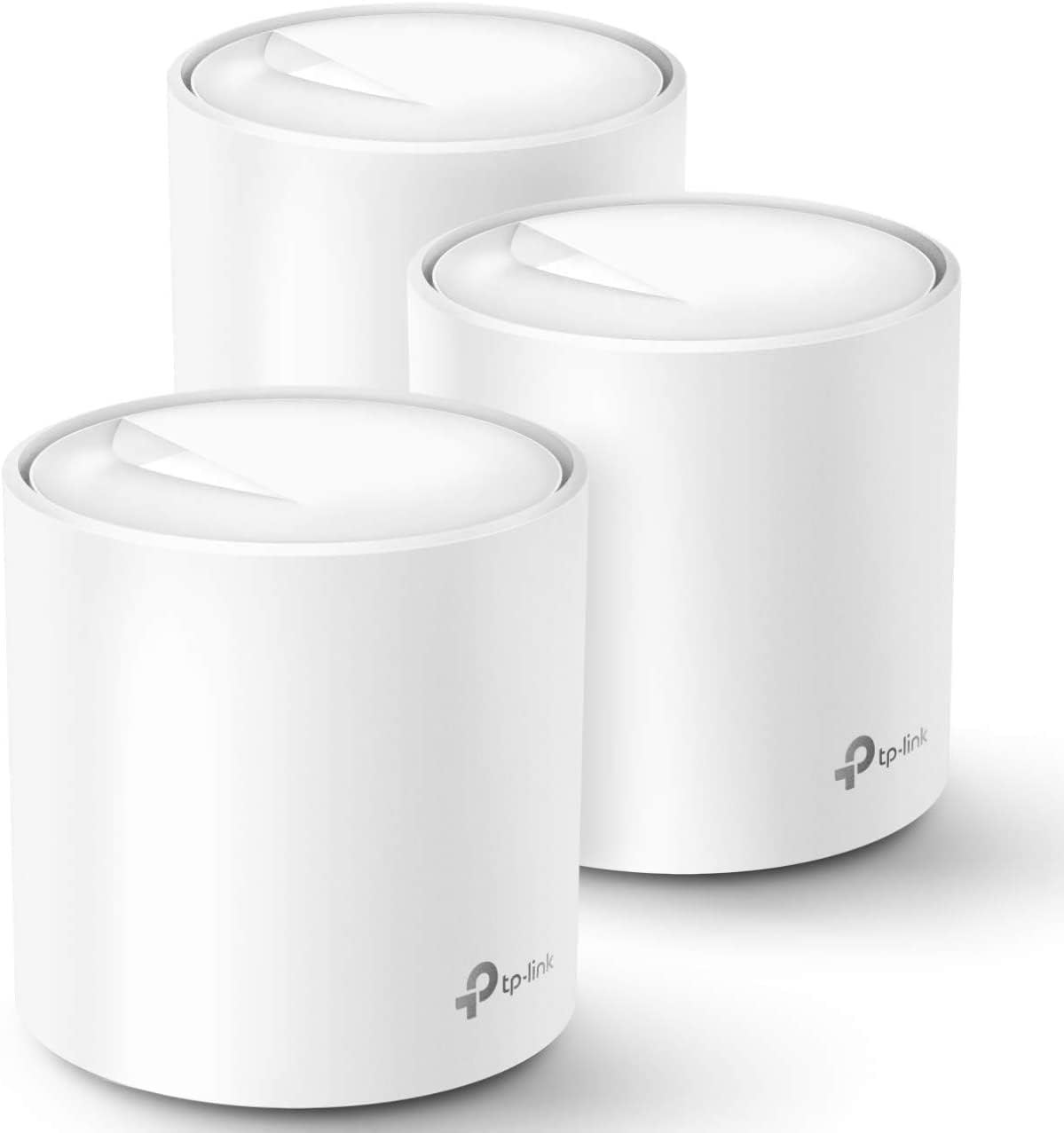
- Three identical units cover a quoted 5800 square feet, and any one of them can act as the router
- AX1800 Wi-Fi 6 with OFDMA and BSS colouring handles dense device loads better than Wi-Fi 5
- Tested for up to 150 simultaneous clients across phones, plugs, cameras and TVs
- Two gigabit Ethernet ports on every unit, six across the pack, with wired backhaul supported
- One SSID with automatic handoff, so devices switch nodes as you walk through the house
Cons
- Dual-band only, so wireless backhaul shares the same 5GHz band that clients use unless you run Ethernet
- Gigabit Ethernet ports cap any incoming connection faster than 1 Gbps
- A separate modem or ONT from the provider is still required, and HomeShield reserves advanced features for a subscription
Three identical units cover a quoted 5800 square feet, and because any of them can act as the router, the pack suits houses where the incoming line lands in an awkward corner. Wi-Fi 6 at AX1800 adds OFDMA and BSS colouring, which matter less for peak speed than for how the network behaves when thirty or forty things talk at once: phones, doorbells, plugs and TVs get served within the same airtime slot instead of queuing behind each other. TP-Link tests the system to 150 connected devices.
- Up to 5800 square feet with the three-unit pack
- AX1800 dual-band Wi-Fi 6 with beamforming
- Tested for up to 150 simultaneous client devices
Setup runs entirely in the Deco app on iOS 9.0 or Android 4.4 and later. You connect the first unit to the modem, then place the others around the house and let them join automatically. All three share one network name, and clients hand off to the nearest node as you move, so there is no manual switching between an upstairs and a downstairs SSID mid-call. Profiles group devices per family member with schedules and content filters, and Alexa voice commands can toggle the guest network on or off.
- One SSID across all three units with seamless handoff
- Per-person profiles carrying time limits and content filters
- Wired Ethernet backhaul supported for faster links between nodes
The system replaces a router and any extenders, but not the modem: cable, fibre and DSL customers keep the provider box and either bridge it or run the main unit behind it. TP-Link lists compatibility with AT&T, Verizon, Xfinity, Spectrum, Cox, CenturyLink, Frontier and RCN, covering most North American providers. Each unit carries two gigabit Ethernet ports, six across the pack, one of which the modem consumes on the primary node, leaving five for wired gear or backhaul runs between floors.
- Requires an existing modem or ONT from the provider
- Two gigabit Ethernet ports per unit, six across the pack
- HomeShield includes free basic scanning, with advanced tiers by subscription
Pros
- Dual-band Wi-Fi 7 supports multi-link operation (MLO) for more stable connections across bands
- Two auto-sensing 2.5GbE ports per unit support internet plans up to 2.5 Gbps
- 3-pack covers up to 6,000 sq ft and supports over 120 connected devices on one mesh network
- TrueMesh software with TrueRoam and TrueChannel automatically steers devices to the strongest available connection
- Backward compatible with earlier eero generations, useful for mixed-generation mesh expansions
Cons
- Advanced security, ad blocking, parental controls and VPN access all require a separate eero Plus subscription
- Wireless speeds top out at 1.8 Gbps, below the wired 2.5 Gbps port capability
- A Matter or Thread hub is not included, so devices needing those protocols require additional hardware
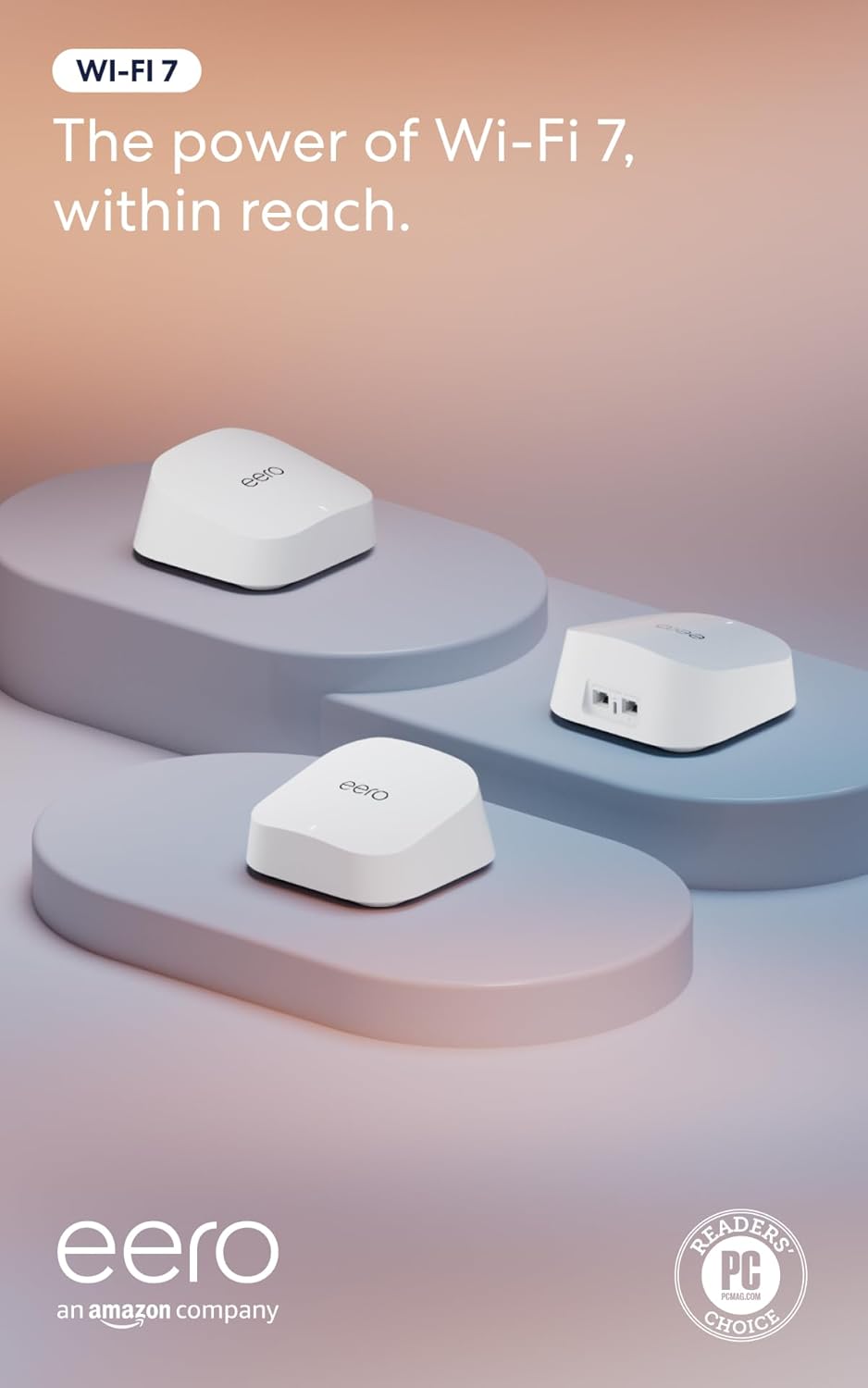
The 3-pack is built to blanket larger homes, combining Wi-Fi 7 wireless speeds with wired backhaul options on each unit.
- Coverage is rated up to 6,000 sq ft across the full 3-pack of units
- Each unit includes two auto-sensing 2.5GbE ports, supporting internet plans up to 2.5 Gbps
- Wireless speeds reach up to 1.8 Gbps, with multi-link operation (MLO) helping devices stay connected to the best available band
- The mesh network is rated to support more than 120 connected devices simultaneously across the 3-pack
That combination of wired port speed and mesh coverage targets larger households running many connected devices at once.
Setup runs through the eero app, which walks through placing and connecting each of the 3 units into a single mesh network.
- TrueMesh software, along with TrueRoam and TrueChannel features, automatically shifts devices between units and channels for the strongest signal
- The system is backward compatible with previous eero generations, allowing mixed hardware in an existing mesh setup
- eero Built-in support on select Amazon Echo devices lets certain Echo speakers double as mesh extenders
- Basic setup and network management do not require a subscription, though advanced monitoring options exist as an add-on
Because setup and roaming are automated, most households will not need to manually manage which unit a device connects to.
Core routing, coverage and mesh features work without any subscription, but an optional eero Plus plan unlocks a further layer of network tools.
- eero Plus adds Advanced Security, ad blocking, parental controls, Malwarebytes protection, 1Password and a VPN powered by Guardian
- The base hardware includes a 3-year warranty along with access to a dedicated support team for setup issues
- Households that only need basic Wi-Fi 7 coverage and mesh roaming can skip the subscription entirely
- Devices requiring Matter or Thread connectivity need a separate compatible hub, since one is not bundled with this router
Deciding whether to add eero Plus mostly comes down to whether the household wants the extra security and parental control layer beyond basic Wi-Fi coverage.

Pros
- Wi-Fi 7 MLO delivers up to 2882 Mbps on 5GHz and 688 Mbps on 2.4GHz across 4 spatial streams
- Two 2.5 Gbps WAN/LAN ports per unit support wired backhaul instead of relying only on wireless mesh
- Rated to cover 6,500 sq ft and 150 connected devices as a 3-pack
- 128MB flash and 512MB RAM give the mesh headroom for AI-driven roaming and QoS
- Compatible with Alexa and Google Assistant for voice-based network control through the Deco app
Cons
- Full Wi-Fi 7 speeds require client devices that also support Wi-Fi 7 and MLO, otherwise it falls back to older rates
- Each node needs its own 12VDC/1.5A adapter and outlet, adding cable clutter versus a single router
- DoS protection is listed as a paid add-on rather than included at no extra step
Built around Wi-Fi 7 with Multi-Link Operation, 4K-QAM, and Multi-RUs, the Deco BE23 reaches up to 2882 Mbps on the 5GHz band and 688 Mbps on 2.4GHz across 4 streams, aggregating to the rated 3.6 Gbps. As a 3-pack it is built to cover up to 6,500 sq ft, with 4 high-gain antennas and 4 high-power front-end modules per node extending signal into far rooms.
- Supports over 150 simultaneously connected devices without the network bogging down
- AI-driven seamless roaming hands devices between nodes as you move through the house
- Optimized performance is aimed at newer Wi-Fi 7 devices like recent flagship phones and laptops
- Older Wi-Fi 5 or 6 devices connect fine but will not see Wi-Fi 7 peak speeds
Each Deco BE23 node includes two 2.5 Gbps WAN/LAN ports, allowing a wired backhaul connection between nodes instead of relying purely on wireless mesh links, which improves stability in larger homes. The Deco app walks through pairing each satellite node to the main unit during setup.
- Simultaneous wireless and wired backhaul support lets the system fall back to Wi-Fi links if a cable run is not practical in every room
- Guest network, access control, and LED control are configured from the same app used for initial setup
- Integrating a multi-gig modem through the 2.5 Gbps port unlocks higher wired throughput for connected devices
- Each unit requires its own power outlet, so plan node placement around available sockets
The Deco BE23 works as a standalone mesh router and does not require a separate modem-router combo, connecting directly to most ISP modems. It supports AP mode for those who want to keep an existing router as the primary gateway, along with VPN client and server functions for remote access.
- Backwards compatible with OFDMA, TWT, and BSS coloring from the Wi-Fi 6 standard for mixed-device households
- Security features include SPI firewall, IP and MAC address filtering, and domain filtering
- Signatory of the CISA Secure-by-Design pledge, reflecting a security-by-design build process
- DoS protection is available but sits behind a paid subscription rather than being free by default

Pros
- Three units cover up to 6,500 square feet and support up to 150 simultaneously connected devices
- AX3000 splits as 2402 Mbps on 5 GHz with HE160 support plus 574 Mbps on 2.4 GHz
- Nine Gigabit Ethernet ports in total, three per unit, and any unit can serve as the main router
- Wired Ethernet backhaul is supported, which frees the 5 GHz band from carrying node-to-node traffic
- Backed by a 2-year warranty with 24/7 support, a year longer than most networking brands offer
Cons
- The WAN port is Gigabit, so a 2 Gbps or faster fibre plan cannot be used at its full speed
- Dual-band only, with no dedicated backhaul radio, so wireless backhaul shares 5 GHz with your devices
- Full HomeShield parental controls and security features move to a paid subscription after the free tier
The rated figure is 6,500 square feet from three units, which is a manufacturer's best case on an open floor plan. In a real house with brick walls and a chimney breast, plan on a unit per floor plus one for whichever corner currently drops out.
- Three units suits a typical three-storey house or a large single-level spread
- Up to 150 devices supported, which covers a household full of smart plugs, cameras and phones
- AI-driven mesh learns the environment and steers clients between units
- More units can be added later, and all Deco models work together on one network
Placement beats specification here. Each node needs a solid link back to the next, so putting the second unit halfway to the dead zone rather than inside it is what actually fixes coverage.
Setup runs entirely through the Deco app, with visual guidance at each step. The realistic time from box to working network is fifteen to twenty minutes for the whole three-unit set.
- Connect the first unit to your existing modem by Ethernet and power it on
- The app finds it over Bluetooth and walks through naming the network and setting a password
- Additional units are added one at a time and adopt the same network name automatically
- Existing router should be put into modem or bridge mode to avoid double NAT
- Remote management works from the app when you are away from home
If your ISP supplied a combined modem and router, leaving it in router mode creates a double NAT that breaks port forwarding and some games. Switching it to bridge mode is the step most worth doing properly.
This replaces the router but not the modem. Cable, fibre and DSL connections all need the ISP's modem or ONT in front of it, connected to one Ethernet port on the main unit.
- Best suited to broadband plans up to 1 Gbps, which the Gigabit WAN port matches exactly
- Plans above 1 Gbps will be capped, since there is no multi-gig port on this model
- Ethernet backhaul between units is supported wherever you have existing wall cabling
- Powerline or MoCA adapters can carry backhaul where running cable is impractical
- Each unit's spare Gigabit ports can serve a TV, console or desktop directly
The wired backhaul option is the single biggest performance upgrade available here, and it costs nothing if the cabling already exists.

Pros
- Covers up to 4,500 square feet using the 3-pack, suited to larger homes needing more than one access point
- Connects more than 75 devices simultaneously across the mesh network
- Supports internet plans up to a full Gigabit in speed
- 160MHz radio channel bandwidth on the 5GHz band adds headroom for multiple simultaneous video calls and streams
- TrueMesh technology routes traffic dynamically to reduce dead spots between the 3 units
Cons
- Advanced security and network management features require a separate ongoing subscription beyond the base hardware
- Built-in smart home hub functionality needs compatible smart home devices to be useful, and is not a substitute for a dedicated hub in every home
- A 3-pack covers more area than a small apartment needs, so smaller spaces may only require a single unit from a different eero package
This 3-pack of eero 6+ units is rated to cover up to 4,500 square feet and connect more than 75 devices at once, built on the WiFi 6 standard with 160MHz channel bandwidth for added throughput headroom. Internet plans up to a full Gigabit are supported.
- Coverage up to 4,500 sq. ft. with 3 units
- Connects 75+ devices simultaneously
- WiFi 6 with 160MHz channel bandwidth
- Supports internet plans up to 1 Gigabit
TrueMesh technology routes traffic across the 3 units dynamically, aiming to reduce dead spots and dropped connections as devices move between rooms covered by different units.
The eero app guides setup from placing the first unit through adding the remaining 2 units to the mesh, and the same app manages the network remotely once everything is connected.
- App-guided setup for all 3 units
- Remote network management through the eero app
- Automatic software updates for ongoing security
- Backward compatible with previous-generation eero devices
Because setup and management both run through the eero app rather than a separate web interface, most network changes, including adding devices or checking a family member's connection, happen from a phone.
The system works with any internet plan up to a Gigabit in speed and is backward compatible with earlier-generation eero hardware, so a household upgrading from an older eero setup can mix in these units.
- Compatible with internet plans up to 1 Gigabit
- Backward compatible with previous eero devices
- Built-in smart home hub for compatible connected devices
A built-in smart home hub inside each unit adds a connection point for compatible smart home devices, though households with an existing dedicated smart home hub may not need this extra function.
Pros
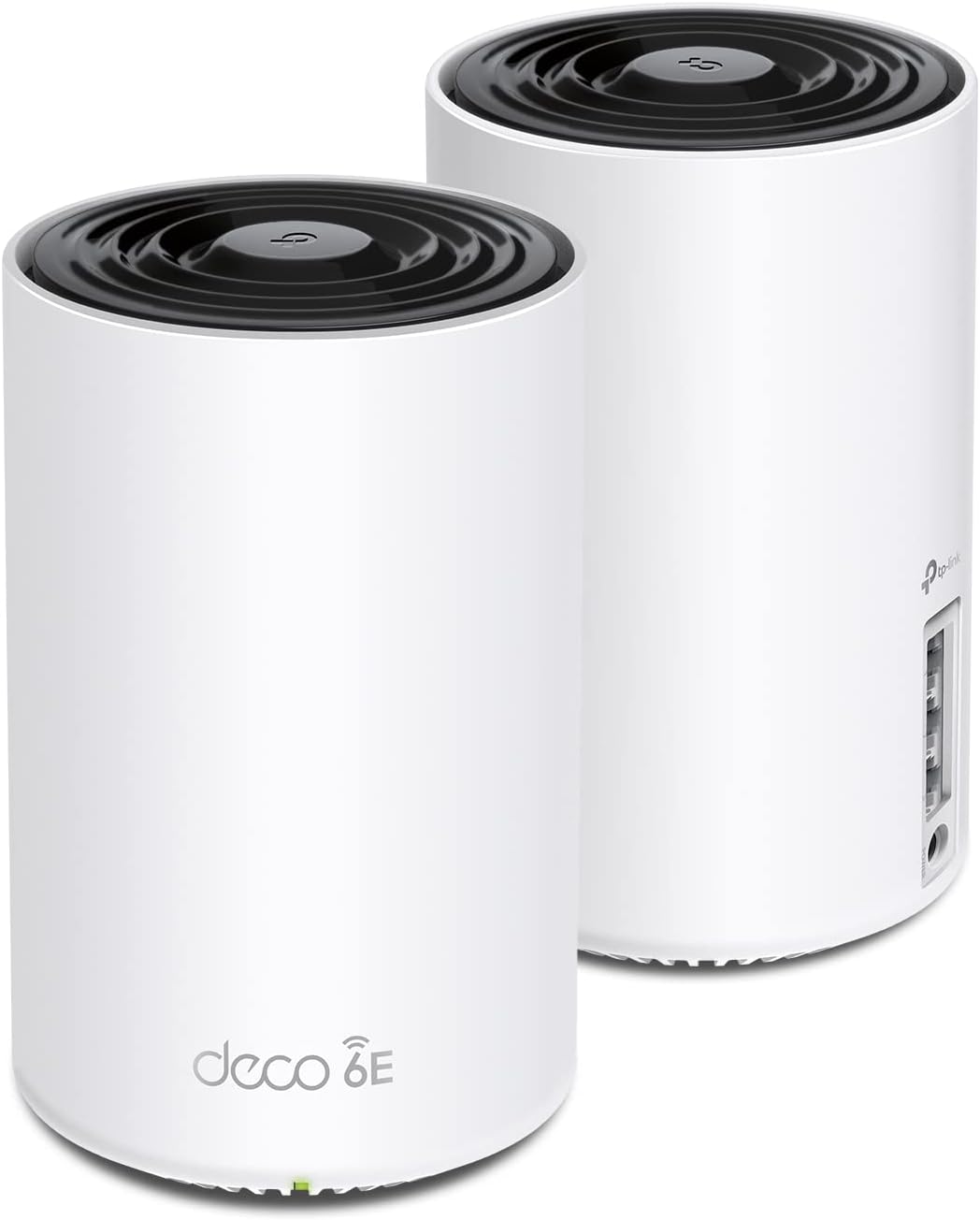
- Two nodes cover up to 5,500 sq ft between them and handle around 200 connected devices
- Tri-band totals 5,400 Mbps: 2402 Mbps on 6 GHz, 2402 Mbps on 5 GHz and 574 Mbps on 2.4 GHz
- The 6 GHz band carries node-to-node backhaul by default, leaving 5 GHz clear for client devices
- Three gigabit Ethernet ports on each unit, any of which can serve as the WAN input
- Built under the CISA Secure-by-Design pledge, with firmware maintained through the app
Cons
- Ethernet ports are gigabit rather than multi-gig, so a faster than 1 Gbps service cannot be used in full
- No modem is built in, so an existing modem, ONT or provider gateway still has to sit in front of it
- Only Wi-Fi 6E clients can use the 6 GHz band, and handing it to clients weakens the link between nodes
Two nodes cover up to 5,500 sq ft between them and handle around 200 connected devices.
- Tri-band totals 5,400 Mbps: 2402 Mbps on 6 GHz, 2402 Mbps on 5 GHz and 574 Mbps on 2.4 GHz
- The 6 GHz band carries no legacy device traffic, since only Wi-Fi 6E hardware can join it
- AI-driven mesh learns the layout and client behaviour and steers devices between the nodes
Coverage figures assume open-plan space. In a house with masonry walls or foil-backed insulation, expect meaningfully less per node, and place the second unit within solid range of the first rather than in the furthest corner. The 6 GHz band has the shortest reach of the three, so it performs best in the same room or through a single stud wall.
Setup runs through the companion app with visual guidance and takes minutes rather than an evening.
- Connect the first node to the existing modem or ONT with the supplied Ethernet cable
- The app walks through network naming, then adds the second node once the first is online
- By default the 6 GHz band handles backhaul between the nodes, keeping 5 GHz clear for devices
That default can be switched so 6 GHz serves clients instead, which suits a household with newer laptops and phones but reduces the quality of the link between nodes. Each unit carries three gigabit Ethernet ports and any one can act as the WAN input, so wired backhaul between nodes is possible wherever a cable run exists, and that remains the most reliable configuration in a difficult building.
There is no modem built in, so an existing modem, ONT or provider-supplied gateway stays in the chain.
- Cable and fibre services connect by Ethernet from the provider device into the WAN port on the first node
- Provider routers with no bridge or modem-only mode leave double NAT to deal with, either by bridging or by placing the first node in the provider device DMZ
- Services faster than 1 Gbps cannot be used in full, since the ports are gigabit rather than multi-gig
Firmware is maintained through the app, and the manufacturer is a signatory to the CISA Secure-by-Design pledge. For a household on a service up to 1 Gbps, this system removes the extender that usually sits halfway up the stairs and puts the whole house onto one network name.

Pros
- AX3000 splits as 2402 Mbps on 5 GHz over 2x2 HE160 channels plus 574 Mbps on 2.4 GHz
- Two units cover up to 4,500 square feet and handle up to 150 connected devices
- Three Gigabit Ethernet ports on every unit, six across the pack, any of which can act as the WAN input
- Wired Ethernet backhaul is supported, so a Cat 5e run frees the 5 GHz radio entirely for clients
- Two-year warranty backed by 24/7 technical support
Cons
- All ports are Gigabit, so an internet plan faster than 1 Gbps will be capped at the port
- Deeper HomeShield protections sit behind an upgraded tier, with only basic security, QoS and parental controls included
- Setup and day-to-day management run through the mobile app rather than a full desktop configuration page
The pair is quoted at up to 4,500 square feet of coverage and up to 150 connected devices. AX3000 splits as 2402 Mbps on 5 GHz using 2x2 HE160 channels plus 574 Mbps on 2.4 GHz.
- Those are radio link figures, not internet throughput, so a 1 Gbps plan is the practical ceiling
- Wi-Fi 6 OFDMA and MU-MIMO help most in a house with many simultaneous clients rather than one heavy user
- Two units suit a typical two-storey layout, one per floor near the stairwell
- Adding a third unit of any model extends the same network later
Thick masonry walls cut range far more than square footage alone suggests, so plan node placement around the walls in your house rather than around the coverage number.
Setup runs entirely through the mobile app. One unit connects by Ethernet to your existing modem or fibre box, and the second is placed within reach of the first.
- Any of the three Gigabit ports on a unit can serve as the WAN input
- If your provider supplies a combined modem-router, put it into bridge or modem mode to avoid a double-NAT setup
- PPPoE, dynamic IP and static IP connection types are all handled by the app wizard
The same app carries HomeShield. Basic network security scanning, QoS and parental controls are included, while the deeper protections sit behind an upgraded tier. Firmware updates and remote status checks are handled from the app when you are away from the house, which is convenient but does mean a phone is part of the toolkit.
Each unit carries three Gigabit Ethernet ports, six across the two-pack, which is more than most mesh nodes offer and matters if you have wired devices scattered around the house.
- A console, desk machine and printer can all be wired at the far node instead of competing for radio time
- Ethernet backhaul is supported: run Cat 5e or Cat 6 between units and the 5 GHz radio is freed entirely for clients
- Mixed backhaul works too, so one node can be wired while another stays wireless
Because every port is Gigabit, a multi-gig internet plan will be limited to 1 Gbps regardless of the radio speed. The line carries a two-year warranty with 24/7 technical support, which is a year longer than most home networking coverage.

Pros
- Covers up to 6,600 sq. ft. across the 3-pack, suited to larger homes than a single router
- Combined dual-band speed reaches up to 4324 Mbps on 5GHz and 688 Mbps on 2.4GHz
- Supports over 150 connected devices at once, useful for homes with many smart-home gadgets
- 2 x 2.5 Gbps ports per unit support wired backhaul between mesh nodes for a more stable link
- AI-Roaming shifts devices between nodes automatically as you move through the house
Cons
- Requires a separate modem, since this is a mesh router system only, not a modem-router combo
- Wired backhaul needs at least two units connected by Ethernet to take advantage of it; without that cabling, the mesh relies on wireless backhaul instead
- Full security suite features may need an ongoing subscription beyond the basic protections built in
This 3-pack mesh system covers up to 6,600 sq. ft. and supports more than 150 connected devices simultaneously. Wi-Fi 7 dual-band speeds reach up to 4324 Mbps on 5GHz and 688 Mbps on 2.4GHz, using 240MHz channels and 4K-QAM for higher data density per transmission versus older Wi-Fi standards.
Each unit includes 2 x 2.5 Gbps ports, which can be used for wired backhaul between nodes — connecting units by Ethernet rather than relying purely on wireless mesh links — for more consistent throughput across a larger home.
Setup runs through a companion app, which walks through placing and connecting each of the three units and typically completes in a matter of minutes. All compatible mesh units, including older generations, are designed to work together on the same app and network, so this system can be expanded later by adding another compatible unit.
Firmware updates are pushed and managed through the same app, keeping the mesh system current without a separate manual update process. Because this is a router-only system, a modem needs to already be in place, or purchased separately, before the units can connect to the internet.
This mesh system works as a router behind any standard modem, making it broadly compatible across ISPs rather than being locked to specific cable providers the way an integrated modem-router combo would be. AI-Roaming keeps a single network name active across all three nodes, automatically shifting connected devices to the strongest signal as you move through the house.
A built-in security suite adds network-level protections including VPN support, and the manufacturer is a signatory of CISA's Secure-by-Design pledge for built-in security practices. A modem is required separately since this system does not include one.

Pros
- Tri-band design adds a dedicated 6GHz band capable of up to 2402 Mbps (HE160), on top of 2402 Mbps on 5GHz and 574 Mbps on 2.4GHz
- Rated to cover up to 7200 sq ft as a 3-unit mesh, and supports up to 200 connected devices across the network
- 6GHz band can double as a wireless backhaul between units, keeping the 5GHz and 2.4GHz bands free for client devices
- Backed by a 2-year warranty and TP-Link's Secure-by-Design commitment through the CISA pledge
- Replaces a separate router-and-extender setup with one unified 3-node mesh network and single app management
Cons
- 6GHz devices are still limited among laptops and phones, so most network traffic will run over the 5GHz and 2.4GHz bands day to day
- A modem is required separately for most ISP setups; this system does not include one
- 3-pack ships as three identical units only, with no option to buy a single add-on satellite in this listing
This 3-pack Deco XE75 system is built as a tri-band mesh, adding a 6GHz band on top of the usual 5GHz and 2.4GHz radios. Combined, the three bands are rated for total network speeds up to 5,400 Mbps across as many as 200 connected devices, with the new 6GHz band contributing up to 2402 Mbps under HE160 channel width, matched by the 5GHz band, while 2.4GHz tops out at 574 Mbps.
- Tri-band: 6GHz, 5GHz and 2.4GHz radios
- Up to 2402 Mbps each on 6GHz and 5GHz (HE160)
- 574 Mbps on 2.4GHz
- Rated for up to 200 connected devices
Three units are rated to cover up to 7,200 square feet, which suits multi-story houses or larger single-floor layouts better than a single router and antenna extension, since each Deco unit forms its own coverage node rather than repeating a single weaker signal.
Deco XE75 units are designed to replace a separate router and extender with one mesh system managed from a single app. The new 6GHz band works as a dedicated backhaul connection between the three units by default, carrying inter-node traffic separately from the bands your devices actually connect to, which keeps the 5GHz and 2.4GHz radios free for client traffic instead of splitting bandwidth with mesh backhaul duties.
- 3 identical Deco units in the box
- 6GHz band defaults to backhaul between nodes
- Single Deco app for setup and management
- Switchable to WiFi Network mode for 6GHz-capable client devices
The 6GHz band can be switched from backhaul duty to a client-facing WiFi Network mode inside the Deco app for households with 6GHz-compatible phones or laptops, trading some inter-node bandwidth for a less congested band on those specific devices.
Deco XE75 is designed to work with any internet service provider that hands off a standard Ethernet connection, including cable and fiber providers such as Comcast, Charter, AT&T, Verizon, Xfinity, Spectrum, Cox, CenturyLink and Frontier. A modem is still required separately for most of these providers, since this system functions as the router and mesh layer rather than a combined modem-router unit.
- Works with major cable and fiber ISPs via Ethernet handoff
- Modem required separately for most providers
- 2-year warranty on most TP-Link home networking products
- 24/7 technical support available directly from TP-Link
Because it replaces both a router and a Wi-Fi extender in one mesh kit, existing single-router setups with dead zones are the most straightforward upgrade path, provided the household already has a compatible modem or ISP-supplied gateway in bridge mode.
What a Mesh WiFi System Actually Is
A mesh system replaces your single router with a set of coordinated units, often called nodes or points. One unit connects directly to your modem, and the others communicate wirelessly (or over Ethernet) to blanket your home in a single, seamless network. Unlike an old-school WiFi extender, which creates a separate network name and hands off connections clumsily, a mesh system keeps one network name across every node. Your phone or laptop automatically jumps to the strongest signal as you move, with no manual switching and no dropped sessions.
This is why families with larger homes, multi-story layouts, or lots of connected devices gravitate toward mesh. Systems like the TP-Link Deco S4 and the TP-Link Deco X20 ship as three-packs specifically so you can place a node on each floor or wing of the house and eliminate the weak spots a single router leaves behind.
Coverage: Match the System to Your Square Footage
The first number to check is rated coverage. Manufacturers list an approximate square footage each kit can handle, and while real-world walls and interference reduce those figures, they give you a useful starting point. Here is how to think about it:
- Apartments and small homes (under 2,000 sq ft): A two-pack is usually plenty. The Deco X55 two-pack covers up to 4,500 sq ft and gives you room to spare in a compact space.
- Mid-size homes (2,000 to 4,500 sq ft): A three-pack is the safer choice. Options like the eero 6+ are designed to cover this range while handling 75 or more connected devices.
- Large or multi-story homes (4,500 sq ft and up): Look for kits rated at 5,500 sq ft or more. The Deco XE75 three-pack reaches up to 7,200 sq ft, and the Deco 7 BE25 covers roughly 6,600 sq ft.
A good rule of thumb is to buy slightly more coverage than you think you need. Signals weaken through brick, plaster, and metal, and an extra node rarely goes to waste. If your home has an unusual shape or a detached office, plan for one node per major zone.
WiFi Standards: 5, 6, 6E, and 7 Explained
The WiFi standard a system supports determines its top speeds, how well it handles many devices at once, and how future-proof it will feel in a few years. Here is the quick breakdown:
WiFi 5 (AC)
The most affordable tier and still perfectly capable for browsing, streaming, and video calls on plans up to a few hundred megabits. The Deco S4 is a WiFi 5 system and remains a sensible pick for budget-conscious households that mostly stream and scroll.
WiFi 6 (AX)
The current mainstream sweet spot. WiFi 6 improves efficiency in busy homes, so many phones, TVs, and smart devices share bandwidth without slowing each other down. The Deco X20 and the Deco X55 three-pack both sit in this category and pair well with gigabit internet plans.
WiFi 6E
Adds a brand-new 6 GHz band on top of the usual 2.4 and 5 GHz bands. That extra lane is far less congested, which helps in dense neighborhoods or homes packed with wireless gear. The tri-band Deco XE75 takes advantage of that 6 GHz band for cleaner, faster connections on capable devices.
WiFi 7 (BE)
The newest standard, built for multi-gigabit internet and features like MLO (Multi-Link Operation) that combine bands for lower latency. If you have a fast fiber plan or simply want the longest runway before upgrading again, WiFi 7 systems like the eero 7 and the Deco 7 BE23 are worth a serious look.
You do not always need the newest standard. Match it to your internet speed and devices. If your plan tops out at 500 Mbps and your gadgets are a few years old, a solid WiFi 6 kit delivers everything you will actually use.
Bands and Backhaul: The Detail That Makes or Breaks Speed
Every mesh node broadcasts on multiple frequency bands. Dual-band systems use 2.4 and 5 GHz, while tri-band systems add a third lane (either a second 5 GHz or a 6 GHz band). That extra band often serves as a dedicated backhaul – the private channel nodes use to talk to each other. When backhaul rides its own lane, your devices get the full bandwidth of the main bands instead of competing with node-to-node traffic.
Even better is wired backhaul, where you connect nodes with Ethernet cables. This is the single most effective way to maximize mesh performance because it removes wireless overhead entirely. If your home has Ethernet ports in the walls, prioritize a system that supports it. Many of these kits do, including the Deco X20 and the Deco X55, both of which support Ethernet backhaul. The WiFi 7 Deco 7 BE23 goes further with 2.5G ports for high-speed wired links between nodes.
Ports, Speeds, and Your Internet Plan
Look closely at the Ethernet ports on each node. Standard gigabit ports max out at 1,000 Mbps, which is fine for most plans. But if you pay for multi-gigabit internet, you need matching 2.5G (or faster) ports to actually receive those speeds. The eero 7 supports plans up to 2.5 Gbps, and the Deco 7 BE25 offers 2.5G ports for wired backhaul and fast connections.
Also count how many wired ports you get in total. If you plan to hardwire a desktop, game console, TV, or network storage, make sure there are enough ports across your nodes. Systems like the Deco X20 advertise their total port count precisely because wired connections still matter for stationary gear.
Smart Features Worth Having
Modern mesh systems do far more than push packets. When comparing options, weigh these extras:
- App-based setup and management: The best systems are configured entirely from a phone app, with guided placement, speed tests, and easy guest networks.
- Parental controls and security: Features like TP-Link HomeShield or eero’s built-in protections let you filter content, pause the internet at bedtime, and block malicious sites.
- AI-driven roaming and mesh optimization: Systems such as the Deco XE75 and Deco XE75 three-pack use AI to steer devices to the best node and band automatically.
- Voice assistant support: Several kits, including the Deco S4, work with Alexa for simple voice commands.
- Device capacity: Smart homes add up fast. If you run dozens of bulbs, cameras, and sensors, favor a system rated for high device counts like the eero 6+.
Balancing Budget Against Performance
Price scales with WiFi standard, coverage, and port speed. You can spend under a hundred dollars or several hundred, so anchor your budget to your real needs rather than the flashiest specs. A few guideposts:
- Value tier: WiFi 5 and entry WiFi 6 kits like the Deco S4 and the Deco X55 two-pack deliver reliable whole-home coverage for streaming households on a tight budget.
- Mainstream tier: Full WiFi 6 and 6E three-packs such as the Deco X20, Deco X55, and Deco XE75 hit the best balance of speed, coverage, and price for most families.
- Premium and future-proof tier: WiFi 7 systems like the eero 7, Deco 7 BE23, and Deco 7 BE25 cost more but reward multi-gigabit plans and heavy usage with headroom that lasts for years.
How to Choose the Right Mesh System for You
Bring it all together with a short checklist. Answer these questions and the right category becomes obvious:
- How big is your home? Buy enough nodes to cover your square footage with a little margin.
- How fast is your internet? Match the WiFi standard and port speed to your plan so you are not paying for speed you cannot receive – or capping a fast plan with slow hardware.
- How many devices connect at once? Busy smart homes benefit from WiFi 6 or newer and higher device ratings.
- Can you run Ethernet? If yes, prioritize wired backhaul support for the most stable performance.
- What is your budget? Decide whether you want a dependable value kit today or a future-proof WiFi 7 investment.
Setup and Placement Tips
Even the best hardware underperforms if it is placed poorly. Position your main node near the modem, then spread the others evenly rather than clustering them. Keep nodes out in the open, off the floor, and away from large metal objects, microwaves, and thick masonry. Aim for each node to sit roughly halfway between the previous one and the farthest area you want to cover, so the mesh signal stays strong along the whole chain.
Most modern systems, from the eero 6+ to the Deco XE75, guide you through placement with an app that tests signal strength between nodes. Use that feature during setup, and do not be afraid to nudge a node a few feet to clear a dead spot. If a wireless link between two nodes feels weak, a short Ethernet run to that node will fix it instantly.
Final Thoughts
Choosing among the best mesh systems comes down to three things: coverage that fits your home, a WiFi standard that matches your internet and devices, and a price that respects your budget. Nail those, add wired backhaul if you can, and you will enjoy fast, seamless WiFi in every corner – from the basement office to the backyard. Whether you opt for an affordable WiFi 5 kit, a mainstream WiFi 6 three-pack, or a cutting-edge WiFi 7 system, the goal is the same: one strong network that simply works everywhere you live.








