 Ethan Caldwell
 Choosing among the best home wifi systems can feel overwhelming when every router box promises faster speeds and wider coverage. The truth is that the right system depends on your home’s size, your internet plan, and how many devices you connect at once. A single router might be fine for a small apartment, but a multi-node mesh network is usually what turns a frustrating, dead-zone-filled house into one with steady, reliable coverage in every room.
This guide walks you through how to pick the best home wifi systems for your situation, what specifications actually matter, and which popular options fit different budgets and home layouts. Instead of drowning you in reviews of a single product, we focus on the buying decisions that will save you money and headaches for years.
Top home wifi systems to consider
Below is the curated product list for this guide. These picks span budget mesh kits, mainstream Wi-Fi 6 systems, and the newest Wi-Fi 7 hardware, so you can match a system to your home and internet speed.

Pros
- Covers up to 5,500 square feet using 3 mesh units working together
- Single network name keeps devices connected while roaming between rooms
- Each unit includes 2 Gigabit Ethernet ports, 6 total across the 3-pack
- Adaptive routing automatically selects the best path for each connected device
- Includes a free lifetime HomeCare subscription with antivirus and parental controls
Cons
- Uses Wi-Fi 5 (802.11ac) rather than the newer Wi-Fi 6 standard
- Requires the TP-Link Deco app for setup and most configuration changes
- Ethernet backhaul needs wired connections between units for maximum throughput, otherwise relying on wireless backhaul
Three Deco M5 units work together to cover up to 5,500 square feet, replacing a traditional router and extender setup with a single mesh network. Adaptive Routing technology automatically selects the best path for each connected device, aiming to maintain stable connections for over 100 devices across a home.
- Coverage: Up to 5,500 sq. ft. with 3 units.
- Device support: Rated for 100+ connected devices.
- Network: Single Wi-Fi name for seamless roaming.
- Wi-Fi standard: 802.11ac (Wi-Fi 5).
Additional Deco units can be added later to extend coverage further without creating a separate network name to manage.
Setup runs through the TP-Link Deco app, guiding you through plugging in each unit and connecting them into one network within minutes. Each Deco M5 unit includes 2 Gigabit Ethernet ports, for 6 total across the 3-pack, supporting wired backhaul between units for more consistent throughput than wireless-only mesh connections.
- Setup method: Guided steps through the TP-Link Deco app.
- Ethernet ports: 2 Gigabit ports per unit, 6 total.
- Backhaul: Supports wired Ethernet backhaul between units.
- Voice control: Works with Alexa for network commands.
Any unit in the set can function as the main router, so placement flexibility doesn't depend on which box is labeled first.
A free lifetime HomeCare subscription bundles antivirus protection, parental controls, and Quality of Service tools for managing bandwidth across devices. The system works as a full router replacement, so it connects directly to an existing modem regardless of ISP, rather than requiring a specific provider's equipment.
- Security suite: Antivirus and parental controls included.
- QoS tools: Bandwidth prioritization across devices.
- ISP compatibility: Works as a router replacement with most modems.
Because it replaces the router entirely, confirm your ISP allows customer-owned routers before replacing rental equipment with this system.

Pros
- Three units combine to blanket homes up to 5,500 square feet under a single network name
- AC1900 3x3 dual-band radios support up to 100 connected devices
- Each unit carries 2 Gigabit Ethernet ports, 6 across the pack, and any one can act as the router
- Wired Ethernet backhaul is supported, so a Cat 5e run between floors frees the radios for clients
- Per-person profiles cap online time and block sites by category
Cons
- Wi-Fi 5 hardware, so Wi-Fi 6 phones and laptops gain none of the OFDMA benefits
- Two Ethernet ports per unit, and the main node loses one to the modem, leaving a single free socket there
- No USB port, so a shared drive or printer has to hang off something else
Three nodes are quoted to cover up to 5,500 square feet, which in practice means a three-storey house or a long single-level layout where one router leaves dead corners. Each unit is a 3x3 AC1900 dual-band radio, and clients hand off between them under one network name and one password.
- Up to 100 devices across the mesh, covering phones, laptops, TVs and smart plugs
- Wireless backhaul costs bandwidth, so nodes should sit within clear reach of each other
- Wired Ethernet backhaul restores full radio capacity for client devices
Throughput at the furthest node depends almost entirely on how that node reaches the main unit. Running a cable between floors is the single biggest improvement you can make to a mesh of this kind.
Setup runs entirely from the phone app on Android or iOS. Plug the first node into the modem with the supplied Ethernet lead, follow the prompts to name the network, then power up the remaining two units and let them join automatically.
- The whole process usually takes under fifteen minutes for three nodes
- An app account is required, so an internet connection is needed during setup
- Parental profiles are built per family member, with time limits and site categories
- Guest network can be toggled by Alexa voice command once linked
Because configuration lives in the app rather than a web page, there is no browser-based admin interface. That keeps things simple, but anyone used to editing settings from a desktop browser will need the phone to hand for every change.
The main node replaces a router but not a modem. Cable, fibre and DSL households keep the existing modem or ONT and connect it to one of the node's Gigabit ports. If your provider supplied a combined modem-router, put that unit into bridge or modem mode first to avoid a double NAT.
- 2 Gigabit Ethernet ports per node, 6 across the three-pack
- The main node gives one port to the modem, leaving one free socket at that location
- PPPoE, dynamic and static IP setups are all handled from the app
Gigabit is the ceiling on every port, so a multi-gigabit incoming line will be capped by the hardware. For lines at or below 1 Gbps, the ports are not the bottleneck.

Pros
- Covers up to 1,500 sq ft from a single unit, roughly a 22 ft radius in open floor plans
- Supports internet plans up to 900 Mbps, which matches most gigabit-tier home connections
- Wi-Fi 6 radio handles 75 or more connected devices at once, useful once smart bulbs and sensors multiply
- Built-in Zigbee hub links compatible bulbs, plugs and locks without a separate bridge box
- Cross-compatible with the wider hardware family, so extra nodes can join the same network later
Cons
- Coverage from one unit stops at about 1,500 sq ft, so a two-storey or long narrow home will need extra nodes
- Just two auto-sensing Ethernet ports, and one is taken by the modem uplink, leaving a single wired client before you need a switch
- Advanced security filtering, ad blocking and parental controls require a separate eero Plus subscription
One unit is stated at 1,500 sq ft, described as roughly a 22 ft radius. That figure assumes an open layout; plasterboard is forgiving, but brick internal walls, foil-backed insulation and cast iron radiators all cut it back sharply.
- Supports plans up to 900 Mbps, so it will not bottleneck a typical gigabit line.
- Wi-Fi 6 allows 75+ simultaneous devices, which matters more than headline speed in a house full of sensors.
- TrueMesh routing steers traffic between nodes to reduce drop-offs during 4K streaming or video calls.
For a flat or a compact single floor, one unit is genuinely enough. For anything approaching 2,500 sq ft or split across floors, plan on a second or third node from the start rather than hoping a single unit stretches.
Setup runs entirely from the phone app rather than a browser configuration page, which suits most households and frustrates anyone who wants deep manual control.
- Connect the unit to your modem with the supplied Ethernet cable and power it on.
- Create an account, scan or enter the code on the base, and let the app detect the unit.
- Name the network and set a passphrase; both bands share one SSID by design.
- Firmware updates arrive automatically in the background afterwards.
Support is available seven days a week in the US by phone or email. The single-SSID approach is worth knowing about in advance, because some smart home gadgets that only join 2.4 GHz networks can need a guest network or a temporary workaround during their own pairing step.
This is a router, not a modem, so it sits behind whatever equipment your provider supplies. How that goes depends on the hardware you already have.
- Separate modem: plug straight in and you are done.
- ISP gateway combining modem and router: put the gateway into bridge or modem-only mode, otherwise you run two routers in series and get double NAT, which breaks port forwarding and some game consoles.
- Fibre ONT: connect the unit to the ONT Ethernet port directly.
Remember there are only two Ethernet ports on the unit, one of which becomes the WAN uplink. A desktop, a games console and a printer that all want wired connections will need a small unmanaged switch hanging off the remaining port.
Pros
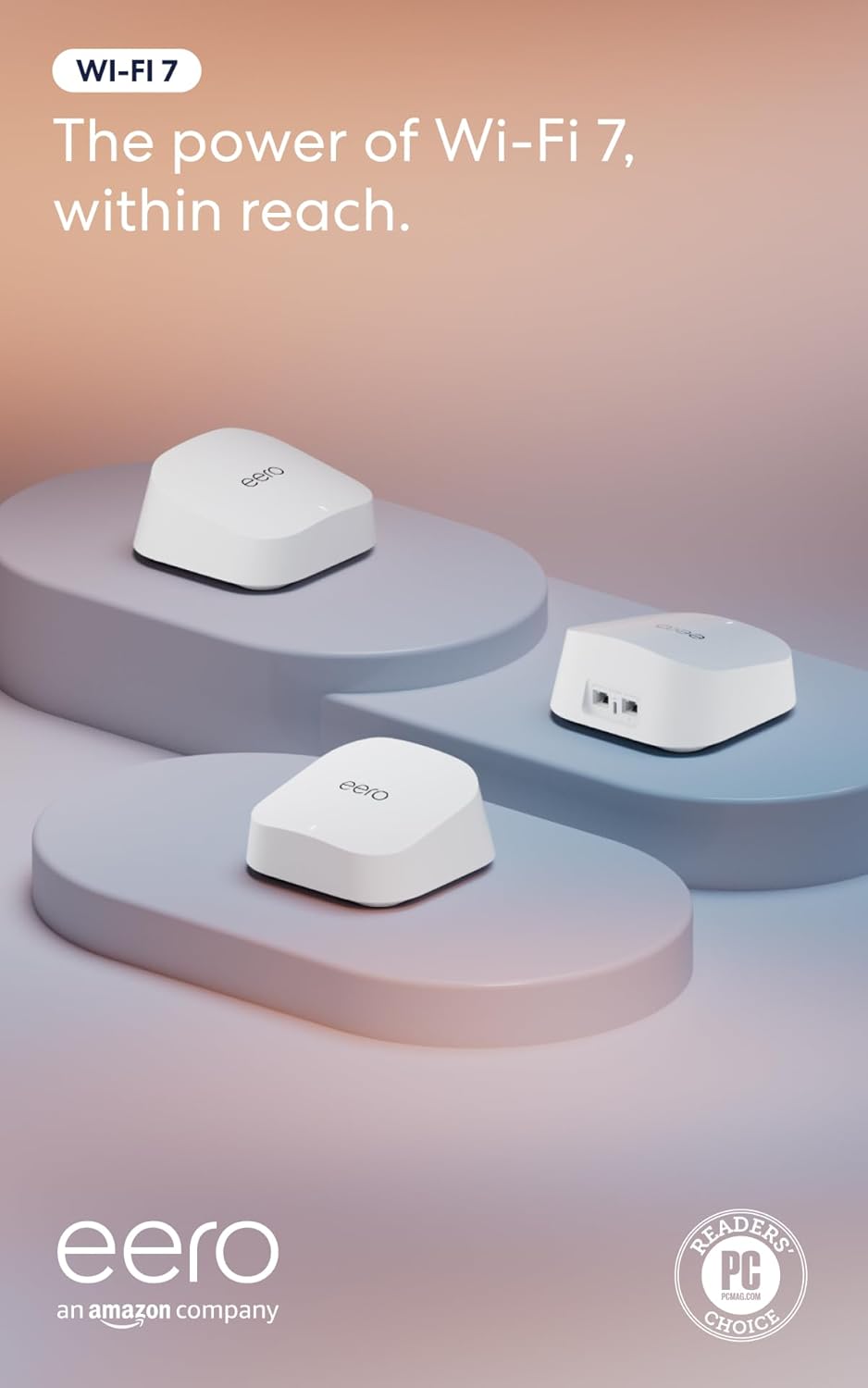
- Dual-band Wi-Fi 7 supports multi-link operation (MLO) for more stable connections across bands
- Two auto-sensing 2.5GbE ports per unit support internet plans up to 2.5 Gbps
- 3-pack covers up to 6,000 sq ft and supports over 120 connected devices on one mesh network
- TrueMesh software with TrueRoam and TrueChannel automatically steers devices to the strongest available connection
- Backward compatible with earlier eero generations, useful for mixed-generation mesh expansions
Cons
- Advanced security, ad blocking, parental controls and VPN access all require a separate eero Plus subscription
- Wireless speeds top out at 1.8 Gbps, below the wired 2.5 Gbps port capability
- A Matter or Thread hub is not included, so devices needing those protocols require additional hardware
The 3-pack is built to blanket larger homes, combining Wi-Fi 7 wireless speeds with wired backhaul options on each unit.
- Coverage is rated up to 6,000 sq ft across the full 3-pack of units
- Each unit includes two auto-sensing 2.5GbE ports, supporting internet plans up to 2.5 Gbps
- Wireless speeds reach up to 1.8 Gbps, with multi-link operation (MLO) helping devices stay connected to the best available band
- The mesh network is rated to support more than 120 connected devices simultaneously across the 3-pack
That combination of wired port speed and mesh coverage targets larger households running many connected devices at once.
Setup runs through the eero app, which walks through placing and connecting each of the 3 units into a single mesh network.
- TrueMesh software, along with TrueRoam and TrueChannel features, automatically shifts devices between units and channels for the strongest signal
- The system is backward compatible with previous eero generations, allowing mixed hardware in an existing mesh setup
- eero Built-in support on select Amazon Echo devices lets certain Echo speakers double as mesh extenders
- Basic setup and network management do not require a subscription, though advanced monitoring options exist as an add-on
Because setup and roaming are automated, most households will not need to manually manage which unit a device connects to.
Core routing, coverage and mesh features work without any subscription, but an optional eero Plus plan unlocks a further layer of network tools.
- eero Plus adds Advanced Security, ad blocking, parental controls, Malwarebytes protection, 1Password and a VPN powered by Guardian
- The base hardware includes a 3-year warranty along with access to a dedicated support team for setup issues
- Households that only need basic Wi-Fi 7 coverage and mesh roaming can skip the subscription entirely
- Devices requiring Matter or Thread connectivity need a separate compatible hub, since one is not bundled with this router
Deciding whether to add eero Plus mostly comes down to whether the household wants the extra security and parental control layer beyond basic Wi-Fi coverage.

Pros
- Three units cover up to 6,500 square feet and support up to 150 simultaneously connected devices
- AX3000 splits as 2402 Mbps on 5 GHz with HE160 support plus 574 Mbps on 2.4 GHz
- Nine Gigabit Ethernet ports in total, three per unit, and any unit can serve as the main router
- Wired Ethernet backhaul is supported, which frees the 5 GHz band from carrying node-to-node traffic
- Backed by a 2-year warranty with 24/7 support, a year longer than most networking brands offer
Cons
- The WAN port is Gigabit, so a 2 Gbps or faster fibre plan cannot be used at its full speed
- Dual-band only, with no dedicated backhaul radio, so wireless backhaul shares 5 GHz with your devices
- Full HomeShield parental controls and security features move to a paid subscription after the free tier
The rated figure is 6,500 square feet from three units, which is a manufacturer's best case on an open floor plan. In a real house with brick walls and a chimney breast, plan on a unit per floor plus one for whichever corner currently drops out.
- Three units suits a typical three-storey house or a large single-level spread
- Up to 150 devices supported, which covers a household full of smart plugs, cameras and phones
- AI-driven mesh learns the environment and steers clients between units
- More units can be added later, and all Deco models work together on one network
Placement beats specification here. Each node needs a solid link back to the next, so putting the second unit halfway to the dead zone rather than inside it is what actually fixes coverage.
Setup runs entirely through the Deco app, with visual guidance at each step. The realistic time from box to working network is fifteen to twenty minutes for the whole three-unit set.
- Connect the first unit to your existing modem by Ethernet and power it on
- The app finds it over Bluetooth and walks through naming the network and setting a password
- Additional units are added one at a time and adopt the same network name automatically
- Existing router should be put into modem or bridge mode to avoid double NAT
- Remote management works from the app when you are away from home
If your ISP supplied a combined modem and router, leaving it in router mode creates a double NAT that breaks port forwarding and some games. Switching it to bridge mode is the step most worth doing properly.
This replaces the router but not the modem. Cable, fibre and DSL connections all need the ISP's modem or ONT in front of it, connected to one Ethernet port on the main unit.
- Best suited to broadband plans up to 1 Gbps, which the Gigabit WAN port matches exactly
- Plans above 1 Gbps will be capped, since there is no multi-gig port on this model
- Ethernet backhaul between units is supported wherever you have existing wall cabling
- Powerline or MoCA adapters can carry backhaul where running cable is impractical
- Each unit's spare Gigabit ports can serve a TV, console or desktop directly
The wired backhaul option is the single biggest performance upgrade available here, and it costs nothing if the cabling already exists.

Pros
- Up to 1200 Mbps on 5 GHz plus 574 Mbps on 2.4 GHz for 1.8 Gbps of combined bandwidth
- Four high-gain external antennas with beamforming to focus signal toward distant devices
- OFDMA scheduling keeps dozens of smart-home devices from congesting the available airtime
- Joins an EasyMesh network, so a compatible extender shares one network name across a house
- Built-in OpenVPN and PPTP server plus a 2-year warranty on the hardware
Cons
- Dual-band only - there is no 6 GHz radio, so Wi-Fi 6E and 7 clients gain nothing extra
- WAN and LAN ports top out at gigabit, which bottlenecks any internet plan faster than 1 Gbps
- A separate modem is still required for most internet services, since none is built in
Bandwidth splits into up to 1200 Mbps on 5 GHz and up to 574 Mbps on 2.4 GHz, which is where the AX1800 label comes from. Those are link speeds shared across connected devices, not a guaranteed per-device figure.
- 5 GHz carries the fast traffic - 4K streaming, gaming, large downloads - over shorter distances.
- 2.4 GHz travels further through walls and is where most smart plugs, cameras and sensors live.
- Four high-gain antennas plus beamforming aim signal at devices rather than radiating evenly.
OFDMA lets the router talk to several devices within the same transmission slot, which is the practical Wi-Fi 6 gain in a busy household: fewer stalls when a dozen devices all want airtime at once.
Initial setup runs through a phone app that walks through connection type, network name and password, so no browser configuration page is needed to get online.
- Parental controls allow per-profile time limits and content filtering.
- Guest networks can be raised on both bands to keep visitors off the main network.
- Quality-of-service settings prioritise a chosen device, useful when one machine handles video calls.
The router can also act as an OpenVPN or PPTP server, letting a laptop away from home reach the home network. It joins an EasyMesh setup with compatible units, so coverage can be extended later without replacing it. Note that the more advanced security and parental control features move to a paid tier once the included trial ends.
Wiring is conventional: a gigabit WAN port for the modem and four gigabit LAN ports for wired devices such as a desktop, console, NAS or television.
- Every port is gigabit, so a plan above 1 Gbps cannot be delivered in full through this router.
- Plans up to about 940 Mbps are matched comfortably.
- A modem or ONT from the internet service is still needed - this is a router, not a combined unit.
It works with the major cable, fibre and DSL services in the same way any standalone router does, since the connection type is set in software during setup. If the existing service supplies a combined modem-router, that unit usually has to be switched to bridge mode before this one takes over routing.

Pros
- Covers up to 4,500 square feet using the 3-pack, suited to larger homes needing more than one access point
- Connects more than 75 devices simultaneously across the mesh network
- Supports internet plans up to a full Gigabit in speed
- 160MHz radio channel bandwidth on the 5GHz band adds headroom for multiple simultaneous video calls and streams
- TrueMesh technology routes traffic dynamically to reduce dead spots between the 3 units
Cons
- Advanced security and network management features require a separate ongoing subscription beyond the base hardware
- Built-in smart home hub functionality needs compatible smart home devices to be useful, and is not a substitute for a dedicated hub in every home
- A 3-pack covers more area than a small apartment needs, so smaller spaces may only require a single unit from a different eero package
This 3-pack of eero 6+ units is rated to cover up to 4,500 square feet and connect more than 75 devices at once, built on the WiFi 6 standard with 160MHz channel bandwidth for added throughput headroom. Internet plans up to a full Gigabit are supported.
- Coverage up to 4,500 sq. ft. with 3 units
- Connects 75+ devices simultaneously
- WiFi 6 with 160MHz channel bandwidth
- Supports internet plans up to 1 Gigabit
TrueMesh technology routes traffic across the 3 units dynamically, aiming to reduce dead spots and dropped connections as devices move between rooms covered by different units.
The eero app guides setup from placing the first unit through adding the remaining 2 units to the mesh, and the same app manages the network remotely once everything is connected.
- App-guided setup for all 3 units
- Remote network management through the eero app
- Automatic software updates for ongoing security
- Backward compatible with previous-generation eero devices
Because setup and management both run through the eero app rather than a separate web interface, most network changes, including adding devices or checking a family member's connection, happen from a phone.
The system works with any internet plan up to a Gigabit in speed and is backward compatible with earlier-generation eero hardware, so a household upgrading from an older eero setup can mix in these units.
- Compatible with internet plans up to 1 Gigabit
- Backward compatible with previous eero devices
- Built-in smart home hub for compatible connected devices
A built-in smart home hub inside each unit adds a connection point for compatible smart home devices, though households with an existing dedicated smart home hub may not need this extra function.

Pros
- Two nodes are specified for up to 5,500 sq ft, which typically means one per floor in a two-storey home
- One 2.5 Gbps WAN/LAN port per unit, so multi-gig plans up to 2.5 Gbps are not capped at the router
- Tri-band totals 5,400 Mbps: 2402 Mbps on 6 GHz, 2402 Mbps on 5 GHz and 574 Mbps on 2.4 GHz
- The 6 GHz band runs as a dedicated backhaul by default, keeping node traffic off client airtime
- Two Gigabit LAN ports per unit for wired consoles, a NAS or a TV
Cons
- No modem inside, so a cable modem or ONT from the provider is still required
- Configuration runs through the phone app, as there is no full desktop web console
- Only Wi-Fi 6E clients can use the 6 GHz band, so older phones and laptops stay on 5 GHz
Two units are quoted for up to 5,500 sq ft and around 200 connected devices. Treat those as ceilings measured in open space, not through three brick walls.
- 6 GHz: 2402 Mbps on 160 MHz channels
- 5 GHz: 2402 Mbps on 160 MHz channels
- 2.4 GHz: 574 Mbps for range and smart-home gear
By default the 6 GHz band is reserved for backhaul between nodes, which is the single biggest reason a tri-band mesh outruns a dual-band one: client traffic no longer shares airtime with node-to-node hops. If you would rather hand 6 GHz to your laptop and phone, the app lets you flip it into a normal client band, though backhaul then falls back to 5 GHz.
Setup runs from the phone app rather than a browser.
- Plug the first unit into the modem or ONT using the 2.5 Gbps port
- Create or sign into a TP-Link ID, then let the app find the node over Bluetooth
- Pick a network name and passphrase, and choose the connection type your provider uses
- Power the second unit within range and let it join automatically
- Move the second node to its permanent spot and check the signal indicator
Remote management works from outside the house through the same app, so a family member can be talked through a reboot without you being there. Firmware arrives the same way, and TP-Link is a signatory of the CISA Secure-by-Design pledge, which sets expectations for how those updates are handled.
The system works with any provider that hands off Ethernet, which covers cable, fibre and DSL setups once the provider box is in bridge mode.
- The 2.5 Gbps WAN handles plans faster than gigabit, and anything at or under 1 Gbps also works
- Two Gigabit LAN ports per node for wired backhaul or wired clients
- Wired backhaul over Ethernet is supported and is the most stable option where cabling exists
- Runs alongside existing smart-home devices on the 2.4 GHz band
One thing to plan for: if your provider supplies a combined modem and router, you either bridge it or accept a double-NAT layer that complicates console gaming and port forwarding. Wi-Fi 6E phones, recent laptops and current handhelds are the devices that will actually see the 6 GHz band.

Pros
- 𝗪𝗶-𝗙𝗶 𝟲 𝗠𝗲𝘀𝗵: AX3000 whole home Wi-Fi 6 mesh system eliminates weak
- 𝟮.𝟱𝗚 𝗠𝘂𝗹𝘁𝗶-𝗚𝗶𝗴𝗮𝗯𝗶𝘁 𝗖𝗼𝗻𝗻𝗲𝗰𝘁𝗶𝘃𝗶𝘁𝘆 𝘄𝗶𝘁𝗵 𝗣𝗿𝗼: Each unit has 2 x 2.5G
- 𝗪𝗵𝗼𝗹𝗲 𝗛𝗼𝗺𝗲 𝗪𝗶𝗙𝗶 𝗖𝗼𝘃𝗲𝗿𝗮𝗴𝗲: Covers up to 6500 square feet of seamless
- 𝗖𝗼𝗻𝗻𝗲𝗰𝘁 𝗠𝗼𝗿𝗲 𝗗𝗲𝘃𝗶𝗰𝗲𝘀: The Deco X55 Pro (3-pack) is powerful enough
Cons
- Requires proper surface alignment during initial installation
- Periodic visual inspection recommended to ensure component tightness
Tailored for residential and professional settings, the TP-Link TP-Link Deco X55 Pro AX3000 Whole Home Wi-Fi 6 Mesh System addresses routine requirements effectively. Technical integration focuses on functional efficiency, incorporating 𝗪𝗶-𝗙𝗶 𝟲 𝗠𝗲𝘀𝗵: AX3000 whole home Wi-Fi 6 mesh system eliminates weak Wi-Fi for good (2×2/HE160 2402 Mbps plus 2×2 574 Mbps). Its balanced engineering incorporates 𝟮.𝟱𝗚 𝗠𝘂𝗹𝘁𝗶-𝗚𝗶𝗴𝗮𝗯𝗶𝘁 𝗖𝗼𝗻𝗻𝗲𝗰𝘁𝗶𝘃𝗶𝘁𝘆 𝘄𝗶𝘁𝗵 𝗣𝗿𝗼: Each unit has 2 x 2.5G Gbps Ports. Ideal for internet subscriptions above 1 Gigabit and supports superior wired ethernet backhaul, and multi-gig device connectivity such as NAS. to streamline day-to-day interactions. Quality craftsmanship supports long term satisfaction for residential and professional settings.
Evaluating build quality and structural execution reveals strong manufacturing standards across components. The physical build incorporates 𝗪𝗵𝗼𝗹𝗲 𝗛𝗼𝗺𝗲 𝗪𝗶𝗙𝗶 𝗖𝗼𝘃𝗲𝗿𝗮𝗴𝗲: Covers up to 6500 square feet of seamless high-performance Wi-Fi 6 and eliminates dead zones and buffering. Performs better than traditional Wi-Fi boosters and range extenders, providing essential protection against surface wear. High tolerance assembly prevents unexpected mechanical looseness during daily operation. Quality craftsmanship supports long term satisfaction for residential and professional settings. User centered design choices streamline routine interactions and enhance practical convenience. Robust physical construction provides verified peace of mind during heavy daily usage.
Long-term operational satisfaction is supported by adhering to standard installation and cleaning practices. Thanks to 𝗖𝗼𝗻𝗻𝗲𝗰𝘁 𝗠𝗼𝗿𝗲 𝗗𝗲𝘃𝗶𝗰𝗲𝘀: The Deco X55 Pro (3-pack) is powerful enough to connect more than 150 devices with strong and reliable Wi-Fi, spatial alignment and initial setup progress smoothly for homeowners. Simple preventative care maintains mechanical responsiveness and aesthetic value over extended use. Quality craftsmanship supports long term satisfaction for residential and professional settings. User centered design choices streamline routine interactions and enhance practical convenience. Robust physical construction provides verified peace of mind during heavy daily usage. Thoughtful spatial layout allows versatile placement across modern living environments.

Pros
- Total bandwidth of 6.5 Gbps across 2.4GHz and 5GHz bands with 6 spatial streams
- Two 2.5 Gbps ports (WAN/LAN and LAN) plus three 1 Gbps LAN ports
- Rated coverage up to 2,400 sq ft and 90 simultaneously connected devices
- USB 3.0 port for network-attached storage or printer sharing
- WPA3 encryption plus a separate managed network for IoT devices
Cons
- Dual-band design only, with no dedicated 6GHz band despite the Wi-Fi 7 label
- Full 5764 Mbps and 6.5 Gbps figures are only reached with Wi-Fi 7 client devices; older phones and laptops connect at lower legacy speeds
- Deeper security scanning and remote management run through the cloud-connected Tether app rather than working fully offline
This dual-band Wi-Fi 7 router combines a 5764 Mbps 5GHz band with a 688 Mbps 2.4GHz band for 6.5 Gbps of combined bandwidth across 6 spatial streams.
- Rated coverage of up to 2,400 sq ft with 6 external antennas and beamforming
- Supports up to 90 simultaneously connected devices
- Multi-Link Operation combines both bands for lower latency on supported clients
Because this is a dual-band design rather than tri-band, there is no dedicated 6GHz lane; devices without Wi-Fi 7 support fall back to standard 5GHz or 2.4GHz speeds rather than the peak combined figure. For a typical single-floor or small two-floor home, the antenna layout and beamforming keep signal consistent across rooms, though a very large multi-floor house may still benefit from a mesh add-on at the edges of the stated coverage area.
Setup runs through the Tether app, which walks through connecting the WAN port to a modem and configuring the wireless network name and password in a few steps.
- 1x 2.5 Gbps WAN/LAN port, 1x 2.5 Gbps LAN port, and 3x 1 Gbps LAN ports
- 1x USB 3.0 port for a shared drive or printer
- Powered by an included 12V 2.5A adapter
The unit measures 10.6 x 6 x 1.9 inches and stands vertically, so placement needs a bit of clearance around the antennas rather than lying flat under other equipment. Guest networks, port forwarding, and a separate IoT network are all configurable from the same app, and firmware updates are pushed automatically once cloud services are enabled during setup.
The 2.5 Gbps WAN port supports multi-gig internet plans when paired with a compatible modem, while standard gigabit or slower ISP connections still work through the same port without any adapter needed.
- Supports IPv4 and IPv6, PPPoE, and dynamic or static IP connection types common across ISPs
- WPA3 encryption plus a separate network for IoT devices through HomeShield
- Compatible with Alexa and Google Assistant for voice-based network commands
Because the 2.5 Gbps WAN port only reaches its full speed with a matching multi-gig plan, anyone on a standard gigabit or lower connection will see their own connection's ceiling rather than the port's ceiling. HomeShield's deeper security scanning and parental controls are managed through the cloud-connected Tether app rather than a fully local dashboard.
If you want a proven, affordable starting point, the TP-Link Deco M5 covers up to 5,500 square feet with a three-pack and handles 100-plus devices, which makes it one of the most popular whole-home options available. For a similarly sized home on an even tighter budget, the TP-Link Deco S4 delivers AC1900 speeds and works with Alexa at a lower price.
Why home wifi systems matter more than a single router
A standalone router broadcasts from one spot, so the farther you get from it, the weaker the signal becomes. Thick walls, multiple floors, and metal appliances all sap performance. The best home wifi systems solve this by using several nodes that blanket your home in a single, seamless network. Your phone or laptop automatically connects to the closest node as you move around, without dropping the connection or forcing you to switch network names.
This mesh approach is the biggest reason people upgrade. If you have consistently frustrating dead zones, buffering in the back bedroom, or spotty coverage in the garage or basement, a mesh system almost always fixes it more effectively than a single high-end router. For a deeper comparison of node-based networking, our guide to the best mesh wifi systems breaks down how coverage scales with each additional unit.
Match the system to your home size
Coverage claims on the box are measured under ideal conditions, so treat them as a ceiling rather than a guarantee. A good rule is to buy for slightly more square footage than you actually have to account for walls and interference.
- Apartments and small homes (under 1,500 sq. ft.): A single powerful node or a compact one-pack is often enough. The Amazon eero 6 covers up to 1,500 square feet and supports plans up to 900 Mbps, which suits many smaller spaces.
- Medium homes (1,500 to 3,000 sq. ft.): A two- or three-pack mesh kit gives you room to grow. Systems like the eero 6+ three-pack reach up to 4,500 square feet and connect 75-plus devices comfortably.
- Large homes (3,000 sq. ft. and up): Look for three-node kits rated for 5,500 to 6,500 square feet. If you own a multi-story or sprawling house, our guide to the best wifi routers for large houses covers strategies for reaching every corner.
The TP-Link Deco X55 is a strong choice for larger homes, covering up to 6,500 square feet with a three-pack while adding Wi-Fi 6 speed and Ethernet backhaul support.
Understand Wi-Fi standards: 5, 6, 6E, and 7
The Wi-Fi standard your system uses affects speed, capacity, and how future-proof your purchase is. Here is what each generation means in practical terms.
Wi-Fi 5 (AC)
Older but still capable, Wi-Fi 5 systems like the budget Deco M5 and Deco S4 handle everyday browsing, streaming, and video calls without trouble. They are the most affordable entry into whole-home coverage and a smart pick if your internet plan is under 500 Mbps.
Wi-Fi 6 (AX)
This is the sweet spot for most buyers today. Wi-Fi 6 improves speed, battery efficiency on connected devices, and performance in crowded homes with many gadgets online at once. The TP-Link Archer AX21 is a wallet-friendly single Wi-Fi 6 router with Easy Mesh support, while the Amazon eero 6+ brings gigabit-capable mesh coverage in a three-pack.
Wi-Fi 6E
Wi-Fi 6E adds the 6 GHz band, a wide-open lane that reduces congestion for demanding uses like 4K streaming and gaming. The TP-Link Deco XE75 Pro is a tri-band 6E mesh system with a 2.5G port, giving you extra headroom if you have fast fiber.
Wi-Fi 7 (BE)
The newest standard delivers the highest speeds and lowest latency, making it ideal for multi-gig internet plans and dense smart homes. The Amazon eero 7 supports plans up to 2.5 Gbps and covers up to 6,000 square feet in a three-pack, while the TP-Link BE400 offers dual 2.5 Gbps ports for a single-router setup in a smaller footprint.
Key specifications to compare
Beyond coverage and Wi-Fi standard, a few specifications separate a system that will last from one you will outgrow in a year.
- Number of nodes: More nodes mean more coverage, but placement matters as much as quantity. Space nodes roughly one to two rooms apart for the best results.
- Device capacity: Count everything: phones, laptops, TVs, speakers, cameras, thermostats, and plugs. Homes packed with smart gadgets should favor systems rated for 100-plus connections, such as the Deco M5 or the TP-Link Deco X55 Pro, which supports up to 150 devices.
- Wired backhaul: If you can run Ethernet between nodes, systems with backhaul support keep speeds high by dedicating wireless bands to your devices instead of node-to-node traffic.
- Ports and speed: Multi-gig 2.5G ports matter if you pay for gigabit-plus internet. Without them, your router becomes the bottleneck no matter how fast your plan is.
- Band configuration: Dual-band suits most homes; tri-band adds a dedicated lane that helps in busy households or when using wireless backhaul.
Ecosystem, apps, and smart home fit
Modern wifi systems are managed through smartphone apps that make setup, parental controls, guest networks, and device monitoring simple. Amazon’s eero line integrates tightly with Alexa, while TP-Link’s Deco app offers HomeShield security features and easy network management. If your household runs on connected gadgets, a reliable network is the backbone of everything, and it pairs naturally with the best devices for smart homes you already own or plan to add.
Think about subscriptions, too. Some systems reserve advanced security or parental controls behind a paid tier. The core networking works without paying extra, but read the fine print if those features matter to you.
Budget planning: what you actually need to spend
You do not need to buy the most expensive system to get excellent coverage. Prioritize the standard and coverage that fit your home, then spend up only if you have multi-gig internet or a very dense smart home.
- Under $100: The Deco S4 three-pack and the Archer AX21 single router deliver dependable whole-home or single-room coverage at bargain prices.
- $100 to $200: This bracket covers the Deco M5, Deco X55, eero 6+, and Deco XE75 Pro, giving most homes Wi-Fi 6 or 6E performance with generous coverage.
- $200 and up: Wi-Fi 7 systems like the eero 7 three-pack are worth it if you have fast fiber, a large home, and a future-proofing mindset.
If you already own a decent router and only struggle with one weak area, you may not need a full system at all. Comparing dedicated routers in our roundup of the best wifi routers for home can help you decide whether an upgrade or a mesh expansion is the smarter buy.
Setup and placement tips
Even the best home wifi systems underperform if they are placed poorly. Position your main node near where the internet enters your home and keep it out in the open rather than tucked inside a cabinet. Elevate nodes off the floor, and avoid placing them next to microwaves, cordless phones, or large metal objects that cause interference.
When adding nodes, place each one about halfway between the main unit and the dead zone you want to fix, not in the dead zone itself. A node needs a strong link back to the main unit to rebroadcast a strong signal. Most apps include a signal-strength check during setup to confirm your placement is good.
Common mistakes to avoid
- Buying for peak speed you will never use: A multi-gig system is wasted if your internet plan tops out at 300 Mbps. Match the system to your actual plan.
- Ignoring device count: Coverage is only half the equation. A busy smart home needs a system built to handle many simultaneous connections.
- Skipping firmware updates: Updates patch security holes and improve stability. Enable automatic updates in the app.
- Placing all nodes on one side of the house: Spread them out to balance coverage across every room and floor.
Frequently asked questions
Do I need a mesh system or a single router?
If your home is small and open, a single strong router such as the Archer AX21 or the BE400 may be plenty. Larger, multi-story, or wall-heavy homes benefit far more from a multi-node mesh kit that eliminates dead zones.
Will a new system speed up my internet?
A better system removes bottlenecks and dead zones, so devices reach the speeds your plan already provides. It cannot exceed the maximum speed your internet provider delivers, so pair any upgrade with a plan that matches your needs.
How many nodes should I buy?
Start with the coverage rating for your square footage, then add a node if you have detached spaces like a garage or basement. Three-packs cover most family homes, while a one- or two-pack suits apartments and small houses.
Final thoughts
The best home wifi systems are the ones matched to your home size, internet plan, and device load rather than the ones with the flashiest spec sheet. Budget shoppers with everyday needs will be happy with the Deco M5 or Deco S4, mainstream homes get excellent value from Wi-Fi 6 options like the Deco X55 and eero 6+, and anyone with multi-gig fiber and a dense smart home should look at Wi-Fi 7 hardware like the eero 7 or BE400. Nail down your priorities first, then let the coverage, standard, and device capacity guide your final pick. With the right system in place, buffering and dead zones become a thing of the past.