
 Naomi Tanaka
 Dead zones in the back bedroom, buffering in the basement, and a video call that freezes every time you walk into the kitchen are all symptoms of the same problem: a single router simply cannot cover a modern home. That is exactly why the best mesh WiFi systems have become the default upgrade for anyone who wants reliable, wall-to-wall wireless. Instead of one box fighting to blanket every room, a mesh network uses several units that work together as a single, seamless WiFi name, handing your devices off from node to node as you move around.
This guide is not a spec-by-spec review of every model. Instead, it walks you through how to choose the right mesh system for your home, what features actually matter, and which popular options are worth a closer look. Whether you live in a compact apartment or a sprawling multi-story house, the goal is to help you buy once and buy correctly.
Why Choose a Mesh WiFi System?
Traditional routers broadcast from a single point, so signal strength drops sharply the farther you get from that box. Range extenders can help, but they usually create a second network name and cut bandwidth in half. A mesh system solves both problems. Multiple nodes share one network name, communicate with each other intelligently, and route your traffic along the strongest path automatically.
For most households, the benefits show up immediately:
- Consistent coverage across every floor, hallway, and outdoor patio.
- Seamless roaming so a phone call or stream never drops as you move room to room.
- Easy expansion: add another node later if you finish a basement or build an addition.
- App-based control for guest networks, parental controls, and device management.
If you have already researched standalone routers and found them lacking, a mesh setup is the natural next step. It is worth comparing your options against traditional best WiFi routers so you understand exactly what you gain by going mesh.
Top Mesh WiFi Systems to Consider
Below are ten well-reviewed systems that cover a wide range of home sizes, speeds, and budgets. Use the list to shortlist a few candidates, then match them to your square footage and internet plan using the buying advice further down.

Pros
- Covers up to 5,500 square feet using 3 mesh units working together
- Single network name keeps devices connected while roaming between rooms
- Each unit includes 2 Gigabit Ethernet ports, 6 total across the 3-pack
- Adaptive routing automatically selects the best path for each connected device
- Includes a free lifetime HomeCare subscription with antivirus and parental controls
Cons
- Uses Wi-Fi 5 (802.11ac) rather than the newer Wi-Fi 6 standard
- Requires the TP-Link Deco app for setup and most configuration changes
- Ethernet backhaul needs wired connections between units for maximum throughput, otherwise relying on wireless backhaul
Three Deco M5 units work together to cover up to 5,500 square feet, replacing a traditional router and extender setup with a single mesh network. Adaptive Routing technology automatically selects the best path for each connected device, aiming to maintain stable connections for over 100 devices across a home.
- Coverage: Up to 5,500 sq. ft. with 3 units.
- Device support: Rated for 100+ connected devices.
- Network: Single Wi-Fi name for seamless roaming.
- Wi-Fi standard: 802.11ac (Wi-Fi 5).
Additional Deco units can be added later to extend coverage further without creating a separate network name to manage.
Setup runs through the TP-Link Deco app, guiding you through plugging in each unit and connecting them into one network within minutes. Each Deco M5 unit includes 2 Gigabit Ethernet ports, for 6 total across the 3-pack, supporting wired backhaul between units for more consistent throughput than wireless-only mesh connections.
- Setup method: Guided steps through the TP-Link Deco app.
- Ethernet ports: 2 Gigabit ports per unit, 6 total.
- Backhaul: Supports wired Ethernet backhaul between units.
- Voice control: Works with Alexa for network commands.
Any unit in the set can function as the main router, so placement flexibility doesn't depend on which box is labeled first.
A free lifetime HomeCare subscription bundles antivirus protection, parental controls, and Quality of Service tools for managing bandwidth across devices. The system works as a full router replacement, so it connects directly to an existing modem regardless of ISP, rather than requiring a specific provider's equipment.
- Security suite: Antivirus and parental controls included.
- QoS tools: Bandwidth prioritization across devices.
- ISP compatibility: Works as a router replacement with most modems.
Because it replaces the router entirely, confirm your ISP allows customer-owned routers before replacing rental equipment with this system.

Pros
- A single point covers up to 1,500 sq ft, and the 3-pack combines for up to 4,500 sq ft of whole-home coverage
- Works with major ISPs including Comcast, Time Warner and Verizon Fios without a separate compatible router
- Network Assist automatically selects the clearest channel and fastest band for each connected device
- App-based setup includes device prioritization and the ability to pause WiFi on specific devices, such as during kids' bedtime
- Additional points can be added later to extend coverage beyond the initial 3-pack's 4,500 sq ft
Cons
- Replaces your existing router entirely, so it requires reconfiguring network settings rather than simply extending an existing router's signal
- Management depends on the companion app; there is no traditional web-based router admin panel for advanced manual configuration
- As an older mesh system generation, it lacks the newer WiFi 6/6E speeds and simultaneous multi-band support found in current mesh systems
Each Google WiFi point covers up to 1,500 sq ft on its own, and the 3-pack combines coverage for up to 4,500 sq ft of connected home space, eliminating dead zones that a single router often leaves in far rooms. Network Assist technology continuously selects the clearest channel and fastest available band for each device rather than locking every device to one fixed frequency.
- Single point coverage: up to 1,500 sq ft
- 3-pack coverage: up to 4,500 sq ft
- Band management: automatic via Network Assist
Additional points can be purchased separately later to extend coverage further in larger homes.
Setup runs through a dedicated app that walks through placing and connecting each point, replacing the existing router in the process rather than working alongside it. Once configured, the app provides visibility into connected devices, lets you prioritize bandwidth for specific devices, and can pause WiFi access on individual devices on demand.
- App-guided setup, replacing the existing router
- Device visibility and prioritization controls
- Pause WiFi access per device (useful for kids' devices)
Because it replaces the router outright, setup requires disconnecting the old router first, and there is no traditional browser-based admin page for manual advanced settings.
Google WiFi is built to work with your existing modem and internet service rather than requiring a specific ISP, with confirmed compatibility including Comcast, Time Warner and Verizon Fios among major providers. It replaces the router function only, so the existing modem and internet plan stay in place.
- Works with major ISPs: Comcast, Time Warner, Verizon Fios, and others
- Requires an existing modem (not included)
- Replaces router function, not the modem
Households with ISP-provided combo modem/router units should check whether that device can be set to bridge mode, since Google WiFi is designed to be the sole router on the network.

Pros
- 2-pack mesh system covers up to 3,800 sq ft with a single unified network name and password
- 3x3 6-stream AC1900 speeds are built to support up to 75 connected devices at once
- Each Deco unit includes 2 Gigabit Ethernet ports, with support for wired Ethernet backhaul between units
- Robust parental controls let each family member get a separate profile with online time limits
- Deco app setup includes Alexa voice command support for turning guest Wi-Fi on or off
Cons
- AC1900 dual-band speeds fall behind newer Wi-Fi 6 mesh systems in maximum throughput
- Actual coverage depends on building materials and network traffic, so the 3,800 sq ft figure is a best-case estimate
- Requires the Deco app for setup and ongoing management, with no standalone browser-based admin panel mentioned
Two Deco S4 units work together to form seamless mesh coverage up to 3,800 sq ft, running AC1900 speeds across 3x3 6-stream radios built to handle up to 75 connected devices.
- Up to 3,800 sq ft coverage (2-pack)
- AC1900 dual-band, 3x3 6-stream Wi-Fi
- Supports up to 75 connected devices
- Single SSID with seamless roaming between units
Wireless connections and optional Ethernet backhaul work together to link the two Deco units, and additional Deco units can be added later to extend coverage further if the 2-pack alone doesn't reach every corner of a larger home.
Setup runs through the Deco app on Android or iOS, walking through connecting each unit and choosing between router or access point mode depending on the network's needs.
- Guided setup via the Deco app
- Router or access point mode, selectable per unit
- Alexa voice command support for guest Wi-Fi on/off
- Parental controls with per-profile online time limits
Because both units share one network name and password, connected devices switch automatically to whichever Deco has the strongest signal as they move through the home, without needing to manually reconnect to a different network name in each room.
Each Deco S4 includes 2 Gigabit Ethernet ports (4 total across the 2-pack), and the system supports wired Ethernet backhaul between units for a more stable connection than relying on wireless mesh links alone.
- 2 Gigabit Ethernet ports per unit, 4 total in the 2-pack
- Wired Ethernet backhaul support between Deco units
- Any unit can function as the primary Wi-Fi router
Running a wired backhaul cable between the two Decos, where the home's layout allows it, typically delivers steadier throughput than a purely wireless mesh link, worth considering for larger homes or rooms with multiple simultaneous 4K streams or downloads.

Pros
- Three units cover up to 4,500 sq ft, enough for a three-storey house or a wide single-level layout
- Wi-Fi 6 handles 75 or more connected devices without the airtime contention older standards hit
- Doubles as a Zigbee smart home hub, so compatible bulbs and plugs join without a separate bridge
- Guided app setup with free seven-day US phone and email support during the first weeks
- Automatic firmware updates and cross-compatibility with later eero hardware, so the system can be extended rather than replaced
Cons
- Supports internet plans only up to 500 Mbps, so a gigabit fibre line is halved by the router itself
- The two extenders have no Ethernet ports at all, so a wired console or desktop in a back room still needs a switch or a powerline adapter
- Dual-band with no dedicated backhaul radio, meaning each wireless hop shares airtime with clients and roughly halves throughput
The three-pack is rated at up to 4,500 sq ft, which in practice means one gateway plus two extenders placed so that each unit still hears the previous one clearly.
- Put the gateway where the internet line enters, then place extenders roughly two thirds of the way toward the dead spot rather than inside it
- Thick masonry, foil-backed insulation and wet rooms cut range far more than the square footage figure suggests
- Because there is no dedicated backhaul radio, a device connected through an extender shares that radio with the link back to the gateway, so speed drops with each hop
A three-storey house usually wants one unit per floor. A long single-storey layout does better with the units in a line than clustered in the middle, since mesh only helps where the units can hear each other.
Setup runs entirely through the eero app and takes about ten minutes for the gateway plus a couple of minutes per extender.
- Plug the gateway into the modem by Ethernet, create or sign in to an eero account, and let the app find the unit over Bluetooth
- Add extenders one at a time, checking the app placement test before committing to a socket
- The system publishes a single network name across both bands, which is what makes roaming seamless but also what breaks 2.4 GHz-only smart devices during pairing
- Firmware updates install automatically overnight, so there is no maintenance routine
Zigbee support is built into the gateway, so compatible bulbs, sensors and plugs pair through Alexa without a separate hub. Advanced controls such as content filtering and network security sit behind the paid eero subscription tier.
The important number is the 500 Mbps plan ceiling. This is a hardware limit, not a licence, and it is the main reason to consider a newer eero instead.
- Fits well with cable, DSL and fibre plans up to 500 Mbps, which covers most household packages
- On a gigabit plan the eero 6 becomes the bottleneck; a Pro or a Wi-Fi 6E model is the correct match there
- It needs a separate modem or an ONT; it is a router and mesh system, not a modem, so an all-in-one ISP box has to be put into bridge or modem-only mode
- Leaving the ISP router in routing mode creates double NAT, which breaks port forwarding and some game consoles
Ask the ISP for bridge mode before installation day and the setup goes cleanly.

Pros
- A single point is specified for up to 1,500 sq ft, and three points extend the same network to 4,500 sq ft
- AC1200 dual-band radios, with clients steered between 2.4 and 5 GHz automatically
- Setup runs from the Google Home app in a few steps with no web console to configure
- Parental controls pause the network for a named device or block explicit content
- Joins an existing Nest Wifi network as another point rather than needing a matched set
Cons
- Wi-Fi 5 hardware, so there is no Wi-Fi 6 OFDMA or WPA3 support for newer clients
- Two gigabit Ethernet ports per unit, one of which becomes the WAN uplink, leaving a single wired port
- Administration is app-only through a Google account, with no local web interface and no USB port for a drive or printer
A single point is specified for up to 1,500 square feet, which suits a flat or a compact two-bedroom house. Adding points extends the same network rather than creating a second one, and three points together reach roughly 4,500 square feet.
- AC1200 dual-band radios, with the system steering clients between 2.4 and 5 GHz automatically.
- Points talk to each other wirelessly, or over Ethernet if you can run a cable between them.
- Devices hand off between points as you move, keeping one network name throughout the house.
Coverage figures assume open-plan space. Solid masonry, foil-backed insulation and long narrow layouts all eat into them, and a house with thick internal walls needs points closer together than the square footage alone suggests. One point per floor is a sensible starting rule.
Setup runs entirely through the Google Home app. You scan a code on the underside of the unit, connect it to the modem with the supplied Ethernet lead, name the network and set a password. There is no web-based admin console and no configuration file to edit.
- Each point has two gigabit Ethernet ports; on the primary unit one becomes the WAN uplink.
- Additional points join by scanning their own code, then sit roughly halfway toward the dead spot.
- Firmware updates arrive automatically rather than needing manual downloads.
Because management ties to a Google account, that account becomes the key to the network: guest access, device pausing and parental controls all live inside the app. Anyone who prefers a local administration page with manual firmware control should know that before committing.
This replaces a router but not a modem. If your provider supplied a combined modem and router box, the usual approach is to put that unit into bridge or modem-only mode and let the mesh handle routing, DHCP and Wi-Fi from there.
- Fibre and cable connections both work, provided the provider box can pass a single Ethernet handoff.
- Some providers require their own equipment for television services, which then sits alongside rather than behind the mesh.
- Static addressing, port forwarding and reserved addresses are all handled inside the app.
Bear in mind this is Wi-Fi 5 hardware. Clients that support Wi-Fi 6 connect happily, they simply fall back to the older standard, so a house full of newer phones and laptops will not see the airtime efficiency a Wi-Fi 6 mesh would deliver.
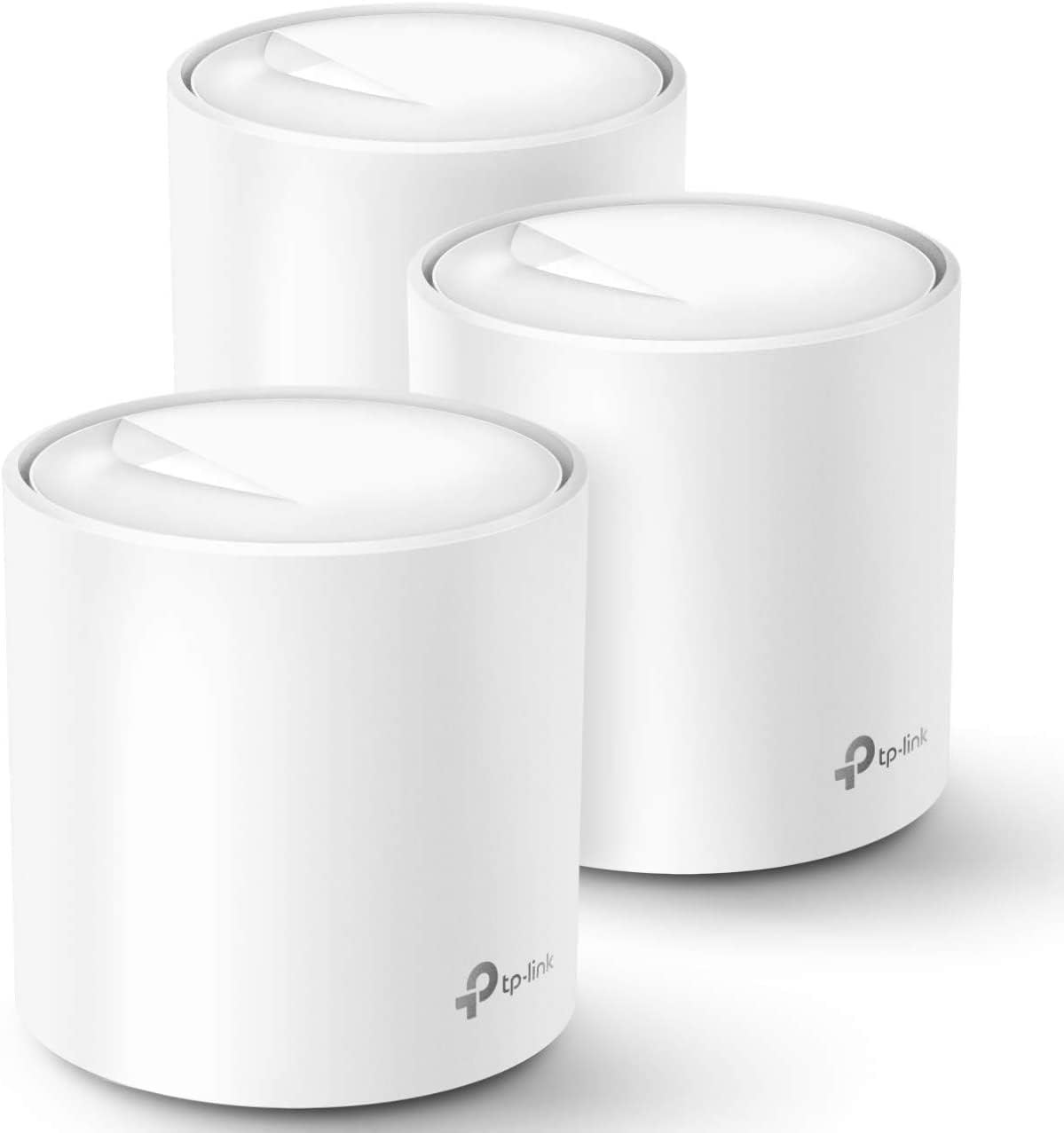
Pros
- Three identical units cover a quoted 5800 square feet, and any one of them can act as the router
- AX1800 Wi-Fi 6 with OFDMA and BSS colouring handles dense device loads better than Wi-Fi 5
- Tested for up to 150 simultaneous clients across phones, plugs, cameras and TVs
- Two gigabit Ethernet ports on every unit, six across the pack, with wired backhaul supported
- One SSID with automatic handoff, so devices switch nodes as you walk through the house
Cons
- Dual-band only, so wireless backhaul shares the same 5GHz band that clients use unless you run Ethernet
- Gigabit Ethernet ports cap any incoming connection faster than 1 Gbps
- A separate modem or ONT from the provider is still required, and HomeShield reserves advanced features for a subscription
Three identical units cover a quoted 5800 square feet, and because any of them can act as the router, the pack suits houses where the incoming line lands in an awkward corner. Wi-Fi 6 at AX1800 adds OFDMA and BSS colouring, which matter less for peak speed than for how the network behaves when thirty or forty things talk at once: phones, doorbells, plugs and TVs get served within the same airtime slot instead of queuing behind each other. TP-Link tests the system to 150 connected devices.
- Up to 5800 square feet with the three-unit pack
- AX1800 dual-band Wi-Fi 6 with beamforming
- Tested for up to 150 simultaneous client devices
Setup runs entirely in the Deco app on iOS 9.0 or Android 4.4 and later. You connect the first unit to the modem, then place the others around the house and let them join automatically. All three share one network name, and clients hand off to the nearest node as you move, so there is no manual switching between an upstairs and a downstairs SSID mid-call. Profiles group devices per family member with schedules and content filters, and Alexa voice commands can toggle the guest network on or off.
- One SSID across all three units with seamless handoff
- Per-person profiles carrying time limits and content filters
- Wired Ethernet backhaul supported for faster links between nodes
The system replaces a router and any extenders, but not the modem: cable, fibre and DSL customers keep the provider box and either bridge it or run the main unit behind it. TP-Link lists compatibility with AT&T, Verizon, Xfinity, Spectrum, Cox, CenturyLink, Frontier and RCN, covering most North American providers. Each unit carries two gigabit Ethernet ports, six across the pack, one of which the modem consumes on the primary node, leaving five for wired gear or backhaul runs between floors.
- Requires an existing modem or ONT from the provider
- Two gigabit Ethernet ports per unit, six across the pack
- HomeShield includes free basic scanning, with advanced tiers by subscription
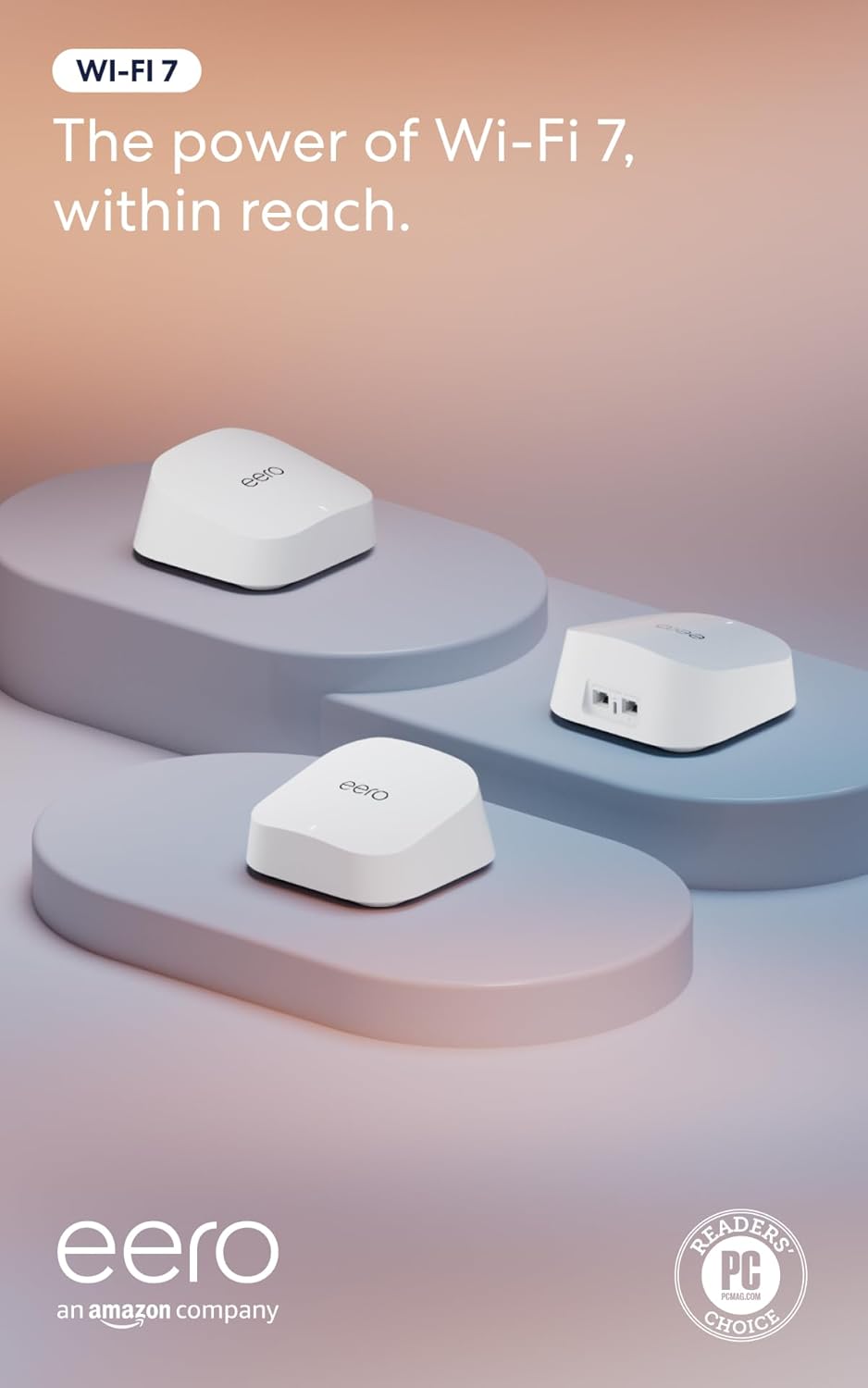
Pros
- Dual-band Wi-Fi 7 supports multi-link operation (MLO) for more stable connections across bands
- Two auto-sensing 2.5GbE ports per unit support internet plans up to 2.5 Gbps
- 3-pack covers up to 6,000 sq ft and supports over 120 connected devices on one mesh network
- TrueMesh software with TrueRoam and TrueChannel automatically steers devices to the strongest available connection
- Backward compatible with earlier eero generations, useful for mixed-generation mesh expansions
Cons
- Advanced security, ad blocking, parental controls and VPN access all require a separate eero Plus subscription
- Wireless speeds top out at 1.8 Gbps, below the wired 2.5 Gbps port capability
- A Matter or Thread hub is not included, so devices needing those protocols require additional hardware
The 3-pack is built to blanket larger homes, combining Wi-Fi 7 wireless speeds with wired backhaul options on each unit.
- Coverage is rated up to 6,000 sq ft across the full 3-pack of units
- Each unit includes two auto-sensing 2.5GbE ports, supporting internet plans up to 2.5 Gbps
- Wireless speeds reach up to 1.8 Gbps, with multi-link operation (MLO) helping devices stay connected to the best available band
- The mesh network is rated to support more than 120 connected devices simultaneously across the 3-pack
That combination of wired port speed and mesh coverage targets larger households running many connected devices at once.
Setup runs through the eero app, which walks through placing and connecting each of the 3 units into a single mesh network.
- TrueMesh software, along with TrueRoam and TrueChannel features, automatically shifts devices between units and channels for the strongest signal
- The system is backward compatible with previous eero generations, allowing mixed hardware in an existing mesh setup
- eero Built-in support on select Amazon Echo devices lets certain Echo speakers double as mesh extenders
- Basic setup and network management do not require a subscription, though advanced monitoring options exist as an add-on
Because setup and roaming are automated, most households will not need to manually manage which unit a device connects to.
Core routing, coverage and mesh features work without any subscription, but an optional eero Plus plan unlocks a further layer of network tools.
- eero Plus adds Advanced Security, ad blocking, parental controls, Malwarebytes protection, 1Password and a VPN powered by Guardian
- The base hardware includes a 3-year warranty along with access to a dedicated support team for setup issues
- Households that only need basic Wi-Fi 7 coverage and mesh roaming can skip the subscription entirely
- Devices requiring Matter or Thread connectivity need a separate compatible hub, since one is not bundled with this router
Deciding whether to add eero Plus mostly comes down to whether the household wants the extra security and parental control layer beyond basic Wi-Fi coverage.

Pros
- Three units cover up to 6,500 square feet and support up to 150 simultaneously connected devices
- AX3000 splits as 2402 Mbps on 5 GHz with HE160 support plus 574 Mbps on 2.4 GHz
- Nine Gigabit Ethernet ports in total, three per unit, and any unit can serve as the main router
- Wired Ethernet backhaul is supported, which frees the 5 GHz band from carrying node-to-node traffic
- Backed by a 2-year warranty with 24/7 support, a year longer than most networking brands offer
Cons
- The WAN port is Gigabit, so a 2 Gbps or faster fibre plan cannot be used at its full speed
- Dual-band only, with no dedicated backhaul radio, so wireless backhaul shares 5 GHz with your devices
- Full HomeShield parental controls and security features move to a paid subscription after the free tier
The rated figure is 6,500 square feet from three units, which is a manufacturer's best case on an open floor plan. In a real house with brick walls and a chimney breast, plan on a unit per floor plus one for whichever corner currently drops out.
- Three units suits a typical three-storey house or a large single-level spread
- Up to 150 devices supported, which covers a household full of smart plugs, cameras and phones
- AI-driven mesh learns the environment and steers clients between units
- More units can be added later, and all Deco models work together on one network
Placement beats specification here. Each node needs a solid link back to the next, so putting the second unit halfway to the dead zone rather than inside it is what actually fixes coverage.
Setup runs entirely through the Deco app, with visual guidance at each step. The realistic time from box to working network is fifteen to twenty minutes for the whole three-unit set.
- Connect the first unit to your existing modem by Ethernet and power it on
- The app finds it over Bluetooth and walks through naming the network and setting a password
- Additional units are added one at a time and adopt the same network name automatically
- Existing router should be put into modem or bridge mode to avoid double NAT
- Remote management works from the app when you are away from home
If your ISP supplied a combined modem and router, leaving it in router mode creates a double NAT that breaks port forwarding and some games. Switching it to bridge mode is the step most worth doing properly.
This replaces the router but not the modem. Cable, fibre and DSL connections all need the ISP's modem or ONT in front of it, connected to one Ethernet port on the main unit.
- Best suited to broadband plans up to 1 Gbps, which the Gigabit WAN port matches exactly
- Plans above 1 Gbps will be capped, since there is no multi-gig port on this model
- Ethernet backhaul between units is supported wherever you have existing wall cabling
- Powerline or MoCA adapters can carry backhaul where running cable is impractical
- Each unit's spare Gigabit ports can serve a TV, console or desktop directly
The wired backhaul option is the single biggest performance upgrade available here, and it costs nothing if the cabling already exists.

Pros
- Covers up to 4,500 square feet using the 3-pack, suited to larger homes needing more than one access point
- Connects more than 75 devices simultaneously across the mesh network
- Supports internet plans up to a full Gigabit in speed
- 160MHz radio channel bandwidth on the 5GHz band adds headroom for multiple simultaneous video calls and streams
- TrueMesh technology routes traffic dynamically to reduce dead spots between the 3 units
Cons
- Advanced security and network management features require a separate ongoing subscription beyond the base hardware
- Built-in smart home hub functionality needs compatible smart home devices to be useful, and is not a substitute for a dedicated hub in every home
- A 3-pack covers more area than a small apartment needs, so smaller spaces may only require a single unit from a different eero package
This 3-pack of eero 6+ units is rated to cover up to 4,500 square feet and connect more than 75 devices at once, built on the WiFi 6 standard with 160MHz channel bandwidth for added throughput headroom. Internet plans up to a full Gigabit are supported.
- Coverage up to 4,500 sq. ft. with 3 units
- Connects 75+ devices simultaneously
- WiFi 6 with 160MHz channel bandwidth
- Supports internet plans up to 1 Gigabit
TrueMesh technology routes traffic across the 3 units dynamically, aiming to reduce dead spots and dropped connections as devices move between rooms covered by different units.
The eero app guides setup from placing the first unit through adding the remaining 2 units to the mesh, and the same app manages the network remotely once everything is connected.
- App-guided setup for all 3 units
- Remote network management through the eero app
- Automatic software updates for ongoing security
- Backward compatible with previous-generation eero devices
Because setup and management both run through the eero app rather than a separate web interface, most network changes, including adding devices or checking a family member's connection, happen from a phone.
The system works with any internet plan up to a Gigabit in speed and is backward compatible with earlier-generation eero hardware, so a household upgrading from an older eero setup can mix in these units.
- Compatible with internet plans up to 1 Gigabit
- Backward compatible with previous eero devices
- Built-in smart home hub for compatible connected devices
A built-in smart home hub inside each unit adds a connection point for compatible smart home devices, though households with an existing dedicated smart home hub may not need this extra function.
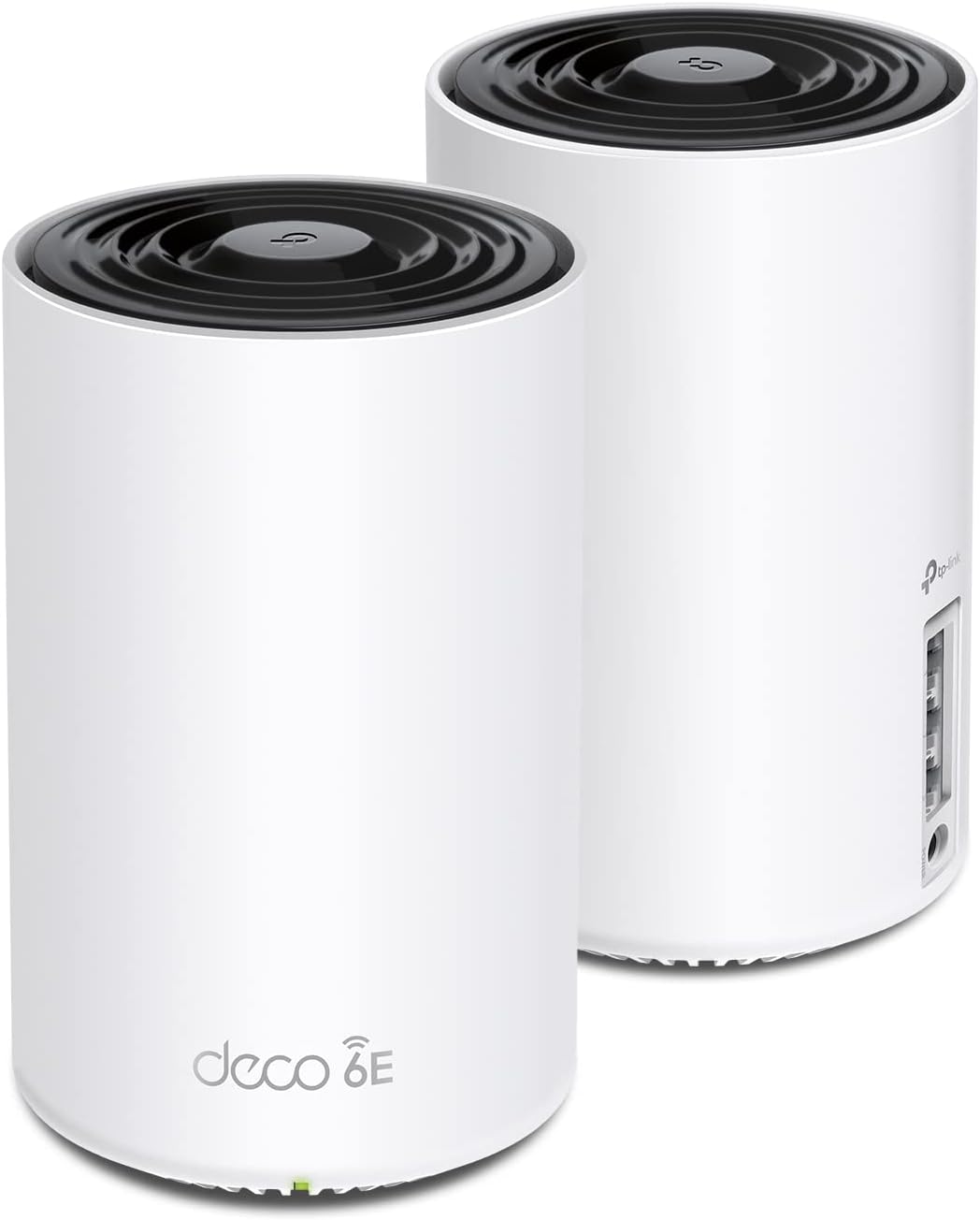
Pros
- Two nodes cover up to 5,500 sq ft between them and handle around 200 connected devices
- Tri-band totals 5,400 Mbps: 2402 Mbps on 6 GHz, 2402 Mbps on 5 GHz and 574 Mbps on 2.4 GHz
- The 6 GHz band carries node-to-node backhaul by default, leaving 5 GHz clear for client devices
- Three gigabit Ethernet ports on each unit, any of which can serve as the WAN input
- Built under the CISA Secure-by-Design pledge, with firmware maintained through the app
Cons
- Ethernet ports are gigabit rather than multi-gig, so a faster than 1 Gbps service cannot be used in full
- No modem is built in, so an existing modem, ONT or provider gateway still has to sit in front of it
- Only Wi-Fi 6E clients can use the 6 GHz band, and handing it to clients weakens the link between nodes
Two nodes cover up to 5,500 sq ft between them and handle around 200 connected devices.
- Tri-band totals 5,400 Mbps: 2402 Mbps on 6 GHz, 2402 Mbps on 5 GHz and 574 Mbps on 2.4 GHz
- The 6 GHz band carries no legacy device traffic, since only Wi-Fi 6E hardware can join it
- AI-driven mesh learns the layout and client behaviour and steers devices between the nodes
Coverage figures assume open-plan space. In a house with masonry walls or foil-backed insulation, expect meaningfully less per node, and place the second unit within solid range of the first rather than in the furthest corner. The 6 GHz band has the shortest reach of the three, so it performs best in the same room or through a single stud wall.
Setup runs through the companion app with visual guidance and takes minutes rather than an evening.
- Connect the first node to the existing modem or ONT with the supplied Ethernet cable
- The app walks through network naming, then adds the second node once the first is online
- By default the 6 GHz band handles backhaul between the nodes, keeping 5 GHz clear for devices
That default can be switched so 6 GHz serves clients instead, which suits a household with newer laptops and phones but reduces the quality of the link between nodes. Each unit carries three gigabit Ethernet ports and any one can act as the WAN input, so wired backhaul between nodes is possible wherever a cable run exists, and that remains the most reliable configuration in a difficult building.
There is no modem built in, so an existing modem, ONT or provider-supplied gateway stays in the chain.
- Cable and fibre services connect by Ethernet from the provider device into the WAN port on the first node
- Provider routers with no bridge or modem-only mode leave double NAT to deal with, either by bridging or by placing the first node in the provider device DMZ
- Services faster than 1 Gbps cannot be used in full, since the ports are gigabit rather than multi-gig
Firmware is maintained through the app, and the manufacturer is a signatory to the CISA Secure-by-Design pledge. For a household on a service up to 1 Gbps, this system removes the extender that usually sits halfway up the stairs and puts the whole house onto one network name.
For a friendly, no-fuss entry point, the TP-Link Deco M5 three-pack is a longtime favorite that blankets up to 5,500 square feet and handles 100-plus devices, while the budget-friendly TP-Link Deco S4 two-pack is a great fit for smaller homes that just need to erase a couple of dead spots. If you prefer the simplicity of the Google ecosystem, the classic Google WiFi three-pack and the single-unit Google Nest WiFi point both offer clean apps and rock-solid reliability.
Shoppers who want the latest wireless standards have strong choices too. The higher-capacity TP-Link Deco X55 brings WiFi 6 speed and wired-backhaul support to larger layouts, while the tri-band TP-Link Deco XE75 adds a dedicated 6 GHz band for congestion-free performance. For Amazon-centric smart homes, the Amazon eero 6 integrates tightly with Alexa, and the future-proof eero 7 steps up to WiFi 7 for the fastest multi-gig internet plans.
How to Choose the Best Mesh WiFi System
The right system depends on four things: the size of your home, the speed of your internet plan, how many devices you connect, and how much you want to spend. Work through each of these before you buy and the decision gets much easier.
Match Coverage to Your Square Footage
Coverage ratings are the first number to check. A two-pack that promises 3,800 square feet is plenty for a modest single-story home, while a three-pack rated for 5,500 to 6,500 square feet suits larger, multi-level houses. Remember that thick walls, brick, and metal appliances reduce real-world range, so it is smart to choose a system rated a bit higher than your actual floor plan. If you own a big or oddly shaped property, prioritize a three-node kit and read our notes on WiFi routers for large houses to understand how node placement affects coverage.
Consider Your Internet Speed and WiFi Standard
Your mesh system should keep pace with the plan you pay for. If you have a gigabit or multi-gig connection, look for WiFi 6, WiFi 6E, or WiFi 7 hardware so the network is not the bottleneck. For plans under 500 Mbps, an AC1900 or AX1800 class system is usually more than enough and saves money. The newest standards also handle dense device counts better, which matters as smart plugs, cameras, and speakers pile up.
Count Your Devices
A typical home now juggles dozens of connected gadgets. Phones, laptops, TVs, doorbells, thermostats, and voice assistants all compete for airtime. Systems that advertise support for 75, 100, or more simultaneous devices use smarter traffic management to keep everything responsive. If you are steadily building out a connected household, coordinate your mesh purchase with the rest of your setup by reviewing the best devices for smart homes so everything plays nicely together.
Wired Backhaul and Ethernet Ports
One underrated feature is Ethernet backhaul, which lets the nodes talk to each other over a cable instead of wirelessly. When available, it dramatically improves speed and stability, especially in homes with existing network wiring. Also count the Ethernet ports on each unit if you plan to hardwire a desktop, game console, or streaming box. Some systems offer multiple gigabit ports per node, while others keep things minimal.
Setup and Placement Tips
Even the best hardware underperforms if it is placed poorly. A few simple habits make a noticeable difference:
- Start at the source. Place your main node next to the modem, then spread the satellites evenly through the home.
- Keep nodes visible to each other. Avoid burying a unit inside a cabinet or behind a large TV; open shelves and central hallways work best.
- Mind the distance. Nodes should be close enough to maintain a strong link but far enough apart to extend coverage into new areas.
- Elevate when possible. A node placed at waist height or higher usually outperforms one sitting on the floor.
- Use the app. Most systems include a signal test that tells you whether a node is too far from the others.
Almost every modern mesh kit is managed through a smartphone app that walks you through installation in minutes. The same app typically handles firmware updates, guest networks, and parental controls, so you rarely need to log into a clunky web dashboard.
Mesh WiFi vs. Traditional Routers and Extenders
It is fair to ask whether you truly need a mesh system or whether a strong single router will do. If you live in a small apartment or a one-bedroom home, a quality standalone router may cover everything just fine and cost less. Mesh becomes the clear winner once you have multiple floors, thick walls, or persistent dead zones that a single router cannot reach.
Compared with old-school range extenders, mesh wins on simplicity. Extenders often create a separate network you must manually switch to, and they can halve your bandwidth. Mesh nodes keep one unified network and manage handoffs automatically. If you are still weighing a simpler upgrade, it is worth skimming a roundup of home WiFi systems to see how mesh stacks up against other approaches before committing.
Common Questions About Mesh WiFi
How many nodes do I need?
As a rough rule, plan on one node per 1,500 to 2,000 square feet, adjusting up for multi-story homes or thick walls. Two-packs suit small-to-medium homes; three-packs are the sweet spot for average houses; and you can add extra nodes later if you discover a lingering weak spot.
Will a mesh system speed up my internet?
Mesh WiFi does not increase the speed your provider delivers, but it does help you actually receive that speed in every room. If a distant bedroom used to get a fraction of your plan, a well-placed node can restore near-full performance there.
Can I keep my existing modem?
In most cases, yes. Mesh systems replace your router but connect to the same modem you already have. If your provider gave you a combined modem-router gateway, you will typically put it into bridge or passthrough mode so the mesh network handles WiFi duties.
Are mesh systems good for gaming and streaming?
Absolutely. Look for WiFi 6 or newer hardware, wired backhaul, and dedicated Ethernet ports for consoles or PCs. Low latency and stable connections matter more than headline speeds for smooth online play and 4K streaming.
Final Thoughts
Choosing among the best mesh WiFi systems comes down to fitting the hardware to your home rather than chasing the highest numbers on the box. Measure your square footage, check your internet plan, count your devices, and decide whether wired backhaul matters to you. With those answers in hand, any of the systems highlighted above can turn a frustrating patchwork of dead zones into fast, seamless coverage from the front porch to the back bedroom.
A strong mesh network is also the backbone of a smarter home, giving your cameras, speakers, and sensors the reliable connection they need. Once your WiFi is solid, it is much easier to expand into automation and connected gadgets with confidence. Take your time comparing coverage ratings and features, and you will land on a system that keeps every corner of your home online for years to come.




Comments are closed.
No reviews yet. Be the first to share your experience!