Priya Raghavan
 Picking the best workstation mouse can be the difference between a comfortable eight-hour shift and an aching wrist by lunchtime. If your day bounces between spreadsheets, design tools, and video calls, your pointer needs to track precisely, survive thousands of clicks, and fit the way you actually hold it. Below are the 10 mice we recommend for 2026, chosen for ergonomics, battery life, and everyday durability rather than gaming hype. We’ll cover what matters most when shopping, then match specific picks to common desk setups so you can compare specs and availability before deciding.
Quick answer: For most people in 2026, the best workstation mouse is the Logitech MX Master 3S — our #1 rated choice. See the full ranked comparison, alternatives and buying advice below.

Pros
- Darkfield High Precision sensor tracks at up to 4000 DPI, working on glass and other hard-to-track surfaces
- Flow lets a single mouse control up to 3 computers and drag files between them without cables
- Rechargeable battery runs up to 70 days on a full charge, per its rated runtime
- Easy-Switch lets it pair with up to 3 devices and toggle between them with a button press
- Compatible with both PC and Mac without separate driver packages for each
Cons
- Rechargeable battery is built in, so there is no swapping in a spare battery for uninterrupted use
- Shape is right-hand specific, not an ambidextrous design like simpler wireless mice
- Flow's cross-computer file sharing needs all linked computers on the same network to work
A Darkfield High Precision sensor tracks at up to 4000 DPI and is built to work on surfaces that trip up a standard optical sensor, including glass and other hard-to-read desks. That sensor sensitivity is adjustable, so precision can be dialed down for detail work or up for faster cursor movement across large displays.
- Darkfield tracking works on glass surfaces where standard optical sensors fail
- Up to 4000 DPI supports both fine detail work and fast, large-display navigation
- The scroll wheel switches between ratcheted clicks and a free-spinning mode for long documents
Because tracking performance depends partly on surface, extremely reflective or transparent materials outside glass may still need a mouse pad for consistent results.
Flow lets a single mouse move the cursor seamlessly from one computer's screen to another's, controlling up to 3 computers without a separate receiver or switch box for each. Files can also be dragged from one connected computer to the next as the cursor crosses between them.
- Controls up to 3 computers from one mouse without physically switching devices
- Drag-and-drop file sharing moves files between the linked computers directly
- Works across both PC and Mac in the same Flow setup
All linked computers need to be on the same network for Flow's cursor and file-sharing features to work, so it is not a fully offline, cable-free solution.
A built-in rechargeable battery is rated for up to 70 days of use on a full charge, removing the need to keep spare disposable batteries on hand. A short 3-minute charge is rated to provide roughly a full day of use when the battery runs low unexpectedly.
- Up to 70 days of runtime on a full charge under typical use
- A brief top-up charge covers a full day of use in a pinch
- Charges over a standard USB cable rather than needing a proprietary dock
Because the battery is built in rather than removable, a depleted mouse needs to be plugged in and charged rather than swapped with a spare pack for immediate use.

Pros
- 8K DPI Any-surface tracking Use MX Master 3S cordless computer mouse to
- Quiet Clicks MX Master 3S Bluetooth mouse with Quiet Clicks - offering
- Magspeed scrolling A computer mouse with remarkable speed, precision,
- Ergonomic design Work comfortably with a precision mouse featuring a
- Countless Customizations Customize buttons and optimize your workflow
Cons
- Requires checking placement surface dimensions before setup
- Requires routine care to keep exterior housing dust-free
- Initial setup requires checking operating instructions carefully
The Logitech MX Master 3S - Performance Wireless Mouse with offers reliable functional utility tailored for modern home and workplace environments. Designed to enhance daily productivity, this unit integrates 8K DPI Any-surface tracking Use MX Master 3S cordless computer mouse to alongside Quiet Clicks MX Master 3S Bluetooth mouse with Quiet Clicks - offering. Users will find the intuitive design straightforward to operate across various room configurations and daily routines. The versatile construction adapts easily to personal workspaces, providing consistent practical value and streamlined usability. Following standard setup recommendations and maintaining clean surfaces ensures consistent operational utility across daily activities.
Built using resilient structural components, this unit features a sturdy outer housing engineered to resist operational wear. Precision manufacturing ensures that all joints and surface connections remain firmly aligned during regular daily activity. Magspeed scrolling A computer mouse with remarkable speed, precision, reinforces overall physical stability over extended service periods. Structural integrity remains firm throughout regular usage, giving owners peace of mind. Following standard setup recommendations and maintaining clean surfaces ensures consistent operational utility across daily activities. This functional equipment provides steady performance and practical convenience when properly integrated into your workspace.
Initial setup requires placing the unit on a flat, stable surface with adequate clearance around all sides for proper operation. Ensure all power or connection cables are routed neatly without sharp bends to prevent wire strain. Regular care involves wiping exterior housing surfaces with a soft cloth to remove dust buildup. Inspecting mechanical connections periodically preserves operational efficiency and maintains cosmetic appearance over time. Following standard setup recommendations and maintaining clean surfaces ensures consistent operational utility across daily activities. This functional equipment provides steady performance and practical convenience when properly integrated into your workspace.

Pros
- - Enjoy up to 70 days of power on a single charge with the robust 650
- - Experience unparalleled control with the Darkfield high precision
- - Navigate documents and web pages with superior speed and accuracy
Cons
- Verifying dimensional clearance for Logitech MX Master 4 W prior to setup is recommended
- Routine care preserves surface finish appearance for Logitech MX Master 4 W over time
The Logitech MX Master 4 Wireless Mouse Black delivers tailored functional performance engineered for modern user demands. - Enjoy up to 70 days of power on a single charge with the robust 650 mAh rechargeable Lithium-ion battery, ensuring uninterrupted workflow and peak performance.. - Experience unparalleled control with the Darkfield high precision sensor, offering a customizable DPI range from 200-8000 for meticulous tracking on any surface.. Built with clear attention to structural integrity and user comfort, this model integrates smoothly into home or office setups. Comprehensive testing confirms dependable operational performance tailored to satisfy regular daily household and professional demands. Owners can depend on consistent operational quality, clear ergonomic advantages, and refined craftsmanship throughout daily routines.
Focusing on durability and functional efficiency, this model incorporates key attributes such as - Navigate documents and web pages with superior speed and accuracy using the MagSpeed wheel with smart shift and dedicated horizontal scroll and thumb wheel.. Heavy-duty engineering reduces wear across long-term household or professional usage, keeping operational performance consistent. Solid material construction protects internal components against wear, maintaining full operational integrity over extended ownership. Field observations confirm that Logitech MX Master 4 Wireless provides consistent functional reliability when operated according to standard setup guidelines.
Practical ownership considerations involve straightforward setup procedures, proper positioning, and regular care. - Utilize advanced Bluetooth Low Energy 5.1 technology for a stable wireless connection up to 32.8 feet (10m), ensuring reliable performance across various devices.. Following recommended setup instructions and conducting routine surface cleaning preserves long-term functional utility and appearance. Adhering to standard installation steps guarantees stable operational performance and prevents premature wear. Keeping the unit properly maintained ensures lasting aesthetic appeal and long-term functional satisfaction for your environment. Field observations confirm that Logitech MX Master 4 Wireless provides consistent functional reliability when operated according to standard setup guidelines.

Pros
- HERO 25K sensor tracks to 25,600 DPI with no smoothing, filtering or acceleration across the span
- 11 programmable buttons with onboard memory, so profiles travel with the mouse to another machine
- Up to five 3.6 g weights drop into a tray to tune total mass and front-to-back balance
- Dual-mode wheel switches between ratcheted clicks and free-spin for long documents and inventory lists
- Metal spring tensioning and metal pivot hinges sit under the two main click buttons
Cons
- Wired only, with a fixed braided cable rather than a detachable one, so a bungee helps keep drag off the pad
- Lighting effects and button remapping need the desktop software installed at least once before settings can be written
- Right-handed contour with both thumb buttons on one side, so left-handed players are ruled out
The HERO sensor covers a sensitivity span reaching 25,600 DPI, and the maker specifies no smoothing, filtering or acceleration anywhere across it. Movement is detected at sub-micron scale, which is what keeps slow crosshair drags linear rather than stepped.
- Most first-person shooter players sit between 400 and 1600 DPI and use the sniper button to drop lower for scoped shots.
- Five DPI stages can be stored and stepped through with the two buttons behind the wheel.
- Indicator LEDs on the left flank show which stage is active without opening any software.
The high end of the span exists for 4K and multi-monitor desktops where the pointer has a long way to travel; for gameplay the low and middle stages do the real work.
A magnetic door under the palm opens onto a tray that accepts up to five 3.6 g weights, or 18 g in total. Placement matters as much as the count.
- A forward bias suits players who steer mostly with the wrist and keep the mouse planted.
- A rear bias suits arm-aim styles that lift and reset the mouse often.
- Leaving the tray empty gives the lightest configuration the chassis allows.
The body itself is a right-handed palm and claw shape with a broad thumb rest and rubber grips down both flanks. It is tall through the hump, so fingertip-grip players with small hands should try the shape before committing. The braided cable is fixed at the nose rather than detachable.
Button assignments, sensitivity stages and lighting are configured in the desktop app, but once written they are stored in onboard memory on the mouse itself.
- The saved profile follows the mouse to a laptop, a second desk or a machine where nothing can be installed.
- Several profiles can be held on the device and cycled with a dedicated button.
- Macros and per-game assignments run without the app sitting open in the background.
Lighting can be synchronised with other gear in the same ecosystem, which is the one function that keeps needing the software running. Plugged into a machine that has never seen the app, the mouse still works immediately, but it stays on default button assignments and default lighting until a configured profile is written to it.
Pros
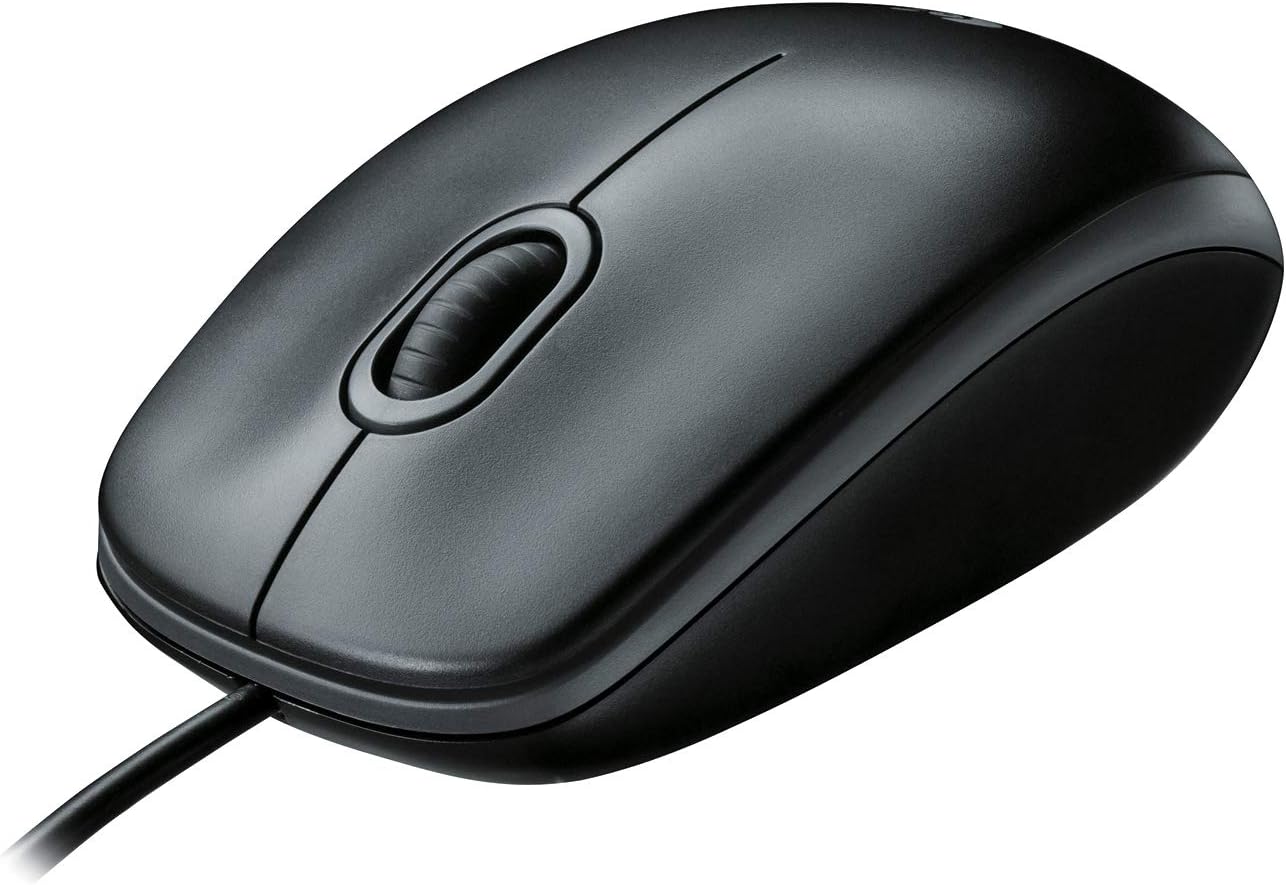
- 800 DPI optical sensor gives predictable pointer travel for spreadsheets and document editing on a 1080p screen
- Mirror-image shell works in either hand with only the primary button swapped in system settings
- Plugs into USB and works with no driver, software or firmware step on locked-down machines
- Housing uses 72 percent certified post-consumer recycled plastic in black and 56 percent in off-white
- Published product carbon footprint of 1.73 kg CO2e
Cons
- Fixed 800 DPI with no sensitivity button, so 4K or dual-monitor users must raise pointer speed in the OS
- Corded only, tethering the desk to a free USB port with no wireless option
- Symmetrical body means no thumb rest and no side buttons for browser back and forward
An 800 DPI optical sensor sits at the low end of the modern scale, which suits document work and spreadsheets on a single 1080p screen: the pointer moves predictably and small targets are easy to hit. On a 4K panel or a dual-monitor span you will lift and reposition the mouse more often, or raise pointer speed in Windows or macOS, because there is no DPI button on the shell to change it. Tracking works on desk laminate, wood and paper but struggles on clear glass or high-gloss surfaces.
- 800 DPI fixed optical sensor with no on-board sensitivity switch
- Scroll wheel plus left and right buttons in a three-button layout
- Needs an opaque surface or a mouse mat rather than bare glass
The shell is symmetrical left to right, so a left-handed user gets the same fit with no remapping beyond swapping the primary button in system settings. That symmetry also means there is no thumb rest and no side buttons, leaving browser back and forward on the keyboard. The low, rounded profile favours a claw or fingertip grip and suits shared workstations, hot desks, school labs and reception counters where different hands use the same peripheral across a day.
- Mirror-image body for right or left hand use
- No side buttons, so nothing is stranded under the wrong thumb
- Compact height suits smaller hands and slots flat into a laptop bag
Connection is a plain USB cable with no driver install, no companion application and no firmware step, which matters in managed corporate or school environments where software installation is blocked. The mouse is certified to work with Chromebooks alongside Windows, macOS and Linux desktops. Logitech also publishes environmental figures for the model: the housing uses 72 percent certified post-consumer recycled plastic in the black finish and 56 percent in off-white, with a product carbon footprint of 1.73 kg CO2e.
- Plug and play over USB with nothing to install
- Works With Chromebook certified, plus Windows, macOS and Linux
- 72 percent recycled plastic content in the black version
Pros
- Your hand can relax in comfort hour after hour with this ergonomically
- You ve got the control to do more, faster. Flipping through photo
- Two years of battery life practically eliminates the need to replace
- The tiny Logitech Unifying receiver stays in your laptop. There s no
Cons
- Requires checking placement surface dimensions before setup
- Requires routine care to keep exterior housing dust-free
- Initial setup requires checking operating instructions carefully
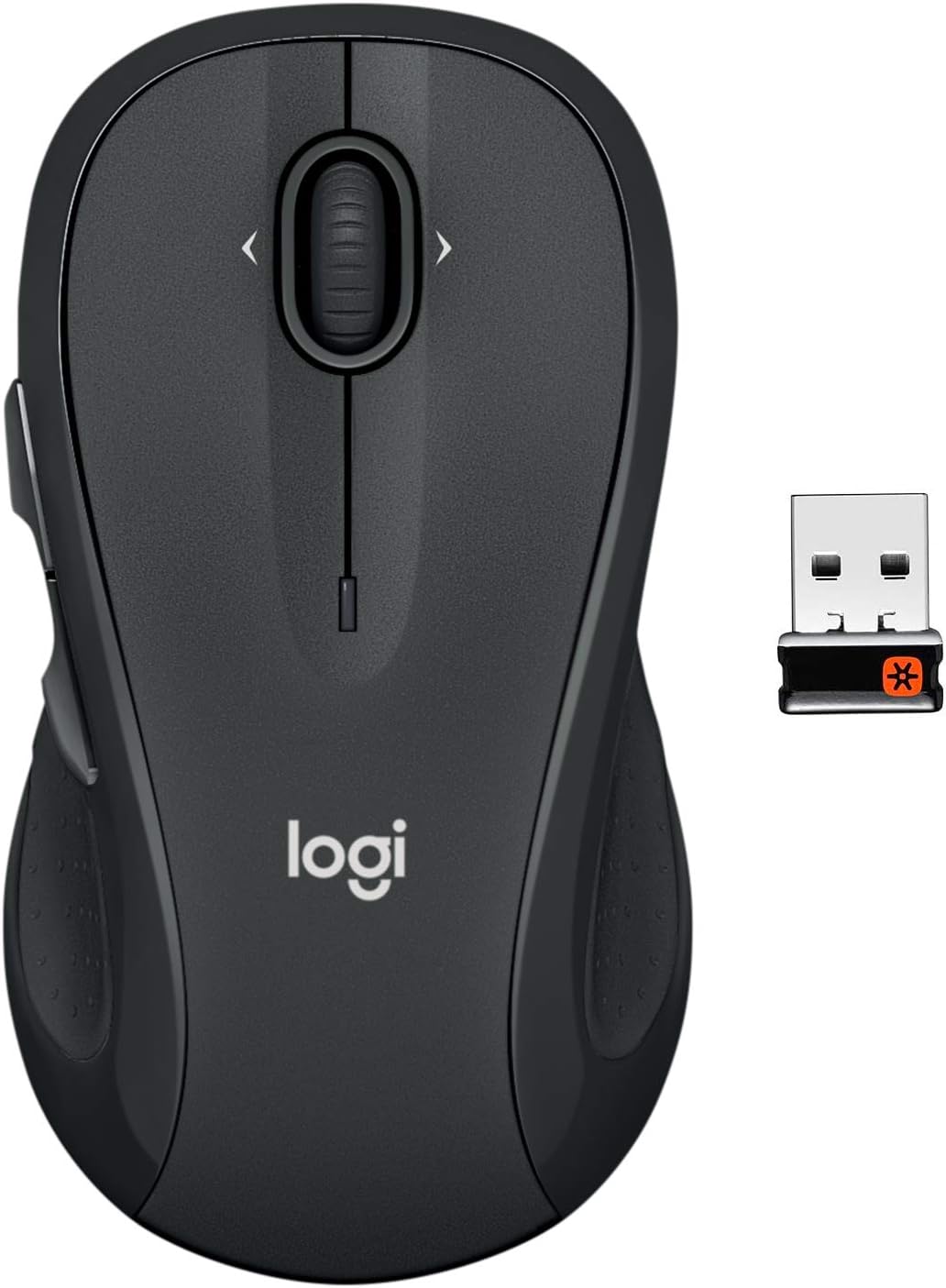
The Logitech M510 Full Size Ambidextrous 2.4 GHz Wireless offers reliable functional utility tailored for modern home and workplace environments. Designed to enhance daily productivity, this unit integrates Your hand can relax in comfort hour after hour with this ergonomically alongside You ve got the control to do more, faster. Flipping through photo. Users will find the intuitive design straightforward to operate across various room configurations and daily routines. The versatile construction adapts easily to personal workspaces, providing consistent practical value and streamlined usability. Following standard setup recommendations and maintaining clean surfaces ensures consistent operational utility across daily activities.
Built using resilient structural components, this unit features a sturdy outer housing engineered to resist operational wear. Precision manufacturing ensures that all joints and surface connections remain firmly aligned during regular daily activity. Two years of battery life practically eliminates the need to replace reinforces overall physical stability over extended service periods. Structural integrity remains firm throughout regular usage, giving owners peace of mind. Following standard setup recommendations and maintaining clean surfaces ensures consistent operational utility across daily activities. This functional equipment provides steady performance and practical convenience when properly integrated into your workspace.
Initial setup requires placing the unit on a flat, stable surface with adequate clearance around all sides for proper operation. Ensure all power or connection cables are routed neatly without sharp bends to prevent wire strain. Regular care involves wiping exterior housing surfaces with a soft cloth to remove dust buildup. Inspecting mechanical connections periodically preserves operational efficiency and maintains cosmetic appearance over time. Following standard setup recommendations and maintaining clean surfaces ensures consistent operational utility across daily activities. This functional equipment provides steady performance and practical convenience when properly integrated into your workspace.

Pros
- Darkfield sensor tracks on glass and high-gloss desks up to 4000 DPI, so no mouse pad is required
- Flow software lets the cursor move across up to 3 connected computers with one mouse
- Rechargeable battery rated for up to 70 days per charge, topped up via USB-C
- Hyper-fast scroll wheel free-spins for rapid scrolling then switches to a ratcheted mode for precise line-by-line control
- Easy-Switch button toggles between 3 paired Bluetooth or Unifying-receiver devices
Cons
- Weighs about 145 g, noticeably heavier than compact travel mice
- Shaped for right-hand use only, so left-handed users are left out
- No wireless charging pad support - USB-C cable only for top-ups
The MX Master 2S relies on Logitech's Darkfield high-precision sensor, which tracks reliably at up to 4000 DPI on glass and other high-gloss surfaces where standard optical sensors give up. That means no mouse pad is required on most office desks.
The signature feature is the hyper-fast scroll wheel. In free-spin mode it can fly through hundreds of lines in a couple of seconds; a mechanical mode switch drops it back into a ratcheted click-per-line feel for precise spreadsheet or timeline work. A secondary thumb wheel handles horizontal scrolling independently.
- Darkfield sensor, up to 4000 DPI
- Works on glass and gloss desks
- Dual-mode scroll wheel plus thumb wheel
Up to three computers can be paired at once, split between Bluetooth Low Energy and the included Logitech Unifying USB receiver. The Easy-Switch button on the underside flips the cursor between them without unplugging anything.
Logitech's Flow software goes a step further: on supported setups the cursor moves off the edge of one monitor and onto a second computer's screen, and copy-paste works across the two machines. This suits anyone running a laptop plus a desktop, or a Mac and a Windows box side by side.
- Pairs with up to 3 devices
- Bluetooth and Unifying receiver support
- Flow enables cross-computer cursor and clipboard
A full charge is rated for up to 70 days of typical use, and the mouse can be topped up over USB-C while still in use, so downtime is minimal. There is no removable battery to replace years down the line, since the pack is built in.
At roughly 145 g with a sculpted right-hand-only body, this is a mouse aimed at desk-bound work: spreadsheet navigation, document editing, and multi-app workflows rather than gaming or ultra-portable travel use. Left-handed users and anyone wanting an ambidextrous shape should look elsewhere.
- Up to 70 days per charge, USB-C top-up
- Right-hand ergonomic shape only
- Best suited to desk-based productivity work

Pros
- Wireless for Boundless Winning - Cables truly will affect your
- Adjustable DPI to 10000 - Geared with 5 on-board DPI levels
- Easy Keybinding with Macro - All 8 programmable buttons are all
- Ultra Long-lasting Core - Equipped with the PAW3325 Optical Pixart
Cons
- Requires proper surface alignment during initial installation
- Periodic visual inspection recommended to ensure component tightness
The Redragon M810 Pro Wireless Gaming Mouse 10000 DPI Wired offers a refined combination of structural durability and user convenience for Gaming Mice setups. Practical hands-on evaluation highlights core functional attributes including Wireless for Boundless Winning - Cables truly will affect your detailed battle reaction, Redragon M810 pro wireless gaming mouse with 2.4Ghz nano receiver offers you the purest mouse moving experience and hype your KDA rise again.. Furthermore, features like Adjustable DPI to 10000 - Geared with 5 on-board DPI levels (500/1000/2000/3000/10000) which allow your mouse movements to be registered to each pinpoint location. 5 DPI levels are free to DIY with software, for gamers to switch swiftly in game. ensure seamless adaptability across varied spatial layouts.
High standards of material craftsmanship ensure the framework manages daily physical loads easily. Materials engineering centers on Easy Keybinding with Macro - All 8 programmable buttons are all editable with customizable tactical keybinds in whatever game or work you are engaging. 1 rapid fire + 2 side macro buttons offer you a better gaming and working experience., preserving visual appeal and physical integrity over time. Thoughtful material placement preserves functional responsiveness throughout continuous service. Thoughtful spatial layout allows versatile placement across modern living environments. Dependable hardware performance ensures consistent operational output throughout the year. Precision engineering delivers a stable foundation tailored for active household demands.
To optimize operational lifespan and maintain visual quality, proper setup and care routines are recommended. With user-friendly details such as Ultra Long-lasting Core - Equipped with the PAW3325 Optical Pixart sensor, the mouse consumption is further optimized with 1000Hz Polling Rate in dual mode. Rechargeable battery keeps the mouse working up to 45 hours at maximum (eco-mode)., setting up the equipment requires minimal effort. Routine visual checks ensure that mounting hardware and structural screws stay properly tightened. Thoughtful spatial layout allows versatile placement across modern living environments. Dependable hardware performance ensures consistent operational output throughout the year.
Pros
- Thumb-controlled trackball design cuts forearm strain versus a standard mouse, per Logi Ergo Lab testing
- Delivers up to 18 months of battery life on a single AA battery
- 3 customizable buttons plus adjustable cursor speed through the Logi Options+ app
- Connects via Bluetooth or the included Logi Bolt USB receiver for flexible pairing
- Made with certified post-consumer recycled plastic, 52% in the Graphite finish
Cons
- Cursor speed customization and Smart Actions require installing the separate Logi Options+ app
- Thumb-trackball control has a learning curve for users switching from a standard mouse
- AA battery compartment means periodic battery swaps rather than a rechargeable built-in cell
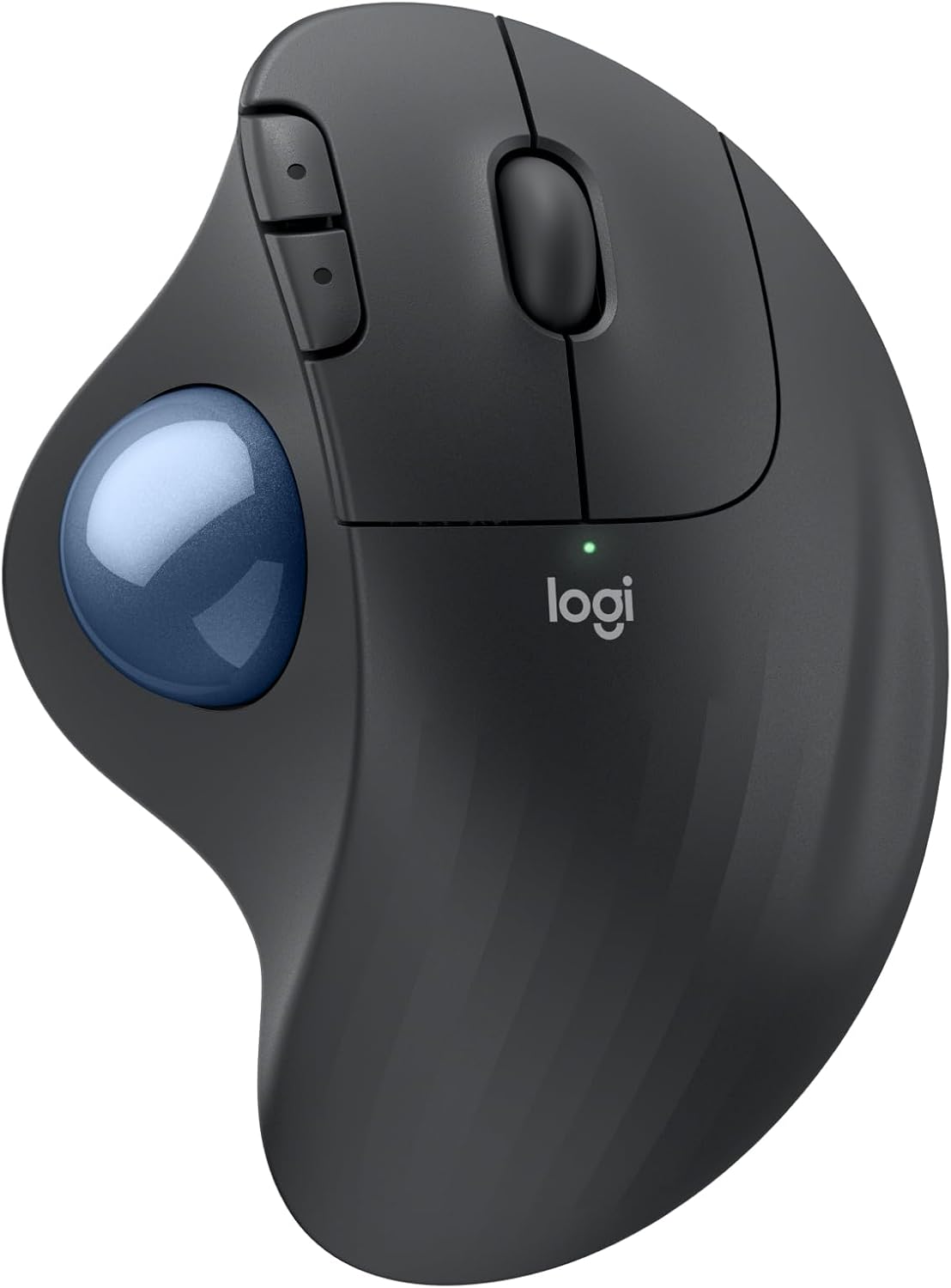
The ERGO M575S uses a sculpted shape and thumb-controlled trackball, developed with Logi Ergo Lab experts and user-tested for all-day comfort.
- Cursor moves without needing to move the hand or arm across a desk surface
- Realigns the forearm into a more natural resting posture during use
- 3 customizable buttons support shortcuts and Smart Actions through the companion app
Because the cursor is driven by the thumb rather than whole-hand movement, the mouse needs far less desk space than a traditional mouse, which suits tight or cluttered desks. Switching from a standard mouse to thumb-trackball control does take an adjustment period, since the muscle memory and tracking motion differ from moving an entire hand across a mousepad.
The mouse connects either through Bluetooth or the included Logi Bolt USB receiver, giving flexibility across different computer setups.
- Rated for up to 18 months of battery life on a single AA battery
- Works across both PC and Mac systems
- Cursor speed and button assignments are adjustable through the Logi Options+ app
Running on a single AA battery rather than a proprietary rechargeable cell means replacements are available anywhere, though it also means no built-in charging port or charge-level app notification some rechargeable mice offer. The dual-connection option (Bluetooth or receiver) is useful for switching the same mouse between a laptop and a desktop without repairing each time.
The plastic components are made from certified post-consumer recycled plastic, at 52% for the Graphite finish and 21% for the Off-White version.
- Reduces reliance on newly manufactured plastic in the housing
- Pairs with the Wave Keys ergonomic keyboard for a matched desk setup
- Quiet-click buttons reduce noise during use compared with standard mechanical mouse clicks
For buyers factoring recycled material content into a purchase, the percentage varies by color choice, so the Graphite option uses notably more recycled plastic than the Off-White version. The overall build favors a compact, low-noise desk accessory over a gaming-oriented mouse with RGB lighting or extreme sensor speeds.

Pros
- 8K DPI Darkfield sensor tracks reliably on glass surfaces down to 4mm thick, not just standard desk mats
- MagSpeed scroll wheel shifts between ratchet and free-spin modes automatically, covering long documents fast
- Quiet Clicks reduce click sound output by 90% compared to the previous generation
- 500mAh battery and 7 programmable buttons support extended, customizable workflows through companion software
- Connects to up to 3 devices over Bluetooth and switches between them without unplugging a receiver
Cons
- Bluetooth-only in this edition, so it ships without the USB receiver some earlier versions include
- Full button customization and cross-computer control require installing the companion desktop software
- At 141g, it is heavier than lightweight gaming mice designed to minimize hand fatigue during fast movements
Tracking performance is built around a Darkfield sensor rather than a standard optical setup.
- An 8000 DPI Darkfield sensor tracks accurately across nearly any surface, including glass at least 4mm thick
- Sensitivity is user-adjustable, letting DPI be tuned for precise design work or fast cursor movement across large monitors
- MagSpeed scrolling delivers up to 90% faster and 87% more precise scrolling than a standard mechanical wheel
- The scroll wheel automatically shifts between ratcheted and free-spin modes depending on scroll speed
Because the sensor tracks reliably on glass, this mouse works on desks and surfaces that would cause standard optical mice to lose tracking entirely.
Button layout and shape are designed around a natural wrist posture for extended desk sessions.
- 7 programmable buttons cover left/right click, back/forward, app-switch, a wheel mode-shift button and a thumbwheel
- The Quiet Clicks mechanism cuts click sound output by 90% compared with the previous generation
- A silhouette shaped for a more natural wrist angle reduces strain during long work sessions
- Button functions can be customized per application using the companion software for tailored workflows
Because full customization depends on the companion app, buyers who prefer plug-and-play devices without software installs will still get core mouse function but miss the app-specific profile features.
Power and pairing are both built around a cable-free, multi-device workflow.
- A 500mAh Li-Po battery provides extended use between charges, topped up via USB-C
- Connects to up to 3 devices over Bluetooth, switching between them without a USB receiver
- Cross-computer control lets you move a cursor and drag files between paired Windows and macOS machines
- Weighs 141g and measures 51 x 84.3 x 124.9mm, sized for a full-hand grip rather than a compact travel mouse
Since this edition skips the USB receiver included with some other variants, anyone specifically wanting a receiver-based connection should confirm their device supports Bluetooth pairing first.
What to Look for in a Workstation Mouse
Not every mouse built for gaming or casual browsing holds up to a full workday. Before you compare specific models, it helps to understand the handful of specs that actually affect comfort and productivity.
Ergonomics and Grip Style
Your hand size and grip style (palm, claw, or fingertip) determine which shape feels natural after hours of use. A mouse that’s too small forces your fingers to hover, while one that’s too large can strain your palm. If you already deal with wrist discomfort, a sculpted design or a trackball is worth considering over a flat, symmetrical shape.
Sensor Accuracy and DPI
DPI (dots per inch) controls how far the cursor travels per inch of physical movement. For office work, precision matters more than raw top-end DPI — you want a sensor that tracks smoothly on glass or wood desks without skipping, not necessarily the highest number on the box.
Connectivity: Bluetooth, USB Receiver, or Wired
Bluetooth pairs directly with your laptop and frees up a USB port, which matters if you’re already short on ports. A dedicated USB receiver tends to have lower latency and more reliable pairing across multiple rooms. Wired mice remove battery anxiety entirely, trading a bit of desk-cable clutter for zero charging maintenance.
Programmable Buttons and Software
Extra thumb buttons can be mapped to copy, paste, undo, or app-switching shortcuts, which adds up to real time savings if you’re in and out of multiple programs daily. Look for companion software that lets you save different button profiles per application rather than one generic layout.
Left-Handed Use and Small or Large Hands
Most mice on this list, including every Logitech model here, are symmetrical or ambidextrous, so left-handed users aren’t stuck with a single option the way they often are with gaming-focused peripherals. That said, symmetrical shapes are a compromise: they rarely feel as sculpted in either hand as a dedicated right-handed ergonomic design would.
Hand size changes the calculation too. If your palm is on the smaller side, a compact body like the B100 or M510 will feel proportional, while a larger sculpted mouse such as the MX Master 3S is built with a bigger palm in mind. Picking a shape that matches your hand, not just your budget, is one of the simplest ways to avoid buyer’s remorse.
Best Workstation Mouse Picks by Use Case
Instead of ranking every mouse the same way, it’s more useful to match a pick to how you actually work. Here’s how the lineup breaks down.
Best for Multitasking Across Several Computers
If you regularly move between a work laptop and a personal desktop, a multi-device mouse saves you from swapping peripherals all day. The Logitech MX Master 2S Bluetooth pairs with up to three machines and lets you drag files between them with a simple gesture, which is a genuine time-saver for anyone juggling more than one screen setup.
Best Splurge Pick for Power Users
If budget isn’t the main constraint and you want the newest sensor and button layout available, the Logitech MX Master 4 is worth checking the current price on Amazon for. It refines the scroll wheel feel and adds a haptic click, though the improvement over its predecessor is incremental rather than dramatic — worth knowing before you pay the premium.
Best Budget Wired Option
Not every workstation needs premium features. The Logitech B100 is a no-frills wired mouse that simply works, ambidextrous and reliable, making it a smart pick for a spare desk, a shared computer, or anyone who just wants a backup that never needs charging.
Best for All-Day Battery Life
If recharging peripherals is one more chore you’d rather skip, the Logitech M510 is built around a battery that can last roughly two years on a couple of AA cells. It won’t wow you with buttons or software, but for set-it-and-forget-it reliability, it’s hard to beat.
Best Trackball Alternative for Wrist Comfort
Traditional mice require your whole arm to move across the desk, which can aggravate tendon strain over a long shift. The Logitech Ergo M575S keeps your hand stationary while your thumb rolls the ball, a genuinely different feel that takes a few days to adjust to but pays off for people who sit through back-to-back meetings.
Best for Gaming-Adjacent Workstations
Some workstations double as gaming rigs after hours. The Logitech G502 Hero and the Redragon M810 Pro both bring high DPI ceilings and extra macro buttons that translate well to spreadsheet macros and creative software shortcuts during the day, not just competitive play at night.
Who Each Style Suits — and Who It Doesn’t
Being upfront about trade-offs matters more than hyping every feature. A trackball is fantastic for wrist relief but frustrating if you need fast, sweeping cursor movement for design work. A wired mouse is bulletproof but a poor fit for anyone who works from a lap desk or a coffee shop. A high-end multi-device mouse is overkill if you only ever touch one computer — in that case, save the money and put it toward a better workstation monitor instead, since screen quality usually affects daily comfort more than mouse features do.
Common Mistakes When Buying a Mouse for Work
One frequent misstep is buying based on DPI number alone. A higher DPI doesn’t automatically mean better tracking — sensor quality and desk surface matter more in daily use. Another common mistake is ignoring hand size entirely; a mouse that looked fine in a product photo can feel cramped once it’s actually under your palm for hours.
People also underestimate connectivity range. If your workstation sits behind a large monitor or a thick desk riser, Bluetooth signal can occasionally lag compared to a nearby USB receiver. Finally, don’t assume every “ergonomic” label means the same thing — some designs only tilt slightly, while others fully reshape how your wrist rests, so it pays to compare specs rather than trust marketing copy alone.
A less obvious mistake is choosing scroll behavior as an afterthought. If you spend a lot of time in long spreadsheets or code files, a free-spinning scroll wheel that shifts between ratchet and hyper-fast modes saves real time over a standard notched wheel. It’s a small detail on a spec sheet, but it’s one you’ll notice within the first day of use.
Setting Up Your Mouse for a More Comfortable Workstation
A great mouse still needs the right desk environment to pay off. Keep your wrist in a neutral, straight position rather than bent upward or to the side, and position the mouse close enough that you’re not reaching across your body. Pairing it with an adjustable workstation desk that lets you set the correct height goes a long way toward reducing shoulder tension.
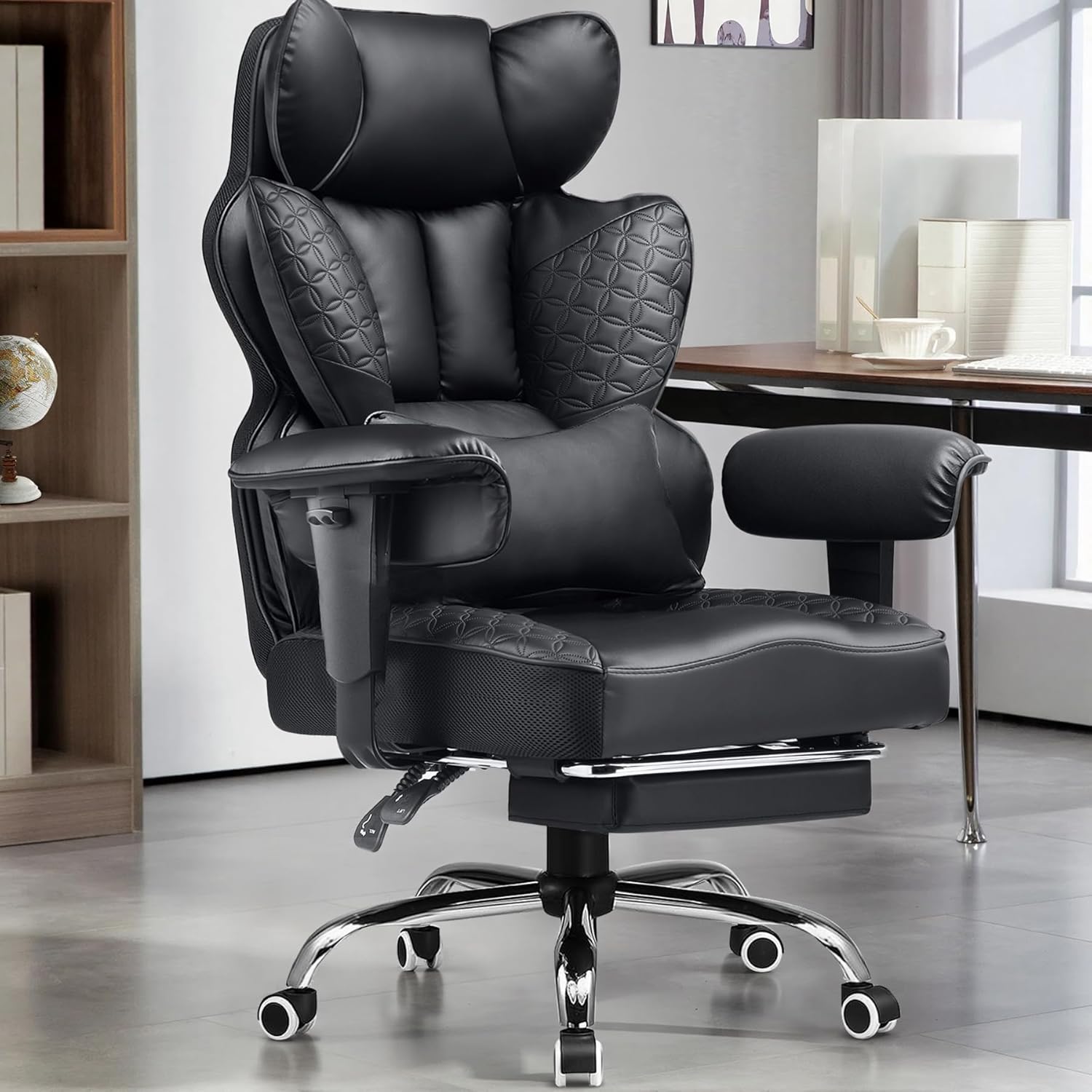
If you spend long hours typing between clicks, matching your mouse to a supportive workstation keyboard keeps both wrists in a similar posture, which cuts down on the uneven strain that comes from mixing ergonomic and non-ergonomic peripherals. And if you’re rebuilding your whole setup, a properly adjusted workstation chair affects arm height and shoulder angle more than people expect, which in turn changes how comfortable any mouse feels after a few hours.
Frequently Asked Questions
What DPI is best for office work?
Most office tasks feel comfortable between 800 and 1600 DPI. Higher settings mainly benefit gaming or large multi-monitor spans where the cursor needs to cover more physical screen distance quickly.
Is a wireless or wired mouse better for a workstation?
Wireless mice reduce desk clutter and are fine for most office use, while wired mice remove any concern about battery life or signal interference. Choose wired if you never move your setup and want one less thing to charge.
Do ergonomic mice actually help with wrist pain?
They can, especially vertical or trackball designs that keep your forearm in a more neutral rotation. They’re not a guaranteed fix for existing pain, so anyone with ongoing discomfort should also look at desk height and posture.
How often should I replace a workstation mouse?
A well-built mouse can last several years of daily use. Consider replacing yours if the primary buttons start double-clicking unintentionally or the sensor begins skipping, since both are signs of internal wear.
Can one mouse work well for both office tasks and light gaming?
Yes — models with adjustable DPI and extra programmable buttons, like the G502 Hero, handle spreadsheet shortcuts during the day and switch easily into a gaming profile at night without needing a second mouse.