
 Marcus Bell
 Editing high-resolution RAW files, working with dozens of open Photoshop layers, or batch-processing hundreds of images in Lightroom all lean hard on your system’s memory. If your editor stutters, previews lag, or exports crawl, upgrading RAM is often the most affordable fix before you touch your CPU or GPU. This guide breaks down the best RAM for photo editing across capacities, speeds, and platforms, so you can match a kit to your actual workflow instead of guessing. You’ll find picks for desktops, laptops, DDR4 and DDR5 builds, plus the specs that matter and the mistakes worth avoiding.
Quick answer: for most people in 2026, the best RAM for photo editing is the CORSAIR Vengeance LPX 32GB DDR4 — our #1 rated choice, thanks to its balance of speed, capacity, and proven reliability across desktop builds. See the full ranked lineup, budget and DDR5 alternatives, and buying advice below.

Pros
- 32 GB supplied as two 16 GB modules, leaving two slots free on a four-slot board for a later step to 64 GB
- 3200 MT/s at CL16-20-20-38 on 1.35 V, loaded from a single stored profile
- 34 mm module height clears most 120 mm and 140 mm tower coolers and fits small-form-factor cases
- Solid aluminium heatspreader over an eight-layer PCB to move heat into the case airflow path
- Hand-sorted ICs and a matched pair, so both sticks are validated to run the same timings
Cons
- DDR4 notch only, so it will not seat in an AM5 or DDR5-only board even where the chipset name looks similar
- Boots at the JEDEC default near 2133 MT/s until the stored profile is switched on in BIOS
- Black heatspreaders with no lighting, so it will not match an RGB-themed build
The kit is 32 GB as two 16 GB DDR4 modules, specified at 3200 MT/s with timings of CL16-20-20-38 at 1.35 V.
- CL16 at 3200 sits at the tight end of mainstream DDR4, which matters most on Ryzen systems where the memory clock ties to the fabric clock
- 1.35 V is the standard overclocked DDR4 voltage, well inside what any consumer board supplies
- ICs are hand-sorted before assembly, and the pair is matched and sold together so both sticks are validated at identical settings
- An eight-layer PCB underneath handles signal integrity when pushing past the stored profile
Two 16 GB modules rather than four 8 GB ones is the right shape for a four-slot board: two slots stay free for a later step to 64 GB, and a two-DIMM load is easier on the memory controller than a fully populated board.
Module height is 34 mm, which is the entire reason the LPX line exists. Taller heatspreaders and most RGB kits stand 44 mm or more and collide with wide tower coolers sitting over the first DIMM slot.
- 34 mm clears the fan on most 120 mm and 140 mm tower coolers without shifting that fan up the heatsink
- It also fits low-profile ITX cases where the side panel sits close to the board
- The heatspreader is solid aluminium, bonded across the ICs to move heat into the case airflow path
- This is DDR4 with a DDR4 notch position, so it will not physically seat in an AM5 board or a DDR5-only LGA1700 board
Confirm the motherboard is a DDR4 model before ordering. Several 12th and 13th generation Intel chipsets shipped as both DDR4 and DDR5 board variants under near-identical model names.
Out of the box the modules boot at the JEDEC default, typically 2133 MT/s, until the stored profile is switched on. Enabling it is a single setting in BIOS.
- Load the XMP 2.0 profile from the BIOS memory page, save and reboot; the kit then runs 3200 with the specified timings and voltage
- Pushing beyond the profile is possible thanks to the screened ICs, but it is manual work and guaranteed by nothing
- Attainable speed always depends on the board and the CPU memory controller, so a four-slot entry-level board may need a step down from 3200 to stay stable
For expansion, adding a second identical kit later usually works but is not guaranteed to hold the same speed, since four populated slots load the memory controller harder. If 64 GB is the eventual target, buying it as one matched kit is the safer route.
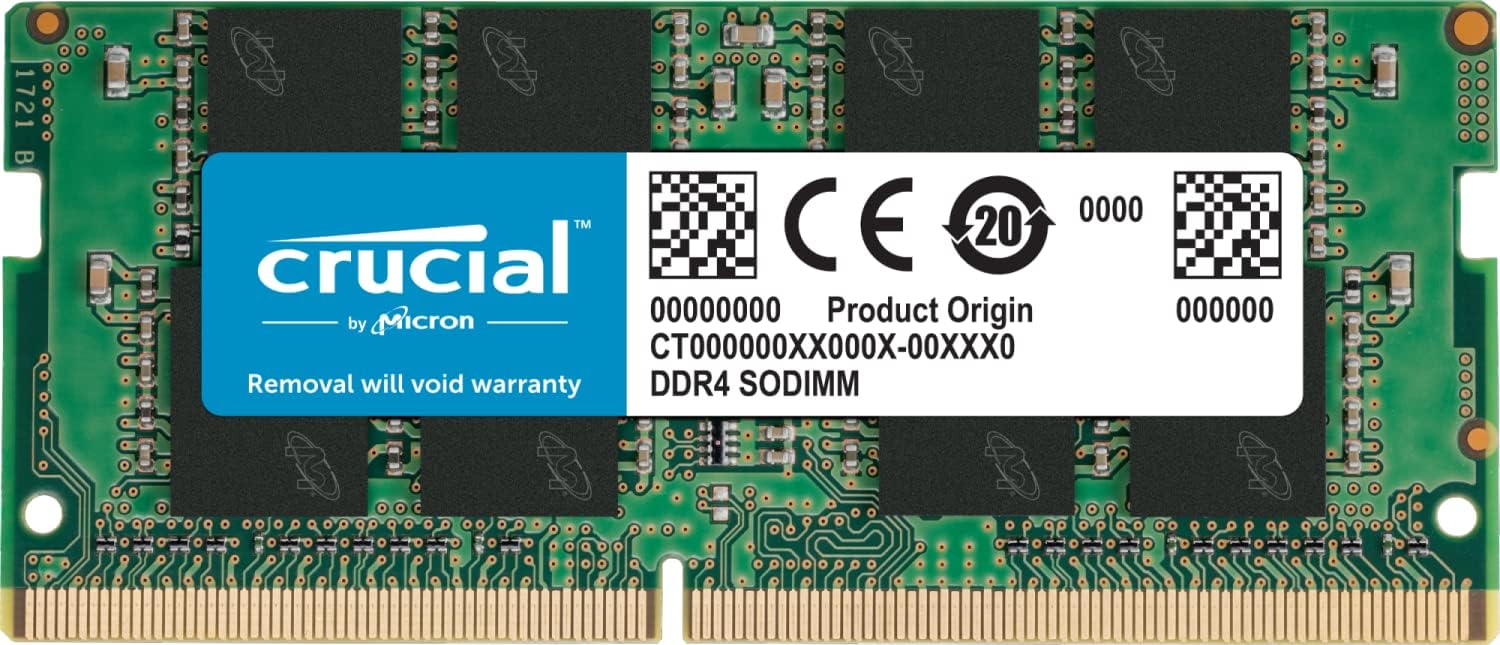
Pros
- Single 16 GB module at 3200 MT/s, PC4-25600, leaving a second slot free for a later 32 GB total
- Runs at 1.2 V and steps down automatically to 2933 or 2666 MT/s on older platforms
- Standard JEDEC timings mean it posts at speed with no BIOS profile to enable and nothing to tune
- 260-pin SODIMM verified against 13th Gen Intel Core and AMD Ryzen 7000 laptop platforms
- Fitting takes one screwdriver and a service panel, with no software or driver step afterwards
Cons
- CL22 latency is loose next to the CL16 kits used in desktop enthusiast systems
- Non-ECC, so it cannot serve a workstation that requires error-correcting memory
- Sold as one module, so dual-channel operation needs a matching second stick bought separately
This is a single 16 GB DDR4 SODIMM built to JEDEC specification rather than as an overclocking module.
- 3200 MT/s, PC4-25600, with CL22 timings at 1.2 V
- 260-pin SODIMM form factor, non-ECC, in a 1Rx8 or 2Rx8 configuration
- Falls back automatically to 2933 or 2666 MT/s on platforms that cannot run 3200
Because the timings are the standard JEDEC set, the module posts at its rated speed with no profile to enable and no tuning to attempt. CL22 is looser than the CL16 found on desktop enthusiast kits, which is normal for laptop memory at this frequency and has a small effect on latency-sensitive work while leaving everyday responsiveness unchanged. The 1.2 V supply keeps heat and power draw low inside a thin chassis.
DDR4 SODIMM modules are not interchangeable with DDR3 or DDR5, and the notch position physically prevents a wrong fit.
- The host laptop or mini PC must have a real SODIMM slot, since many thin machines solder their memory to the board
- Verified against 13th Gen Intel Core and AMD Ryzen 7000 laptop platforms, and it works in older DDR4 machines at whatever speed they support
- Non-ECC, so a workstation requiring error correction is out of scope
The manufacturer publishes a system scanner and an upgrade selector that read the machine and confirm the right module, which is quicker than hunting through a service manual. It is worth checking the maximum capacity per slot as well, since some laptops cap below 16 GB per module regardless of what physically fits in the slot.
Installation is one of the few laptop upgrades that needs no software at all.
- Remove the service panel, discharge static, slot the module in at an angle and press down until the clips latch
- Nothing else is required, and the machine reports the new capacity on the next boot
- Step-by-step guides are published by the manufacturer for common models
Because this is a single module there are two routes forward. In a two-slot laptop it can be paired with an identical stick later for 32 GB in dual channel, which also lifts integrated graphics performance noticeably. Left alongside an existing smaller stick, the pair runs in flex mode with only part of the capacity dual channelled. In a one-slot machine it simply replaces whatever came fitted.

Pros
- 16GB as a matched 2x8GB pair, so both memory channels populate on a dual-channel board
- Reaches 3200MHz at CL16-20-20-38 timings on 1.35V
- 34 mm tall heatspreader clears tower coolers and fits small-form-factor cases
- Solid aluminium spreader draws heat off the chips during long compile or render runs
- Hand-sorted chips with compatibility testing across Intel and AMD DDR4 platforms
Cons
- 3200MHz needs a stored profile enabled in firmware; left at JEDEC defaults the kit boots slower
- Desktop DIMM format only, so it will not fit laptops, mini PCs with SODIMM slots, or DDR5 boards
- CL16 at 3200MHz sits behind the CL14 kits enthusiasts chase for latency-sensitive work
The kit is specified for 3200MHz at CL16-20-20-38 on 1.35V, supplied as a matched pair of 8GB modules so both memory channels populate on a standard board.
- Dual-channel mode roughly doubles usable memory bandwidth over a single module
- CL16 at 3200MHz works out to a real latency of 10 nanoseconds
- Chips are hand-sorted, which is where the overclocking headroom comes from
These are the tuned figures rather than the defaults. Out of the box the modules present a JEDEC profile at a lower clock so that any machine will boot, and the full speed is applied by enabling the stored profile in firmware. On AMD systems in particular, 3200MHz is the point where the memory clock and the fabric clock stay in step.
Height is the practical specification here. The heatspreader tops out at 34 mm, low enough to slide under the fan of most large tower air coolers instead of forcing the fan to be raised or a slot to be left empty.
- Fits small-form-factor and mini-ITX builds where tall lit modules foul the side panel
- Clears the fins on common 120 mm and 140 mm tower coolers
- Solid aluminium spreader carries heat off the chips during long render or compile runs
The finish is plain black with no lighting at all, which is a genuine consideration in a glass-panel build where every other component is lit. In a closed case or a small workstation it is simply one less thing drawing power and needing software to control it.
Fitting the modules is only half the job. Installed and left alone, the kit runs at the JEDEC default clock, and plenty of people never notice they are missing the speed printed on the label.
- Enter firmware setup at boot, usually with Delete or F2
- Find the memory profile setting, listed as XMP on Intel boards and often as DOCP or a similar name on AMD boards
- Select profile 1, then save and reboot
- Confirm the resulting clock afterwards in a system information tool
If the machine fails to post, clear CMOS and try again at a slightly lower clock. Populate the slots the motherboard manual specifies for two modules, usually the second and fourth from the CPU, or dual-channel mode will not engage at all.

Pros
- G.SKILL RipjawsV Series DDR4 U-DIMM Memory Kit, Model F4-3200C16D-16GVKB
- 16GB total capacity kit containing 2x8GB modules, rated for up to
- Non-ECC, DDR4 U-DIMM, 288-pin, for Desktop PC Gaming
- Includes JEDEC default profile, and Intel XMP memory overclock profile
- Do not mix memory kits. Memory kits are sold in matched kits that are
Cons
- Requires checking placement surface dimensions before setup
- Requires routine care to keep exterior housing dust-free
- Initial setup requires checking operating instructions carefully
The G.SKILL RipjawsV Series DDR4 RAM 16GB 3200MT s offers reliable functional utility tailored for modern home and workplace environments. Designed to enhance daily productivity, this unit integrates G.SKILL RipjawsV Series DDR4 U-DIMM Memory Kit, Model F4-3200C16D-16GVKB alongside 16GB total capacity kit containing 2x8GB modules, rated for up to. Users will find the intuitive design straightforward to operate across various room configurations and daily routines. The versatile construction adapts easily to personal workspaces, providing consistent practical value and streamlined usability. Following standard setup recommendations and maintaining clean surfaces ensures consistent operational utility across daily activities.
Built using resilient structural components, this unit features a sturdy outer housing engineered to resist operational wear. Precision manufacturing ensures that all joints and surface connections remain firmly aligned during regular daily activity. Non-ECC, DDR4 U-DIMM, 288-pin, for Desktop PC Gaming reinforces overall physical stability over extended service periods. Structural integrity remains firm throughout regular usage, giving owners peace of mind. Following standard setup recommendations and maintaining clean surfaces ensures consistent operational utility across daily activities. This functional equipment provides steady performance and practical convenience when properly integrated into your workspace.
Initial setup requires placing the unit on a flat, stable surface with adequate clearance around all sides for proper operation. Ensure all power or connection cables are routed neatly without sharp bends to prevent wire strain. Regular care involves wiping exterior housing surfaces with a soft cloth to remove dust buildup. Inspecting mechanical connections periodically preserves operational efficiency and maintains cosmetic appearance over time. Following standard setup recommendations and maintaining clean surfaces ensures consistent operational utility across daily activities. This functional equipment provides steady performance and practical convenience when properly integrated into your workspace.
Pros
- 32GB across two 16GB modules, leaving the second slot pair free on a four-slot board
- DDR4-3200 at CL16-18-18-38 on 1.35V, tighter than the CL18 and CL22 bins common on general-purpose DDR4
- Ships with both a JEDEC default profile and an Intel XMP overclock profile
- 288-pin non-ECC U-DIMM sticks binned and tested as a matched pair
- The manufacturer publishes a qualified vendor list and a configurator tool for checking a specific board first
Cons
- Boots at the slower JEDEC profile until XMP is enabled manually in BIOS
- Non-ECC, so it is unsuitable for workstations and servers that need error correction
- DDR4 only, so it will not carry over to a DDR5 motherboard, and the heatspreader height can clash with a large tower cooler overhanging the first slot
This is a 32GB kit made of two 16GB modules, rated for DDR4-3200 at CL16-18-18-38 on 1.35V.
- CL16 at 3200 MT/s is a tighter latency than the CL18 and CL22 bins common on general-purpose DDR4
- Two modules rather than four leaves the second slot pair free and places less strain on the memory controller
- Non-ECC 288-pin U-DIMM in the desktop form factor, under a black heatspreader
DDR4-3200 is the sweet spot on Ryzen platforms, where the memory clock and the internal fabric clock stay synchronised at that speed. On Intel builds the same kit gives comfortable headroom over the JEDEC baseline. Both modules are binned and tested as a matched pair, which is precisely why mixing two separate kits is discouraged.
Reaching the rated speed is not automatic, and this trips up plenty of first-time builders.
- At default BIOS settings the kit boots using the JEDEC profile stored in its SPD chip, usually well below 3200 MT/s
- The XMP profile has to be enabled in BIOS, listed as DOCP on many ASUS AMD boards and as A-XMP on MSI
- Enabling XMP is a form of overclocking, so stability depends on the motherboard and the memory controller inside the CPU as much as the modules
The manufacturer publishes a qualified vendor list and a configurator tool for checking a specific board before committing. Physically, the heatspreader adds height over a bare module, so measure clearance under any large tower cooler that overhangs the first DIMM slot.
32GB has become the comfortable working figure for a build expected to last several years.
- Video timelines, virtual machines, large photo catalogues and dozens of browser tabs alongside a running game all fit without swapping out to disk
- Two slots remain free on a four-slot board, though populating all four typically forces a lower stable clock
- Adding a second identical kit later is discouraged, since modules from different production runs are not guaranteed to run together
The honest limitation is the standard itself. DDR4 will not fit a DDR5 motherboard, so this kit travels only as far as the current platform generation. For an existing AM4 or LGA1200 system that is exactly the point: it extends the useful life of a board already installed, with no full platform rebuild involved.

Pros
- Boosts System Performance 32GB DDR5 RAM laptop memory kit (2x16GB) that
- Accelerated gaming performance Every millisecond gained in fast-paced
- Optimized DDR5 compatibility Best for 12th Gen Intel Core and AMD Ryzen
- Trusted Micron Quality Backed by 42 years of memory expertise, this
- ECC Type Non-ECC, Form Factor SODIMM, Pin Count 262-Pin, PC Speed
Cons
- Requires checking placement surface dimensions before setup
- Requires routine care to keep exterior housing dust-free
- Initial setup requires checking operating instructions carefully
The Crucial 32GB DDR5 RAM Kit 5600MHz Laptop Memory 262-Pin offers reliable functional utility tailored for modern home and workplace environments. Designed to enhance daily productivity, this unit integrates Boosts System Performance 32GB DDR5 RAM laptop memory kit (2x16GB) that alongside Accelerated gaming performance Every millisecond gained in fast-paced. Users will find the intuitive design straightforward to operate across various room configurations and daily routines. The versatile construction adapts easily to personal workspaces, providing consistent practical value and streamlined usability. Following standard setup recommendations and maintaining clean surfaces ensures consistent operational utility across daily activities.
Built using resilient structural components, this unit features a sturdy outer housing engineered to resist operational wear. Precision manufacturing ensures that all joints and surface connections remain firmly aligned during regular daily activity. Optimized DDR5 compatibility Best for 12th Gen Intel Core and AMD Ryzen reinforces overall physical stability over extended service periods. Structural integrity remains firm throughout regular usage, giving owners peace of mind. Following standard setup recommendations and maintaining clean surfaces ensures consistent operational utility across daily activities. This functional equipment provides steady performance and practical convenience when properly integrated into your workspace.
Initial setup requires placing the unit on a flat, stable surface with adequate clearance around all sides for proper operation. Ensure all power or connection cables are routed neatly without sharp bends to prevent wire strain. Regular care involves wiping exterior housing surfaces with a soft cloth to remove dust buildup. Inspecting mechanical connections periodically preserves operational efficiency and maintains cosmetic appearance over time. Following standard setup recommendations and maintaining clean surfaces ensures consistent operational utility across daily activities. This functional equipment provides steady performance and practical convenience when properly integrated into your workspace.

Pros
- Two 8 GB dual-rank 2Rx8 modules running at 1600 MHz with CL11 timings
- Dual voltage design runs at either 1.35V or 1.5V, so it drops into DDR3L and standard DDR3 boards
- 240-pin non-ECC unbuffered UDIMM measuring 30 x 133.4 mm, a low-profile height that clears most tower coolers
- Backed by a limited lifetime warranty with United States based technical support
- Tested at component level for voltage, temperature and signal integrity across Intel and AMD desktop platforms
Cons
- Desktop DIMM format only - laptops take SO-DIMM modules and physically cannot accept these
- Non-ECC, so it is not suitable for a workstation or server that requires error-correcting memory
- The PCB comes in black or green depending on production batch, so a colour-matched pair with existing sticks is not guaranteed
The kit is 2 x 8 GB for 16 GB total, in the 240-pin unbuffered non-ECC DIMM format used by DDR3 desktops.
- Frequency is 1600 MHz (PC3-12800 / PC3L-12800) with CL11 latency, the mainstream DDR3 configuration.
- Organisation is dual rank 2Rx8, built on 512x8 chips.
- Voltage runs at either 1.35V or 1.5V to JEDEC standard, so the same modules work in low-voltage DDR3L boards and older 1.5V ones.
Physical dimensions are 30 mm tall by 133.4 mm long, which avoids the clearance clash that tall heat-spreader kits cause under a wide cooler. Buying as a matched pair matters: two modules from one kit are far more likely to run together in dual channel without manual tuning.
Before ordering, three things need confirming on the target machine.
- It must be a desktop board - the 240-pin DIMM will not fit a laptop's SO-DIMM slot.
- It must be a DDR3 or DDR3L board; DDR4 and DDR5 slots use different pin counts and notch positions, and nothing will force them together.
- The board's maximum supported memory must reach 16 GB, and each slot must accept an 8 GB module - some older boards cap at 4 GB per slot.
Both Intel and AMD desktop platforms are supported. Install the pair in matched slots, usually the first and third or second and fourth, to run dual channel. If the machine will not boot after fitting, reseating firmly until both retaining clips snap shut fixes most cases.
Adding memory to a DDR3-era machine is often the change that keeps it usable for a few more years, because these systems were commonly sold with 4 GB.
- Going from 4 GB to 16 GB stops the constant swapping to disk that makes an older PC feel slow with many browser tabs open.
- 16 GB comfortably covers office work, photo editing and virtual machines for study or testing.
- Dual channel operation from a two-module kit also lifts integrated graphics performance on chips that share system memory.
What it cannot do is raise the platform's ceiling - a DDR3 board and its processor remain the limit for demanding modern work. As a way to extend the life of a working machine rather than replace it, though, the upgrade is straightforward and reversible.

Pros
- 32GB kit (2x16GB) runs at DDR5-6000 with CL36-36-36-96 timings at 1.35V
- Ships with both AMD EXPO and Intel XMP 3.0 profiles, covering overclock setup on either platform
- Low-profile 33mm height clears large CPU air coolers that taller heat spreaders can collide with
- 288-pin U-DIMM format is validated across current Intel 600/700/800-series and AMD 600/800-series boards
Cons
- Matte black is the finish for this specific kit code, with matte white sold as a separate SKU
- Kits are matched pairs only, so mixing modules from a different kit risks instability
- Rated 6000MT/s speed only applies once XMP or EXPO is manually enabled, since boards default to JEDEC speed
This kit pairs two 16GB DDR5 U-DIMMs for a 32GB total, rated to run at 6000MT/s with CL36-36-36-96 timings at 1.35V once the overclock profile is enabled. At default JEDEC settings without XMP or EXPO active, the modules boot at a lower stock SPD speed instead.
- 288-pin U-DIMM form factor for standard desktop motherboards, non-ECC
- Low-profile 33mm module height, built to clear large tower-style CPU coolers that taller RGB heat spreaders often hit
- Hand-screened DRAM ICs selected for the rated speed and timing combination
The matte black anodized finish follows a minimal design without RGB lighting, aimed at builders who want the performance spec without an illuminated heat spreader.
G.SKILL lists this kit as validated across Intel Z890, Z790, Z690, B860, B760, and B660 boards, as well as AMD X870, X670, B850, B840, and B650 boards, plus AMD A620. That range covers most current DDR5 desktop platforms rather than a narrow subset.
- AMD EXPO profile support simplifies overclocking on compatible AMD motherboards through BIOS
- Intel XMP 3.0 profile support does the same on Intel boards
- G.SKILL's QVL and RAM Configurator tool lists specific validated motherboard models for anyone wanting to confirm compatibility before buying
Because kits are matched sets, this module should not be mixed with modules from another kit, even of the same rated speed, since the manufacturer notes that mixing kits can cause instability or boot failure.
Reaching the rated 6000MT/s speed and CL36 timings is not automatic. XMP, EXPO, DOCP, or A-XMP must be enabled manually in BIOS, and the achieved speed still depends on which CPU and motherboard combination it is paired with, since memory controllers vary in how high they can run.
- Enabling an overclock profile is treated by the manufacturer as an act of overclocking, meaning results are not guaranteed on every board
- 32GB total leaves room for future capacity expansion, though pairing additional modules from a different kit is not recommended
For builders planning to run at stock JEDEC settings without touching BIOS, the rated 6000MT/s speed will not be reached automatically, so this kit is best suited to builders comfortable making the BIOS adjustment rather than expecting it out of the box.

Pros
- 64GB total capacity across 4x16GB modules gives headroom for heavy multitasking and large creative workloads
- Rated CL16-19-19-39 timings at DDR4-3600 keep latency tight even at this higher-than-stock speed
- Intel XMP profile lets the kit reach its rated 3600MT/s with a single BIOS setting, rather than manual timing entry
- Ships as a matched quad-channel kit, so all 4 modules are tested to run together at spec
- 1.35V operating voltage stays within standard DDR4 power limits for broad motherboard compatibility
Cons
- Rated 3600MT/s speed only applies once XMP is enabled in BIOS, since default JEDEC speed runs slower out of the box
- Modules from this kit should not be mixed with other kits, since matched kits are validated only as a complete set
- Reaching full rated speed and stability depends on motherboard and CPU memory controller support, which varies by platform
This kit targets desktop builds that need both high total capacity and tight memory timings.
- 64GB total capacity across 4 modules of 16GB each, running in quad-channel configuration
- Rated for DDR4-3600 at CL16-19-19-39 timings, with a 1.35V operating voltage
- Standard 288-pin U-DIMM form factor for non-ECC desktop systems, not registered or ECC server memory
- Ships with both a JEDEC default profile and an Intel XMP overclock profile built in
Because the kit is validated as a matched set of 4 modules, mixing individual sticks from this kit with other memory kits risks stability issues rather than simply adding capacity.
Getting this kit to run at its rated speed depends on both BIOS settings and platform support.
- Boots at the safer JEDEC default SPD speed automatically with compatible hardware and no BIOS changes
- Reaching the full 3600MT/s XMP speed requires manually enabling the XMP, DOCP or A-XMP profile in BIOS
- Compatible with Intel and AMD desktop platforms that support DDR4 memory, though validated motherboard lists are worth checking via the manufacturer's QVL
- Enabling XMP is considered an overclock, so stability at rated speed depends on the specific CPU memory controller and motherboard used
Checking the motherboard's memory QVL or the manufacturer's RAM configurator tool before installation helps confirm this specific kit is validated for your board.
At 64GB, this kit already covers most consumer workloads, but a few factors affect future expansion.
- Filling all 4 DIMM slots with this kit typically maxes out quad-channel capacity on many consumer motherboards, leaving no open slots for further expansion
- Because kits are validated as matched sets, adding capacity later usually means replacing the whole kit rather than adding 2 more sticks
- The XMP profile provides a straightforward path to rated speed without manual timing entry, useful if a future motherboard swap resets BIOS settings
- Non-ECC U-DIMM format limits use to standard desktop platforms rather than workstation boards requiring registered or ECC memory
For builders who might need more than 64GB later, checking motherboard slot count and per-slot capacity limits now avoids a full kit replacement down the line.

Pros
- 64GB total capacity across two 32GB modules suits heavy multitasking, large VMs, or content creation workloads
- Rated up to 3600MT/s with an Intel XMP overclock profile for one-click speed beyond JEDEC defaults
- Dual-tone black brushed aluminum and silver heatspreader helps dissipate heat better than a bare PCB module
- 8-zone RGB lighting is individually controllable through G.SKILL's Lighting Control software
- Optimized specifically for AMD Ryzen platforms, tuned for stability on Ryzen-based motherboards
Cons
- Reaching the rated 3600MT/s XMP speed requires manually enabling the profile in BIOS; it does not run that fast by default
- 1.35V operating voltage runs higher than standard 1.2V DDR4, worth checking against motherboard VRM specifications
- CL18-22-22-42 timings are looser than premium low-latency kits aimed purely at competitive overclocking
This kit delivers 64GB of total memory across two 32GB modules, rated up to 3600MT/s at CL18-22-22-42 timings and 1.35V under the included Intel XMP overclock profile. At default BIOS settings without XMP enabled, the modules run at the standard JEDEC SPD speed instead.
The dual-tone heatspreader combines black brushed aluminum with powder-coated silver, adding surface area for heat dissipation compared to a bare PCB module, which matters more at higher capacities and voltages generating additional heat under sustained load.
The kit is engineered and optimized specifically for AMD Ryzen platforms and DDR4 motherboards, tuned for stability across Ryzen CPU generations. As a matched 2x32GB kit, both modules are tested together, and mixing modules from separate kits is not recommended by the manufacturer.
- Optimized specifically for AMD Ryzen platforms
- 288-pin non-ECC unbuffered DDR4 U-DIMM
- Matched 2-module kit, tested as a pair
Checking the motherboard's memory QVL or G.SKILL's RAM configurator before purchase confirms validated compatibility, particularly for reaching the full rated XMP speed reliably.
This kit suits an upgrade to 64GB total memory for users running virtual machines, large creative applications, or heavy multitasking on an AMD Ryzen build, well beyond what 16GB or 32GB configurations comfortably handle. The XMP profile provides a straightforward path to faster-than-JEDEC speeds without manual timing entry.
- Good upgrade path to 64GB for Ryzen builds
- One-click XMP profile for rated 3600MT/s speed
- Custom 8-zone RGB via G.SKILL software
Buyers chasing the tightest possible timings for competitive overclocking benchmarks may find CL18-22-22-42 more relaxed than specialized low-latency kits built purely for that purpose.
Why RAM Matters When You’re Editing Photos
Photoshop and Lightroom both keep a working copy of your image, your undo history, and several cache layers in memory at once. When you run out of RAM, the software starts swapping data to your drive, and every brush stroke or filter suddenly feels sluggish.
This gets worse the more you push your files. A single 50-megapixel RAW can balloon past a gigabyte once you stack layers, smart objects, and adjustment masks on top. Pair that with a color-accurate photo editing monitor rendering full-resolution previews, and 8GB of memory for photo editing work simply isn’t enough anymore.
More RAM also means fewer crashes during long sessions, faster panorama and HDR merges, and smoother scrubbing if you occasionally shoot video alongside stills. It’s one of the few upgrades where the performance gain is obvious within minutes, not just on paper.
Signs Your Current RAM Is Holding You Back
Not sure if memory is actually your bottleneck? A few telltale signs point straight at RAM before you spend money guessing.
- Brush lag or delayed previews: If Photoshop pauses for a beat every time you switch tools, your system is likely swapping data to disk.
- Sluggish culling in Lightroom: Thumbnails that render slowly while scrolling through a big import usually point to memory pressure, not GPU limits.
- Frequent crashes with many layers open: Running out of memory mid-session is one of the most common causes of unexpected app crashes.
- Task Manager or Activity Monitor sitting near 90-100% memory use: If you’re maxed out during normal editing, more capacity will help immediately.
If you recognize two or more of these, a RAM upgrade will likely deliver a bigger, more immediate improvement than almost any other component swap.
How Much RAM Do You Actually Need for Photo Editing?
Capacity matters more here than almost any other spec. Match your kit to how you actually shoot and edit, not to whatever number sounds most impressive on the box.
16GB — Entry-Level Editing
Workable for casual editing in Lightroom or lighter RAW workflows with a handful of layers open at once. It’s the minimum we’d recommend today, not a long-term sweet spot.
32GB — The Practical Sweet Spot
This is where most enthusiast and semi-pro editors land. It comfortably handles large RAW batches, multiple open documents, and background syncing or exporting without slowing your active session.
64GB and Beyond — For Power Users
Worth it if you regularly stitch panoramas, blend focus stacks, run AI-based denoising plugins, or keep dozens of high-resolution files open at the same time. Going much beyond 64GB is rarely necessary for stills-only work.
DDR4 vs DDR5: Which Should You Buy?
DDR4 kits cost less per gigabyte and are still plenty fast for photo work, since editing software leans more on capacity than raw bandwidth. If your motherboard supports DDR4, a 32GB kit like the G.SKILL RipjawsV delivers excellent value.
DDR5 costs more but pairs with newer platforms and offers higher transfer speeds, which helps a bit with export times and background processing. It also future-proofs your build if you plan to keep the same motherboard for years, or if you occasionally need RAM for video editing, where bandwidth matters more.
You can’t mix DDR4 and DDR5, so confirm your motherboard’s supported memory type before you buy anything. This one detail causes more returns than any other spec on this list.
Desktop vs Laptop Memory: Know Your Form Factor
Desktop towers use UDIMM modules, while laptops and small-form-factor PCs use the shorter SODIMM format. The two are not interchangeable, so double-check which one your machine takes before ordering anything.
If you edit on a laptop, look for kits explicitly labeled SODIMM and confirm your model actually supports a dual-channel upgrade — some ultrabooks solder half their memory, leaving only one open slot to work with.
Key Specs to Check Before You Buy
Once you’ve settled on capacity and platform, a few remaining specs separate a solid kit from a mediocre one.
- Speed (MHz): 3200MHz is a solid baseline for DDR4; DDR5 kits typically start around 5200MHz and climb from there.
- CAS latency (CL): Lower numbers respond marginally faster, but the difference matters far less than raw capacity for photo editing.
- XMP or EXPO support: Lets you hit the kit’s rated speed with a single BIOS toggle instead of manual tuning.
- Dual-channel kits: Two matched sticks, like 2x16GB, outperform a single stick at the same total capacity.
- Fast storage pairing: RAM speeds up active editing, but your library still needs fast local storage — see our best SSDs for photo editing for the other half of the equation.
Best RAM for Photo Editing by Use Case
Here’s how the 10 kits above break down by the situation you’re actually shopping for.
Best Overall for Most Editors
The CORSAIR Vengeance LPX 32GB pairs 3200MHz speed with a 32GB dual-channel kit, which is the capacity most photo editors settle into once they outgrow 16GB. Its rating and review count also make it one of the safest, most proven picks for a desktop build.
Best Value 16GB Kit
If you’re building a budget desktop or just need a starter upgrade, the G.SKILL RipjawsV 16GB delivers the same 3200MHz speed at a lower price point. It’s a smart floor to start from, with room to add a matching kit later.
Best for Laptop Editing
Laptop editors need SODIMM sticks, and the Crucial 16GB DDR4 SODIMM is a dependable, widely compatible pick for creators who edit between shoots on the go.
Best DDR5 Upgrade
Building on a newer platform? The G.SKILL Flare X5 32GB DDR5 runs at 6000MT/s, giving you extra headroom for heavier multitasking and faster background exports.
Best for Massive RAW Libraries
Photographers juggling huge panorama stitches or multi-hundred-layer composites should look at the G.SKILL Trident Z Neo 64GB kit, which keeps large files and several apps open without ever touching your storage drive as overflow.
Best Budget Pick for Older Systems
Still running an older desktop with DDR3L support? The Timetec 16GB DDR3L kit is an affordable way to extend the life of an aging machine before a full rebuild.
Common Mistakes to Avoid When Buying RAM
A few buying missteps show up again and again, even among experienced editors upgrading their own rigs.
- Ignoring motherboard support: Always confirm your board’s maximum supported speed and memory type first — running a 6000MHz kit at 3200MHz wastes money.
- Buying a single stick: One large stick runs slower than two smaller ones in dual-channel mode, even at the same total capacity.
- Skipping the SODIMM vs UDIMM check: These simply won’t fit the wrong slot, and returns eat into any savings from a discount.
- Overspending on speed instead of capacity: A faster 16GB kit rarely outperforms a slower 32GB kit in real editing sessions.
- Forgetting your build’s other bottlenecks: RAM helps, but a slow drive or an undersized power supply can still hold your whole system back.
Frequently Asked Questions
How much RAM do I need for Lightroom and Photoshop?
32GB is comfortable for most workflows, handling large RAW batches and several open documents without slowdown. 16GB works fine for lighter, occasional editing.
Is DDR5 worth it for photo editing?
Only if your platform already supports it. Capacity still matters far more than the jump from DDR4 to DDR5 for stills-focused work.
Can I mix different RAM kits?
You can, but matched kits from the same set avoid timing mismatches and are far more likely to run stable at their rated speed.
Should I upgrade RAM or storage first?
If your editor stutters while you work, RAM usually helps more. If load times and file transfers are the real pain point, check current pricing on Amazon for a faster SSD instead.
Do I need 64GB if I only edit photos, not video?
Usually not. Reserve 64GB for panorama stitching, focus stacking, or heavy plugin-based workflows; most stills editors are well served by 32GB.
Whatever capacity you land on, buying a matched, dual-channel kit from a reputable brand will do more for your editing speed than almost any other single upgrade. Compare specs above, check the current price on Amazon for the kit that fits your platform, and get back to editing instead of waiting on your machine.






