Hannah Lindqvist
 Shopping for one of the best routers under $150 means balancing real Wi-Fi 6 or Wi-Fi 7 speed, whole-home coverage, and a price that still leaves room in your budget. You don’t need to overspend to get fast, reliable internet for streaming, video calls, and a house full of connected gadgets. This guide breaks down what actually matters at this price point and matches specific routers to specific needs, so you can pick with confidence instead of guessing.
Quick answer: If you only read one section, here it is: for most households, the best routers under $150 is the TP-Link Archer AX53 — our #1 rated choice for 2026, thanks to strong Wi-Fi 6 speeds and a rock-solid 4.6-star rating. See the full ranked list, use-case picks, and buying advice below.

Pros
- Delivers up to 2402 Mbps on the 5GHz band and 574 Mbps on 2.4GHz under Wi-Fi 6 (802.11ax)
- OFDMA support quadruples device capacity so smart-home gadgets don't choke a single stream
- WPA3 security protocol available alongside WPA2 for older devices
- OneMesh compatibility lets it extend coverage with compatible range extenders
- Works as an access point as well as a router, useful behind an existing modem
Cons
- No integrated modem, so a separate DSL or cable modem is required to get online
- Manufacturer recommends it only for apartments of 2-3 rooms; multi-story houses need a mesh system instead
- Cannot function as a Wi-Fi extender, only as a router or access point
The router runs dual-band Wi-Fi 6 (802.11ax), rated for up to 2402 Mbps on the 5GHz band and 574 Mbps on 2.4GHz for a combined AX3000 class connection. OFDMA technology splits each channel into smaller resource units so it can talk to more devices in the same transmission window instead of queuing them one at a time.
- Recommended for apartments spanning 2-3 rooms
- Multi-story homes are better served by a mesh system, per the manufacturer's own guidance
- Ultra-low latency mode helps keep gaming and video calls responsive under mixed household traffic
Households with a dozen or more connected devices will notice the OFDMA gain more than single-user households will.
Out of the box the router functions as a standard router, but it can also be switched to work purely as an access point if you already have a router you want to keep. It does not include a modem, so it cannot replace a DSL or cable modem on its own, and it cannot be configured as a Wi-Fi range extender.
- HomeShield software adds network monitoring and basic parental controls once set up
- OneMesh lets you daisy-chain compatible extenders into a single network name
- WPA3 encryption is available for the newer security standard alongside WPA2 for older devices
Plan on keeping your existing modem in the chain, since this unit's job starts after the internet signal reaches your home.
Because it has no built-in modem, the router pairs with whatever modem your internet provider already supplies, making it broadly compatible across DSL, cable, and fiber ONT setups that output a standard Ethernet connection. It also integrates with Alexa for voice commands tied to network functions.
- WPA3 support future-proofs the connection against weaker WPA2-only defaults
- OFDMA and Wi-Fi 6 pair well with modern phones, laptops, and smart speakers that also support 802.11ax
- Older 802.11n or 802.11ac devices still connect but won't see the full throughput gains
Renters and small households replacing an ISP-supplied gateway with their own hardware are the best fit for this router's coverage class.

Pros
- Dual-band AX1500 totalling 1.5 Gbps, split 1201 Mbps on 5 GHz and 300 Mbps on 2.4 GHz
- Four external antennas with beamforming aimed at far-corner devices
- Three gigabit LAN ports plus a gigabit WAN, so wired clients are not capped at 100 Mbps
- WPA3 encryption available alongside WPA2 for older client devices
- Target Wake Time reduces radio wake-ups on battery-powered smart home sensors
Cons
- The 2.4 GHz band tops out at 300 Mbps, below the 574 Mbps many Wi-Fi 6 units reach
- No USB port, so a drive or printer cannot be shared from the router itself
- Only three LAN ports, so a console, TV and desktop fill them before a NAS gets a slot
Rated AX1500, the split is 1201 Mbps on 5 GHz and 300 Mbps on 2.4 GHz. Four external antennas handle transmission, with beamforming focusing energy toward each connected device instead of radiating evenly in all directions.
- OFDMA divides a channel among several devices in one transmission window
- MU-MIMO serves multiple clients simultaneously
- Target Wake Time extends battery life on phones and sensors
In a two-bedroom flat or a small house the four-antenna arrangement generally covers every room, with 5 GHz strong in adjoining rooms and 2.4 GHz carrying through walls at lower speed. Concrete floors are the usual limit, so expect a noticeable drop one storey away. Because the 2.4 GHz radio stops at 300 Mbps, keep bandwidth-hungry devices on 5 GHz and leave 2.4 GHz for smart plugs and cameras.
The phone app handles first setup. Connect the WAN port to your modem, apply power, then follow the prompts to name the network and set an admin password.
- Guest network kept separate from your main devices
- WPA3 encryption, with mixed mode for older clients that lack it
- Parental controls with per-profile time limits
- Firmware updates applied from the app
Two habits help here. Switch on automatic firmware updates, and give both bands the same network name so phones move between them without manual selection. If a smart plug refuses to join during pairing, temporarily split the 2.4 GHz name out, since many older IoT devices cannot see a combined network while they are being set up.
This is a router only, so a modem or fibre terminal is still required.
- Gigabit WAN port suits lines up to roughly 900 Mbps
- Three gigabit LAN ports for a desktop, console or TV
- Works with cable, fibre ONT, DSL modem and satellite handoffs
- Supports PPPoE, dynamic and static IP WAN modes
If your provider gave you a combined modem-router, set it to bridge mode before adding this one, otherwise double NAT will interfere with gaming and remote access. There is no USB socket, so shared storage needs a separate NAS. For households on a gigabit line the wired ports keep pace, but note that no single wireless client will reach gigabit speed on a 2x2 5 GHz radio.
Pros
- Three identical units cover a quoted 5800 square feet, and any one of them can act as the router
- AX1800 Wi-Fi 6 with OFDMA and BSS colouring handles dense device loads better than Wi-Fi 5
- Tested for up to 150 simultaneous clients across phones, plugs, cameras and TVs
- Two gigabit Ethernet ports on every unit, six across the pack, with wired backhaul supported
- One SSID with automatic handoff, so devices switch nodes as you walk through the house
Cons
- Dual-band only, so wireless backhaul shares the same 5GHz band that clients use unless you run Ethernet
- Gigabit Ethernet ports cap any incoming connection faster than 1 Gbps
- A separate modem or ONT from the provider is still required, and HomeShield reserves advanced features for a subscription
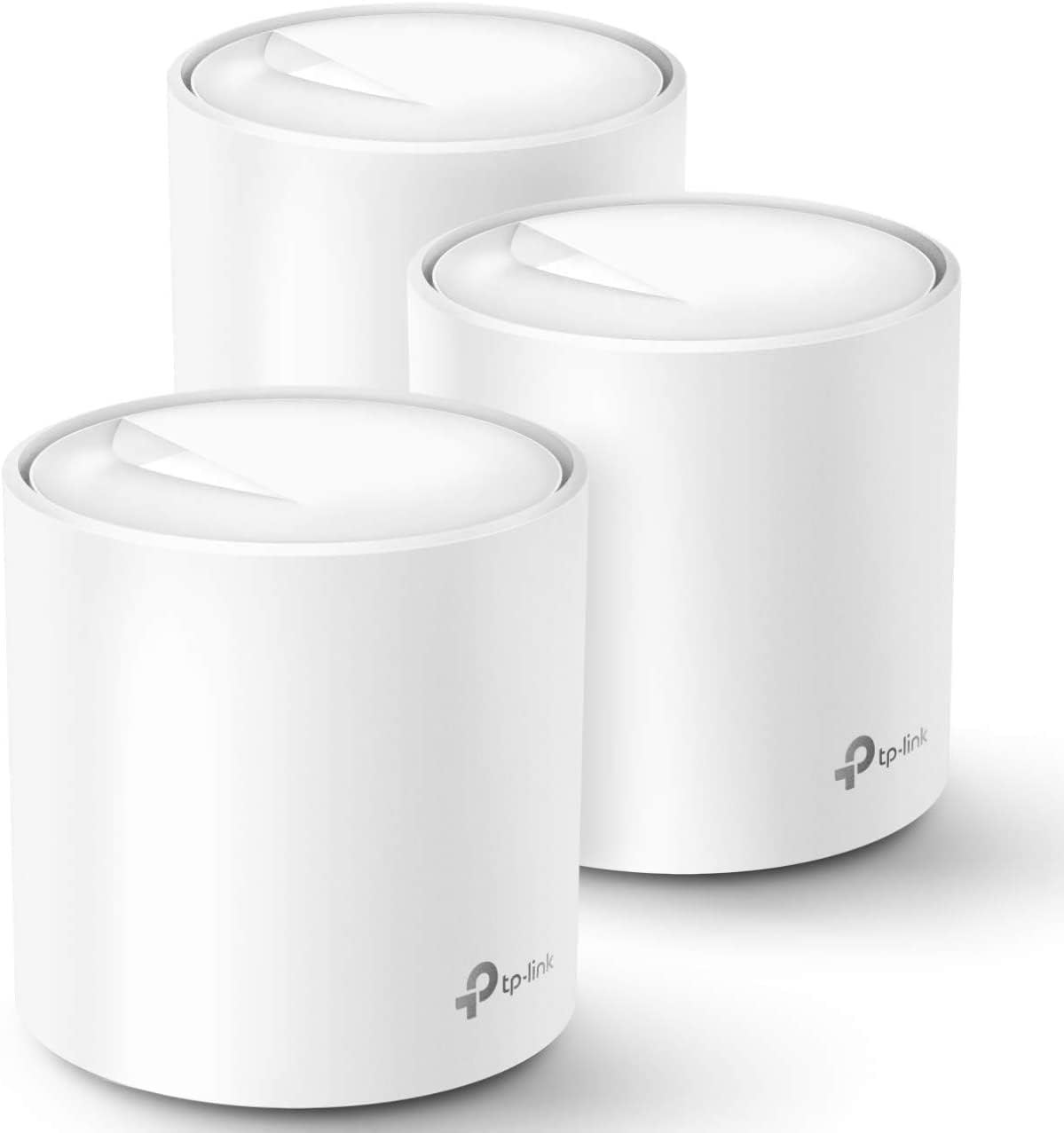
Three identical units cover a quoted 5800 square feet, and because any of them can act as the router, the pack suits houses where the incoming line lands in an awkward corner. Wi-Fi 6 at AX1800 adds OFDMA and BSS colouring, which matter less for peak speed than for how the network behaves when thirty or forty things talk at once: phones, doorbells, plugs and TVs get served within the same airtime slot instead of queuing behind each other. TP-Link tests the system to 150 connected devices.
- Up to 5800 square feet with the three-unit pack
- AX1800 dual-band Wi-Fi 6 with beamforming
- Tested for up to 150 simultaneous client devices
Setup runs entirely in the Deco app on iOS 9.0 or Android 4.4 and later. You connect the first unit to the modem, then place the others around the house and let them join automatically. All three share one network name, and clients hand off to the nearest node as you move, so there is no manual switching between an upstairs and a downstairs SSID mid-call. Profiles group devices per family member with schedules and content filters, and Alexa voice commands can toggle the guest network on or off.
- One SSID across all three units with seamless handoff
- Per-person profiles carrying time limits and content filters
- Wired Ethernet backhaul supported for faster links between nodes
The system replaces a router and any extenders, but not the modem: cable, fibre and DSL customers keep the provider box and either bridge it or run the main unit behind it. TP-Link lists compatibility with AT&T, Verizon, Xfinity, Spectrum, Cox, CenturyLink, Frontier and RCN, covering most North American providers. Each unit carries two gigabit Ethernet ports, six across the pack, one of which the modem consumes on the primary node, leaving five for wired gear or backhaul runs between floors.
- Requires an existing modem or ONT from the provider
- Two gigabit Ethernet ports per unit, six across the pack
- HomeShield includes free basic scanning, with advanced tiers by subscription

Pros
- Combined dual-band throughput up to 1900 Mbps (1300 Mbps on 5GHz, 600 Mbps on 2.4GHz)
- 5 Gigabit Ethernet LAN ports plus 1 USB 3.0 and 1 USB 2.0 port for wired devices and shared storage
- AiProtection powered by Trend Micro adds network-wide malicious site blocking without a subscription
- Six guest network slots, three per band, keep visitor devices isolated from the main network
Cons
- 1GHz dual-core CPU is dated next to current Wi-Fi 6 routers, so heavy multi-device households may see slowdowns under load
- Wi-Fi standard tops out at 802.11ac, with no Wi-Fi 6/6E support for newer high-bandwidth devices
- 256 MB of RAM limits how many simultaneous connections and QoS rules the router handles smoothly
The RT-AC68U runs dual-band 802.11ac with Broadcom TurboQAM acceleration, reaching a combined rate of up to 1900 Mbps split across 1300 Mbps on the 5GHz band and 600 Mbps on 2.4GHz. A 1GHz dual-core processor keeps Wi-Fi and USB data handling on separate paths, which helps prevent one heavy transfer from stalling web browsing on other devices.
ASUS AiRadar beamforming focuses the 5GHz signal toward connected devices rather than broadcasting evenly in all directions, which can extend usable range in larger homes compared with routers lacking beamforming.
- Combined throughput up to 1900 Mbps across both bands
- Dual-core CPU separates Wi-Fi and USB workloads
- AiRadar beamforming for extended 5GHz range
Initial setup runs through the ASUSWRT web interface, which walks through a guided process rather than requiring manual configuration for a basic connection. Ongoing management is also available from the ASUS Router mobile app, covering parental controls, guest network toggles and traffic monitoring from a phone.
Six guest network options, three on the 2.4GHz band and three on 5GHz, let visitors, smart-home devices, and the main household network stay on separate segments without extra hardware.
- Guided setup via ASUSWRT web interface
- Mobile app for ongoing management
- Six guest network slots across both bands
AiProtection, powered by Trend Micro, runs vulnerability scanning, two-way intrusion prevention and malicious site blocking at the router level, covering every connected device without installing separate software. It also flags and can block already-infected devices from communicating with the wider network.
For wired and shared-storage needs, five Gigabit LAN ports handle wired connections while one USB 3.0 and one USB 2.0 port support external drives or a shared network printer. WAN compatibility spans PPPoE, PPTP, L2TP, static IP and dual-WAN failover with a 3G/4G dongle.
- AiProtection network security by Trend Micro
- 5 Gigabit LAN ports, USB 3.0 and USB 2.0
- Supports PPPoE, PPTP, L2TP, static IP and dual-WAN

Pros
- Go Further and Faster: Level up your Wi-Fi game with Wi-Fi 6 technology providing up to 4804 Mbps on
- 2.5G Multi-Gigabit Port: Breakthrough gigabit speeds and enter the multi-gig era of wired connection
- Connect More Devices with Lower Latency: MU-MIMO and OFMDA technology works hand in hand to boost th
- TP-Link HomeShield - TP-Link's premium security service keeps your home network safe with cutting-ed
Cons
- Limited customization options compared to premium models
- Aura RGB lighting feature adds to power consumption during operation
Wireless Performance Specifications: This advanced TP-Link router delivers WiFi 6 (802.11ax) speeds up to 5400 Mbps with 160MHz channel width for exceptional performance. The dual-band technology minimizes interference between 2.4GHz and 5GHz bands, ensuring reliable connections across your entire home.
- WiFi 6 technology provides significantly faster throughput than WiFi 5
- 160MHz wide channels enable peak data rates for compatible devices
- Mobile Game Mode prioritizes gaming traffic and reduces latency for online multiplayer
- Automatic channel selection optimizes signal strength and prevents interference
- Mesh-compatible design extends range with compatible AiMesh routers for whole-home coverage
- Handles multiple simultaneous connections without performance degradation
Built-in Protection & Easy Configuration: Comprehensive security features keep your network safe from evolving cyber threats. The router includes lifetime free AiProtection Pro security service powered by Trend Micro, providing continuous defense against malware, viruses, and intrusions.
- WPA3 encryption standard protects connections on modern devices
- Lifetime free AiProtection Pro powered by Trend Micro keeps your network secure
- Advanced Parental Controls manage and restrict network access by device
- Automatic firmware updates deploy latest security patches immediately
- One-tap setup via ASUS mobile app makes initial configuration effortless
- Supports both WPS and manual configuration methods for flexibility
Visual & Performance Tuning: Personalize your router setup with extensive customization options. The Aura RGB lighting system features multiple selectable effects and can be customized to match your gaming mode or room decoration preferences. Control everything conveniently from the ASUS mobile application.
- Aura RGB lighting with multiple effects and animation profiles
- Personalized lighting sync with specific gaming performance modes
- Mobile app provides complete remote control of all router settings
- Scheduling features to turn lighting on/off at specific times
- QoS (Quality of Service) settings prioritize bandwidth for specific devices
- Custom DNS configuration for advanced network administration

Pros
- 2.5Gb Ethernet port supports gigabit-plus internet plans, higher than the single Gigabit port on most mesh routers
- Wi-Fi 6E adds direct access to the 6GHz band for supported devices, reducing congestion versus 5GHz-only mesh systems
- Coverage extends up to 2,000 sq ft per unit, expandable further by adding more nodes
- TrueMesh routing technology reroutes traffic automatically to reduce dead spots
- Supports 100+ simultaneously connected devices on one network
Cons
- Unit ships as Like-New/refurbished rather than sealed-new, packaged in a generic Amazon-branded box
- 6GHz band benefits only apply to devices that themselves support Wi-Fi 6E, older phones and laptops won't see the improvement
- Advanced security and network management features require a separate ongoing subscription beyond the base router
This eero Pro 6E covers up to 2,000 sq ft as a single unit and supports network speeds up to 2.3 Gbps, split between wired speeds up to a gigabit and wireless speeds up to 1.6 Gbps. As eero's first Wi-Fi 6E model, it adds direct access to the 6 GHz band for compatible client devices, which typically means less interference than the more crowded 5 GHz band.
- TrueMesh technology routes traffic dynamically to reduce drop-offs and dead spots
- Backward-compatible with previous-generation eero hardware for mixed-generation mesh setups
- Supports 100+ connected devices on one network
Devices without Wi-Fi 6E support will still connect over 5 GHz or 2.4 GHz, so the 6 GHz benefit only applies to newer hardware.
Setup runs through the eero app, which walks through connecting the router and configuring the network without needing separate desktop software. This unit is sold as Like-New, meaning it has been refurbished, tested, and certified to work like new, and it carries the same limited warranty as a new device, though it may arrive in a generic Amazon-branded box rather than original retail packaging.
- Phone and email support are available through eero's customer support line
- Automatic software updates are pushed to keep the router current
- Network management and setup are handled entirely from the smartphone app
Extra features like deeper network security and content controls are offered through a separate ongoing subscription rather than being built into the base router.
A 2.5Gb Ethernet port allows this router to take advantage of gigabit-plus internet plans, something a standard single Gigabit port cannot fully utilize. That makes it a better match for higher-tier fiber or cable plans than older mesh routers limited to 1 Gbps wired throughput.
- Works with existing ISP modems or gateways already installed in the home
- One unit is included in this 1-pack; larger homes may need additional eero units for full coverage
- Compatible with previous-generation eero devices for gradual mesh expansion
Anyone on a sub-gigabit internet plan won't see a practical difference from the 2.5Gb port until they upgrade their plan, since throughput is capped by whatever the ISP delivers.

Pros
- Three units cover up to 6,500 square feet and support up to 150 simultaneously connected devices
- AX3000 splits as 2402 Mbps on 5 GHz with HE160 support plus 574 Mbps on 2.4 GHz
- Nine Gigabit Ethernet ports in total, three per unit, and any unit can serve as the main router
- Wired Ethernet backhaul is supported, which frees the 5 GHz band from carrying node-to-node traffic
- Backed by a 2-year warranty with 24/7 support, a year longer than most networking brands offer
Cons
- The WAN port is Gigabit, so a 2 Gbps or faster fibre plan cannot be used at its full speed
- Dual-band only, with no dedicated backhaul radio, so wireless backhaul shares 5 GHz with your devices
- Full HomeShield parental controls and security features move to a paid subscription after the free tier
The rated figure is 6,500 square feet from three units, which is a manufacturer's best case on an open floor plan. In a real house with brick walls and a chimney breast, plan on a unit per floor plus one for whichever corner currently drops out.
- Three units suits a typical three-storey house or a large single-level spread
- Up to 150 devices supported, which covers a household full of smart plugs, cameras and phones
- AI-driven mesh learns the environment and steers clients between units
- More units can be added later, and all Deco models work together on one network
Placement beats specification here. Each node needs a solid link back to the next, so putting the second unit halfway to the dead zone rather than inside it is what actually fixes coverage.
Setup runs entirely through the Deco app, with visual guidance at each step. The realistic time from box to working network is fifteen to twenty minutes for the whole three-unit set.
- Connect the first unit to your existing modem by Ethernet and power it on
- The app finds it over Bluetooth and walks through naming the network and setting a password
- Additional units are added one at a time and adopt the same network name automatically
- Existing router should be put into modem or bridge mode to avoid double NAT
- Remote management works from the app when you are away from home
If your ISP supplied a combined modem and router, leaving it in router mode creates a double NAT that breaks port forwarding and some games. Switching it to bridge mode is the step most worth doing properly.
This replaces the router but not the modem. Cable, fibre and DSL connections all need the ISP's modem or ONT in front of it, connected to one Ethernet port on the main unit.
- Best suited to broadband plans up to 1 Gbps, which the Gigabit WAN port matches exactly
- Plans above 1 Gbps will be capped, since there is no multi-gig port on this model
- Ethernet backhaul between units is supported wherever you have existing wall cabling
- Powerline or MoCA adapters can carry backhaul where running cable is impractical
- Each unit's spare Gigabit ports can serve a TV, console or desktop directly
The wired backhaul option is the single biggest performance upgrade available here, and it costs nothing if the cabling already exists.

Pros
- Wifi 6 support with 160 MHz channel bandwidth on the 5GHz band for higher throughput per device
- Rated to cover up to 1,500 sq. ft. from a single unit, expandable by adding more units to the same mesh
- Connects 75+ devices simultaneously, useful for homes with many smart home gadgets
- TrueMesh routing automatically reroutes traffic around congestion to reduce drop-offs
- Built-in smart home hub supports Thread and Zigbee devices without a separate bridge
Cons
- Advanced security and network management features require a separate ongoing subscription
- Single-unit coverage tops out at 1,500 sq. ft., so larger homes need additional units purchased separately
- Setup and management run only through the companion app; there is no traditional web-based admin panel
A single unit is rated to cover up to 1,500 sq. ft. and supports internet plans up to a gigabit. The 160 MHz channel on the 5GHz Wifi 6 band raises available bandwidth per device, useful when several people are streaming, on video calls, or gaming at once.
- Connects 75+ devices to a single network simultaneously
- TrueMesh technology reroutes traffic automatically to reduce drop-offs and dead spots
- Expandable by adding more units to extend the same mesh network
- Works as a standalone gateway replacing an existing router
Because coverage is mesh-based, placing additional units roughly halfway between the router and the weakest signal area extends the 1,500 sq. ft. footprint further than a single traditional router could reach.
Setup runs entirely through the companion app, which walks through connecting the unit to a modem and joining it to the home network within a few minutes. There is no separate web browser admin page, so ongoing management, guest network creation, and device pausing all happen from the phone app.
- App-guided setup with step-by-step prompts
- Remote network management from outside the home over a data connection
- Automatic firmware updates applied in the background
- Built-in Thread and Zigbee hub for compatible smart home devices
Households that prefer a traditional browser-based router interface with manual firmware control should note this model is app-first by design, trading some manual configuration depth for a simpler day-to-day setup process.
This router supports internet plans up to a gigabit and works with most cable, fiber, or DSL modems that output a standard Ethernet connection. It replaces an existing router outright rather than working alongside one, so an existing router should be set to bridge mode or removed before setup.
- Compatible with internet plans up to 1 Gbps
- Works with existing units to extend a current mesh network
- Wifi 6 (802.11ax) standard for improved multi-device performance
- Built-in smart home hub adds Thread/Zigbee support to the same network
Homes on internet plans above a gigabit will not see the extra throughput reflected through this router, since its rated ceiling stops at gigabit speeds regardless of the incoming plan.

Pros
- Total bandwidth of 6.5 Gbps across 2.4GHz and 5GHz bands with 6 spatial streams
- Two 2.5 Gbps ports (WAN/LAN and LAN) plus three 1 Gbps LAN ports
- Rated coverage up to 2,400 sq ft and 90 simultaneously connected devices
- USB 3.0 port for network-attached storage or printer sharing
- WPA3 encryption plus a separate managed network for IoT devices
Cons
- Dual-band design only, with no dedicated 6GHz band despite the Wi-Fi 7 label
- Full 5764 Mbps and 6.5 Gbps figures are only reached with Wi-Fi 7 client devices; older phones and laptops connect at lower legacy speeds
- Deeper security scanning and remote management run through the cloud-connected Tether app rather than working fully offline
This dual-band Wi-Fi 7 router combines a 5764 Mbps 5GHz band with a 688 Mbps 2.4GHz band for 6.5 Gbps of combined bandwidth across 6 spatial streams.
- Rated coverage of up to 2,400 sq ft with 6 external antennas and beamforming
- Supports up to 90 simultaneously connected devices
- Multi-Link Operation combines both bands for lower latency on supported clients
Because this is a dual-band design rather than tri-band, there is no dedicated 6GHz lane; devices without Wi-Fi 7 support fall back to standard 5GHz or 2.4GHz speeds rather than the peak combined figure. For a typical single-floor or small two-floor home, the antenna layout and beamforming keep signal consistent across rooms, though a very large multi-floor house may still benefit from a mesh add-on at the edges of the stated coverage area.
Setup runs through the Tether app, which walks through connecting the WAN port to a modem and configuring the wireless network name and password in a few steps.
- 1x 2.5 Gbps WAN/LAN port, 1x 2.5 Gbps LAN port, and 3x 1 Gbps LAN ports
- 1x USB 3.0 port for a shared drive or printer
- Powered by an included 12V 2.5A adapter
The unit measures 10.6 x 6 x 1.9 inches and stands vertically, so placement needs a bit of clearance around the antennas rather than lying flat under other equipment. Guest networks, port forwarding, and a separate IoT network are all configurable from the same app, and firmware updates are pushed automatically once cloud services are enabled during setup.
The 2.5 Gbps WAN port supports multi-gig internet plans when paired with a compatible modem, while standard gigabit or slower ISP connections still work through the same port without any adapter needed.
- Supports IPv4 and IPv6, PPPoE, and dynamic or static IP connection types common across ISPs
- WPA3 encryption plus a separate network for IoT devices through HomeShield
- Compatible with Alexa and Google Assistant for voice-based network commands
Because the 2.5 Gbps WAN port only reaches its full speed with a matching multi-gig plan, anyone on a standard gigabit or lower connection will see their own connection's ceiling rather than the port's ceiling. HomeShield's deeper security scanning and parental controls are managed through the cloud-connected Tether app rather than a fully local dashboard.

Pros
- AX3000 splits as 2402 Mbps on 5 GHz and 574 Mbps on 2.4 GHz across four streams
- Gigabit WAN and four gigabit LAN ports, so a 900 Mbps fibre line arrives intact at the cable
- OFDMA and MU-MIMO service several devices per transmission slot instead of queueing them one by one
- Target Wake Time negotiates longer sleep intervals for battery sensors and phones
- Dual-core CPU with lifetime HomeCare parental controls, QoS and network-level antivirus
Cons
- A single unit rather than a mesh kit, so a long or thick-walled home still needs a second node
- Wi-Fi 6 without the 6 GHz band of Wi-Fi 6E, leaving the crowded 5 GHz band shared with neighbours
- No 2.5 Gb port, so multi-gig lines above 1000 Mbps will be capped at the Ethernet handoff
AX3000 splits as 2402 Mbps on the 5 GHz band and 574 Mbps on 2.4 GHz across four streams. Those are theoretical link figures; the real benefit of Wi-Fi 6 shows up less in a single-device speed test and more in how the network behaves with twenty devices talking at once.
- OFDMA lets the router service several devices within one transmission slot rather than queueing them, which is what cuts latency in a busy household.
- MU-MIMO handles multiple simultaneous streams for compatible clients.
- Four antennas plus beamforming aim signal toward devices instead of radiating evenly in every direction.
Coverage suits a typical two-storey home from a central position. Stone walls, detached garages and long floor plans still argue for a mesh system or a wired access point at the far end.
Initial configuration runs through the Tether app on Android or iOS, or through a browser page for anyone who prefers one. Connect the modem to the WAN port, power up, and the wizard walks through network names and passwords in a few minutes.
- Split the bands under separate names if you own smart plugs or sensors, since many of those refuse to join a merged network.
- HomeCare is included for the life of the device and covers parental controls, QoS priorities and antivirus filtering at the network edge.
- Alexa commands can toggle the guest network or the status LED without opening an app.
Firmware updates apply from the app in a couple of taps, and are sensible to check every few months, since router security fixes are rarely automatic on this class of hardware.
Gigabit WAN and four gigabit LAN ports mean a 500 or 900 Mbps line arrives intact, which is the single biggest practical difference between this and older AC-generation hardware. It works with the major providers, but it is a router only — a modem or a fibre ONT with an Ethernet handoff is still required.
- Multi-gig lines above 1000 Mbps will be capped, since there is no 2.5 Gb port.
- Wi-Fi 6, not 6E: there is no 6 GHz band, so 5 GHz is shared with every neighbour running a modern router.
- Backwards compatible with older Wi-Fi devices, which continue connecting at their own generation's speeds.
Target Wake Time is the quiet win here: battery-powered sensors and phones negotiate longer sleep intervals and last measurably longer between charges.
How to Choose the Best Routers Under $150
At this price, you’re mostly choosing between a fast single-unit router and a mesh system that trades a bit of raw speed for wider coverage. Start with your home’s size and device count, then layer in the Wi-Fi standard, port speed, and security features listed below.
Wi-Fi 6, Wi-Fi 6E, and Wi-Fi 7 Explained
Wi-Fi 6 (also written 802.11ax) is the baseline you should expect under $150 today. It handles more connected devices at once through a technology called OFDMA, which splits a single data channel among several devices instead of serving them one at a time. That matters if your home runs a dozen or more smart devices alongside laptops and phones.
Wi-Fi 6E adds a dedicated 6GHz band that’s less crowded, though few budget routers include it yet. Wi-Fi 7 is newer still, and one router on this list already supports it. You’ll see real speed gains only if your laptop or phone also has a Wi-Fi 7 or 6E chipset, so check your devices before you pay extra for the newest standard.
Coverage and Mesh vs. Single-Unit Routers
A single router usually covers up to 1,800 square feet well, which fits most apartments and smaller houses. If you have a multi-story home, thick walls, or a detached garage office, a mesh system spreads two or three access points around the house instead of relying on one box.
The trade-off is that mesh satellite units typically have fewer Ethernet ports than a standalone router, and you’re splitting the same budget across multiple pieces of hardware. For a single large room or open floor plan, a fast standalone router often outperforms a budget mesh kit on raw speed.
Ports, Security, and Parental Controls
Don’t overlook wired ports if you have a smart TV, game console, or desktop PC nearby. A router with at least one 2.5 Gbps port future-proofs your wired connections even if your current internet plan doesn’t need that speed yet.
Most routers under $150 now include WPA3 encryption and a companion app for setting up guest networks or pausing internet access for specific devices. If you have kids or shared living spaces, look for built-in parental controls rather than paying for a separate subscription service later.
Top Router Picks for Every Use Case Under $150
Instead of ranking these purely by spec sheet, we matched each pick to the situation where it makes the most sense. Use your household’s actual habits to find your match below.
Best Overall Value: TP-Link Archer AX53
The TP-Link Archer AX53 earns the top spot because it balances AX3000 dual-band speeds with TP-Link’s HomeShield security suite and OneMesh support, all at $127.91 with a 4.6-star rating across 3,176 reviews. It’s a smart default if you’re not sure which category you fall into yet.
You get solid 5GHz throughput for streaming and gaming, plus Alexa compatibility for voice control. It’s not the fastest router on this list, but it’s the most well-rounded for typical households.
Best Budget Pick: TP-Link Archer AX12
If you want Wi-Fi 6 without paying near the $150 ceiling, the TP-Link Archer AX12 delivers AX1500 speeds and a single Gigabit WAN port for $130.42, rated 4.6 stars. It’s a fair pick for smaller apartments with lighter device counts, though heavier households will outgrow it faster than the AX53.
Note the single Gigabit port here — if you plan to hardwire several devices, you may want a router with more LAN ports instead. Anyone weighing a smaller budget can also check our best routers under $100 roundup for even leaner options.
Best for Large Homes: TP-Link Deco X20 (Mesh)
The TP-Link Deco X20 ships as a 3-pack covering up to 5,800 square feet, which makes it a strong choice for two-story homes or houses with dead zones. At $129.99 with a 4.5-star average across over 15,000 reviews, it’s one of the most trusted mesh kits at this price.
Setup is app-guided and each unit works as both an access point and a small hub, replacing your old router and any range extenders entirely. If mesh coverage is your priority, our dedicated guide to the best mesh routers compares more whole-home systems side by side.
Best for Gaming: TP-Link Archer AX80
Gamers should look at the TP-Link Archer AX80, which pushes AX6000 speeds and includes a 2.5 Gbps WAN/LAN port for a faster wired connection to your console or PC. At $139.99 with a 4.5-star rating, it’s built for lower latency under heavy load, like 8K streaming running alongside an online match.
Beamforming helps keep a stronger signal aimed at your gaming rig even if it’s in another room. For a deeper comparison focused purely on latency and QoS features, see our best routers for gaming guide.
Best for Many Connected Devices: Amazon eero 6+
Smart-home-heavy households should consider the Amazon eero 6+, rated for 75-plus simultaneous devices and gigabit internet plans, covering up to 1,500 square feet for $139.99. Its 4.4-star rating across over 10,000 reviews reflects how simple the eero app makes ongoing management.
The trade-off is fewer advanced settings than TP-Link’s interface offers, so power users who like manual QoS controls may find it limiting. It’s the easiest option here if you’d rather not fuss with router settings at all.
Best Future-Proof Pick: TP-Link BE6500 (Wi-Fi 7)
The TP-Link BE6500 is the only Wi-Fi 7 router on this list, priced at $114.99 with a 4.4-star rating. Dual 2.5Gbps ports and a quad-core processor give it headroom for years of firmware updates and device upgrades ahead.
Keep in mind that Wi-Fi 7 benefits show up only with Wi-Fi 7 or 6E capable devices, so you’re mainly buying longevity here rather than an instant speed boost. If you’d rather spend a bit more for guaranteed high-end throughput today, our best routers under $200 picks include some faster alternatives.
Best for 4K/8K Streaming: TP-Link Archer AX50
The TP-Link Archer AX50 offers AX3000 speeds with MU-MIMO and OFDMA support for $129.23, rated 4.3 stars from over 9,200 buyers. That combination keeps multiple 4K streams running smoothly without one device hogging bandwidth from another.
It’s a dependable pick for a media room or a household where several people stream at once during peak evening hours.
Common Mistakes to Avoid When Buying a Budget Router
A few recurring issues trip up shoppers in this price range. Watch for these before you check out:
- Ignoring port speed: A fast wireless signal doesn’t help if your WAN port caps out below your internet plan’s actual speed.
- Buying mesh for a small apartment: A single strong router usually beats a 3-pack mesh kit in a compact space, and it’s often cheaper too.
- Skipping firmware updates: Budget routers still need occasional updates for security patches; check the manufacturer’s app periodically.
- Overpaying for Wi-Fi 7 too early: Without a compatible device, you won’t see any real-world benefit yet.
- Forgetting device limits: Smart-home-heavy homes should confirm a router’s rated device count before assuming it will keep up.
Being honest about your actual usage — not the fastest spec sheet — is what keeps you from over- or under-buying at this price point.
Frequently Asked Questions
Is a router under $150 fast enough for gaming?
Yes, several options here support Wi-Fi 6 and multi-gig wired ports, which is plenty for most home gaming setups. Competitive players who want the lowest possible latency should still compare specs in our dedicated gaming router guide.
Do I need Wi-Fi 6E or Wi-Fi 7 at this price?
Not necessarily. Wi-Fi 6 already covers most households well, and 6E or 7 only help if your devices support those standards too. Think of it as future-proofing rather than an immediate requirement.
Should I get a mesh system or a single router?
Choose mesh if your home is large, multi-story, or has persistent dead zones. A single router is usually the better value for apartments or smaller houses under about 1,800 square feet.
How many devices can a budget router handle?
It varies by model — some in this list support 75 or more devices, while others are better suited to typical households with 20-30 connected gadgets. Check the specific device limit before buying if you run a lot of smart home gear.
How often should I replace my router?
Most routers stay reliable for four to five years before speed or security support starts to lag behind newer standards. If yours is older than that and struggling with dead zones or dropped connections, it’s a reasonable time to compare current pricing on a replacement.