Marcus Bell
 Best Desktop Air Conditioners: A Complete Buying Guide for 2026
When summer heat turns your workspace into an uncomfortable sauna, a full central cooling system is not always the practical answer. That is where the best desktop air conditioners come in. These compact personal coolers sit right on your desk, nightstand, or shelf and deliver a focused stream of cool air exactly where you need it, without the noise, weight, or energy bills of a traditional unit. Whether you work from a home office, a college dorm, an RV, or a cubicle with limited airflow, a good desktop air conditioner can make long hours far more bearable.
This guide is designed to help you understand how these small cooling devices actually work, what features genuinely matter, and how to match a unit to your specific space. Instead of ranking individual models one by one, we focus on the decision-making process so you can shop with confidence and pick the desktop cooler that fits your routine and budget.


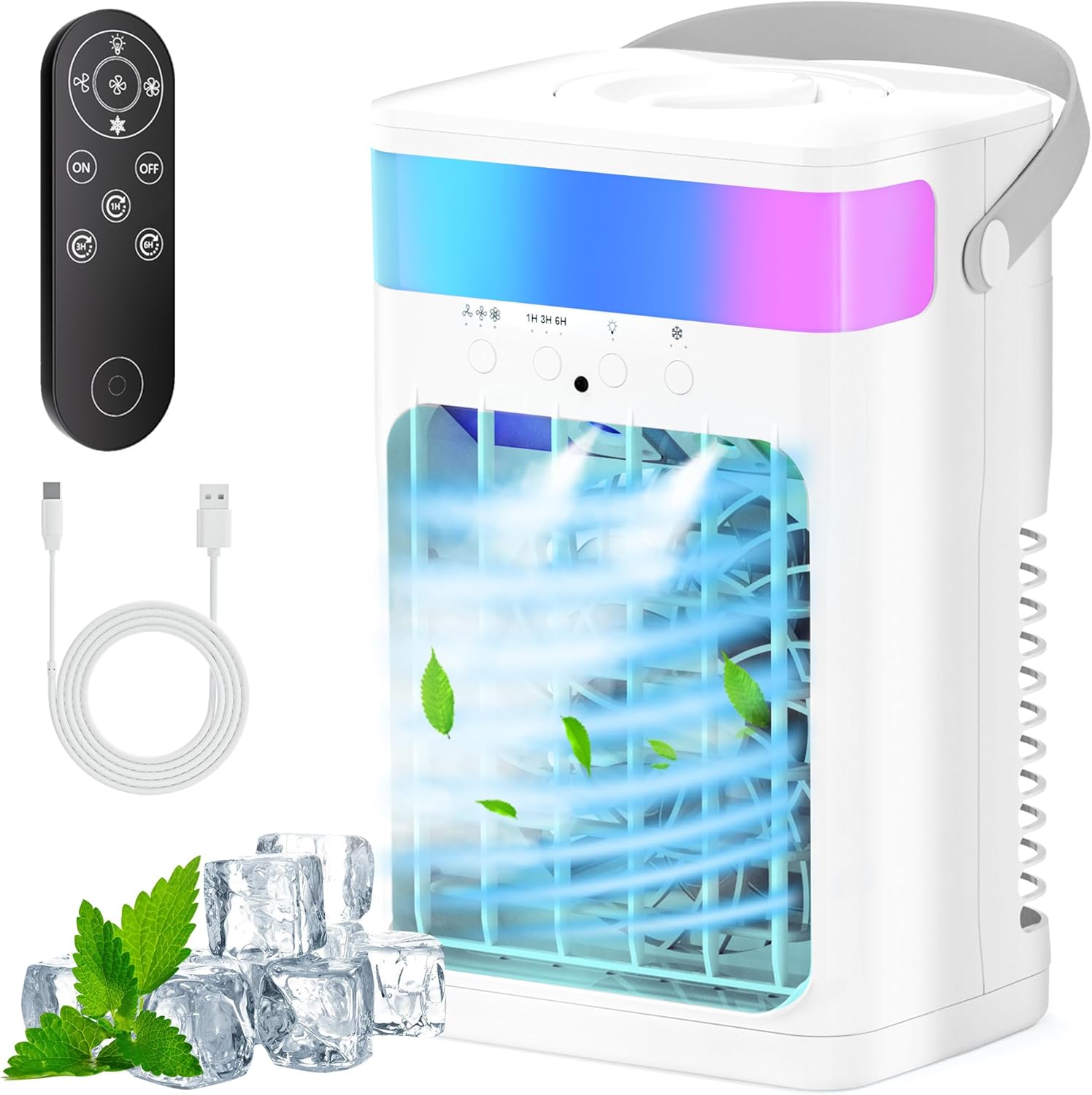

What Exactly Is a Desktop Air Conditioner?
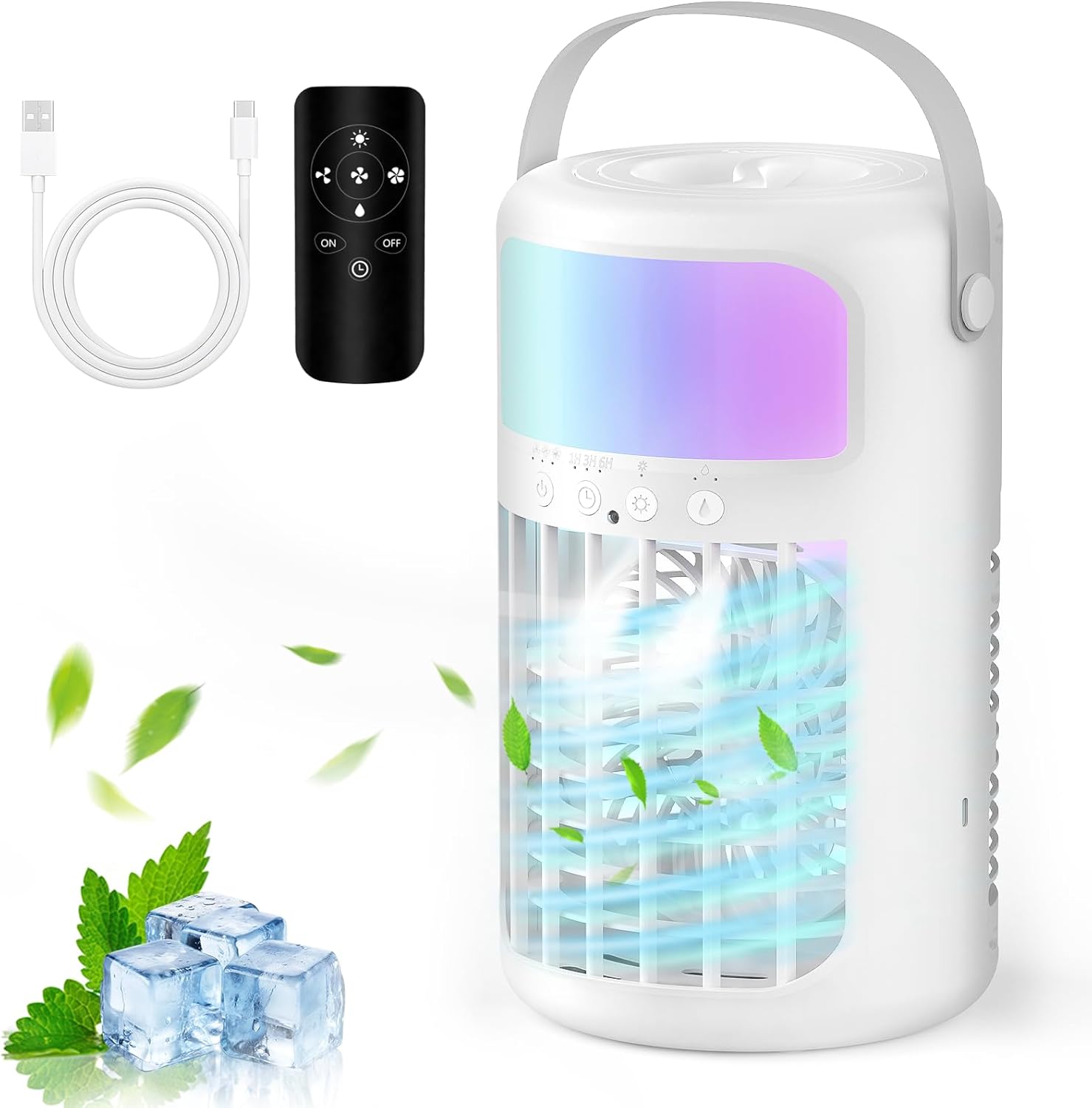
The term “desktop air conditioner” covers a family of small personal cooling devices. Most of the popular options today are technically evaporative air coolers, sometimes called swamp coolers. Rather than using a refrigerant and compressor like a window unit, they draw warm air through a water-soaked filter or wick. As the water evaporates, it absorbs heat and releases cooler, slightly more humid air into your immediate area.
This design is what makes personal coolers so appealing for a desk. They are lightweight, they plug into standard outlets or even USB ports, and they use a fraction of the electricity a compressor-based system needs. Models like the Portable Air Conditioners Fan and the 4-in-1 Mini Air Conditioner are built around this evaporative principle, adding features like water tanks, timers, and color LED lighting to round out the experience.
Evaporative Coolers vs True Air Conditioners
It is important to set expectations. A desktop evaporative cooler is not the same as a refrigerant air conditioner. It will not drop the temperature of an entire room by ten degrees. Instead, it creates a personal cool zone in the space directly in front of it. If you sit close, you will feel a noticeable difference. This is exactly what most people want at a desk, but if you are hoping to cool a whole living room, you should look at a larger, dedicated unit instead.
Who Benefits Most From a Desktop Cooler?
Desktop air conditioners shine in specific situations. Understanding whether you fit one of these profiles will save you from disappointment later.
- Home office workers who spend hours at a single desk and want targeted cooling without blasting the whole house.
- Students in dorms where installing a window unit is not allowed and space is tight.
- Travelers and campers who need something USB-friendly and portable, such as the Evaporative Air Cooler 4-in-1 with its USB-C power and camping-ready design.
- People in dry climates, where evaporative cooling is naturally more effective because the air can absorb more moisture.
- Anyone on a budget who wants relief for well under a hundred dollars rather than investing in a large appliance.
If your climate is already very humid, an evaporative cooler will be less effective because the air is closer to saturation. In those regions, aim the unit closer to you and use it with ice water to boost the cooling effect.
Key Features to Compare Before You Buy
Not all desktop coolers are created equal. When you scan through the options, focus on the following features to separate a genuinely useful device from a novelty fan.
Water Tank Capacity
The tank determines how long your cooler runs before you need to refill it. Small personal units may hold only a few hundred milliliters, while larger tanks stretch runtime considerably. A model such as the Personal Cooling Fan with its 1500ML water tank can run for many hours before a top-up, which is ideal for a full workday. If you dislike frequent refills, prioritize a bigger tank.
Fan Speeds and Mist Modes
Multiple speed settings let you dial in the airflow, from a gentle breeze for reading to a stronger stream during a heatwave. Several units also add mist modes for an extra cooling sensation. The 4-in-1 Portable AC Fan offers three speeds plus two mist modes, giving you flexibility depending on how hot the day gets. More adjustment options generally mean a more comfortable experience.
Timer and Night Modes
A built-in timer is surprisingly valuable. It lets you fall asleep with cooling on and have the device shut off automatically, saving water and power. Units like the Personal Mini Air Cooler include a timer along with adjustable lighting, so you can run it quietly through the night. Look for a soft night light or the ability to turn LEDs off entirely if you are sensitive to light while sleeping.
Ice and Mist Cooling
Some desktop coolers are specifically built to work with ice cubes or chilled water, which noticeably improves the cool-air output. The Desktop AC Unit with water ice cooling mist is a good example of a design that leans into this feature, functioning as a compact swamp cooler for a nightstand or dorm. If you live somewhere hot, an ice-compatible tank makes a real difference.
Noise Level
Because these devices sit close to you, noise matters more than it would across a room. A quiet unit lets you take calls, focus, or sleep undisturbed. Established options such as the Arctic Air Pure Chill 2.0 are frequently praised for quiet, lightweight operation, which is why they remain popular choices for bedrooms and living rooms alike.
Power Source and Portability
Decide how and where you will power the unit. USB-C models are perfect for desks and travel because they can run off a laptop, power bank, or wall adapter. Larger models that plug into a standard outlet often deliver stronger airflow. Weight and a built-in handle also matter if you plan to move the cooler between rooms.
How to Choose the Right Desktop Air Conditioner for You
With the key features in mind, the selection process becomes a matter of matching a unit to your priorities. Here is a simple framework to guide your decision.
Step 1: Define Your Space
Measure the area you actually want to cool. For a single desk or a bedside table, a compact personal cooler is plenty. The Mini Air Conditioner with its 1000ML tank and 7-color LED is well suited to a tidy desktop setup where footprint matters. Larger rooms call for a unit with a bigger tank and more powerful fan.
Step 2: Match the Climate
In dry regions, almost any evaporative cooler will feel refreshing. In humid areas, prioritize ice-compatible designs and higher fan speeds, and plan to sit closer to the airflow. Being realistic about your local humidity is the single biggest factor in whether you will love or return your cooler.
Step 3: Prioritize Your Must-Have Features
Make a short list of what you cannot live without. If quiet operation tops your list, focus on models known for low noise. If runtime matters most, chase the largest tank. If you want ambiance, the color LED lighting on several of these units doubles as a soft mood light. Ranking your priorities keeps you from overpaying for features you will never touch.
Step 4: Set a Realistic Budget
The good news is that desktop coolers are affordable. Most quality options land between forty and seventy dollars, so you can get exactly the features you need without stretching your budget. Spend a little more only if a specific feature, like a remote control or a larger tank, genuinely improves your daily comfort.
Getting the Most From Your Desktop Cooler
Once you have chosen a unit, a few simple habits will maximize its performance and lifespan. These small steps make a noticeable difference in how cool and fresh the air feels over time.
- Use cold water or ice in the tank whenever possible, since colder water produces cooler output air.
- Position the cooler close to you and slightly elevated so the airflow reaches your face and upper body directly.
- Refill regularly and never run the unit dry, which can strain the pump and reduce cooling.
- Clean the tank and filter every week or two to prevent mold, odors, and mineral buildup.
- Improve airflow in the room with a cracked window or ceiling fan so the humid air the cooler adds does not linger.
Following this routine keeps your cooler running efficiently and ensures the air staying fresh rather than stale. A well-maintained evaporative cooler can serve you reliably through many summers.
Common Questions About Desktop Air Conditioners
Do desktop coolers really lower the temperature?
They lower the temperature of the air immediately around you rather than the whole room. Sitting within a few feet of the unit, you will feel a clear cooling effect, especially with ice water in the tank. Think of them as personal comfort devices, not room-wide climate control.
Are they expensive to run?
Not at all. Because they rely on a fan and water evaporation rather than a compressor, they draw very little power. Many models even run on USB, making them one of the most economical ways to stay cool at a desk.
How often do I need to refill the water?
This depends entirely on tank size and fan speed. Smaller tanks may need a top-up every few hours, while larger 1500ML tanks can last most of a day on lower settings. If refilling is a hassle for you, choose a bigger tank from the start.
Final Thoughts
The best desktop air conditioners are not about raw cooling power but about smart, targeted comfort. They give you a personal cool zone right where you spend your time, use minimal energy, and cost far less than a traditional appliance. By defining your space, respecting your climate, and prioritizing the features that matter most to you, you can confidently pick a unit that fits your desk and your budget. Whether you lean toward a compact USB cooler for travel or a larger-tank model for all-day home office use, there is a desktop air conditioner ready to keep you comfortable all season long.