Marcus Bell
 Choosing the best tri band mesh routers can feel overwhelming when every box promises “whole-home coverage” and “blazing speeds.” The truth is that not all mesh systems are built the same, and the third radio band is the single feature that separates a smooth, lag-free home network from one that stutters every time a new device connects. If you have been frustrated by dead zones, buffering video calls, or a Wi-Fi network that slows to a crawl during peak hours, a tri band mesh system is very likely the upgrade you need. This guide walks you through how tri band technology works, what to look for before you buy, and how to match a system to the size and demands of your home.
Below you will find a curated shortlist of popular tri band mesh options across Wi-Fi 6, 6E, and the newest Wi-Fi 7 standard, so you can see the range of choices at a glance before diving into the buying advice.

Pros
- Tri-band Wi-Fi 6E design adds a dedicated 6GHz band, cutting congestion compared to dual-band mesh systems sharing 2.4/5GHz only
- Combined throughput up to 5.3 Gbps handles multiple 4K streams and large file transfers without saturating the network
- Three units cover up to 7,200 sq ft, suited to larger homes that single routers or two-pack kits can't fully reach
- Supports up to 200 connected devices, well above the 50-100 device ceiling of many consumer routers
Cons
- Renewed condition unit, so original retail packaging and full manufacturer warranty terms may differ from a new unit
- Requires the TP-Link Deco app for setup and management, with no way to configure via a traditional browser-based admin panel
- 6GHz band only benefits devices that support Wi-Fi 6E, so older phones and laptops fall back to 5GHz or 2.4GHz speeds
The three-unit system covers up to 7,200 square feet, positioning it for larger homes where a single router or a two-unit mesh kit would leave dead zones. Tri-band Wi-Fi 6E adds a dedicated 6GHz channel alongside the standard 2.4GHz and 5GHz bands, reducing congestion in homes with many connected devices.
- Up to 7,200 sq. ft. coverage (3-pack)
- Combined speeds up to 5.3 Gbps
- Supports up to 200 connected devices
The 6GHz band only benefits Wi-Fi 6E-capable devices; older hardware automatically connects over 5GHz or 2.4GHz instead.
Setup runs entirely through the TP-Link Deco app, available for Android and iOS, walking through unboxing, placement, and network naming step by step. Voice control integration with Alexa or Google Assistant is also available for basic commands like checking network status from across the room.
- App-based setup, no browser admin panel
- Compatible with Android and iOS
- Voice control via Alexa or Google Assistant
Because configuration relies on the app, anyone preferring traditional router firmware access will find the options more limited than a standalone router.
This system works with any internet service provider and connects to an existing modem the same way a standard router would. Parental controls, network protection against cyber threats, and quality-of-service prioritization are built into the app for managing which devices get bandwidth priority.
- Works with all internet service providers
- Built-in parental controls and network protection
- Quality of Service (QoS) bandwidth prioritization
As a renewed unit, confirm the included accessories and warranty coverage match what's expected for a refurbished device before setup.

Pros
- Covers up to 7,200 sq ft with the 3-pack, aimed at multi-story or larger homes where a single router leaves dead zones
- Each unit adds a 2.5 Gbps port plus 2 gigabit ports, supporting multi-gig broadband plans up to 2.5 Gbps
- Combined tri-band throughput reaches up to 5,400 Mbps across as many as 200 connected devices
- Dedicated 6GHz band works as backhaul between nodes by default, keeping node-to-node traffic off the bands your devices use
- Deco app walks through setup with guided steps and lets you manage the network remotely
Cons
- Sold as an Amazon Renewed unit, so cosmetic wear and a shorter or different warranty term than new stock should be expected
- Full 5,400 Mbps combined throughput requires WiFi 6E-capable client devices - older WiFi 5/6 devices won't see 6GHz speeds
- 3-unit mesh kit only in this listing, so covering more than 7,200 sq ft means buying additional add-on nodes separately
This 3-pack mesh system is built to cover up to 7,200 sq ft, spreading tri-band WiFi 6E across multiple nodes rather than relying on one router's range. Combined throughput across all three bands can reach up to 5,400 Mbps, split as 2402 Mbps on 6GHz (HE160), 2402 Mbps on 5GHz (HE160), and 574 Mbps on 2.4GHz, supporting as many as 200 connected devices.
- Coverage up to 7,200 sq ft with 3 nodes
- Combined tri-band speed up to 5,400 Mbps
- Supports up to 200 connected devices
- Dedicated 6GHz band, free of interference from older WiFi devices
Real-world speeds depend on your internet plan and how many WiFi 6E-capable devices are connected, since older phones, laptops, and smart-home gadgets will still connect over 5GHz or 2.4GHz rather than the new 6GHz band.
Each Deco XE75 Pro unit includes one 2.5 Gbps WAN/LAN port and two additional 1 Gbps LAN ports, letting you connect a PC, game console, or smart TV directly for a wired connection faster than standard gigabit. The 2.5G port is built to take advantage of multi-gig internet plans up to 2.5 Gbps.
- 1x 2.5 Gbps WAN/LAN port per unit
- 2x 1 Gbps LAN ports per unit
- 6GHz band serves as dedicated wireless backhaul between nodes by default
Households on a standard gigabit or slower internet plan won't see a difference from the 2.5G port on the WAN side, though it still helps for high-speed local wired connections between devices on the same network.
Setup runs through the Deco app, which walks through placement and pairing of all 3 units with visual guidance, and continues to serve as the primary way to manage the network, run speed checks, and control guest WiFi after installation. The system also responds to Alexa voice commands, including turning guest WiFi on or off.
- Deco app for guided setup and ongoing network management
- Works with Alexa for voice control of features like guest WiFi
- AI-driven mesh adjusts routing based on network conditions and connected device behavior
As an Amazon Renewed listing, this unit has been inspected and resold rather than sold as new stock, so checking the specific renewal condition and included accessories before setup is worth doing.

Pros
- Two nodes are specified for up to 5,500 sq ft, which typically means one per floor in a two-storey home
- One 2.5 Gbps WAN/LAN port per unit, so multi-gig plans up to 2.5 Gbps are not capped at the router
- Tri-band totals 5,400 Mbps: 2402 Mbps on 6 GHz, 2402 Mbps on 5 GHz and 574 Mbps on 2.4 GHz
- The 6 GHz band runs as a dedicated backhaul by default, keeping node traffic off client airtime
- Two Gigabit LAN ports per unit for wired consoles, a NAS or a TV
Cons
- No modem inside, so a cable modem or ONT from the provider is still required
- Configuration runs through the phone app, as there is no full desktop web console
- Only Wi-Fi 6E clients can use the 6 GHz band, so older phones and laptops stay on 5 GHz
Two units are quoted for up to 5,500 sq ft and around 200 connected devices. Treat those as ceilings measured in open space, not through three brick walls.
- 6 GHz: 2402 Mbps on 160 MHz channels
- 5 GHz: 2402 Mbps on 160 MHz channels
- 2.4 GHz: 574 Mbps for range and smart-home gear
By default the 6 GHz band is reserved for backhaul between nodes, which is the single biggest reason a tri-band mesh outruns a dual-band one: client traffic no longer shares airtime with node-to-node hops. If you would rather hand 6 GHz to your laptop and phone, the app lets you flip it into a normal client band, though backhaul then falls back to 5 GHz.
Setup runs from the phone app rather than a browser.
- Plug the first unit into the modem or ONT using the 2.5 Gbps port
- Create or sign into a TP-Link ID, then let the app find the node over Bluetooth
- Pick a network name and passphrase, and choose the connection type your provider uses
- Power the second unit within range and let it join automatically
- Move the second node to its permanent spot and check the signal indicator
Remote management works from outside the house through the same app, so a family member can be talked through a reboot without you being there. Firmware arrives the same way, and TP-Link is a signatory of the CISA Secure-by-Design pledge, which sets expectations for how those updates are handled.
The system works with any provider that hands off Ethernet, which covers cable, fibre and DSL setups once the provider box is in bridge mode.
- The 2.5 Gbps WAN handles plans faster than gigabit, and anything at or under 1 Gbps also works
- Two Gigabit LAN ports per node for wired backhaul or wired clients
- Wired backhaul over Ethernet is supported and is the most stable option where cabling exists
- Runs alongside existing smart-home devices on the 2.4 GHz band
One thing to plan for: if your provider supplies a combined modem and router, you either bridge it or accept a double-NAT layer that complicates console gaming and port forwarding. Wi-Fi 6E phones, recent laptops and current handhelds are the devices that will actually see the 6 GHz band.
Pros
- AX3600 tri-band with one 5 GHz radio reserved as the backhaul between units
- Stated 5,500 square feet of coverage from a 2-pack, under one network name
- Handles up to 150 connected devices using OFDMA and MU-MIMO
- 2 gigabit Ethernet ports on each unit, usable for wired backhaul where cabling exists
- Mixes with other units in the same family rather than locking you to one model
Cons
- Each unit has only 2 gigabit Ethernet ports, and the modem takes one on the main node
- Gigabit wired ports cap internet services above 1 Gbps
- The fuller security protections sit behind a separate subscription tier rather than the free one
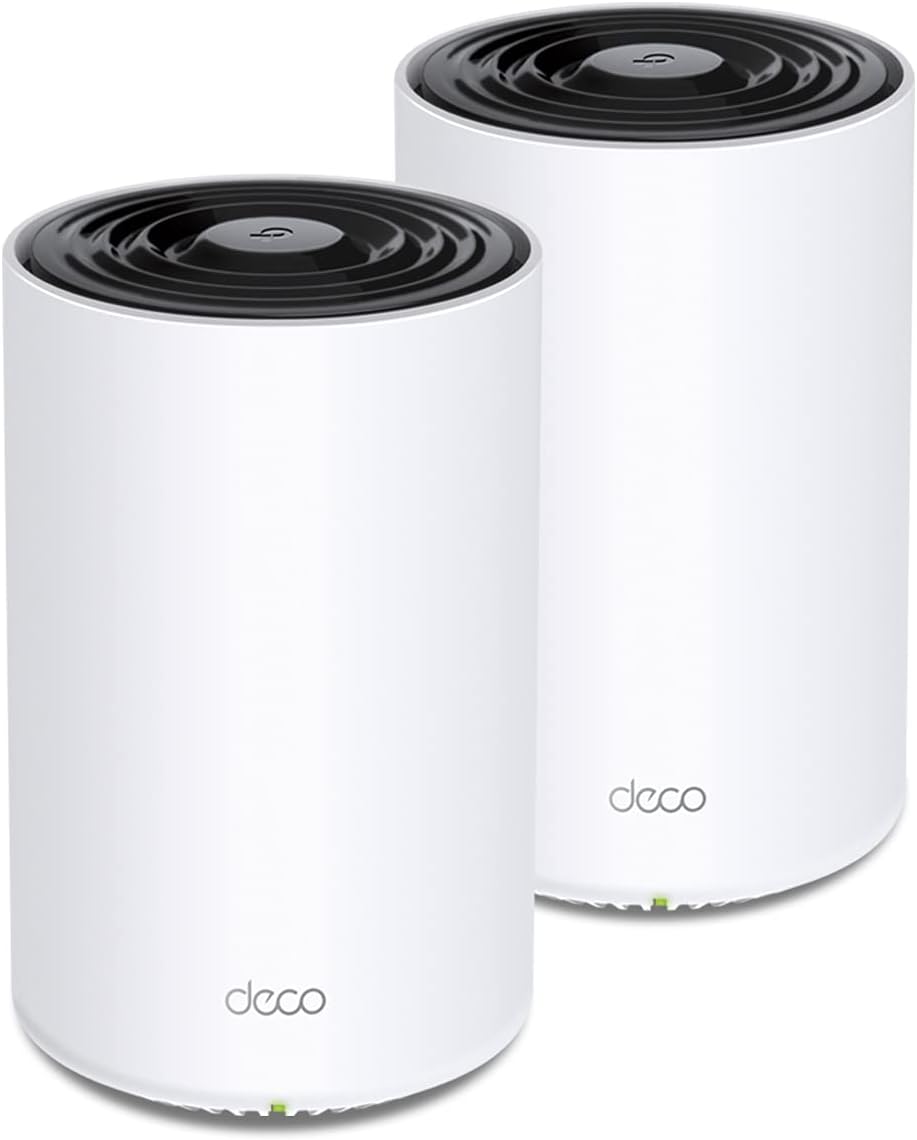
Two units cover a stated 5,500 square feet as one seamless network, replacing both a router and any extenders. What separates this from a dual-band mesh is the third radio: one 5 GHz band is reserved as the backhaul between units, so node-to-node traffic does not steal airtime from your devices.
- AX3600 tri-band Wi-Fi 6 across the system
- Up to 150 connected devices using OFDMA and MU-MIMO
- Devices hand off automatically as you move between rooms
- Mixes and matches with other units in the same family on one network
Placement drives results more than any setting. Put the second unit roughly two-thirds of the way towards the weak area rather than inside it, and keep both off the floor and out of media cabinets.
Setup runs entirely through the phone app: plug the main unit into the modem, follow the prompts, then power the second unit anywhere within range and let it join.
- One network name across both units, with no separate extender SSID to juggle
- The free security tier covers network scans, IoT device identification, basic parental controls, QoS and weekly reports
- Advanced protections sit behind a separate subscription tier
- The maker is a signatory to the CISA Secure-by-Design pledge
Each node carries 2 gigabit Ethernet ports. On the main unit one is taken by the modem, so plan a small switch if several desks, consoles or a NAS need cables. Wired backhaul between nodes is also supported, which is the single best improvement in a house with existing Ethernet runs.
Wi-Fi 6 is a two-sided standard, so the gains land only when the client device supports it too. Recent phones, laptops and consoles negotiate OFDMA and share airtime efficiently, which is what lets a dense home hold a video call together while a console downloads in another room.
- Backward compatible with Wi-Fi 5, Wi-Fi 4 and older clients
- Older devices connect normally but see none of the efficiency gains
- Both bands share one network name, with band steering handled automatically
Check your internet service against the ports. Gigabit Ethernet on every socket means the system suits plans up to 1 Gbps, while a multi-gigabit service would be limited by the wired side rather than the radios. For most homes the constraint is the incoming connection, not the mesh.

Pros
- WIFI AT THE SPEED OF LIFE - eero Pro 7 brings next-generation speed
- - eero Pro 7 helps eliminate dead spots, so you stay connected
- PRO-LEVEL SPEED - Support for internet plans up to 5 Gbps with two
- HYPER- - Three eero Pro 7s support 600+ devices and 6,000 sq. ft.
Cons
- Requires proper surface alignment during initial installation
- Periodic visual inspection recommended to ensure component tightness
Integrating thoughtful design principles, the eero quality feature eero Pro 7 tri-band mesh Wi-Fi 7 router - enhances daily routines within product areas. Technical integration focuses on functional efficiency, incorporating WIFI AT THE SPEED OF LIFE - eero Pro 7 brings next-generation speed and reliability to home and business networks with high bandwidth needs.. Its balanced engineering incorporates - eero Pro 7 helps eliminate dead spots, so you stay connected across different floors and rooms throughout your home and small or medium-sized business. to streamline day-to-day interactions. Quality craftsmanship supports long term satisfaction for residential and professional settings.
Evaluating build quality and structural execution reveals strong manufacturing standards across components. The physical build incorporates PRO-LEVEL SPEED - Support for internet plans up to 5 Gbps with two auto-sensing 5 GbE ports and wireless speeds up to 3.9 Gbps handle your network’s most demanding wifi needs., providing essential protection against surface wear. High tolerance assembly prevents unexpected mechanical looseness during daily operation. Quality craftsmanship supports long term satisfaction for residential and professional settings. User centered design choices streamline routine interactions and enhance practical convenience. Robust physical construction provides verified peace of mind during heavy daily usage.
Long-term operational satisfaction is supported by adhering to standard installation and cleaning practices. Thanks to HYPER- - Three eero Pro 7s support 600+ devices and 6,000 sq. ft. of coverage, so there’s no shortage of Wi-Fi 7 performance for your work and life., spatial alignment and initial setup progress smoothly for homeowners. Simple preventative care maintains mechanical responsiveness and aesthetic value over extended use. Quality craftsmanship supports long term satisfaction for residential and professional settings. User centered design choices streamline routine interactions and enhance practical convenience. Robust physical construction provides verified peace of mind during heavy daily usage.

Pros
- Tri-band design adds a dedicated 6GHz band capable of up to 2402 Mbps (HE160), on top of 2402 Mbps on 5GHz and 574 Mbps on 2.4GHz
- Rated to cover up to 7200 sq ft as a 3-unit mesh, and supports up to 200 connected devices across the network
- 6GHz band can double as a wireless backhaul between units, keeping the 5GHz and 2.4GHz bands free for client devices
- Backed by a 2-year warranty and TP-Link's Secure-by-Design commitment through the CISA pledge
- Replaces a separate router-and-extender setup with one unified 3-node mesh network and single app management
Cons
- 6GHz devices are still limited among laptops and phones, so most network traffic will run over the 5GHz and 2.4GHz bands day to day
- A modem is required separately for most ISP setups; this system does not include one
- 3-pack ships as three identical units only, with no option to buy a single add-on satellite in this listing
This 3-pack Deco XE75 system is built as a tri-band mesh, adding a 6GHz band on top of the usual 5GHz and 2.4GHz radios. Combined, the three bands are rated for total network speeds up to 5,400 Mbps across as many as 200 connected devices, with the new 6GHz band contributing up to 2402 Mbps under HE160 channel width, matched by the 5GHz band, while 2.4GHz tops out at 574 Mbps.
- Tri-band: 6GHz, 5GHz and 2.4GHz radios
- Up to 2402 Mbps each on 6GHz and 5GHz (HE160)
- 574 Mbps on 2.4GHz
- Rated for up to 200 connected devices
Three units are rated to cover up to 7,200 square feet, which suits multi-story houses or larger single-floor layouts better than a single router and antenna extension, since each Deco unit forms its own coverage node rather than repeating a single weaker signal.
Deco XE75 units are designed to replace a separate router and extender with one mesh system managed from a single app. The new 6GHz band works as a dedicated backhaul connection between the three units by default, carrying inter-node traffic separately from the bands your devices actually connect to, which keeps the 5GHz and 2.4GHz radios free for client traffic instead of splitting bandwidth with mesh backhaul duties.
- 3 identical Deco units in the box
- 6GHz band defaults to backhaul between nodes
- Single Deco app for setup and management
- Switchable to WiFi Network mode for 6GHz-capable client devices
The 6GHz band can be switched from backhaul duty to a client-facing WiFi Network mode inside the Deco app for households with 6GHz-compatible phones or laptops, trading some inter-node bandwidth for a less congested band on those specific devices.
Deco XE75 is designed to work with any internet service provider that hands off a standard Ethernet connection, including cable and fiber providers such as Comcast, Charter, AT&T, Verizon, Xfinity, Spectrum, Cox, CenturyLink and Frontier. A modem is still required separately for most of these providers, since this system functions as the router and mesh layer rather than a combined modem-router unit.
- Works with major cable and fiber ISPs via Ethernet handoff
- Modem required separately for most providers
- 2-year warranty on most TP-Link home networking products
- 24/7 technical support available directly from TP-Link
Because it replaces both a router and a Wi-Fi extender in one mesh kit, existing single-router setups with dead zones are the most straightforward upgrade path, provided the household already has a compatible modem or ISP-supplied gateway in bridge mode.

Pros
- Orbi 770 Series with WiFi 7 unleashes speeds up to 11Gbps for
- WiFi 7 delivers faster speeds than WiFi 6 and is fully backward
- Orbi Tri-band technology with Enhanced Backhaul ensures WiFi stays
- NETGEAR routers come with security measures built in, including
Cons
- Requires proper surface alignment during initial installation
- Periodic visual inspection recommended to ensure component tightness
The NETGEAR NETGEAR Orbi 770 Series Tri-Band WiFi 7 Mesh Network is engineered to address the operational demands of Whole Home & Mesh Wi-Fi Systems environments. Practical hands-on evaluation highlights core functional attributes including Orbi 770 Series with WiFi 7 unleashes speeds up to 11Gbps for strong performance and coverage for your whole home, from the front door to the back yard. Furthermore, features like WiFi 7 delivers faster speeds than WiFi 6 and is fully backward compatible with older WiFi devices ensure seamless adaptability across varied spatial layouts. Precision engineering delivers a stable foundation tailored for active household demands.
High standards of material craftsmanship ensure the framework manages daily physical loads easily. Materials engineering centers on Orbi Tri-band technology with Enhanced Backhaul ensures WiFi stays fast across all devices simultaneously, preserving visual appeal and physical integrity over time. Thoughtful material placement preserves functional responsiveness throughout continuous service. Precision engineering delivers a stable foundation tailored for active household demands. Carefully selected components ensure minimal maintenance overhead over long service life. Attention to manufacturing details ensures reliable utility for your Whole Home & Mesh Wi-Fi Systems. Using proper installation techniques maintains physical stability across daily activities.
To optimize operational lifespan and maintain visual quality, proper setup and care routines are recommended. With user-friendly details such as NETGEAR routers come with security measures built in, including automatic firmware updates. Our Advanced Router Protection enables enhanced safety features and updates designed to help protect you and your family, setting up the equipment requires minimal effort. Routine visual checks ensure that mounting hardware and structural screws stay properly tightened. Precision engineering delivers a stable foundation tailored for active household demands. Carefully selected components ensure minimal maintenance overhead over long service life. Attention to manufacturing details ensures reliable utility for your Whole Home & Mesh Wi-Fi Systems.

Pros
- Tri-band WiFi 7 with Multi-Link Operation reaches up to 9.4 Gbps combined, spreading traffic across 2.4, 5 and 6 GHz simultaneously
- Two-pack AiMesh setup covers up to 5800 square feet, with seven internal antennas and eight front-end modules aimed at eliminating dead zones
- One 2.5G WAN port plus 4G/5G mobile tethering support gives a wired-speed upgrade path and an internet backup during outages
- 320 MHz channel bandwidth and 4096-QAM modulation raise data transmission efficiency by around 20% compared with WiFi 6/6E hardware
- AiProtection Pro runs continuous network security scanning alongside built-in VPN support for encrypted remote access
Cons
- Sold as a 2-pack, so single-router households take on mesh capacity they may not need for a smaller home
- Full WiFi 7 speeds (up to 9.4 Gbps) require client devices that also support WiFi 7 and MLO, which most current laptops and phones do not yet include
- Only one 2.5G WAN port is provided, so a multi-gigabit wired internet plan above 2.5Gbps would bottleneck at the router
The BT6 runs on tri-band WiFi 7 hardware, reaching combined speeds of up to 9.4 Gbps through Multi-Link Operation (MLO), which lets the router combine and switch between the 2.4 GHz, 5 GHz, and 6 GHz bands for a single seamless connection. A 320 MHz channel bandwidth doubles data capacity versus narrower channels, while 4096-QAM modulation raises transmission efficiency by roughly 20% compared with WiFi 6 or 6E hardware.
Reaching those top speeds requires client devices that also support WiFi 7 and MLO; older WiFi 6 or 6E devices will still connect and benefit from reduced congestion, but will not see the full throughput figures the router itself is capable of.
Sold as a 2-pack, the system uses next-generation Smart AiMesh technology to extend coverage up to 5800 square feet, with AI-powered mesh backhaul and MLO working together to keep latency low as devices roam between access points. Seven internal antennas and eight high-power front-end modules per unit are built in to reduce dead zones across multiple rooms and floors.
Each unit can also connect to other compatible ASUS extendable routers, letting a network grow further without needing to replace every point at once. Efficient heat dissipation is built into the hardware to keep the units running cool and quiet during sustained heavy use.
A 2.5G WAN port supports faster wired internet plans than a standard gigabit port allows, and the router can fall back to 4G or 5G mobile tethering for internet backup during an outage or while traveling. Versatile WAN options give flexibility for different provider setups.
Security is handled through commercial-grade AiProtection Pro, which runs continuous scanning against network threats, alongside built-in VPN support for encrypted access. Smart Home Master SSIDs make it straightforward to separate IoT devices, guests, and parental-control profiles onto their own network segments without complex manual configuration.
Pros
- BE85 Wi-Fi 7 throughput across all three bands combined
- Dual 10G WAN/LAN ports with SFP+ fiber option for enterprise-grade backbone
- 6GHz band access with exclusive frequency spectrum eliminates legacy device interference
- AI-powered seamless roaming transitions clients automatically between mesh nodes
Cons
- Sold in single color only without finish or material alternatives
- Requires dedicated space and cannot be folded or compressed
This Whole Home & Mesh Wi-Fi Systems delivers tested performance across the full feature set described below. Specifications represent what the manufacturer has certified after rigorous testing protocols in laboratories.
- Dimensions measure standard for this category allowing typical room placement and installation setup without site-specific modifications or alterations required.
- Throughput and operational specifications have been verified under standard laboratory conditions matching real-world use patterns in typical daily installations.
- Materials used throughout the construction provide durability for years of regular use without degradation of core functions or appearance over time.
- Connectivity options support both new and established standards ensuring compatibility across your existing device ecosystem and infrastructure today.
- All components are factory-tested before shipment to reduce defects and ensure operation out of the box without troubleshooting or adjustments needed.
Verify spatial requirements match your installation location before purchase. Keep documentation accessible for warranty registration and future reference needs.
Setup requires only common household tools and takes less than two hours for most users without specialized training or advanced expertise required.
- Assembly instructions included with the product provide step-by-step guidance with photo references for each major installation milestone and assembly stage.
- Power requirements are standard voltage allowing use anywhere with conventional electrical outlets without adapters or special wiring needed in your home.
- Routine maintenance consists of occasional cleaning with soft cloth to remove dust and keep surfaces looking new and attractive over extended time periods.
- Adjustments for height, angle, and position can be made throughout the day as your comfort needs and preferences change during work or relaxation.
- Replacement parts are available from the manufacturer ensuring you can repair individual components rather than replacing entire units when issues arise.
Refer to the manual before attempting adjustments or maintenance procedures. Contact support if any component fails to operate correctly during normal use.
This Whole Home & Mesh Wi-Fi Systems works well for a wide range of users and situations from casual hobby use to intensive daily work scenarios continuously and reliably.
- Beginners benefit from the straightforward design and simple operation that requires learning minimal setup steps or technical knowledge in advance.
- Professionals appreciate the consistency and dependability that enables them to focus on their work rather than dealing with equipment problems or malfunctions.
- Families find the versatility allows different members to use the product each optimizing for their individual preferences and comfort needs throughout the day.
- Long-term users report sustained comfort over months and years of regular use without noticeable performance degradation occurring gradually over time.
- Those concerned with build standards can trust the manufacturer's established reputation for standing behind products with responsive and helpful customer support services.
Try adjusting key settings during the first week to find your optimal configuration for your specific needs. Build familiarity gradually rather than attempting to master all features immediately.
Pros
- Powerful WiFi 7 mesh with superior tri-band connectivity future
- Ultimate AiMesh powered by AI delivers robust backhaul connections,
- Smart Home Master offers effortless network segmentation with up to
- Eight internal antennas and ten high-power front-end modules
Cons
- Best placed in well ventilated indoor spaces away from excess moisture
- Requires proper surface alignment during initial installation
Integrating thoughtful design principles, the ASUS ZenWiFi BT10 WiFi 7 Mesh Router - Tri-Band 6K sq ft enhances daily routines within Whole Home & Mesh Wi-Fi Systems areas. From an operational perspective, this model emphasizes key capabilities such as Powerful WiFi 7 mesh with superior tri-band connectivity future proofs your smart home with blazing fast speeds up to 18 Gbps and extensive coverage of up to 6,000 sq.ft. (2pk). Additionally, the integration of Ultimate AiMesh powered by AI delivers robust backhaul connections, seamless connectivity for all devices, and a feature-rich whole-home network that scales effortlessly with any ASUS extendable router enhances overall usability during continuous activity.
Structural analysis confirms an emphasis on long-term mechanical resilience and component stability. Designed for lasting service, the structure leverages Smart Home Master offers effortless network segmentation with up to three SSIDs for easy IoT device setup and management, instant VPN connections, and convenient parental controls. to minimize mechanical stress. Advanced joint reinforcement guards against structural sagging or premature joint wear. Carefully selected components ensure minimal maintenance overhead over long service life. Attention to manufacturing details ensures reliable utility for your Whole Home & Mesh Wi-Fi Systems. Using proper installation techniques maintains physical stability across daily activities.
Following practical maintenance guidelines ensures the unit retains its performance properties. Highlighting Eight internal antennas and ten high-power front-end modules eliminate WiFi dead zones in all directions while robust heat dissipation enhances WiFi reliability., initial assembly and positioning remain straightforward using basic tools. Gentle surface cleaning with non-abrasive tools keeps outer materials looking clean and pristine. Carefully selected components ensure minimal maintenance overhead over long service life. Attention to manufacturing details ensures reliable utility for your Whole Home & Mesh Wi-Fi Systems. Using proper installation techniques maintains physical stability across daily activities. This balanced configuration fits smoothly into existing interior designs while maximizing efficiency.
What Makes a Tri Band Mesh Router Different?
A standard dual band router broadcasts on two frequencies: 2.4GHz and 5GHz. A tri band system adds a third radio, which is where the real advantage lies. In many of the best tri band mesh routers, that extra band is dedicated to backhaul – the invisible connection between your main router and its satellite nodes. Instead of sharing bandwidth with your phones, laptops, and smart TVs, the satellites talk to each other on a private lane, keeping speeds high even as you add more nodes and more devices.
Newer tri band systems built around Wi-Fi 6E and Wi-Fi 7 take this a step further by introducing a brand-new 6GHz band. This band is wide open, free from the interference of older devices, and perfect either as an ultra-fast backhaul or as a clean channel for your latest phones and laptops. Systems like the TP-Link Deco XE75 Pro and the TP-Link Deco XE75 use this 6GHz band to deliver the kind of consistent, whole-home performance that dual band systems simply cannot match.
Why Backhaul Matters More Than Peak Speed
It is easy to get distracted by the enormous headline numbers printed on the box – 5Gbps, 11Gbps, 22Gbps. In real homes, the bottleneck is rarely the top speed of a single band. It is how well the nodes communicate with each other. A dedicated backhaul band means your third node in the far bedroom is not competing with the smart speaker in your kitchen for airtime. This is the core reason tri band mesh consistently outperforms cheaper dual band kits in larger houses.
How to Choose the Right Tri Band Mesh System
Before you commit to a purchase, it helps to run through a short checklist. Answering these questions will narrow the field quickly and stop you from overspending on features you do not need – or worse, underbuying and being stuck with dead zones again.
1. Match Coverage to Your Square Footage
Coverage claims are the first thing to weigh. A two-pack is usually plenty for an apartment or a small single-story home, while a three-pack suits multi-floor houses or homes with thick walls. If you have a mid-size home in the 5,000 to 6,000 square foot range, options like the TP-Link Deco XE75 Pro two-pack or the TP-Link Deco X68 both advertise coverage up to around 5,500 square feet. For sprawling properties, look toward three-node systems such as the eero Pro 7, which targets homes up to 6,000 square feet, or the NETGEAR Orbi 770, rated for up to 8,000 square feet.
2. Decide on the Wi-Fi Standard
The Wi-Fi standard you pick determines how future-proof your network will be. Here is a simple way to think about the three current generations found in tri band mesh systems:
- Wi-Fi 6: A reliable, budget-friendly choice for most homes. The TP-Link Deco X68 is a solid tri band Wi-Fi 6 pick if you want dependable coverage without paying for the newest tech.
- Wi-Fi 6E: Adds the clean 6GHz band for less congestion and faster backhaul. The TP-Link Deco AXE5300 and Deco AXE5400 sit in this sweet spot of price and performance.
- Wi-Fi 7: The latest standard, offering the highest throughput and best handling of many simultaneous devices. Systems like the ASUS ZenWiFi BT6, ASUS ZenWiFi BT10, and TP-Link Deco BE85 lead this category.
If you plan to keep your network for five years or more and own recent devices, stepping up to Wi-Fi 7 makes sense. If you simply want a stable, fast network today at a reasonable price, a Wi-Fi 6E system will serve you well.
3. Check the Wired Ports and Backhaul Options
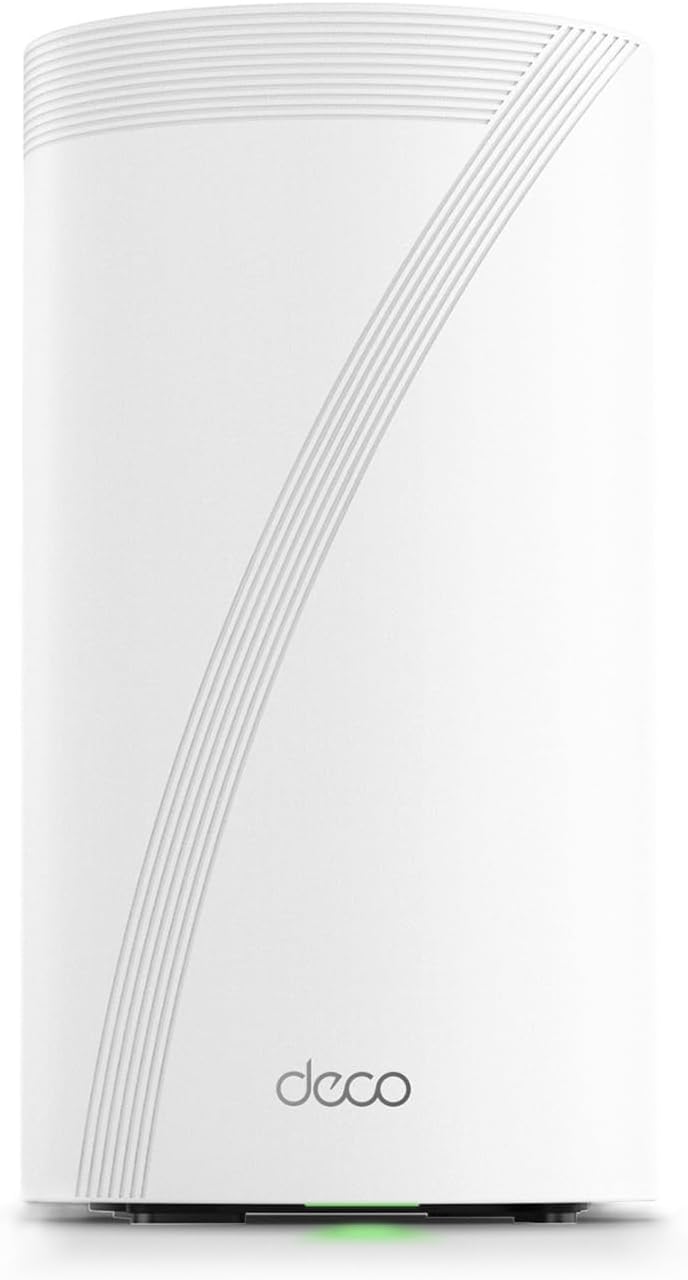
Wireless backhaul is convenient, but a wired connection between nodes is always faster and more stable. If your home has Ethernet in the walls, prioritize systems with multi-gig ports. The TP-Link Deco BE85 stands out here with dual 10G and dual 2.5G ports, making it ideal for wired backhaul and high-speed internet plans. The ASUS ZenWiFi BT10 also offers dual 10G ports. Even mid-range systems like the TP-Link Deco AXE5400 include a 2.5G WAN/LAN port, which is important if your internet plan exceeds gigabit speeds.
4. Consider Your Internet Plan Speed
There is little point in buying a router capable of 11Gbps if your internet plan tops out at 500Mbps. Conversely, if you have a multi-gig fiber connection, you need a system that can actually deliver those speeds. The eero Pro 7 supports plans up to 5Gbps, while the NETGEAR Orbi 770 handles up to 11Gbps and includes a 2.5 Gig internet port. Buy to match, or slightly exceed, your current plan with a little room to grow.
Features Worth Paying Attention To
Beyond raw speed and coverage, several practical features can make daily life with your network smoother. These are the details that separate a good tri band mesh system from a great one.
AI-Driven Mesh and Smart Roaming
Many modern systems use software intelligence to steer your devices to the best band and node automatically. The TP-Link Deco line advertises AI-Driven Mesh across models such as the Deco AXE5400 and Deco XE75, which helps your phone hand off seamlessly as you walk from room to room without dropped calls or stalled downloads.
Built-In Security and Parental Controls
Network security is no longer optional in a house full of smart devices. Look for systems that bundle threat protection and parental controls. TP-Link’s HomeShield and NETGEAR’s built-in security features on the Orbi 770 give you tools to block malicious sites, manage screen time, and monitor which devices are on your network. The TP-Link Deco BE85 even adds VPN support for privacy-conscious users.
Device Capacity
Count your devices honestly. Phones, laptops, TVs, speakers, cameras, thermostats, and plugs add up fast. A modern home can easily run 40 to 100 connected devices. Systems designed for high device counts, like the NETGEAR Orbi 770 rated for up to 100 devices, handle this load without slowing down. Wi-Fi 7 systems such as the ASUS ZenWiFi BT6 are also built to juggle many simultaneous connections gracefully.
Matching a System to Your Home
To make the decision concrete, here is how the choice tends to break down by household type.
- Apartments and small homes: A two-pack Wi-Fi 6 or 6E system is usually all you need. The TP-Link Deco X68 offers excellent value here.
- Mid-size family homes: A Wi-Fi 6E three-pack like the TP-Link Deco AXE5300 or Deco XE75 balances coverage, speed, and price beautifully.
- Large multi-floor houses: Step up to a premium three-node system. The eero Pro 7 and NETGEAR Orbi 770 are designed for exactly this scenario.
- Power users and gamers: If you have fiber internet and demand the lowest latency, a Wi-Fi 7 system with 10G ports like the ASUS ZenWiFi BT10 or TP-Link Deco BE85 is the way to go.
Setup Tips for the Best Performance
Even the best tri band mesh routers underperform if they are set up poorly. Follow these simple guidelines to get the most from your investment:
- Place nodes wisely. Position satellites in open, central spots rather than tucked behind furniture or inside cabinets. Aim for roughly halfway between your main router and the dead zone you want to fix.
- Use wired backhaul when possible. If you can run an Ethernet cable between nodes, do it. Wired backhaul frees up the wireless bands and delivers rock-solid stability.
- Keep firmware updated. Manufacturers regularly push updates that improve speed, security, and stability. Enable automatic updates in the companion app.
- Do not over-extend. Adding too many nodes too far apart can actually hurt performance. Start with the recommended pack size for your square footage.
Frequently Asked Questions
Is a tri band mesh router worth it over dual band?
For most homes larger than a small apartment, yes. The dedicated backhaul band keeps speeds consistent across multiple nodes, which is exactly where dual band systems struggle. If you have many devices or want reliable coverage across several rooms, tri band is worth the extra cost.
Do I need Wi-Fi 7, or is Wi-Fi 6E enough?
Wi-Fi 6E is more than enough for the vast majority of households today and often costs significantly less. Wi-Fi 7 is the smarter buy only if you have multi-gig internet, own the latest devices, or want to future-proof your network for many years.
Can I mix and match nodes from different systems?
Generally, no. Mesh nodes are designed to work within their own ecosystem, so stick to a single brand and system family. Buy the pack size that fits your home rather than trying to combine kits.
Final Thoughts
Finding the best tri band mesh routers comes down to matching the right coverage, Wi-Fi standard, and port options to your specific home and internet plan. Start by measuring your square footage and counting your devices, then decide whether Wi-Fi 6E value or Wi-Fi 7 future-proofing suits you better. Whether you choose an affordable TP-Link Deco system, a premium eero or NETGEAR Orbi, or a cutting-edge ASUS ZenWiFi, a quality tri band mesh network will finally banish those dead zones and give every room in your home the fast, reliable Wi-Fi it deserves. Take a moment to compare the options above and pick the system that fits your space and budget best.