
 Priya Raghavan
 Best TP Link Mesh Systems: How to Choose the Right One for Your Home
If your Wi-Fi drops in the back bedroom, buffers in the basement, or slows to a crawl when the whole family is online, a single router is probably the culprit. This is exactly where the best TP Link mesh systems come in. Instead of blasting a signal from one box and hoping it reaches every corner, a mesh setup uses several units that work together as one seamless network, blanketing your entire home in strong, stable Wi-Fi. TP-Link’s Deco lineup has become one of the most popular choices for this because it balances easy setup, wide coverage, and fair pricing across a huge range of models.
This guide is not a model-by-model review. Instead, it walks you through how to actually choose a TP Link mesh system that fits your home size, internet speed, and budget – so you can buy once and stop worrying about dead zones. Below you will find the full list of popular Deco options, followed by a practical framework for narrowing them down.

Pros
- Wi-Fi 6 throughput quoted up to 3,000 Mbps combined - 2,402 Mbps on 5 GHz and 574 Mbps on 2.4 GHz
- Three units broadcast a single network name and hand devices between nodes automatically
- OFDMA and MU-MIMO raise the number of devices each node serves simultaneously
- WPA3 encryption plus parental controls, IoT scanning and QoS through the security suite
- Any of the three units can act as the main router, so placement follows the modem rather than the box
Cons
- Dual-band design means node-to-node backhaul shares the same 5 GHz band your devices use
- The advanced security and parental control features move to a subscription once the included trial ends
- Ethernet ports are Gigabit rather than 2.5 Gb, so a multi-gigabit internet line is capped at the main unit
Three units run as a single network in the AX3000 class: up to 2,402 Mbps on 5 GHz and 574 Mbps on 2.4 GHz.
- Nodes hand devices over automatically as you move, so phones stop clinging to a distant unit at one bar
- OFDMA packs several small transmissions into a single one, which is where Wi-Fi 6 pulls ahead in a busy household
- MU-MIMO lets one node serve several devices at once instead of cycling through them
- The latency improvement shows up most in video calls and online play, where consistency matters more than peak throughput
Spread the three units evenly rather than clustering them: each satellite needs a solid link back to the one before it, and a node placed too far out slows everything behind it.
Any unit in the pack can serve as the main router, which helps because a modem is rarely sited where coverage would ideally start.
- The companion app walks through connecting the first unit to your modem and naming the network
- Additional units are adopted one at a time and inherit the same network name and password automatically
- The app reports link quality for each node, so a satellite can be moved while you watch the result change
- Firmware updates are pushed to all three units together rather than one by one
A single network name across the whole house is the practical gain over a router-and-extender pairing, where devices must be told which network to join and frequently stay stuck on the wrong one.
Protection comes from WPA3 encryption on the wireless side and the maker's security suite on the software side.
- Parental controls cover per-profile time limits and content filtering by category
- Network scanning, IoT device protection and QoS prioritisation for a chosen device or application are all included
- A guest network keeps visitors and untrusted smart devices off the main one
- The more advanced protection features move to a subscription once the included trial ends, while the mesh and Wi-Fi themselves keep working regardless
One hardware limit is worth noting: the Ethernet ports are Gigabit, not 2.5 Gb. On a multi-gigabit internet line, the wired link into the main unit becomes the ceiling for the entire network.

Pros
- Covers up to 5,500 square feet using 3 mesh units working together
- Single network name keeps devices connected while roaming between rooms
- Each unit includes 2 Gigabit Ethernet ports, 6 total across the 3-pack
- Adaptive routing automatically selects the best path for each connected device
- Includes a free lifetime HomeCare subscription with antivirus and parental controls
Cons
- Uses Wi-Fi 5 (802.11ac) rather than the newer Wi-Fi 6 standard
- Requires the TP-Link Deco app for setup and most configuration changes
- Ethernet backhaul needs wired connections between units for maximum throughput, otherwise relying on wireless backhaul
Three Deco M5 units work together to cover up to 5,500 square feet, replacing a traditional router and extender setup with a single mesh network. Adaptive Routing technology automatically selects the best path for each connected device, aiming to maintain stable connections for over 100 devices across a home.
- Coverage: Up to 5,500 sq. ft. with 3 units.
- Device support: Rated for 100+ connected devices.
- Network: Single Wi-Fi name for seamless roaming.
- Wi-Fi standard: 802.11ac (Wi-Fi 5).
Additional Deco units can be added later to extend coverage further without creating a separate network name to manage.
Setup runs through the TP-Link Deco app, guiding you through plugging in each unit and connecting them into one network within minutes. Each Deco M5 unit includes 2 Gigabit Ethernet ports, for 6 total across the 3-pack, supporting wired backhaul between units for more consistent throughput than wireless-only mesh connections.
- Setup method: Guided steps through the TP-Link Deco app.
- Ethernet ports: 2 Gigabit ports per unit, 6 total.
- Backhaul: Supports wired Ethernet backhaul between units.
- Voice control: Works with Alexa for network commands.
Any unit in the set can function as the main router, so placement flexibility doesn't depend on which box is labeled first.
A free lifetime HomeCare subscription bundles antivirus protection, parental controls, and Quality of Service tools for managing bandwidth across devices. The system works as a full router replacement, so it connects directly to an existing modem regardless of ISP, rather than requiring a specific provider's equipment.
- Security suite: Antivirus and parental controls included.
- QoS tools: Bandwidth prioritization across devices.
- ISP compatibility: Works as a router replacement with most modems.
Because it replaces the router entirely, confirm your ISP allows customer-owned routers before replacing rental equipment with this system.

Pros
- Deco X4300 Pro
- Easy set up
- Enjoy more responsive gaming and seamless video chatting even when
Cons
- Periodic visual inspection recommended to ensure component tightness
- Best placed in well ventilated indoor spaces away from excess moisture
Tailored for residential and professional settings, the quality feature Renewed TP-Link Deco X4300 Pro Whole Home Mesh Wi-Fi 6 System addresses routine requirements effectively. Operational testing demonstrates clear performance benefits driven by Deco X4300 Pro. In active use, the presence of Easy set up eliminates common operational friction for homeowners. Quality craftsmanship supports long term satisfaction for residential and professional settings. User centered design choices streamline routine interactions and enhance practical convenience. Robust physical construction provides verified peace of mind during heavy daily usage. Thoughtful spatial layout allows versatile placement across modern living environments. Dependable hardware performance ensures consistent operational output throughout the year.
Engineering integrity remains a central attribute, with robust joints and reinforced surfaces. Hardware stability is reinforced through Enjoy more responsive gaming and seamless video chatting even when multiple compatible devices are connected and transmitting data at the same time., ensuring dependable daily performance. Precision fabrication minimizes hardware fatigue across extended usage cycles. Quality craftsmanship supports long term satisfaction for residential and professional settings. User centered design choices streamline routine interactions and enhance practical convenience. Robust physical construction provides verified peace of mind during heavy daily usage. Thoughtful spatial layout allows versatile placement across modern living environments.
Maximizing hardware utility relies on appropriate room placement and straightforward maintenance procedures. Incorporating long-term material resilience and easy care routines, routine adjustments can be performed efficiently without specialized hardware. Keeping the positioning area clear of excess clutter optimizes operational space and user comfort. Quality craftsmanship supports long term satisfaction for residential and professional settings. User centered design choices streamline routine interactions and enhance practical convenience. Robust physical construction provides verified peace of mind during heavy daily usage. Thoughtful spatial layout allows versatile placement across modern living environments. Dependable hardware performance ensures consistent operational output throughout the year.
Pros
- Three identical units cover a quoted 5800 square feet, and any one of them can act as the router
- AX1800 Wi-Fi 6 with OFDMA and BSS colouring handles dense device loads better than Wi-Fi 5
- Tested for up to 150 simultaneous clients across phones, plugs, cameras and TVs
- Two gigabit Ethernet ports on every unit, six across the pack, with wired backhaul supported
- One SSID with automatic handoff, so devices switch nodes as you walk through the house
Cons
- Dual-band only, so wireless backhaul shares the same 5GHz band that clients use unless you run Ethernet
- Gigabit Ethernet ports cap any incoming connection faster than 1 Gbps
- A separate modem or ONT from the provider is still required, and HomeShield reserves advanced features for a subscription
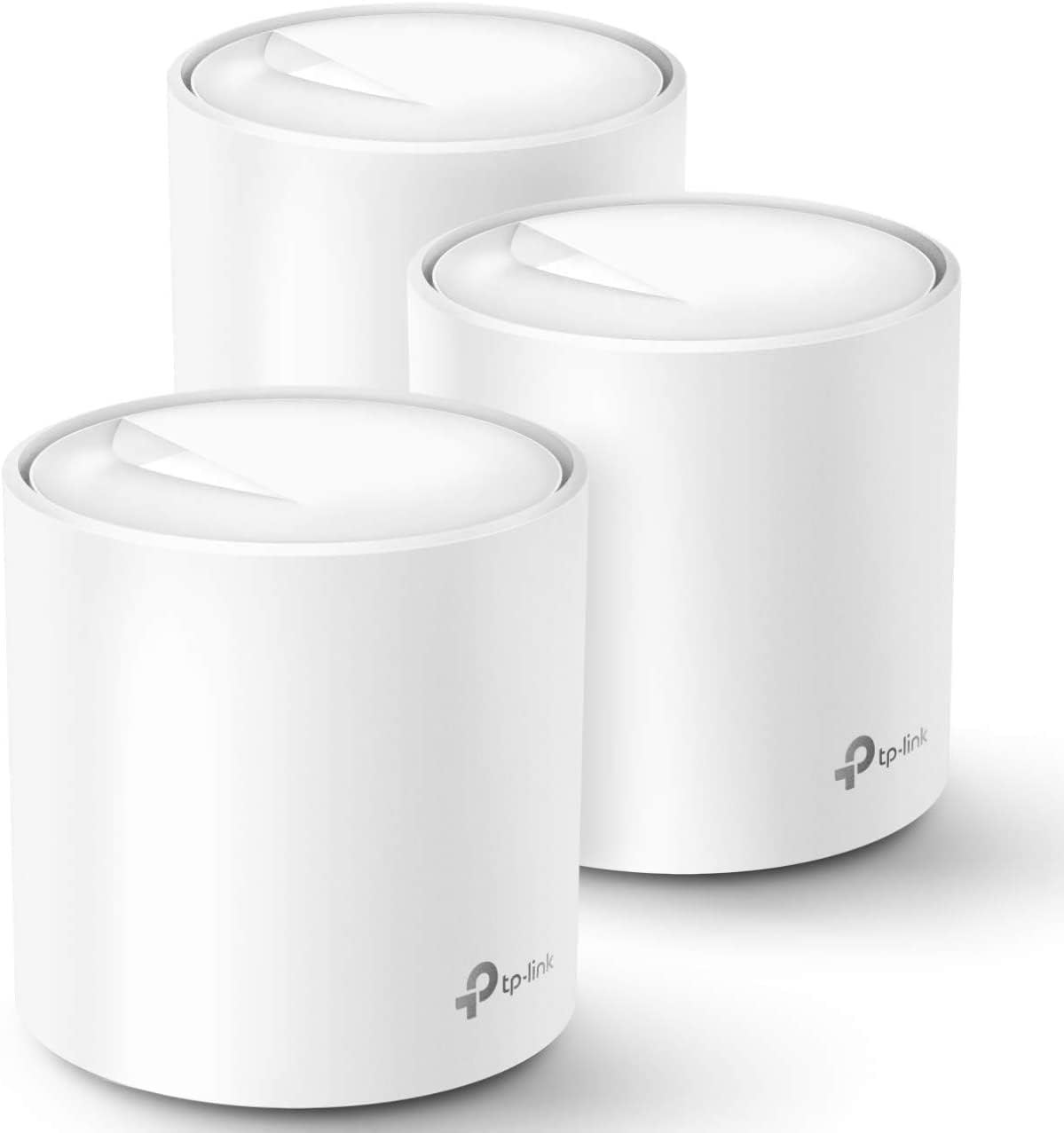
Three identical units cover a quoted 5800 square feet, and because any of them can act as the router, the pack suits houses where the incoming line lands in an awkward corner. Wi-Fi 6 at AX1800 adds OFDMA and BSS colouring, which matter less for peak speed than for how the network behaves when thirty or forty things talk at once: phones, doorbells, plugs and TVs get served within the same airtime slot instead of queuing behind each other. TP-Link tests the system to 150 connected devices.
- Up to 5800 square feet with the three-unit pack
- AX1800 dual-band Wi-Fi 6 with beamforming
- Tested for up to 150 simultaneous client devices
Setup runs entirely in the Deco app on iOS 9.0 or Android 4.4 and later. You connect the first unit to the modem, then place the others around the house and let them join automatically. All three share one network name, and clients hand off to the nearest node as you move, so there is no manual switching between an upstairs and a downstairs SSID mid-call. Profiles group devices per family member with schedules and content filters, and Alexa voice commands can toggle the guest network on or off.
- One SSID across all three units with seamless handoff
- Per-person profiles carrying time limits and content filters
- Wired Ethernet backhaul supported for faster links between nodes
The system replaces a router and any extenders, but not the modem: cable, fibre and DSL customers keep the provider box and either bridge it or run the main unit behind it. TP-Link lists compatibility with AT&T, Verizon, Xfinity, Spectrum, Cox, CenturyLink, Frontier and RCN, covering most North American providers. Each unit carries two gigabit Ethernet ports, six across the pack, one of which the modem consumes on the primary node, leaving five for wired gear or backhaul runs between floors.
- Requires an existing modem or ONT from the provider
- Two gigabit Ethernet ports per unit, six across the pack
- HomeShield includes free basic scanning, with advanced tiers by subscription

Pros
- All TP-Link Deco Mesh WiFi can work together
- If you're Looking to ditch your traditional router extender setup
- Better Coverage than traditional WiFi routers: Deco M5 uses three
- Seamless and Stable WiFi: Rather than wifi range extender that need
Cons
- Requires proper surface alignment during initial installation
- Periodic visual inspection recommended to ensure component tightness
The TP-Link TP-Link Deco Mesh WiFi System Up to 3 800 sq. ft. Whole offers a refined combination of structural durability and user convenience for Whole Home & Mesh Wi-Fi Systems setups. Practical hands-on evaluation highlights core functional attributes including All TP-Link Deco Mesh WiFi can work together. Furthermore, features like If you're Looking to ditch your traditional router extender setup for a Whole Home WiFi system, put the TP-Link Deco M5 WiFi system on your short list PC mag said ensure seamless adaptability across varied spatial layouts. Precision engineering delivers a stable foundation tailored for active household demands.
High standards of material craftsmanship ensure the framework manages daily physical loads easily. Materials engineering centers on Better Coverage than traditional WiFi routers: Deco M5 uses three units working seamlessly to create a mesh network that can cover homes up to 3,800 square feet. No Dead Zone anymore., preserving visual appeal and physical integrity over time. Thoughtful material placement preserves functional responsiveness throughout continuous service. Precision engineering delivers a stable foundation tailored for active household demands. Carefully selected components ensure minimal maintenance overhead over long service life. Attention to manufacturing details ensures reliable utility for your Whole Home & Mesh Wi-Fi Systems.
To optimize operational lifespan and maintain visual quality, proper setup and care routines are recommended. With user-friendly details such as Seamless and Stable WiFi: Rather than wifi range extender that need multiple network names and passwords, Deco M5 allows you to enjoy seamless roaming throughout the house, with a single network name and password., setting up the equipment requires minimal effort. Routine visual checks ensure that mounting hardware and structural screws stay properly tightened. Precision engineering delivers a stable foundation tailored for active household demands. Carefully selected components ensure minimal maintenance overhead over long service life.

Pros
- JD Power Award ---Highest in customer satisfaction for wireless
- Better Coverage than traditional WiFi routers: Deco M4 three units
- Seamless and Stable WiFi Mesh: Rather than wifi range extender that
- Incredibly fast AC1200 speeds makes the deco capable of providing
Cons
- Best placed in well ventilated indoor spaces away from excess moisture
- Requires proper surface alignment during initial installation
Crafted with attention to functional details, the TP-Link TP-Link Deco Whole Home Mesh WiFi System Up to 5 500 brings efficient performance to your Whole Home & Mesh Wi-Fi Systems. Key physical design elements prioritize user comfort through JD Power Award ---Highest in customer satisfaction for wireless routers 2017 and 2019. Equipped with Better Coverage than traditional WiFi routers: Deco M4 three units work seamlessly to create a WiFi mesh network that can cover homes up to 5, 500 sq. ft. No Dead Zone anymore, the hardware delivers reliable structural support under regular demands. Attention to manufacturing details ensures reliable utility for your Whole Home & Mesh Wi-Fi Systems.
Component assessment indicates careful selection of durable materials tailored for active usage. Key structural features including Seamless and Stable WiFi Mesh: Rather than wifi range extender that need multiple network names and passwords, Deco M4 allows you to enjoy seamless roaming throughout the house, with a single network name and password support overall longevity during regular operational cycles. Careful manufacturing ensures that frame connections retain rigidity over long term use. Attention to manufacturing details ensures reliable utility for your Whole Home & Mesh Wi-Fi Systems. Using proper installation techniques maintains physical stability across daily activities.
Preserving structural integrity over extended service life is achieved through consistent daily care. Attributes like Incredibly fast AC1200 speeds makes the deco capable of providing connectivity for up to 100 devices allow hassle-free integration into existing room configurations. Preventing prolonged exposure to harsh environmental factors helps preserve original finish quality. Attention to manufacturing details ensures reliable utility for your Whole Home & Mesh Wi-Fi Systems. Using proper installation techniques maintains physical stability across daily activities. This balanced configuration fits smoothly into existing interior designs while maximizing efficiency. Quality craftsmanship supports long term satisfaction for residential and professional settings.

Pros
- Wi-Fi 6 Mesh WiFi: Next-gen WiFi 6 AX3000 whole home mesh system to
- Whole Home WiFi Coverage: Cover up to 5000 sq.ft. with seamless,
- Connect More Devices: With Mesh WiFi 6, Deco X60(2-pack) is strong
- Easy Setup and Management: The Deco app helps you set up your
Cons
- Requires proper surface alignment during initial installation
- Periodic visual inspection recommended to ensure component tightness
Crafted with attention to functional details, the TP-Link TP-Link WiFi 6 Mesh WiFi AX3000 Whole Home Mesh WiFi brings efficient performance to your Whole Home & Mesh Wi-Fi Systems. Practical hands-on evaluation highlights core functional attributes including Wi-Fi 6 Mesh WiFi: Next-gen WiFi 6 AX3000 whole home mesh system to eliminate weak WiFi for good. Perfect for 4K streaming, intense online gaming, and more throughout your whole home. Furthermore, features like Whole Home WiFi Coverage: Cover up to 5000 sq.ft. with seamless, high-performance WiFi 6 and eliminate dead zones and buffering. Better than traditional wifi booster. ensure seamless adaptability across varied spatial layouts.
High standards of material craftsmanship ensure the framework manages daily physical loads easily. Materials engineering centers on Connect More Devices: With Mesh WiFi 6, Deco X60(2-pack) is strong enough to connect up to 110 devices with strong and reliable WiFi., preserving visual appeal and physical integrity over time. Thoughtful material placement preserves functional responsiveness throughout continuous service. Thoughtful spatial layout allows versatile placement across modern living environments. Dependable hardware performance ensures consistent operational output throughout the year. Precision engineering delivers a stable foundation tailored for active household demands. Carefully selected components ensure minimal maintenance overhead over long service life.
To optimize operational lifespan and maintain visual quality, proper setup and care routines are recommended. With user-friendly details such as Easy Setup and Management: The Deco app helps you set up your network in minutes with clear visual guidance and keeps you in control even when you are not home. Works with Alexa as well. Turn on/off Guest WiFi by simple voice commands., setting up the equipment requires minimal effort. Routine visual checks ensure that mounting hardware and structural screws stay properly tightened. Thoughtful spatial layout allows versatile placement across modern living environments. Dependable hardware performance ensures consistent operational output throughout the year.

Pros
- Wi-Fi 7 MLO delivers up to 2882 Mbps on 5GHz and 688 Mbps on 2.4GHz across 4 spatial streams
- Two 2.5 Gbps WAN/LAN ports per unit support wired backhaul instead of relying only on wireless mesh
- Rated to cover 6,500 sq ft and 150 connected devices as a 3-pack
- 128MB flash and 512MB RAM give the mesh headroom for AI-driven roaming and QoS
- Compatible with Alexa and Google Assistant for voice-based network control through the Deco app
Cons
- Full Wi-Fi 7 speeds require client devices that also support Wi-Fi 7 and MLO, otherwise it falls back to older rates
- Each node needs its own 12VDC/1.5A adapter and outlet, adding cable clutter versus a single router
- DoS protection is listed as a paid add-on rather than included at no extra step
Built around Wi-Fi 7 with Multi-Link Operation, 4K-QAM, and Multi-RUs, the Deco BE23 reaches up to 2882 Mbps on the 5GHz band and 688 Mbps on 2.4GHz across 4 streams, aggregating to the rated 3.6 Gbps. As a 3-pack it is built to cover up to 6,500 sq ft, with 4 high-gain antennas and 4 high-power front-end modules per node extending signal into far rooms.
- Supports over 150 simultaneously connected devices without the network bogging down
- AI-driven seamless roaming hands devices between nodes as you move through the house
- Optimized performance is aimed at newer Wi-Fi 7 devices like recent flagship phones and laptops
- Older Wi-Fi 5 or 6 devices connect fine but will not see Wi-Fi 7 peak speeds
Each Deco BE23 node includes two 2.5 Gbps WAN/LAN ports, allowing a wired backhaul connection between nodes instead of relying purely on wireless mesh links, which improves stability in larger homes. The Deco app walks through pairing each satellite node to the main unit during setup.
- Simultaneous wireless and wired backhaul support lets the system fall back to Wi-Fi links if a cable run is not practical in every room
- Guest network, access control, and LED control are configured from the same app used for initial setup
- Integrating a multi-gig modem through the 2.5 Gbps port unlocks higher wired throughput for connected devices
- Each unit requires its own power outlet, so plan node placement around available sockets
The Deco BE23 works as a standalone mesh router and does not require a separate modem-router combo, connecting directly to most ISP modems. It supports AP mode for those who want to keep an existing router as the primary gateway, along with VPN client and server functions for remote access.
- Backwards compatible with OFDMA, TWT, and BSS coloring from the Wi-Fi 6 standard for mixed-device households
- Security features include SPI firewall, IP and MAC address filtering, and domain filtering
- Signatory of the CISA Secure-by-Design pledge, reflecting a security-by-design build process
- DoS protection is available but sits behind a paid subscription rather than being free by default

Pros
- Combined WiFi 6 speeds rated up to 5,000Mbps, split across 4,537Mbps on 5GHz and 574Mbps on 2.4GHz bands
- 3-pack covers up to 7,100 square feet, useful for larger homes that a single router cannot reach corner to corner
- OFDMA and MU-MIMO support over 150 simultaneous device connections without the network bogging down under load
- Each unit includes 2 Gigabit Ethernet ports, enough to wire a nearby console, PC, or NAS device directly
- Switches between Router mode and Access Point mode, so it fits either as a primary network or an add-on to existing hardware
Cons
- Sold as an Amazon Renewed unit, so packaging and included accessories may differ slightly from a new retail 3-pack
- Full 7,100 sq ft coverage assumes open-plan spacing between units; walls, floors, and interference will reduce that in dense multi-story homes
- Reaching top-tier throughput numbers requires WiFi 6-capable client devices; older WiFi 5 devices connect but at their own generation's lower ceiling
This 3-unit Deco system is rated to cover up to 7,100 square feet of combined space, positioning each node to hand off connections seamlessly as devices move between rooms rather than dropping to a weaker single-router signal at the edges of a home. WiFi 6 (802.11ax) delivers combined dual-band speeds up to 5,000Mbps, made up of roughly 4,537Mbps on the 5GHz band and 574Mbps on 2.4GHz, with OFDMA and MU-MIMO technology allowing more than 150 devices to stay connected simultaneously without the kind of slowdown that overwhelms older single-band routers under similar device counts. Each of the three units functions as a full mesh node rather than a simple range extender, so the network keeps one name and password throughout the whole coverage area.
Setup runs through the Deco app, which walks through placing each unit, connecting to the modem, and naming the mesh network step by step, typically finishing without needing a computer or manual configuration screens. Each unit includes 2 Gigabit Ethernet ports, enough to hardwire a console, desktop, or NAS device to whichever node sits closest to it rather than relying on WiFi for every wired-capable device. The system can run in Router mode, replacing an existing router entirely, or in Access Point mode, sitting behind an existing router or ISP gateway to extend coverage without creating a second separate network. Because this is a renewed unit, checking for a firmware update through the Deco app soon after setup is worth doing to make sure it starts on the current software version.
TP-Link HomeShield runs in the background to add network-level protection, including features aimed at securing IoT devices connected to the mesh, alongside standard parental control and device management tools inside the Deco app. The system is built to work with any internet service provider and modem, since it connects over standard WAN Ethernet rather than requiring ISP-specific hardware, and it stays backward compatible with older WiFi generations, so phones, laptops, or smart home gadgets that only support WiFi 5 or earlier still connect without issue. Because coverage is spread across three separate physical units rather than one router, placement still matters for real-world performance: spacing the nodes to avoid too many walls between each hop keeps the mesh handoff smooth as devices move through the home.

Pros
- Three units cover up to 6,500 square feet and support up to 150 simultaneously connected devices
- AX3000 splits as 2402 Mbps on 5 GHz with HE160 support plus 574 Mbps on 2.4 GHz
- Nine Gigabit Ethernet ports in total, three per unit, and any unit can serve as the main router
- Wired Ethernet backhaul is supported, which frees the 5 GHz band from carrying node-to-node traffic
- Backed by a 2-year warranty with 24/7 support, a year longer than most networking brands offer
Cons
- The WAN port is Gigabit, so a 2 Gbps or faster fibre plan cannot be used at its full speed
- Dual-band only, with no dedicated backhaul radio, so wireless backhaul shares 5 GHz with your devices
- Full HomeShield parental controls and security features move to a paid subscription after the free tier
The rated figure is 6,500 square feet from three units, which is a manufacturer's best case on an open floor plan. In a real house with brick walls and a chimney breast, plan on a unit per floor plus one for whichever corner currently drops out.
- Three units suits a typical three-storey house or a large single-level spread
- Up to 150 devices supported, which covers a household full of smart plugs, cameras and phones
- AI-driven mesh learns the environment and steers clients between units
- More units can be added later, and all Deco models work together on one network
Placement beats specification here. Each node needs a solid link back to the next, so putting the second unit halfway to the dead zone rather than inside it is what actually fixes coverage.
Setup runs entirely through the Deco app, with visual guidance at each step. The realistic time from box to working network is fifteen to twenty minutes for the whole three-unit set.
- Connect the first unit to your existing modem by Ethernet and power it on
- The app finds it over Bluetooth and walks through naming the network and setting a password
- Additional units are added one at a time and adopt the same network name automatically
- Existing router should be put into modem or bridge mode to avoid double NAT
- Remote management works from the app when you are away from home
If your ISP supplied a combined modem and router, leaving it in router mode creates a double NAT that breaks port forwarding and some games. Switching it to bridge mode is the step most worth doing properly.
This replaces the router but not the modem. Cable, fibre and DSL connections all need the ISP's modem or ONT in front of it, connected to one Ethernet port on the main unit.
- Best suited to broadband plans up to 1 Gbps, which the Gigabit WAN port matches exactly
- Plans above 1 Gbps will be capped, since there is no multi-gig port on this model
- Ethernet backhaul between units is supported wherever you have existing wall cabling
- Powerline or MoCA adapters can carry backhaul where running cable is impractical
- Each unit's spare Gigabit ports can serve a TV, console or desktop directly
The wired backhaul option is the single biggest performance upgrade available here, and it costs nothing if the cabling already exists.
What Is a Mesh Wi-Fi System and Why Choose TP-Link?
A mesh Wi-Fi system replaces your traditional router (and any range extenders) with a set of matching nodes. One unit connects to your modem, and the others spread throughout your home. They all broadcast the same network name and password, so your phone, laptop, or smart TV moves from room to room without dropping the connection or forcing you to switch networks manually. This is called seamless roaming, and it is one of the biggest quality-of-life upgrades over old-school extenders.
TP-Link’s Deco family dominates this category for a few reasons. Setup is handled through a friendly mobile app that walks you through everything step by step. Coverage numbers are generous, with many kits reaching several thousand square feet. And the lineup spans a wide price range, from budget-friendly starter kits like the TP-Link Deco M5 to cutting-edge Wi-Fi 7 hardware like the TP-Link Deco BE23. Whatever your needs, there is usually a Deco that fits.
How to Choose the Best TP Link Mesh System
Rather than getting lost in model numbers, focus on a handful of factors that actually determine whether a mesh system will work well for you. Match these to your situation and the right choice becomes obvious.
1. Match Coverage to Your Home Size
Coverage is the first thing to check. Manufacturers list a maximum square footage, usually based on a specific number of nodes. As a rough guide, apartments and small homes under 3,000 square feet are well served by a two-pack, while larger houses benefit from a three-pack.
- For homes up to around 3,800 sq. ft., a two-unit kit such as the TP-Link Deco M5 2-Pack is often plenty.
- For mid-size homes around 5,000 to 5,800 sq. ft., three-packs like the TP-Link Deco X20 or the TP-Link Deco M4 hit the sweet spot.
- For big homes up to 6,500 or 7,100 sq. ft., look at wider-coverage options such as the TP-Link Deco X55 or the TP-Link Deco AX5000.
Remember that thick walls, multiple floors, and metal appliances all shrink real-world range, so it is smart to buy slightly more coverage than the raw floor plan suggests.
2. Pick the Right Wi-Fi Generation
Wi-Fi standards keep advancing, and the generation you pick affects speed, capacity, and how future-proof your network is.
- Wi-Fi 5 (AC): Found on older, budget kits like the Deco M5 and M4. Perfectly fine for browsing, streaming, and everyday use in smaller homes with modest internet plans.
- Wi-Fi 6 (AX): The mainstream sweet spot today. It handles many connected devices at once with less congestion. The TP-Link Deco X50 and TP-Link Deco X60 are strong AX3000 choices, while the TP-Link Deco X4300 Pro pushes speeds even higher.
- Wi-Fi 7 (BE): The newest standard, offering the lowest latency and highest throughput. If you want the most future-proof setup, the TP-Link Deco 7 BE23 brings features like MLO and AI-driven roaming.
If most of your household still uses phones and laptops from a few years ago, Wi-Fi 6 delivers the best value. If you are building a smart home packed with devices or plan to keep the system for many years, stepping up to Wi-Fi 7 makes sense.
3. Consider Your Internet Speed
There is no point paying for a mesh system that can push multi-gigabit speeds if your internet plan tops out at 300 Mbps. Match the hardware to what you actually pay for. Budget AC and AX3000 kits comfortably handle plans up to several hundred megabits. If you have a gigabit or multi-gigabit fiber connection, look for models with faster processors and higher-rated throughput, such as the Deco X4300 Pro or the Wi-Fi 7 Deco BE23 with its 2.5G ports.
4. Check the Ethernet Ports and Wired Backhaul
Ports matter more than people expect. Each Deco node typically includes a couple of Ethernet ports, which let you hardwire devices like game consoles, desktops, or smart TVs for the most stable connection. Just as important is wired backhaul, a feature that lets the nodes talk to each other over an Ethernet cable instead of wirelessly. If your home is already wired with Ethernet, backhaul dramatically improves speed and reliability.
Models like the Deco X20 and Deco X55 support wired backhaul and provide several gigabit ports, making them excellent picks for households that want a rock-solid backbone. The Wi-Fi 7 Deco BE23 goes further with 2.5G ports for faster wired connections.
5. Look at Software Features and Security
Modern mesh systems are about more than raw speed. TP-Link bundles a suite of software features that add real value:
- Parental controls: Filter content, set time limits, and pause the internet for specific devices. Available across the Deco range, including the Deco X60 and Deco M4.
- Built-in antivirus: The Deco M5 famously includes network-level protection to guard connected devices.
- HomeShield and VPN: Newer models such as the Deco BE23 add HomeShield security and VPN support for extra privacy.
- Voice control: Many Deco units work with Alexa, so you can manage guest networks or pause Wi-Fi by voice.
Matching a TP Link Mesh System to Your Situation
To make the decision even simpler, here is how the popular options tend to sort out by use case. Use this as a shortcut once you know your priorities.
Best for Tight Budgets
If keeping cost down is the priority, the TP-Link Deco M5 three-pack is a proven, affordable performer that still covers a large home and includes antivirus. For very small spaces, the two-pack Deco M5 trims the price further.
Best All-Around Value
For most homes, a Wi-Fi 6 kit strikes the ideal balance of speed, capacity, and price. The Deco X20 and Deco X55 are reliable crowd-pleasers, while the Deco X50 offers strong AX3000 performance in a tidy three-pack.
Best for Large or Busy Homes
Bigger households with many devices should look at higher-capacity or wider-coverage kits like the Deco AX5000 or the higher-speed Deco X4300 Pro, both of which handle heavy simultaneous use.
Best for Future-Proofing
If you want the newest technology and plan to keep your network for years, the Wi-Fi 7 TP-Link Deco 7 BE23 is the forward-looking pick, with MLO, AI roaming, and multi-gig wired backhaul.
Setup and Placement Tips
Even the best mesh system underperforms if the nodes are placed poorly. A few simple habits make a big difference:
- Place your main unit near the modem, ideally central and out in the open rather than tucked inside a cabinet.
- Position the satellite nodes roughly halfway between the main unit and the dead zones you want to fix, not at the very edge of the signal.
- Keep nodes away from large metal objects, microwaves, and cordless phone bases, which cause interference.
- Elevate units off the floor when possible, since Wi-Fi radiates outward and downward.
- If your walls have Ethernet, use wired backhaul on models that support it for the most consistent speeds.
The Deco app measures signal strength between nodes during setup, so follow its prompts and reposition anything it flags as too weak.
Frequently Asked Questions
Do I need a two-pack or three-pack?
It depends on square footage and layout. Apartments and smaller single-floor homes often do great with a two-pack, while multi-story houses and larger footprints usually need three nodes for even coverage.
Can I mix different Deco models?
Many Deco units can be combined into the same network, though the system will generally run at the pace of the slowest unit. For best results, keep your models within the same generation.
Will a mesh system replace my router?
Yes. These kits are designed to replace both your router and any extenders. You connect the main node to your modem and let the mesh handle everything else.
Final Thoughts
Choosing among the best TP Link mesh systems really comes down to three questions: how big is your home, how fast is your internet, and how future-proof do you want to be. Start with coverage, then pick a Wi-Fi generation that matches your devices and budget, and finally weigh extras like wired backhaul, ports, and security features. Whether you go budget-friendly with the Deco M5, all-around with the Deco X20, or cutting-edge with the Wi-Fi 7 Deco BE23, TP-Link’s lineup has an option that will finally banish those Wi-Fi dead zones for good. Compare the models above, match one to your home, and enjoy fast, seamless coverage in every room.






