
 Marcus Bell
 Best UPS for Gaming Computers: A Complete Buying Guide
If you have ever lost hours of progress to a sudden power cut, or watched your rig blink off mid-match, you already understand why a battery backup matters. Finding the best UPS for gaming computers is not about buying the biggest box on the shelf – it is about matching the right amount of power, runtime, and protection to your specific setup. A gaming PC, a high-refresh monitor, and a network router all draw current in ways that a cheap surge strip simply cannot defend against.
This guide breaks down what an uninterruptible power supply actually does, how to size one correctly, and which features truly matter for gamers. Instead of reviewing each model line by line, we focus on helping you choose confidently so you can shortlist the right unit for your battlestation and get back to playing.

Pros
- 1500VA/1000W pure sine wave output supports active PFC power supplies found in modern desktops and workstations
- 12 total NEMA 5-15R outlets, split six battery-backed and six surge-only, for spreading connected gear across both zones
- Automatic Voltage Regulation corrects minor sags and surges without switching to battery power, preserving battery life
- Two USB charging ports (one Type-A, one Type-C) keep phones and tablets charging even during an outage
- Tilting color LCD panel angles up to 22 degrees for easier reading when the unit sits under a desk
Cons
- Mini-tower footprint of 14 x 3.9 x 11 inches still needs a dedicated spot near the outlet and equipment
- Battery backup is limited to six of the twelve outlets; the other six are surge protection only
- Runtime on battery depends heavily on connected load, so heavier equipment will drain the battery-backed outlets faster than light loads
The CP1500PFCLCD delivers 1500VA/1000W of pure sine wave output, built specifically to support active PFC power supplies common in newer desktops, workstations, and networking gear. Line-interactive topology switches to battery power during an outage, while Automatic Voltage Regulation quietly corrects smaller fluctuations without draining the battery at all.
- Pure sine wave output matches the power grid's waveform, which active-PFC power supplies expect for stable operation
- AVR handles brown-outs and minor surges on the fly, extending how long the battery lasts before it's actually needed
- Runtime on battery varies with connected load, so lighter equipment like a router will run far longer than a full desktop and monitor
This makes it better suited to bridging brief outages and giving time to save work and shut down cleanly than to running equipment for extended stretches off-grid.
Twelve NEMA 5-15R outlets split evenly: six combine battery backup with surge protection, and six offer surge protection only, so higher-priority gear like a desktop or router belongs on the battery-backed side. Input comes from a five-foot power cord with a right-angle plug, useful for tight spaces behind furniture.
- Two USB charging ports, one Type-A and one Type-C, keep phones and tablets topped up even during an outage
- Only six of twelve outlets carry battery backup, so plan which devices need it most before plugging in
- The five-foot cord length limits how far the unit can sit from the nearest wall outlet
Grouping non-critical accessories like desk lamps or chargers onto the surge-only side keeps the battery reserved for the equipment that actually needs uninterrupted power.
A multifunction color LCD panel reports battery charge, load level, and power status at a glance, and tilts up to 22 degrees for easier viewing when the unit is tucked under a desk or on a low shelf. Alerts flag issues like an overloaded circuit or a battery nearing the end of its service life before they cause downtime.
- Free PowerPanel software extends monitoring to a connected PC, useful for unattended servers or workstations
- Coverage runs three years and includes the internal battery, not just the electronics
- The mini-tower shape stands upright, which takes less desk footprint than a flat brick-style UPS
For a fully unattended setup, pairing the LCD alerts with the PowerPanel software gives a more complete picture than relying on the physical display alone.

Pros
- Delivers up to 68 minutes of backup runtime at a 100W load during an outage
- 10 total outlets split into 5 battery-backed and 5 surge-only sockets
- Automatic Voltage Regulation corrects brownouts and surges without draining the battery
- User-replaceable battery (APCRBC124, sold separately) avoids replacing the whole unit later
- ENERGY STAR certified for over 92% efficiency, and backed by a 3-year warranty
Cons
- Battery is not included pre-installed as a spare, so a replacement must be bought separately when needed
- At 1500VA/900W, high-draw equipment like space heaters or laser printers will exceed its capacity
- Coaxial and Ethernet ports are surge-protected only, not battery-backed during an outage
This APC Back-UPS Pro model delivers 1500VA/900W of capacity, with up to 68 minutes of runtime when powering a 100W load such as a desktop PC and monitor. That runtime shortens as connected load increases, so a fully loaded setup with a PC, router, and external drives will drain the battery faster than a single low-power device.
- 1500VA/900W capacity
- Up to 68 minutes of runtime at 100W
- LCD display for real-time status
- User-replaceable battery (APCRBC124, sold separately)
Because the battery is user-replaceable rather than sealed, the unit can stay in service well past a single battery's lifespan, but that replacement is an added purchase down the line rather than something included upfront.
Ten total outlets split into 5 battery-backed sockets for essential devices like a PC or router, and 5 surge-only sockets for peripherals that don't need battery backup, along with built-in coaxial and Ethernet surge protection. Connected equipment is also covered under APC's equipment protection policy for surge-related damage.
- 5 battery-backed outlets
- 5 surge-only outlets
- Coaxial and Ethernet surge protection
- 3-year manufacturer warranty
The coaxial and Ethernet ports are surge-protected only — they do not carry battery backup, so a modem or router plugged only into those ports would still lose connectivity during a power outage unless also plugged into a battery-backed AC outlet.
Automatic Voltage Regulation corrects brownouts starting around 88V and surges of plus or minus 13% by boosting or trimming voltage back to a stable 120V without switching to battery power, which helps extend battery life over time. The unit is Active PFC compatible, a detail relevant to gaming PCs and other equipment with active power-factor-correction power supplies.
- AVR corrects brownouts and surges without draining the battery
- Active PFC compatible
- ENERGY STAR certified, rated over 92% efficient
- 15.04"D x 3.94"W x 9.84"H footprint
Because AVR handles minor fluctuations without touching the battery, the runtime figures above apply specifically to full outages rather than everyday voltage dips, which the unit corrects instantly instead.

Pros
- Delivers 1500VA/900W pure sine wave output, safe for PCs with Active PFC power supplies
- Provides roughly 73 minutes of runtime at a 100W load to save work during an outage
- 10 total outlets, 6 battery-backed and 4 surge-only, cover a full desk setup
- Built-in coax and Ethernet ports add surge protection to data lines, not just power
- Front USB-C and USB-A ports charge devices without drawing from a protected outlet
Cons
- Measures 15"D x 4.4"W x 11.9"H, a tall footprint that needs vertical clearance near a desk
- Runtime drops sharply as connected load rises above the 100W reference figure
- Battery replacement (APCRBC163) is a separate purchase once the original cell wears out
This UPS delivers 1500VA/900W of pure sine wave output, built to run demanding PC setups rather than just basic electronics.
- Provides roughly 73 minutes of runtime at a 100W load
- Pure sine wave output is designed to be safe for systems with Active PFC power supplies, unlike simulated sine wave units
- Automatic Voltage Regulation (AVR) corrects brownouts and spikes without switching to battery power
Runtime scales inversely with load, so a fully loaded 900W setup will draw down the battery far faster than the 100W reference figure suggests. For most single-PC and monitor combinations, the unit is sized to bridge short outages and give enough time to save work and shut down cleanly rather than to power a workstation through an extended blackout.
The unit provides 10 total outlets: 6 battery-backup outlets for a PC, monitor, router, and NAS, plus 4 surge-only outlets for peripherals that do not need battery runtime.
- Built-in coax and Ethernet ports add surge protection to data lines, not just power circuits
- Front-facing USB-C and USB-A ports charge phones or tablets without using a protected outlet
- An angled LCD screen displays runtime, load, and battery health in real time
Splitting outlets between battery-backed and surge-only groups lets a user prioritize which devices stay powered during an outage, keeping the router and NAS running while non-critical peripherals lose power immediately. The coax and Ethernet surge protection is a detail many basic UPS units skip, which matters for anyone with a cable modem or wired network gear nearby.
Setup involves plugging connected devices into the appropriate outlet bank and letting the unit charge fully before relying on it during an outage.
- Battery is user-replaceable (model APCRBC163) rather than requiring a service visit
- Backed by a 3-year warranty from APC
- Silenceable alarm keeps status alerts audible without becoming a constant noise source
Because the battery is replaceable, the unit's usable life extends well past a single cell's lifespan, provided the correct replacement part is sourced when the LCD reports declining battery health. The unit measures 15 inches deep, 4.4 inches wide, and 11.9 inches tall, a shape that suits floor or under-desk placement more than a shallow shelf, so planning space in advance avoids a cramped installation.

Pros
- Sine wave output supports Active PFC power supplies found in servers and workstations
- 8 NEMA 5-15R outlets on a 6-foot cord power multiple devices from one unit
- Extendable LCD panel relocates up to 4.5 feet away for hard-to-reach installs
- AVR corrects minor voltage dips without switching to battery, preserving battery life
- Backed by a 3-year warranty that covers the internal battery
Cons
- Remote network management needs the optional RMCARD205 card, sold separately
- Mini-tower footprint of 17 x 6.7 x 8.7 inches needs floor or shelf space, not a rack-mount design
- All 8 outlets share one battery bank, so there is no separate surge-only bank for non-critical gear
This mini-tower UPS delivers 1500VA/1500W of sine wave output, built for equipment requiring Active PFC power supplies like servers and workstations.
- Automatic Voltage Regulation (AVR) corrects minor fluctuations without draining the battery
- Sine wave output matches utility power quality more closely than simulated sine wave units
- UL safety certified after lab testing against established safety standards
AVR is particularly useful in areas with frequent brownouts, extending both battery life and runtime when outages do occur. The PR1500LCD is built as a mini-tower unit, positioning it for workstation and small server rooms rather than large data centers.
Eight NEMA 5-15R outlets provide battery backup and surge protection for multiple connected devices from one unit.
- NEMA 5-15P input plug on a 6-foot cord reaches a standard wall outlet
- USB and serial ports connect to a computer for monitoring software
- SNMP support is available for network-level monitoring in server environments
- Remote network management requires the optional RMCARD205 card, sold separately
All 8 outlets draw from the same battery bank, so there is no separate surge-only bank for splitting critical and non-critical loads.
An extendable multifunction LCD panel displays real-time battery and power condition details, and can be relocated using its attached 4.5-foot cable.
- Useful for installs where the UPS itself sits in a hard-to-reach location
- Backed by a 3-year warranty that includes the internal battery
- Mini-tower footprint of 17 in. D x 6.7 in. W x 8.7 in. H suits floor or shelf placement, not rack mounting
Free PowerPanel Business Edition management software adds monitoring on a connected PC without extra hardware.
Pros
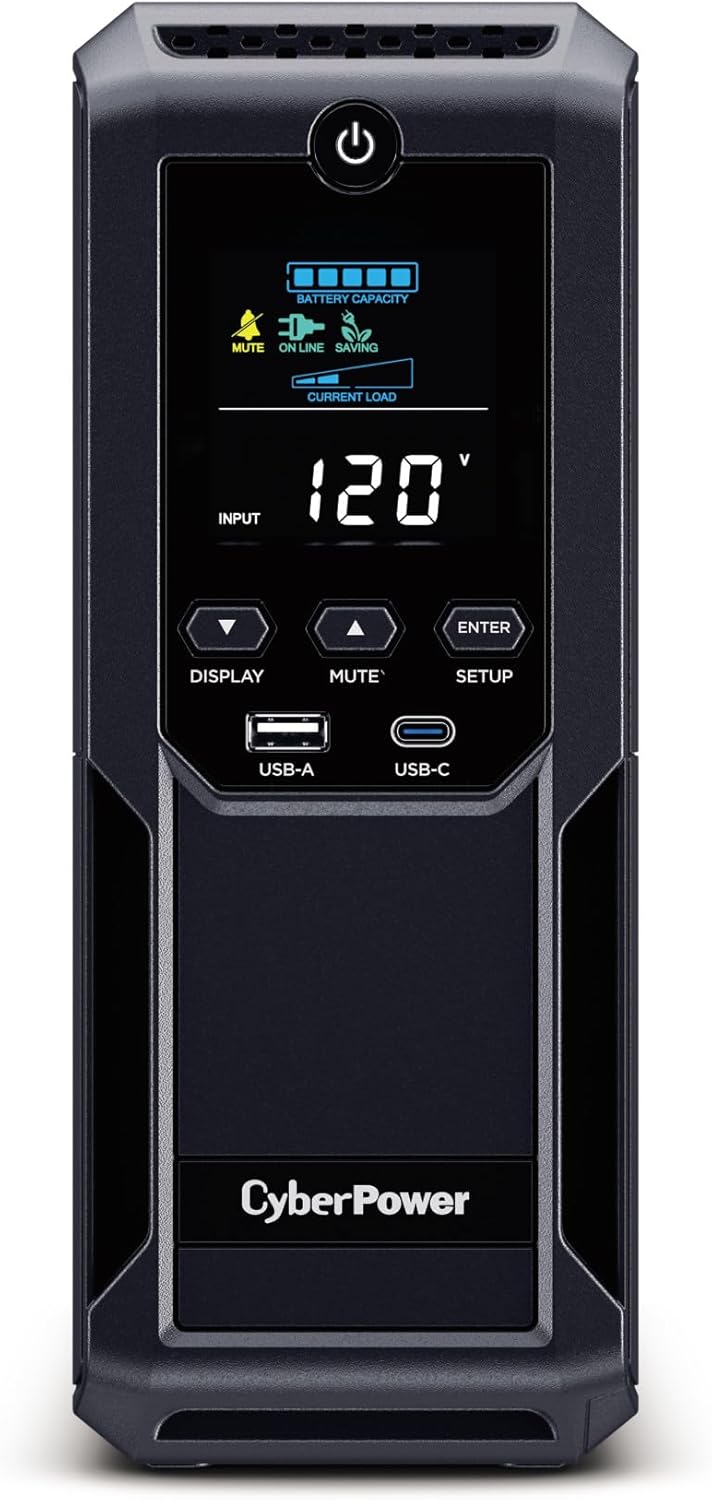
- 1500VA/900W capacity with 12 total outlets, split 6 battery-backed and 6 surge-only
- Automatic Voltage Regulation corrects minor sags and spikes without switching to battery power
- Built-in color LCD panel shows live battery and power condition details
- Dual USB charge ports (1 Type-A, 1 Type-C) charge phones and tablets directly from the unit
- Mini-tower footprint stands upright to save desk space
Cons
- Only 6 of the 12 outlets provide battery backup, the other 6 are surge protection only
- Input cord is a fixed 6-foot right-angle plug, limiting placement relative to the wall outlet
- Remote network management needs an optional RMCARD205, RCCARD100 or RWCCARD100 card sold separately
The BRG1500AVRLCD2 delivers 1500VA/900W of simulated sine wave output across 12 NEMA 5-15R outlets: six are battery-backed and surge protected, while the remaining six offer surge protection only. A 6-foot right-angle input cord with a 45-degree offset plug connects to the wall.
- 1500VA/900W capacity, simulated sine wave output
- 6 battery-backed outlets, 6 surge-only outlets
- 1 USB Type-A and 1 USB Type-C charging port
Splitting outlets between battery-backed and surge-only lets non-critical devices like monitors or peripherals draw from the surge side, reserving battery runtime for the equipment that actually needs to stay powered during an outage.
A color LCD panel reports real-time battery charge and power conditions, alerting before an issue affects connected equipment. Automatic Voltage Regulation (AVR) corrects minor over- or under-voltage fluctuations by adjusting output directly, rather than switching to battery power for every small dip.
- Color LCD panel for live status monitoring
- AVR corrects fluctuations without draining the battery
- Optional remote management card for network monitoring
Because AVR handles small fluctuations without touching the battery, the unit's battery life is extended compared with a UPS that switches to battery power for every minor grid fluctuation.
The unit carries a 5-year warranty that includes the internal battery, along with UL certification for the mini-tower chassis. It measures 13.78"D x 3.94"W x 10.2"H, standing upright to keep a small footprint next to a desktop tower or under a desk.
- 5-year warranty, battery included
- UL certified mini-tower design
- Compact upright footprint for desk or floor placement
It suits desktop computers, networking gear and home entertainment systems where a short outage could otherwise cause data loss or an abrupt shutdown, giving enough runtime to save work and power down safely.
Pros
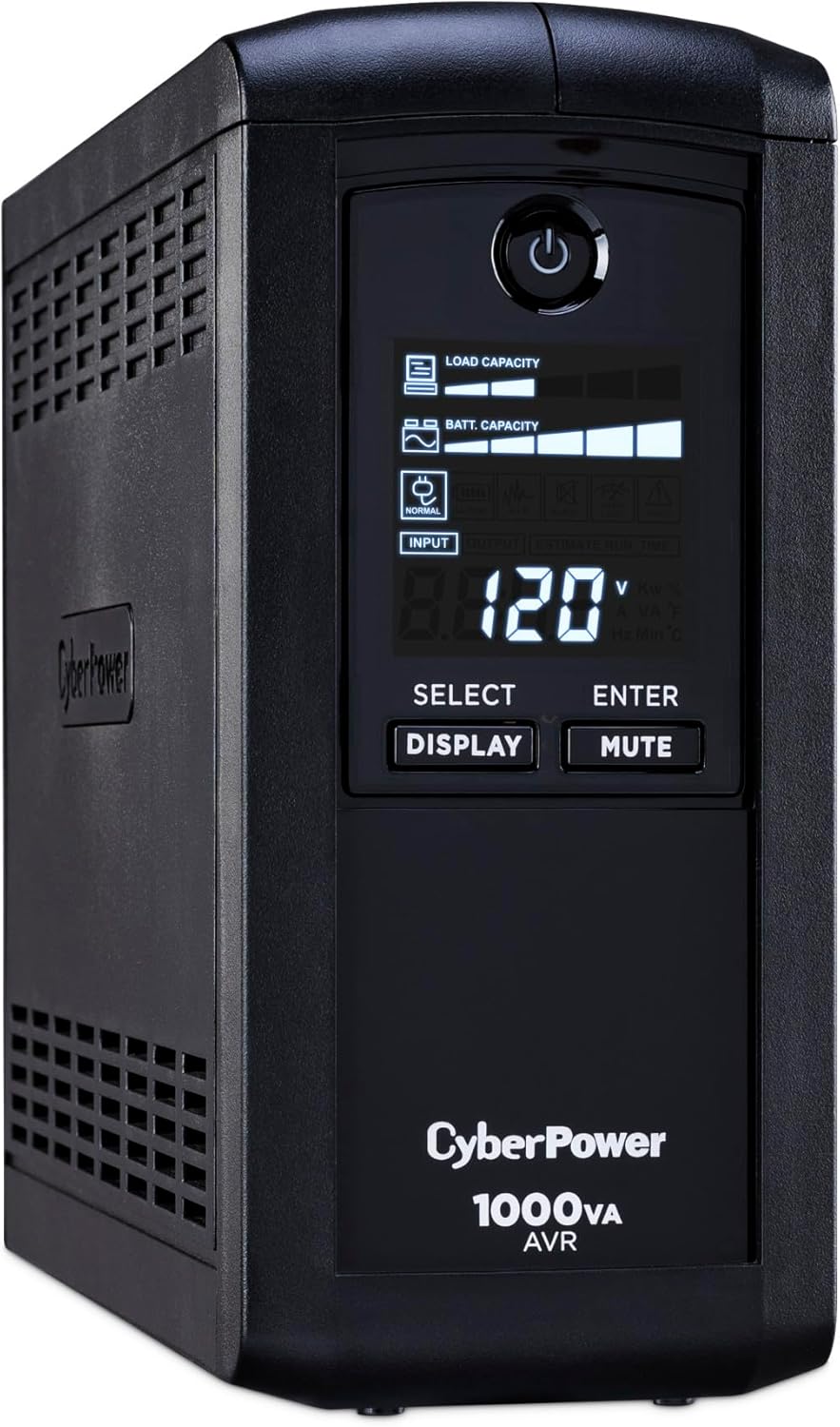
- 1000VA/600W capacity with simulated sine-wave output powers desktops, monitors and networking gear through outages
- Nine NEMA 5-15R outlets split into 5 battery-backed sockets plus 4 surge-only sockets for mixed gear
- Automatic Voltage Regulation corrects brownouts and spikes without switching to battery power, extending battery lifespan
- LCD panel displays real-time battery capacity, load capacity and estimated runtime at a glance
- 3-year warranty covers the battery pack itself, not just the outer unit housing
Cons
- Simulated sine wave output is not a pure sine wave, which can be an issue for some sensitive audio equipment
- Mini-tower shape stands 11 inches tall, needing more desk or floor clearance than a slim strip-style UPS
- Only 5 of the 9 outlets provide battery backup, while the other 4 are surge protection only
The CP1000AVRLCD is rated for 1000VA/600W using a simulated sine-wave output, aimed at desktops, workstations, networking equipment and home entertainment gear.
- Nine NEMA 5-15R outlets are split between 5 battery-backed and surge-protected sockets and 4 surge-only sockets
- The right-angle input plug and 6-foot power cord sit on a 45-degree offset for tighter cable routing behind furniture
- Automatic Voltage Regulation corrects minor voltage sags and surges without draining the battery, which helps preserve battery life over time
- Simulated sine-wave output suits most computer and networking loads, though it is not a true sine wave for sensitive audio gear
That outlet mix makes it possible to protect a full desktop setup while still covering peripherals that only need surge protection.
A multifunction LCD panel sits on the front of the mini-tower body, giving a running readout of the unit's status without needing a companion app open at all times.
- The display shows estimated runtime, battery capacity and load capacity so users can judge how long connected devices will stay powered
- Included PowerPanel Personal Edition software adds detailed monitoring and automatic shutdown options on a connected PC
- The unit measures 14 inches deep by 3.9 inches wide by 11 inches tall, requiring dedicated floor or desk space rather than sitting flush against a wall outlet
- Setup is plug-and-play, with outlets clearly separated between the battery-backed and surge-only groups
The LCD readout is the main draw for anyone wanting at-a-glance status rather than digging through software menus.
CyberPower backs the CP1000AVRLCD with a 3-year warranty that includes the battery pack, not just the housing and electronics.
- A connected equipment guarantee is included for gear plugged directly into the battery-backed outlets
- Automatic Voltage Regulation reduces how often the unit switches to battery power during minor fluctuations, which helps the battery last longer between replacements
- Battery-backed outlets are limited to 5 of the 9 total, so higher-draw peripherals should be prioritized on those sockets
- The battery itself is a sealed internal unit, with replacement typically handled through CyberPower's official parts channel once it reaches end of life
That warranty scope is broader than units that cover only the electronics and leave the battery excluded.

Pros
- 1500VA/900W capacity gives runway to save work and shut down a gaming PC and peripherals safely during an outage
- Sinewave output mimics utility power more closely than stepped waveforms, keeping sensitive PC components running cooler
- 10 total outlets split into 6 battery-backed and 4 surge-only, covering a full desk setup on one unit
- Automatic Voltage Regulation boosts low voltage or trims high voltage without switching to battery power unnecessarily
- Reactor Circle display tilts at 160 degrees for reading runtime and load wattage while seated at a desk
Cons
- 900W continuous capacity is a ceiling; a high-draw gaming PC with multiple monitors could approach that limit
- Only 6 of the 10 outlets carry battery backup, so the other 4 protect only against surges, not outages
- RGB lighting adds a customization feature that has no bearing on runtime or protection, which some buyers may see as unnecessary complexity
Rated at 1500VA/900W, this UPS is sized to carry a gaming PC, monitor and peripherals through a power interruption long enough to save work and shut down safely rather than losing progress outright. Sinewave power output is designed to replicate the quality of standard utility electricity, which keeps sensitive components running cooler than the stepped-approximation waveform found on simpler UPS units.
- Capacity: 1500VA / 900W
- Output waveform: pure sinewave
- Voltage regulation: Automatic Voltage Regulation (AVR)
AVR boosts low incoming voltage or trims high voltage on the spot, handling minor fluctuations without switching over to battery power, which helps preserve battery cycles for genuine outages.
Ten total outlets split the load across a desk setup: 6 carry full battery backup for critical gear like the PC and monitor, while 4 remaining outlets offer surge protection only, intended for peripherals such as printers or speakers that do not need to stay powered through an outage. A Type C charging port is also built in for charging a phone or controller directly from the unit.
- Battery-backed outlets: 6
- Surge-only outlets: 4
- Charging port: USB Type C
- Total outlets: 10
Because only 6 outlets carry battery runtime, plugging critical equipment into the wrong 4 surge-only outlets by mistake would leave that gear unprotected during an actual power loss.
A Reactor Circle display sits tilted at 160 degrees, positioned for easy reading from a normal seated angle rather than requiring a stand-up glance down at the unit. It shows real-time runtime estimates, current load wattage and overall power health, giving a quick way to judge how much time remains during an active outage.
- Display: Reactor Circle, tilted 160 degrees
- Readouts: runtime, load wattage, power health
- Lighting: 12 customizable RGB LED colors
The 12 RGB color options let the unit's lighting match a broader gaming setup aesthetically, a feature layered on top of, not a substitute for, the core battery backup and surge protection functions.

Pros
- 1500VA/1000W Gaming‑Optimized Standby Uninterruptible Power Supply
- 13 NEMA 5‑15R OUTLETS: Seven battery backup & surge‑protected outlets
- USB‑C PORTS: Fast‑charging USB‑C ports keep controllers, headsets,
- Physical footprint measures 13.78"D x 3.94"W x 11.02"H for spatial placement
Cons
- Verifying dimensional clearance for CyberPower GX150C2-E G prior to setup is recommended
- Routine care preserves surface finish appearance for CyberPower GX150C2-E G over time
The CyberPower GX150C2-E Gaming UPS Battery Backup and Surge delivers tailored functional performance engineered for modern user demands. 1500VA/1000W Gaming‑Optimized Standby Uninterruptible Power Supply (UPS): Delivers sine wave output to provide reliable battery backup power and protect high‑performance gaming PCs, consoles, streaming equipment, and home networking devices from outages, brownouts, and voltage fluctuations.. 13 NEMA 5‑15R OUTLETS: Seven battery backup & surge‑protected outlets and six surge‑only outlets. Includes widely spaced outlets to accommodate oversized gaming power bricks and accessories. INPUT: NEMA 5‑15P right‑angle, 45‑degree offset plug with a five‑foot power cord for flexible placement in gaming setups.. Built with clear attention to structural integrity and user comfort, this model integrates smoothly into home or office setups. Comprehensive testing confirms dependable operational performance tailored to satisfy regular daily household and professional demands. Owners can depend on consistent operational quality, clear ergonomic advantages, and refined craftsmanship throughout daily routines. Featuring overall dimensions of 13.78"D x 3.94"W x 11.02"H, it allows for accurate room planning and straightforward placement.
Focusing on durability and functional efficiency, this model incorporates key attributes such as USB‑C PORTS: Fast‑charging USB‑C ports keep controllers, headsets, smartphones, and other gaming accessories powered—even during a power outage. RGB : Dynamic RGB illumination enhances gaming environments with adjustable colors and effects.. Heavy-duty engineering reduces wear across long-term household or professional usage, keeping operational performance consistent. Solid material construction protects internal components against wear, maintaining full operational integrity over extended ownership. Field observations confirm that CyberPower GX150C2-E Gaming UP provides consistent functional reliability when operated according to standard setup guidelines.
Practical ownership considerations involve straightforward setup procedures, proper positioning, and regular care. UPS HIGH‑ DESIGN: Reduces energy consumption through an advanced, compact charger and power inverter, creating an ultra‑efficient backup power solution ideal for gaming, streaming, and home office environments.. Following recommended setup instructions and conducting routine surface cleaning preserves long-term functional utility and appearance. Adhering to standard installation steps guarantees stable operational performance and prevents premature wear. Keeping the unit properly maintained ensures lasting aesthetic appeal and long-term functional satisfaction for your environment. Field observations confirm that CyberPower GX150C2-E Gaming UP provides consistent functional reliability when operated according to standard setup guidelines.

Pros
- 850VA/510W capacity with simulated sine wave output for desktops and networking gear
- 12 NEMA 5-15R outlets total, split across six battery-backed and six surge-only sockets
- Three of the surge outlets are ECO-controlled, cutting power to peripherals once the PC enters sleep mode
- LCD panel reports live battery and power status without needing a companion app
- UL Certified with a 3-year warranty that covers the battery pack itself
Cons
- Standby topology means a brief switchover delay versus line-interactive or online UPS designs
- USB connection is required for ECO mode automation to detect when the PC sleeps
- Compact 7" x 12.2" x 3.1" chassis limits runtime compared with larger tower UPS units
The EC850LCD delivers 850VA/510W through 12 total NEMA 5-15R outlets, split into six battery-backed and surge-protected sockets and six surge-only sockets. Of those surge-only outlets, three are ECO-controlled, meaning they cut power automatically to connected peripherals once the system they're paired with goes into sleep mode or powers off.
- Capacity: 850VA / 510W
- Outlets: 12 total, 6 battery-backed, 6 surge-only (3 ECO)
- Output waveform: simulated sine wave
This outlet split is meant for a typical desktop setup: the tower and monitor on battery-backed sockets, and printers or speakers on the ECO-controlled sockets so they are not silently drawing standby power around the clock.
A multifunction LCD panel on the front face shows live battery charge and power condition without needing to open any software, though a USB connection to a PC is required for ECO mode's sleep detection and for the bundled PowerPanel Personal Edition software to log events. The input side uses a NEMA 5-15P right-angle plug on a five-foot cord, offset 45 degrees to sit flush against a wall outlet.
- Display: onboard LCD status panel
- Input plug: right-angle, 45-degree offset, 5 ft cord
- Software: PowerPanel Personal Edition, free download
The right-angle plug is a small but practical detail for outlets behind furniture, where a straight plug would push the whole unit away from the wall.
CyberPower backs the EC850LCD with a 3-year warranty that includes the internal battery, plus a Connected Equipment Guarantee covering gear plugged into the surge-protected outlets. The compact 7" x 12.2" x 3.1" footprint is sized to sit under a desk or beside a router rather than take up floor space like a tower UPS.
- Warranty: 3 years, battery included
- Footprint: 7"D x 12.2"W x 3.1"H
- Typical use: desktops, networking gear, home entertainment systems
Its standby topology switches to battery only when it detects an outage, which is standard for compact home-office UPS units but means it is not built for the zero-transition-time demands of medical or industrial equipment.

Pros
- Designed with 1350VA810W lineinteractive Uninterruptible Power Supply UPS Provides simulated sine wave for reliable daily operation
- Designed with 10 NEMA 515R OUTLETS Five battery backup surgeprotected outlets and for reliable daily operation
- Designed with usbc usba CHARGING PORTS fastcharging usbc and usba ports keep for reliable daily operation
- Dimensions measure 17"D x 7.1"W x 12.8"H for spatial allocation
Cons
- Requires verifying available physical space for CyberPower CST135U prior to setup
- Regular cleaning is recommended to preserve the surface finish
In practical product testing, the CyberPower CST135UC2-R Line Interactive UPS Battery demonstrates practical utility and dependable craftsmanship for everyday household tasks. Primary specifications feature 1350VA810W lineinteractive Uninterruptible Power Supply UPS Provides simulated sine wave along with 10 NEMA 515R OUTLETS Five battery backup surgeprotected outlets and. This model incorporates durable materials designed to withstand regular operational activity. Overall physical measurements of 17"D x 7.1"W x 12.8"H provide clear boundaries for spatial planning in your room.
- Engineered with 1350VA810W lineinteractive Uninterruptible Power Supply UPS Provides simulated sine wave to support efficient daily operation.
- Incorporates 10 NEMA 515R OUTLETS Five battery backup surgeprotected outlets and for enhanced structural reliability during routine use.
- Features usbc usba CHARGING PORTS fastcharging usbc and usba ports keep to ensure practical usability across varied workspace setups.
- Built to maintain consistent operational stability within standard product design conditions.
- Designed with manageable physical proportions for convenient installation and maintenance.
Following standard operation guidelines and maintaining adequate surrounding clearance ensures optimal functional longevity.
Why Gaming PCs Need a UPS More Than Most Computers
Gaming rigs are power-hungry and sensitive. A modern GPU can spike its draw dramatically during demanding scenes, and those spikes make your system far more vulnerable to instability when the grid hiccups. A UPS sits between the wall and your gear, delivering clean, steady power and switching to its internal battery the instant the mains fail.
There are three core problems a good unit solves:
- Blackouts: The battery keeps you running long enough to save your game and shut down safely, protecting both your progress and your storage drives.
- Voltage sags and surges: Automatic Voltage Regulation (AVR) corrects under- and over-voltage without draining the battery, which is common on older wiring or during heavy household load.
- Surge damage: Built-in surge protection shields expensive components from spikes that a standard power strip would pass straight through.
For anyone with an expensive GPU, a mechanical keyboard-and-mouse setup, and a fast SSD, that combination of protection is well worth the modest cost. Compact all-rounders like the CyberPower EC850LCD show how even an entry-level unit can cover the essentials for a lighter build.
Sine Wave vs Simulated Sine Wave: What Actually Matters
This is the single most important technical decision when choosing a UPS for a gaming computer, and it comes down to how the unit shapes its output waveform on battery.
Pure Sine Wave
A pure sine wave output mirrors the smooth waveform you get from the wall. This matters because many modern PC power supplies use Active PFC (Power Factor Correction). Active PFC units can misread a choppy, stepped waveform, causing the system to stutter, click, or shut off the moment the UPS switches to battery. A true sine wave keeps that transition seamless. Models such as the CyberPower CP1500PFCLCD and the APC Back-UPS Pro BR1500MS2 are built around this clean output specifically for demanding PCs.
Simulated Sine Wave
Simulated (or stepped) sine wave units are cheaper and work fine for many appliances and basic office PCs. Options like the CyberPower CP1000AVRLCD or the CyberPower CST135UC2 are solid for lighter loads. However, if your PSU uses Active PFC – which most quality gaming power supplies do – a pure sine wave model is the safer long-term choice.
Bottom line: for a serious gaming rig, prioritize pure sine wave. It is the difference between a UPS that quietly does its job and one that trips your PC offline the moment you need it most.
How to Size a UPS: VA and Wattage Explained
UPS capacity is listed with two numbers, for example 1500VA/900W. The VA (volt-amps) figure is the apparent power, while the watt figure is the real power your gear consumes. For sizing a computer, the wattage rating is the one that counts most.
Follow this simple process:
- Add up your load: Estimate the draw of your PC under gaming load, plus your monitor, plus any networking gear you want to keep alive. A mid-range build often lands around 300-450W in-game.
- Leave headroom: Never run a UPS at its limit. Aim to use no more than about 70-80% of the watt rating so the unit stays cool and gives you usable runtime.
- Match to a class: Most gamers are well served by a 1000-1500VA unit. A 1500VA/900W or 1500VA/1000W model hits the sweet spot for a single rig plus peripherals.
If you run a power-hungry, high-end system or want extended runtime, stepping up to a stronger line-interactive unit like the CyberPower PR1500LCD Smart App Sinewave gives you a full 1500W of headroom and smarter management features. For most 1500VA-class needs, the APC Back-UPS Pro BX1500M is a popular, well-balanced starting point.
Runtime: How Long Will Your Battery Actually Last?
Runtime is inversely related to load – the more you draw, the shorter the battery lasts. It is important to set realistic expectations. A UPS is designed as a bridge, not a generator. Its job is to keep you online through brief outages and to give you a safe window to save and shut down during longer ones, not to power an all-night session.
At a typical gaming load, a good 1500VA unit will usually give you several minutes of full-system runtime, and much longer if you drop your monitor and PC to idle. That is plenty to:
- Ride out the flickers and brief drops that trip lesser setups.
- Reach a checkpoint or finish a match on shorter outages.
- Cleanly power down during an extended blackout to avoid data loss.
If runtime is a priority, look for models with a higher watt rating and, ideally, replaceable or expandable batteries so you can refresh capacity down the road rather than replacing the whole unit.
Key Features to Look For in a Gaming UPS
Beyond waveform and capacity, a handful of practical features separate a great gaming UPS from a merely adequate one.
Automatic Voltage Regulation (AVR)
AVR is essential. It smooths out minor voltage fluctuations without touching the battery, which both protects your components and extends battery lifespan. Nearly every unit worth buying, from the value-focused CyberPower CP1000AVRLCD to gaming-specific models, includes it – but always confirm it is present.
Outlet Count and Layout
Count how many devices you need to protect. A typical setup includes the PC, one or two monitors, a router, a modem, and maybe speakers or a console. Units usually split their outlets into battery-plus-surge and surge-only banks. A generous layout like the 12- or 13-outlet arrangement on the CyberPower BRG1500AVRLCD2 and the RGB-equipped CyberPower GX150C2 makes it easy to keep everything backed up without a tangle of extension strips.
USB-C and Fast Charging Ports
Newer units add USB-A and USB-C charging ports so you can top up a controller, headset, or phone directly. Gaming-oriented designs such as the APC Back-UPS Pro Gaming BGM1500B lean into this with Type-C charging built right in – handy for keeping a wireless controller alive during long sessions.
LCD Display and Software
An informative LCD showing load, runtime, and battery status takes the guesswork out of ownership. Bundled monitoring software can trigger an automatic, graceful shutdown of your PC if an outage outlasts the battery – a genuinely valuable safety net when you are away from the keyboard.
Console and Multi-Device Protection
Many gamers also run a PS5 or Xbox Series X alongside the PC. Gaming-focused units are tuned to handle these mixed loads, and a single well-chosen UPS can protect your entire entertainment corner. The APC Gaming BGM1500B was designed with exactly this console-plus-PC scenario in mind.
Matching a UPS to Your Setup
To make the decision simpler, think in terms of your build tier rather than chasing spec sheets.
- Compact or secondary rig: A smaller, efficient unit such as the CyberPower EC850LCD or the value-priced CyberPower CST135UC2 covers a modest PC, a monitor, and your network gear.
- Mainstream gaming PC: A 1500VA pure sine wave model like the CyberPower CP1500PFCLCD or APC BR1500MS2 is the reliable core recommendation for most players.
- High-end or streaming setup: Step up to a higher-wattage, feature-rich unit like the CyberPower PR1500LCD for extra headroom and advanced management.
- Style-focused battlestation: If your setup is on display, an RGB unit like the CyberPower GX150C2 blends protection with aesthetics.
Whichever tier you fall into, the priorities stay the same: enough wattage with headroom, pure sine wave output for an Active PFC power supply, AVR, and enough outlets to cover your whole desk.
Installation and Maintenance Tips
Getting the most from your UPS takes only a little care:
- Plug the right things into the right outlets. Put your PC, monitor, and network gear into the battery-backed bank. Leave printers and laser devices off the battery side – they can overload it.
- Charge fully before first use. Most units need several hours of initial charging to reach full runtime.
- Install the monitoring software. Enabling automatic shutdown ensures your PC closes safely even when you are not around.
- Test occasionally. Briefly running on battery confirms everything works and helps keep the battery healthy.
- Plan for battery replacement. UPS batteries typically last three to five years. Units with user-replaceable batteries, like the APC BX1500M, save you from buying a whole new device later.
Final Thoughts
Choosing the best UPS for gaming computers comes down to three questions: How much power does my setup draw, does my power supply need a pure sine wave, and how many devices do I need to protect? Answer those and the right unit becomes obvious. A 1500VA-class pure sine wave model with AVR and plenty of outlets will keep the vast majority of gaming rigs safe, stable, and always ready.
Think of a UPS as cheap insurance for an expensive hobby. For a fraction of the cost of a single GPU, you protect your entire investment – and never again lose a hard-fought match to a flicker in the lights. Compare the models above, match one to your build, and game on with confidence.






