
 Hannah Lindqvist
 Lighting sets the mood of every room, and the best light dimmers give you full control over that atmosphere with a single touch or tap. Whether you want a soft glow for movie nights, bright task lighting for the kitchen, or automated scenes that shift throughout the day, the right dimmer transforms how your home feels and how much energy it uses. This buying guide walks you through the different types of dimmers, the features that matter most, and how to match a switch to your bulbs, wiring, and smart home setup so you can shop with confidence.

Pros
- Connects with Alexa, Apple Home, Google Assistant, Ring, Serena shades and Sonos through a paired smart hub
- No neutral wire required, easing installation in older homes that lack one at the switch box
- Works with up to 150W of dimmable LED or 600W of incandescent/halogen bulbs from a single switch
- Smart Away randomizes on/off timing to vary the home's lit pattern while residents are out
- Sold as a 2-pack, covering two rooms or switch locations from one purchase
Cons
- Requires a separate smart hub for app, voice and remote-away features, so the dimmer alone only handles wall control without that hub
- Not rated for low-voltage applications like track or landscape lighting, limiting it to standard line-voltage fixtures
- Single-pole/3-way wiring only, so certain multi-location switch setups beyond 3-way may need additional accessories to complete
Paired with a compatible smart hub, this dimmer connects to Alexa, Apple Home, Google Assistant, Ring, Serena shades and Sonos, giving it broader ecosystem reach than a standalone Wi-Fi switch.
- A companion app allows creating lighting schedules and activating scenes with a single button press.
- Smart Away randomizes on and off timing while residents are out, varying the home's lit pattern rather than a predictable fixed schedule.
- A wireless remote can pair with the switch separately for remote control from across a room.
Because hub-dependent features like voice control and away scheduling require the separate smart hub, wall-only control is what functions without it.
This switch supports up to 150W of dimmable LED bulbs or 600W of incandescent and halogen bulbs, controlled through a soft-glow light bar and slider for precise wall dimming.
- No neutral wire is required, which simplifies installation in older homes where one is not present at the switch box.
- The switch supports single-pole and 3-way wiring configurations, letting it replace an existing 3-way dimmer setup.
- It is not rated for low-voltage applications such as track or landscape lighting, so those circuits need a different dimmer type.
Because it is sold as a 2-pack, one order can cover two separate switch locations, such as a 3-way circuit or two different rooms.
The Diva Smart Dimmer combines a paddle-style shape with an LED-backlit light bar, finished in white to match most standard wall plates.
- Wire label stickers are included to simplify identifying connections during installation.
- A coordinating wallplate is sold separately rather than included with the switch itself.
- The compact housing measures 1.44 x 2.94 x 4.69 inches, fitting a standard single-gang wall box.
Because the wallplate is a separate purchase, picking one up alongside the switch keeps the finished look consistent with the rest of a room's switches.

Pros
- Works with existing bulbs already installed, so there is no need to buy new smart bulbs to add dimming control
- No neutral wire required for installation, which suits many older homes with two-wire switch boxes
- Supports up to 600 watts of incandescent or halogen load, or 150 watts of dimmable LED or CFL bulbs
- The paired smart hub runs without relying on home Wi-Fi, so switch response stays fast even during router outages
Cons
- A separate smart hub is required for app control, scheduling, and voice assistant integration, it is not included with this switch
- A remote for wireless 3-way setups is sold separately, not bundled with the dimmer
- Wall plate is sold separately as well, so the switch ships without a finishing cover plate
This dimmer supports up to 600 watts of incandescent or halogen bulbs, or 150 watts of dimmable LED or CFL bulbs, and installs without requiring a neutral wire, which matters in older homes wired with only two conductors at the switch box. It measures 1.13 x 2.93 x 4.69 inches and is built with a metal and plastic housing.
- Load capacity: 600W incandescent/halogen or 150W dimmable LED/CFL
- No neutral wire required
- Configuration: single-pole or 3-way
- Dimensions: 1.13 x 2.93 x 4.69 inches
Because it works with the bulbs already in the fixture, switching to smart dimming does not require replacing existing incandescent, halogen, LED, or CFL bulbs with proprietary smart bulbs.
Full smart features, including app control, scheduling, and geofencing, require a separate smart hub, which is not included with this switch on its own. Once paired, the hub connects the switch to Alexa, Apple Home, Google Home, Ring, and Sonos, without depending on a stable Wi-Fi connection for basic switch response.
- Smart hub required for app and voice control (sold separately)
- Compatible with Alexa, Apple Home, Google Home, Ring, Sonos
- Hub-based connection stays responsive without relying on home Wi-Fi
A companion remote, sold separately, can add wireless 3-way switching to any location in a room without running new wiring, useful for lamps or secondary control points.
Beyond the dimmer switch itself, a few components are sold separately rather than bundled: the smart hub for app and voice control, a remote for wireless secondary switching, and a coordinating wall plate for a finished look.
- Smart hub: sold separately
- Wireless remote: sold separately
- Wall plate: sold separately
Anyone planning a full smart lighting setup across several rooms should plan for the hub as a one-time purchase that can then support additional switches added later, since a single hub connects multiple switches throughout a home.

Pros
- Cycles between 4 preset light scenes with a single button press, without opening an app
- Battery life rated at a minimum of 3 years before a replacement is needed
- Magnetic backing lets it stick to metal surfaces like a fridge, in addition to the included wall adhesive
- Matter support extends connection options for linking to a broader smart home setup beyond the manufacturer's own app
Cons
- Requires a separately sold Hue Bridge; it will not control lights standalone over Bluetooth alone in this configuration
- Wireless design means no wired power option, so it relies entirely on the internal battery
- Sold in white only, with no colorway to match darker switch plates or trim
Three clearly marked buttons cycle between 4 preset light scenes, turn lights on or off, and dim or brighten connected Hue bulbs, all without opening the Hue app first. The switch can also be set to adjust lighting automatically based on time of day.
- 4 preset scene cycling
- On/off, dim, and brighten controls
- Time-of-day based lighting option
Because the buttons work standalone once configured, guests or household members without the Hue app installed can still control lights directly from the wall or countertop.
A Hue Bridge is required and sold separately to unlock the switch's full feature set, including automations, out-of-home control, and Matter connectivity for linking into a broader smart home setup beyond the Hue app alone.
- Requires a separately sold Hue Bridge
- Matter support for broader smart home integration
- Battery life rated at a minimum of 3 years
Without a Bridge already in place, this switch cannot be configured or paired to Hue lights, so it functions only as an accessory to an existing or newly purchased Hue Bridge setup.
The switch mounts with included adhesive backing on a wall or surface, or attaches to metal surfaces like a refrigerator door using its built-in magnetic backing, without needing any wiring. It can also be removed from its wall plate to use as a handheld remote.
- Adhesive wall mounting included
- Magnetic backing for metal surfaces
- Detachable for use as a handheld remote
Sold in white only, the switch will visually stand out against darker switch plates or trim, since no alternate color option is offered in this listing.

Pros
- Pico remote mounts flush in a wallplate-style adapter or sits freestanding on a table for flexible placement
- Single plug-in module can control up to two table or floor lamps from one dimmer
- Button-press programming switches the module between dimming mode and simple on/off switch mode
- Compatible with Alexa, Apple Home, Google Assistant, and Ring once paired with a separate Caseta Hub
- Smart Away setting randomizes on/off timing to simulate occupancy while away
Cons
- App control, scheduling, and voice assistant integration all require a separate Lutron Caseta Hub, not included in this kit
- Limited to two lamps per plug-in module, so larger rooms with more fixtures need additional kits
- Works with plug-in lamps only, it does not replace a hardwired wall switch for ceiling fixtures
The kit works by plugging the dimmer module into a standard outlet and connecting a lamp to it, then pairing the included Pico remote for wireless on/off and dimming control. The remote can mount flush against a wall using an included j-box adapter, fit inside a standard wallplate, or simply sit on a side table for portable use.
- Plug-in module requires no wiring changes to the existing outlet or lamp
- Pico remote pairing is done through simple button-press programming rather than an app during initial setup
- Remote placement is flexible between wall-mounted and freestanding tabletop use
- Dimmer can be switched into simple on/off switch mode for lamps that do not need dimming
On its own, this kit operates locally between the Pico remote and plug-in dimmer without needing an internet connection or app. Adding a separate Lutron Caseta Hub unlocks app-based control, scheduling, and voice integration with Alexa, Apple Home, Google Assistant, and Ring, plus scene-based automation across a broader smart home setup.
- Base kit functions entirely without a hub for simple remote-based lamp control
- Caseta Hub is required for any app, scheduling, or voice assistant functionality
- Smart Away mode, which randomizes lighting timing, also depends on having the hub installed
- Additional Caseta accessories can be added to the same hub once purchased separately
This kit suits anyone wanting simple, immediate control over one or two table or floor lamps, particularly bedrooms with nightstand lamps or living rooms lacking a wired wall switch near the lamp. It is a lighter entry point than a full smart lighting setup, since a hub is optional rather than required out of the box.
- Good fit for renters who cannot rewire fixtures but want dimmer control over existing lamps
- Suits bedrooms or living rooms where a Pico remote near the door avoids walking through a dark room
- Works well as a starting kit for households planning to expand into a full Caseta smart home system later
- Less suited to anyone needing control over more than two lamps from a single module

Pros
- WHAT’S IN THE BOX - Includes one black wall tap dial switch and one
- A HUE BRIDGE - Unlock the power of Hue and enjoy automations,
- ENJOY YOUR PRESET SCENES - Set the mood instantly with the push of
- SET UP - Use the wireless dial like a regular light switch by
- Dimensions of 2.36 x 2.36 x 0.79 inches engineered for optimal spatial fitting
Cons
- Requires verifying placement clearance for 2.36 x 2.36 x 0.79 inches prior to installation
- Requires gentle maintenance routines to preserve the Plastic finish
Integrating thoughtful design principles, the PhilipsHue Philips Hue Wall Tap Dial Light Switch Portable Black - 1 enhances daily routines within Dimmer Switches areas. Operational testing demonstrates clear performance benefits driven by WHAT’S IN THE BOX - Includes one black wall tap dial switch and one CR2032 batteries; Provides immediate control of the smart lights throughout your home. In active use, the presence of A HUE BRIDGE - Unlock the power of Hue and enjoy automations, control from anywhere in the world, and a secure, stable connection that won’t drain your Wi-Fi. Use Matter to connect your smart home devices to your Hue smart lighting system. eliminates common operational friction for homeowners. Measurements of 2.36 x 2.36 x 0.79 inches provide clear dimensional boundaries for precise space planning.
Engineering integrity remains a central attribute, with robust joints and reinforced surfaces. Hardware stability is reinforced through ENJOY YOUR PRESET SCENES - Set the mood instantly with the push of a button. You choose which scenes each of the four buttons set, even 24-hour scenes such as Natural light, which adjusts the level of warm-to-cool white light throughout the day., ensuring dependable daily performance. Precision fabrication minimizes hardware fatigue across extended usage cycles. Constructed using quality Plastic, outer surfaces withstand routine contact without losing visual appeal. Using proper installation techniques maintains physical stability across daily activities.
Maximizing hardware utility relies on appropriate room placement and straightforward maintenance procedures. Incorporating SET UP - Use the wireless dial like a regular light switch by mounting it to the wall with its adhesive backing. Remove the dial from the wall plate to use it as a remote control or stick it on any magnetic surface!, routine adjustments can be performed efficiently without specialized hardware. Keeping the positioning area clear of excess clutter optimizes operational space and user comfort. Using proper installation techniques maintains physical stability across daily activities. This balanced configuration fits smoothly into existing interior designs while maximizing efficiency.

Pros
- Dims across the full 0 to 100 percent range from the wall paddle or the app, not just preset steps
- Single click restores the previous level while a double click fades the light off gradually for bedtime
- Alexa and Google Assistant voice control work directly with no bridge or hub in the circuit
- UL certified polycarbonate body measuring 5.06 by 3.33 by 1.74 inches with the faceplate fitted
- Three switches per pack covers a hall, landing and living room in one wiring session
Cons
- Requires a neutral wire in the back box, which many older properties simply do not have
- Single pole only, so it cannot form a three-way pair controlling one light from two positions
- Joins 2.4 GHz Wi-Fi only, so a 5 GHz-only network name will not appear during setup
Before anything else, open the switch box and confirm there is a neutral conductor bundled at the back. Smart dimmers need constant power to keep their radio alive, and this one will not function on a switch loop without a neutral.
- The body measures 4.13 by 1.71 by 1.74 inches without the faceplate, so it is deeper than a mechanical toggle and needs box volume to fold the conductors back
- Single pole wiring only, so a light already controlled from two switch positions cannot be converted without rewiring
- The Kasa or Tapo app walks through the physical steps and the network join process, but the mains work itself is unchanged
If you are not confident isolating a circuit at the consumer unit and identifying line, load, neutral and ground, bring in an electrician. The manufacturer recommends the same.
Control is deliberately available in two places, so the switch still behaves like a switch for anyone who never opens the app.
- Physical buttons on the plate set brightness anywhere from 0 to 100 percent, and a single click returns the light to its last used level
- A double click triggers a gradual fade to off, which is genuinely useful on a bedroom circuit
- Schedules follow a daily routine, so a landing light can taper up before an alarm or drop away at a fixed hour
- Away Mode cycles lights on and off in a pattern that reads as occupancy while the house is empty
Grouping ties several Kasa devices to one tap, and Smart Actions let a press on this plate mirror across other Kasa hardware, which turns a hallway switch into a whole-floor control.
These switches connect straight to a home router. No hub, bridge or proprietary gateway sits between them and the network, which removes a device from the shelf and a port from the router.
- The radio is 2.4 GHz only. If your router broadcasts a single merged network name across both bands, splitting them apart for a few minutes makes setup far smoother
- Amazon Alexa and Google Assistant are both supported for voice control of on, off and brightness levels
- Remote control works from outside the house through the app, so lights can be checked and changed while away
One consequence of Wi-Fi rather than a low-power mesh protocol is that each switch counts as a client against your router limit. Three of them in one pack means three more entries on the network, which is worth noting on older routers.

Pros
- Brighten and Dim Your Smart Lights - Wirelessly turn your lights up
- What's Required? - Nothing. You can pair your dimmer switch with
- Installation-Free Control - Mount or stick the dimmer switch wall
- Remote Control - The Hue Dimmer switch is magnetic and can be
- Dimensions of 0.59 x 3.15 x 4.92 inches engineered for optimal spatial fitting
Cons
- Requires verifying placement clearance for 0.59 x 3.15 x 4.92 inches prior to installation
- Requires gentle maintenance routines to preserve the Plastic finish
Crafted with attention to functional details, the Philips Hue Smart Wireless Dimmer Switch V2 for Indoor brings efficient performance to your Dimmer Switches. Practical hands-on evaluation highlights core functional attributes including Brighten and Dim Your Smart Lights - Wirelessly turn your lights up or down via the battery-powered dimmer switch v2. Furthermore, features like What's Required? - Nothing. You can pair your dimmer switch with your Philips Hue lights with or without a bridge. Instructions included in packaging ensure seamless adaptability across varied spatial layouts. Measurements of 0.59 x 3.15 x 4.92 inches provide clear dimensional boundaries for precise space planning.
High standards of material craftsmanship ensure the framework manages daily physical loads easily. Materials engineering centers on Installation-Free Control - Mount or stick the dimmer switch wall plate anywhere in your home and enjoy installation-free smart lighting control, preserving visual appeal and physical integrity over time. Thoughtful material placement preserves functional responsiveness throughout continuous service. Constructed using quality Plastic, outer surfaces withstand routine contact without losing visual appeal. Attention to manufacturing details ensures reliable utility for your Dimmer Switches. Using proper installation techniques maintains physical stability across daily activities. This balanced configuration fits smoothly into existing interior designs while maximizing efficiency.
To optimize operational lifespan and maintain visual quality, proper setup and care routines are recommended. With user-friendly details such as Remote Control - The Hue Dimmer switch is magnetic and can be removed from the base plate, allowing you to use the dimmer switch as a handy remote control, setting up the equipment requires minimal effort. Routine visual checks ensure that mounting hardware and structural screws stay properly tightened. Attention to manufacturing details ensures reliable utility for your Dimmer Switches. Using proper installation techniques maintains physical stability across daily activities. This balanced configuration fits smoothly into existing interior designs while maximizing efficiency.
Pros
- Handles up to 150W of dimmable LED/CFL bulbs or 600W of incandescent/halogen on one circuit
- Works in single-pole or 3-way wiring, so it controls lights from one or two switch locations
- No neutral wire required, which keeps installation compatible with older home wiring
- Offers over 250 distinct lighting levels through the slide control next to the toggle
- Metal construction with a compact 1.18 x 2.86 x 4.6-inch footprint fits standard wall boxes
Cons
- Coordinating wall plate is sold separately, so the switch alone ships without a faceplate
- 150W LED/CFL ceiling limits it to smaller fixture groups, since larger multi-bulb chandeliers may exceed that load
- White finish only in this listing, with no other color option included
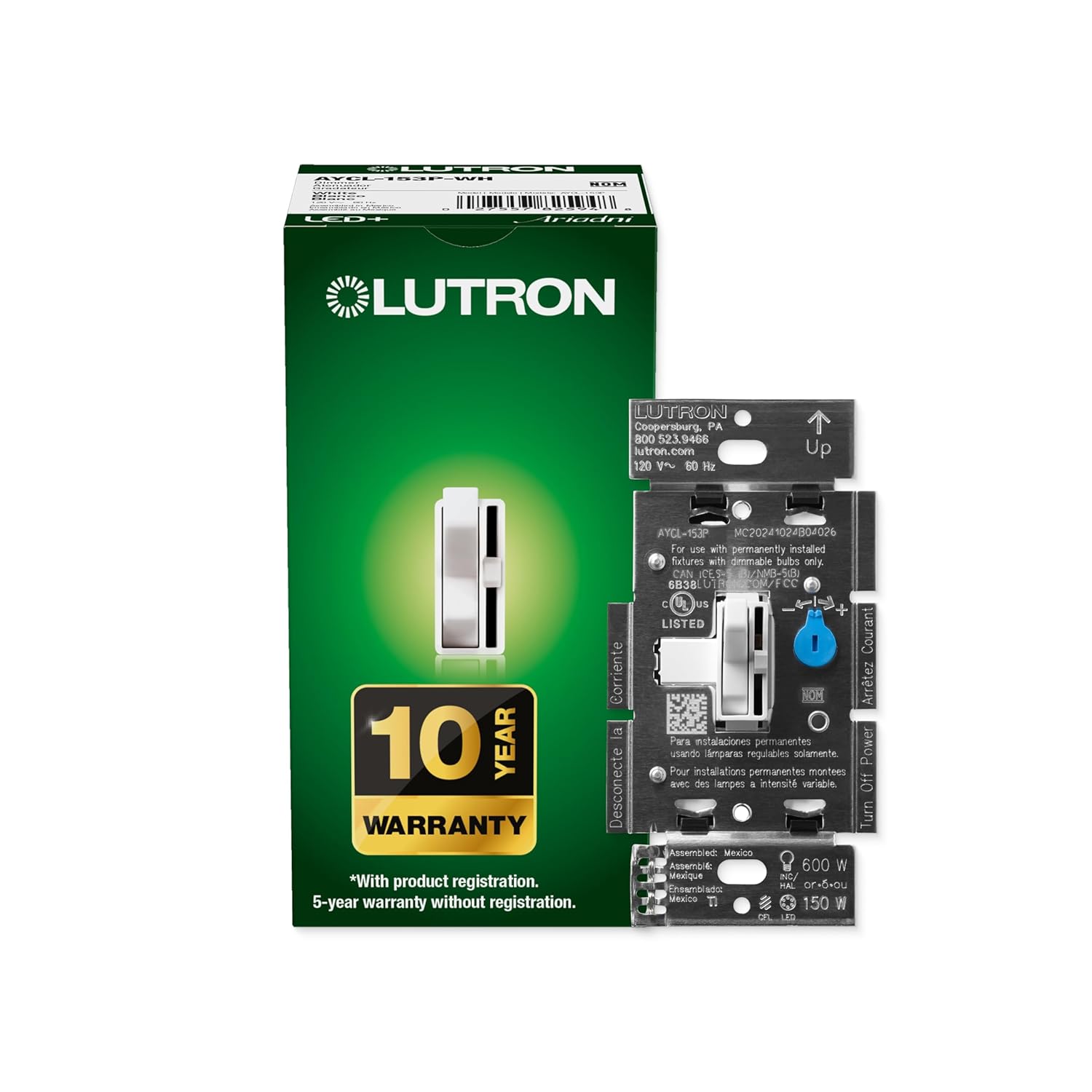
This Lutron Ariadni dimmer is rated for up to 150W of dimmable LED or CFL bulbs, or 600W of incandescent or halogen bulbs, on a single circuit. It supports both single-pole wiring, controlling lights from one switch location, and 3-way wiring, controlling the same fixture from two separate switches using a standard companion toggle.
No neutral wire is required for installation, which matters in older homes where the electrical box may only carry a hot and a switched-leg wire. The dimmer measures a compact 1.18 x 2.86 x 4.6 inches and is built with metal internal components rather than an all-plastic housing.
- 150W LED/CFL or 600W incandescent/halogen capacity
- Single-pole or 3-way wiring support
- No neutral wire required
Lutron states this switch installs in as little as 15 minutes in homes of most ages, since it does not require a neutral wire connection. The toggle turns the connected lights fully on or off at your last-used brightness, while a separate slide control next to the toggle adjusts brightness across more than 250 available levels.
For a 3-way setup, the dimmer pairs with a standard companion toggle switch at the second location rather than a second dimmer. A coordinating wall plate is not included and needs to be purchased separately to match your room's other switches. Always shut off power at the breaker before working on any wall switch wiring.
Given its 150W LED/CFL and 600W incandescent/halogen limits, this dimmer fits typical living rooms, dining rooms, kitchens and bedrooms where a handful of bulbs share one circuit, rather than rooms with a large multi-bulb chandelier that could exceed the wattage ceiling. The 3-way wiring option makes it useful in rooms with two entry points, such as a hallway-connected living room or a basement with stairs at both ends.
- Suited to standard-size rooms with moderate bulb counts
- 3-way compatibility fits rooms with two switch locations
- Not ideal alone for large chandeliers near the 150W LED ceiling
Because it works with a broad range of dimmable LED and CFL brands, it is a practical fit for anyone gradually converting a home to LED lighting room by room.

Pros
- Handles up to 150 watts of dimmable LED/CFL bulbs or 600 watts of incandescent/halogen on the same circuit
- Works in single-pole setups or 3-way configurations controlling one light from two switches
- Paddle switch plus a separate slide control lets you turn lights on/off and adjust brightness independently
- Advanced circuitry reduces flicker, buzz, and delay compared with basic dimmers on LED bulbs
- Compact 1.31 x 2.94 x 4.69-inch size fits a standard wall box without special wiring
Cons
- Coordinating Claro wall plate is sold separately, not included with the switch
- Almond finish only in this listing, so matching other paddle colors elsewhere in a home may take extra shopping
- Compatible bulb list is broad but not universal, so checking specific LED bulb compatibility beforehand avoids flicker issues
This dimmer is rated for up to 150 watts of dimmable LED or CFL bulbs, or up to 600 watts of incandescent or halogen bulbs, and can handle a mixed load of LED and halogen bulbs on the same circuit. LED+ technology is built specifically to reduce flicker and buzz on compatible LED bulbs.
- 150W maximum for dimmable LED/CFL bulbs
- 600W maximum for incandescent/halogen bulbs
- Supports mixed bulb-type loads on one circuit
Since not every LED bulb dims identically, checking a bulb's dimmer compatibility before installation helps avoid flicker or a limited dimming range, particularly with lower-wattage LED bulbs near the bottom of the dimming curve.
The switch supports both single-pole installations, where one switch controls the light, and 3-way setups, where the same light is controlled from two separate switch locations, such as opposite ends of a hallway or staircase.
- Single-pole wiring for one-switch control
- 3-way wiring for two-switch control of the same fixture
- Fits a standard wall box at 1.31 x 2.94 x 4.69 inches
Installation follows standard dimmer wiring practices, connecting to the existing electrical box, though anyone unfamiliar with home electrical wiring should shut off power at the breaker and confirm wiring configuration before starting, especially for 3-way setups involving a second switch location.
A large paddle switch handles turning the light fully on or off and returns it to the previously set brightness, while an adjacent slide control lets brightness be fine-tuned separately for different activities like reading, relaxing, or movie watching.
- Paddle switch for quick on/off with memory of prior brightness
- Separate slide control for precise brightness adjustment
- Suited for living rooms, bedrooms, kitchens, and other everyday spaces
Because the paddle style matches a widely used dimmer design, it fits alongside existing paddle switches elsewhere in a home for a consistent look throughout, though a matching wall plate needs to be ordered separately to complete the finished appearance.

Pros
- Works with up to 150W of dimmable LED/CFL bulbs or 600W of incandescent/halogen on one switch
- Tap on/off plus a separate rocker for dimming keeps quick toggling and fine adjustment on the same control
- No neutral wire is required, simplifying installation in older homes without one
- Expands to 3-way or multi-location setups for up to 10 locations with a companion switch
- Installs in as little as 15 minutes using standard tools
Cons
- Multi-location setups beyond a single switch require a separate MA-RR-XX companion switch, sold apart
- LED and CFL bulbs are capped at 150W, well below the 600W ceiling for incandescent or halogen bulbs
- Tested compatibility applies to specific bulb brands, so pairing with untested LED bulbs may need trial and error
A tap control turns the connected light fully on or off, while a separate rocker adjusts brightness up or down, keeping quick switching and fine dimming on one control rather than a single all-purpose slider. An LED indicator lights up to show the current dimming level at a glance.
- Delayed fade-to-off gives time to exit a room or settle into bed before lights fully switch off
- Preset light level programming sets a default brightness every time the switch turns on
- Low-end and high-end trim adjustments fine-tune the dimming range for specific bulbs
Because these settings are configured through button presses rather than an app, the initial setup takes a short walkthrough of the programming steps.
This dimmer installs in as little as 15 minutes using standard tools, and no neutral wire is required, which simplifies retrofitting into homes with older wiring. It supports single-pole use on its own or 3-way and multi-location setups covering up to 10 locations when paired with a companion switch.
- No-neutral wiring reduces the rewiring needed compared with some smart dimmer models
- A coordinating Claro wall plate is sold separately for a finished look
- Metal and plastic construction house the internal dimming electronics
For multi-location control, an MA-RR-XX companion dimmer is needed at each additional switch point, since that hardware is not bundled with this single switch.
The dimmer is tested across thousands of bulbs and dozens of brands, including Philips, Cree, GE, EcoSmart, and Lighting Science, to reduce flickering across a broad range of dimmable LED and CFL bulbs. Wattage limits sit at 150W for LED/CFL and 600W for incandescent or halogen bulbs on a single switch.
- Dimmable-labeled bulbs are required, since non-dimmable LED or CFL bulbs may flicker or buzz
- Mixing bulb brands on the same circuit can still affect dimming smoothness
- Button-press setup lets the switch calibrate to a bulb's optimum dim range after installation
Checking that a bulb is labeled dimmable before installation helps avoid the flickering that untested LED bulbs can cause on any dimmer switch.
Why Install a Light Dimmer?
A dimmer does far more than lower the brightness. By reducing the power sent to your bulbs, it extends bulb life, cuts electricity use, and lets you dial in the exact level of light a moment calls for. Dimmable LED lighting paired with a quality dimmer can dramatically reduce glare and eye strain while still delivering plenty of brightness when you need it.
Beyond comfort and savings, dimmers add flexibility. A dining room can go from bright and functional at breakfast to warm and intimate at dinner. A bedroom can wind down gradually at night. And when you choose one of the best light dimmers with smart features, you can schedule those changes automatically or trigger them with your voice. That combination of practicality and ambiance is why dimmers are one of the most popular upgrades in any home.
Types of Light Dimmers
Before you compare individual models, it helps to understand the main categories. Each type suits a different wiring situation and level of automation.
In-Wall Dimmer Switches
These replace a standard toggle switch in the wall and control the lights on that circuit directly. They are the most common choice for permanent installations because they look clean and require no batteries. Classic in-wall options such as the Lutron Ariadni Toggler, the Lutron Diva LED+, and the Lutron Maestro LED+ are dependable performers that work with dimmable LED, halogen, and incandescent bulbs. If you simply want reliable manual dimming without an app, these are excellent starting points.
Smart Dimmer Switches
Smart in-wall dimmers connect to Wi-Fi or a dedicated hub so you can control lights from your phone, set schedules, and integrate them with voice assistants. The Lutron Diva Smart Dimmer and the Lutron Caseta Smart Dimmer use the Caseta ecosystem, while the Kasa Smart Dimmer connects directly over 2.4GHz Wi-Fi with no hub required. Smart switches are ideal if you want automation, remote control, or whole-home scenes.
Plug-In and Lamp Dimmers
Not every light is hardwired. For floor and table lamps, a plug-in dimmer sits between the outlet and the lamp cord, giving you dimming without touching your wiring. The Lutron Caseta Plug-In Dimmer is a renter-friendly way to add smart, adjustable lighting to any lamp in seconds.
Wireless Remotes and Accessory Switches
Some systems separate the control from the switch entirely. Battery-powered remotes and dials let you place a control anywhere without running wires. The Philips Hue Dimmer Remote, the Philips Hue Wall Tap Dial, and the Philips Hue Wireless Dimmer mount with adhesive or magnets and control Hue smart bulbs with no wiring at all – perfect for renters or anyone who wants flexible placement.
Key Features to Consider
Choosing among the best light dimmers comes down to a handful of practical factors. Getting these right the first time saves you the headache of returns and flickering lights.
Bulb Compatibility
This is the single most important consideration. LED bulbs behave very differently from old incandescents, and a mismatched dimmer causes flicker, buzzing, or a limited dimming range. Look for switches labeled LED+ or specifically rated for dimmable LEDs, and always confirm your bulbs are marked “dimmable.” Models like the Lutron Diva LED+ and Maestro LED+ are engineered to handle a wide range of modern bulbs smoothly.
Wiring and the Neutral Wire
Many smart dimmers need a neutral wire in the wall box to power their electronics. Older homes often lack one. If that describes your house, prioritize a no-neutral design such as the Lutron Caseta or Diva Smart switches, which run without it. Devices like the Kasa Smart Dimmer do require a neutral, so check your box before buying. If you are unsure, take a photo of your existing wiring or consult a licensed electrician.
Single-Pole vs. Three-Way
A single-pole setup has one switch controlling a light. A three-way setup uses two or more switches for the same fixture, like at the top and bottom of a staircase. Confirm your configuration and choose a dimmer that supports it. Most of the Lutron models here support single-pole and three-way or multi-location wiring, giving you flexibility if you expand later.
Smart Home Integration
If you own Alexa, Google Home, or Apple Home, verify that the dimmer works with your platform. Hub-based systems like Caseta tend to be extremely reliable and fast, while Wi-Fi models such as Kasa skip the hub for a lower upfront cost. Philips Hue products require the Hue Bridge but unlock deep control over color and scenes when paired with Hue bulbs.
Load Capacity
Every dimmer has a maximum wattage it can handle, commonly 150W for LED loads. Add up the wattage of all bulbs on the circuit and stay well under the rating. Overloading a dimmer shortens its life and can cause it to run hot.
Matching a Dimmer to Your Home
With the features in mind, here is how to think about the right pick for common situations.
For Renters and No-Wiring Setups
If you cannot alter the wiring, lean on wireless and plug-in options. The Philips Hue remotes and Wall Tap Dial stick to the wall and control smart bulbs instantly, while the Lutron Caseta Plug-In handles lamps. These solutions come with you when you move and leave no permanent marks.
For a Full Smart Home
Homeowners building a connected system will appreciate a hub-based platform. Starting with a Lutron Diva Smart Dimmer two-pack or the Lutron Caseta Smart Dimmer gives you a rock-solid foundation you can grow room by room, adding remotes and scenes over time.
For Simple, Reliable Dimming
If you just want a switch that works without apps, accounts, or updates, a traditional LED+ dimmer is the answer. The Lutron Diva LED+ and Lutron Ariadni Toggler deliver smooth, flicker-free performance at an affordable price and install in minutes.
For Budget-Conscious Automation
Want smart control without a hub or a big spend? The Kasa Smart Dimmer three-pack connects over Wi-Fi and works with Alexa and Google Home, making it an easy, cost-effective way to automate several rooms at once.
Installation Tips
Installing an in-wall dimmer is a manageable DIY project for many people, but safety comes first. Always turn off power at the breaker before removing a switch, and use a voltage tester to confirm the wires are dead. Take a photo of the existing connections so you can reference them, and read the manufacturer’s instructions carefully – especially regarding the neutral wire and three-way configurations. Wireless and plug-in options require no electrical work at all: mount, pair, and you are done. When in doubt, hiring a licensed electrician is a small cost for peace of mind.
Getting the Most From Your Dimmer
Once installed, spend a few minutes tuning your setup. Many smart dimmers let you set minimum and maximum brightness levels to eliminate flicker at the low end and match your preferred range. Create scenes for common moments – a bright “cooking” scene, a dim “movie” scene, a gentle “goodnight” fade. If you use smart bulbs with Philips Hue, layer color temperature changes on top of dimming for warm evenings and cool, focused daytime light. Small adjustments like these turn a basic upgrade into a lighting system you actually notice and enjoy every day.
Common Mistakes to Avoid
A few simple missteps trip up first-time buyers. The most frequent is pairing a non-dimmable bulb with a dimmer, which leads to buzzing and a narrow, jumpy range. Always confirm the bulb packaging says “dimmable.” Another common error is ignoring the neutral-wire requirement and buying a smart switch that will not power on in an older box. Overloading a circuit past the dimmer’s wattage rating is a third pitfall, as is forgetting to check for three-way wiring when a light is controlled from two locations. Finally, mixing bulbs of different brands or wattages on one dimmer can cause uneven performance – stick to matching bulbs for the smoothest results.
Frequently Asked Questions
Do dimmers really save energy?
Yes. Lowering the brightness reduces the power drawn by your bulbs, and dimming also extends bulb life, so you replace them less often. The savings are modest per fixture but add up across a whole home used daily.
Can I use a smart dimmer with regular bulbs?
You can, as long as the bulbs are dimmable. Smart in-wall dimmers control the circuit itself, so they work with standard dimmable LEDs. Smart-bulb systems like Philips Hue, by contrast, dim the bulbs directly and pair best with their own remotes and dials.
Will a dimmer stop LED flickering?
A dimmer designed for LEDs, often labeled LED+, is specifically engineered to minimize flicker across a wide range of bulbs. If you still see flicker, adjusting the minimum brightness setting usually resolves it.
Final Thoughts
The best light dimmer for you depends on your bulbs, your wiring, and how much automation you want. Renters and lamp users are well served by wireless and plug-in solutions, smart home builders should anchor their setup with a reliable hub-based system, and anyone who just wants dependable dimming can reach for a proven LED+ switch. Whatever your priority, the models highlighted above cover the full spectrum of needs and budgets. Compare the options, check your wiring, and pick the dimmer that fits your home – then enjoy lighting that adapts to every moment. Ready to upgrade? Explore the picks above and start dialing in the perfect ambiance today.




