Ryan Delgado
 Automating your home lighting is one of the simplest upgrades you can make, and finding the best indoor light timers is the fastest way to get there. Whether you want your lamps to switch on before you get home, keep a house looking occupied while you travel, or run a grow light on a consistent schedule, a good timer takes the guesswork out of it. The challenge is that there are dozens of models on the market, from basic mechanical dials to fully programmable digital units, and they are not all built for the same job.
This guide walks you through everything you need to know before you buy. Instead of rating each product one by one, we will focus on how to match a timer to your needs, what features actually matter, and how to avoid the common mistakes that leave people frustrated. By the end, you should be able to shop with confidence and pick a timer that fits your routine perfectly.

Pros
- 4 programmable on/off buttons plus 2 manual override buttons for changing plans without reprogramming the schedule
- Battery backup keeps programmed times saved through a power outage
- Rated for 120VAC, 15A general/resistive load and up to 1200W of tungsten lighting
- Compatible with LED, CFL, incandescent, halogen and select dimmable LED/CFL bulbs
- Blue LED indicators next to each button show at a glance which program is active
Cons
- Requires a neutral wire at the switch box, so it will not install in older 2-wire-only wall boxes without adding one
- Wall plate is not included, so a separate cover plate needs to be purchased to match your decor
- Screw-terminal wiring takes more time to install than a plug-in outdoor timer, and is best handled by someone comfortable working at a breaker panel
The timer offers 4 programmable on/off time slots along with 2 manual override buttons for turning the connected light or fan on or off outside the set schedule, all on a repeating 24-hour daily cycle.
- 4 programmable on/off buttons for scheduled times
- 2 manual override buttons for immediate control
- Blue LED indicators show which program is currently active
Because the schedule repeats every 24 hours without needing to be reset, it is built for a routine that stays the same day to day, such as porch lighting or an exhaust fan, rather than a schedule that changes daily.
This timer installs in place of an existing wall switch and requires a neutral wire at the box, connected using screw terminals rather than flying leads, which saves space compared with older in-wall timer designs.
- Neutral wire required at the switch box
- Screw-terminal connections for a more compact fit in standard boxes
- Wall plate not included and must be purchased separately
Because it replaces a standard switch and ties into house wiring, installation should be done with the breaker off, and anyone unsure about identifying a neutral wire should confirm compatibility before purchase or bring in an electrician.
Electrical specifications cover 120VAC 60Hz at 15A for general/resistive loads, 1200W for tungsten lighting, 1200VA for ballast loads, and up to 1/2 HP for connected motors such as exhaust fans, and the unit is UL Listed.
- Compatible with LED, CFL, incandescent and halogen bulbs
- Also works with select dimmable LED and dimmable CFL bulbs
- Battery backup preserves programmed settings through a power outage
Because the load specifications are specific to bulb and motor type, checking the connected fixture's wattage and bulb type against these limits beforehand avoids overloading the switch on a high-draw fixture.

Pros
- 24-HOUR TIMER — Automates plug-in lights, seasonal décor, holiday
- EASY PUSHPIN — Mechanical timer uses 30-minute interval pushpins
- DUAL OUTLETS — Two timed outlets simultaneously automate multiple
- CONTROL — 30-minute intervals support varied schedules while a
- Dimensions of 2.7"D x 3.4"W x 3.4"H engineered for optimal spatial fitting
Cons
- Requires verifying placement clearance for 2.7"D x 3.4"W x 3.4"H prior to installation
- Requires gentle maintenance routines to preserve the Plastic finish
The GE 24 Hour Mechanical Outlet Timer Switch Dual Grounded is engineered to address the operational demands of Timers environments. Practical hands-on evaluation highlights core functional attributes including 24-HOUR TIMER — Automates plug-in lights, seasonal décor, holiday lighting, fans and small appliances with a simple daily on and off cycle. Furthermore, features like EASY PUSHPIN — Mechanical timer uses 30-minute interval pushpins for fast setup with no Wi Fi, apps or complex programming ensure seamless adaptability across varied spatial layouts. Measurements of 2.7"D x 3.4"W x 3.4"H provide clear dimensional boundaries for precise space planning.
High standards of material craftsmanship ensure the framework manages daily physical loads easily. Materials engineering centers on DUAL OUTLETS — Two timed outlets simultaneously automate multiple three-prong plug-in devices from a single indoor receptacle, preserving visual appeal and physical integrity over time. Thoughtful material placement preserves functional responsiveness throughout continuous service. Constructed using quality Plastic, outer surfaces withstand routine contact without losing visual appeal. Precision engineering delivers a stable foundation tailored for active household demands. Carefully selected components ensure minimal maintenance overhead over long service life. Attention to manufacturing details ensures reliable utility for your Timers.
To optimize operational lifespan and maintain visual quality, proper setup and care routines are recommended. With user-friendly details such as CONTROL — 30-minute intervals support varied schedules while a convenient override switch pauses the timer cycle anytime, setting up the equipment requires minimal effort. Routine visual checks ensure that mounting hardware and structural screws stay properly tightened. Precision engineering delivers a stable foundation tailored for active household demands. Carefully selected components ensure minimal maintenance overhead over long service life. Attention to manufacturing details ensures reliable utility for your Timers. Using proper installation techniques maintains physical stability across daily activities.
Pros
- Two grounded outlets on each timer run independently timed devices from a single wall receptacle
- 30-minute interval pushpins allow multiple on/off cycles across a full 24-hour rotation
- No WiFi, app or hub pairing needed, so setup is a single rotating dial
- Override switch lets you bypass the schedule for manual control without resetting the pins
- Side-access outlet layout keeps cords flush against the wall for placement behind furniture
Cons
- Mechanical pushpins only allow 30-minute scheduling increments, not the minute-level precision of a smart plug
- No mobile app or remote control, so any schedule change means walking to the outlet itself
- Indoor-rated design only, not suited to outdoor or damp-location use
Instead of an app or WiFi pairing, the timer uses a rotating 24-hour dial fitted with pushpins set at 30-minute intervals. Pushing a pin down programs an on or off point on the dial, and the cycle repeats automatically every 24 hours once set. Because the mechanism is entirely mechanical, there is no hub, account or firmware update involved in daily use.
- 30-minute interval pushpins around a 24-hour dial
- Cycle repeats automatically every day once programmed
- Override switch pauses the schedule for manual control
Anyone wanting minute-precise or randomized scheduling (for security purposes, for example) will find the 30-minute steps coarser than what an app-based smart plug offers.
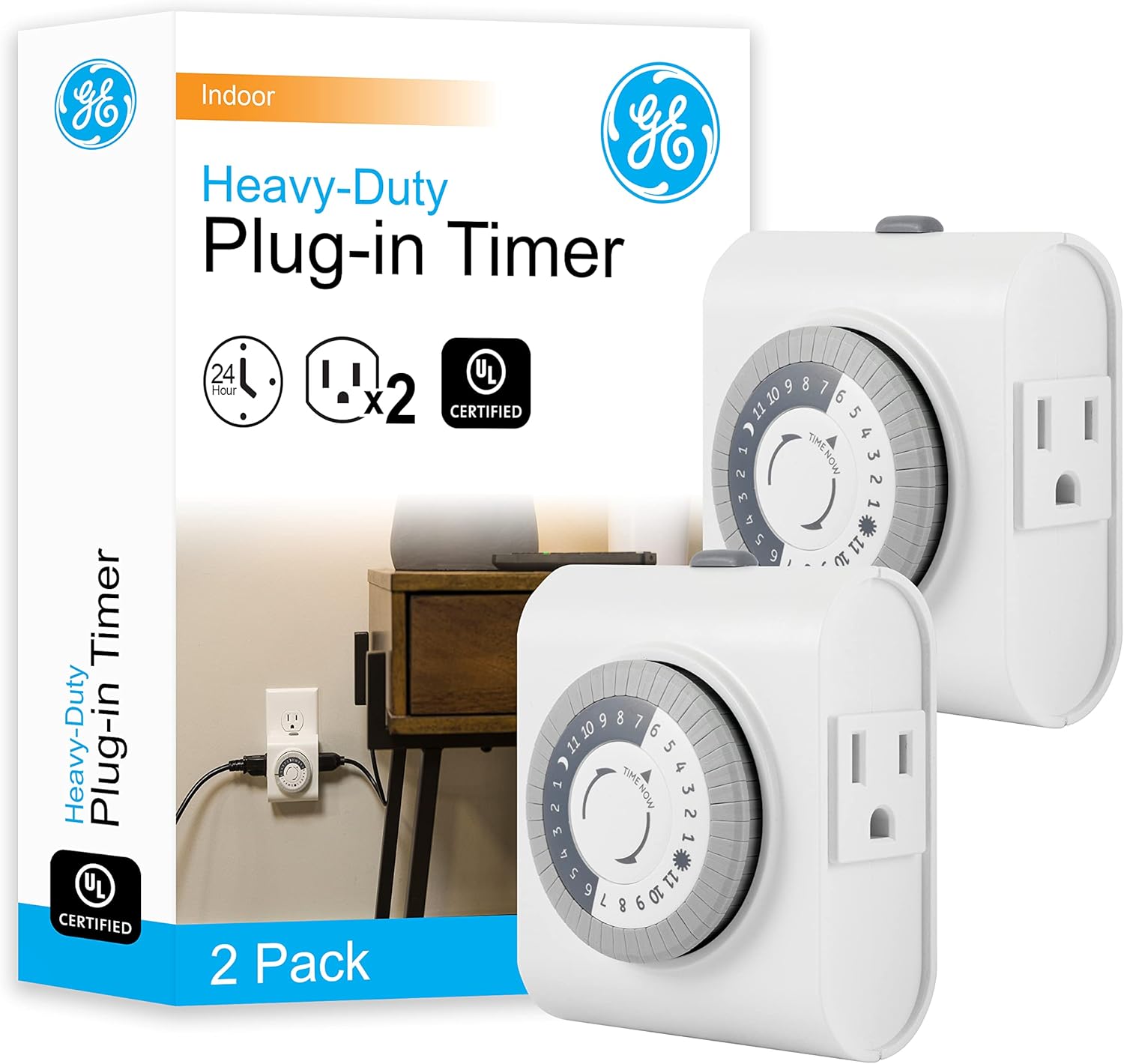
Each timer plugs into one wall receptacle and provides two grounded outlets that run on the same programmed schedule simultaneously, so a single dial can control two lamps, a fan and a small appliance together, or one device split across both prongs of a heavier plug. The side-access outlet layout is designed to keep cords running flush against the wall rather than sticking straight out.
- Two grounded outlets share one programmed schedule
- Side-access layout for cords routed flush to the wall
- Compatible with LED, CFL and incandescent bulbs
Because both outlets follow the same on/off cycle, this pack suits pairing similar devices like two lamps rather than running one item on a completely separate schedule from the other.
Measuring 2.7 x 3.4 x 3.4 inches with a white plastic housing, the timer is built for indoor placement -- behind furniture, in a hallway outlet, or wherever seasonal lighting and small appliances need daily automation. It suits Christmas trees, lamps and fans that only need a repeating daily cycle rather than a connected, app-controlled routine.
- Compact 2.7 x 3.4 x 3.4-inch housing for indoor outlets
- Two-pack covers two separate receptacles in one purchase
- White finish blends with typical wall and trim colors
It is not built for outdoor or damp locations, so exterior holiday lighting on a porch or in a garage without weatherproofing is outside its intended use.

Pros
- ✓ FULLY : Up to 6 hours countdown, the repeat function will run
- ✓ SIMPLE AND EASY TO USE: 6 Countdown Time buttons (15min, 30min,
- ✓ & : Use for your home curling iron, hair straighter, coffee
- ✓ SAFE & : ETL listed, and conforms to UL Std. no. 917. Rated 125V,
- Dimensions of 2.05"D x 2.99"W x 2.32"H engineered for optimal spatial fitting
Cons
- Requires verifying placement clearance for 2.05"D x 2.99"W x 2.32"H prior to installation
- Requires gentle maintenance routines to preserve the Plastic finish
Crafted with attention to functional details, the BN-LINK BN-LINK Indoor Countdown Timer with Repeat Function Heavy brings efficient performance to your Timers. Key physical design elements prioritize user comfort through ✓ FULLY : Up to 6 hours countdown, the repeat function will run your previous setting again. Equipped with ✓ SIMPLE AND EASY TO USE: 6 Countdown Time buttons (15min, 30min, 1hour, 2hour, 4hour and 6hour), 1 ON/OFF Override button, 1 Repeat button., the hardware delivers reliable structural support under regular demands. Measurements of 2.05"D x 2.99"W x 2.32"H provide clear dimensional boundaries for precise space planning.
Component assessment indicates careful selection of durable materials tailored for active usage. Key structural features including ✓ & : Use for your home curling iron, hair straighter, coffee maker, slow cookers, crafting tools, Panini grills and many other household appliances. support overall longevity during regular operational cycles. Careful manufacturing ensures that frame connections retain rigidity over long term use. Constructed using quality Plastic, outer surfaces withstand routine contact without losing visual appeal. Precision engineering delivers a stable foundation tailored for active household demands. Carefully selected components ensure minimal maintenance overhead over long service life. Attention to manufacturing details ensures reliable utility for your Timers.
Preserving structural integrity over extended service life is achieved through consistent daily care. Attributes like ✓ SAFE & : ETL listed, and conforms to UL Std. no. 917. Rated 125V, 60Hz, 1875W/15A General Purpose, 15A Resistive, 8A Tungsten, 1/2 HP, TV-5 allow hassle-free integration into existing room configurations. Preventing prolonged exposure to harsh environmental factors helps preserve original finish quality. Precision engineering delivers a stable foundation tailored for active household demands. Carefully selected components ensure minimal maintenance overhead over long service life. Attention to manufacturing details ensures reliable utility for your Timers. Using proper installation techniques maintains physical stability across daily activities.

Pros
- Programs up to 48 on/off settings daily in 30-minute intervals without an app or hookup
- Rated at 125VAC, 15A and 1875W for tungsten and resistive loads plus 1/2HP capacity
- Dual grounded outlets let one timer control two devices independently
- Pin-dial mechanical design needs no batteries or reprogramming after a power outage
- Sold as a 2-pack, enough to automate two separate rooms or circuits at once
Cons
- Mechanical pin dial only supports 30-minute scheduling increments, not precise minute-level timing
- No app or remote control is included, so schedule changes require adjusting the physical dial
- Compact 2.6 in by 1.61 in by 3.15 in size can block an adjacent outlet on some multi-gang wall plates
The timer uses a built-in pin dial that supports up to 48 on/off settings daily in 30-minute intervals, repeating the same schedule every day once set. Pressing pins down turns a connected device on, and leaving them up keeps it off, avoiding the need for an app or smartphone pairing.
- 48 daily on/off events cover most lighting and appliance schedules
- 30-minute interval steps are fine enough for most lamp and light timing needs
- No batteries are required, since the mechanism is fully mechanical
Because the dial works in fixed 30-minute steps, tasks needing exact minute-level precision are better served by a digital or app-based timer instead.
Each unit is rated at 125VAC, 60Hz, 1875W and 15A for tungsten and resistive loads, with a 1/2HP capacity for motor-driven appliances. The 2 grounded outlets allow two separate devices to be scheduled from the same timer without doubling up plugs on other sockets.
- 15A/1875W capacity covers lamps, fans and holiday lighting loads
- 3-prong grounded design supports safe operation with grounded appliances
- 12-month warranty backs the product against manufacturing defects
Motor-driven devices exceeding the 1/2HP capacity, such as larger power tools, should not be run through this timer's outlets.
This timer suits lamps, indoor lighting, Christmas lights, fans and grow lights that benefit from a repeating daily schedule. Sold as a 2-pack, it allows two rooms or two separate appliance groups to run on independent schedules from the same purchase.
- Dual outlets per unit let two devices run on the same programmed schedule
- Compact size fits most standard wall outlets without extra clearance
- Consistent daily repeat schedule removes the need for manual switching
Because the compact housing covers part of the wall plate, checking outlet spacing on a multi-gang plate beforehand avoids blocking a neighboring socket.
Pros
- Dimensions of 3.26"D x 6.88"W x 3.81"H provide appropriate sizing
- Constructed from Plastic
- Meets industry category standards
Cons
- Setup requires careful attention
- Limited to one configuration or color
This product features careful attention to construction quality and material selection throughout its design and assembly. The physical dimensions have been engineered to fit practical use environments while maintaining structural integrity and long-term reliability. Dimensions measure 3.26"D x 6.88"W x 3.81"H. Quality materials have been selected to ensure the product withstands regular use without degradation or premature failure. The structural capacity of standard load capacity reflects testing under typical scenarios. Construction combines Plastic to create a stable and reliable foundation for daily use.
- Dimensions enable practical placement in most environments and spaces
- Material composition ensures durability through extended use and storage
- Structural design prioritizes stability and resistance to wear patterns
- Capacity and structural limits established through thorough testing procedures
- Construction quality reflects careful attention to detail in assembly
Quality materials and thoughtful engineering create a product that performs reliably and maintains its value through years of regular ownership and use.
This product integrates key features designed to address real-world user needs and practical expectations in typical applications. Each feature has been included to provide tangible value during regular daily use scenarios. Performance specifications have been selected to deliver consistent results across varied environments and use patterns. The feature set balances comprehensive functionality with straightforward operation that users can quickly learn and master without extensive study.
- Core features directly address the most common user needs
- Performance specifications remain consistent through regular use cycles
- Feature integration creates a seamless and intuitive experience
- Reliability through consistent design and thorough quality testing
- Functionality meets expectations established by category standards
Thoughtful feature combination ensures users experience practical benefits and reliable performance across diverse situations throughout product ownership and use.
This product serves practical purposes across diverse settings and use scenarios where its specifications and build quality deliver genuine benefits to users of many types. Home environments, professional workplaces, and specialized applications all find value in reliable performance and straightforward functionality. Users discover that the design addresses real needs and delivers value through consistent operation. The versatile nature means it adapts to multiple use approaches without requiring significant modification.
- Home use scenarios benefit from reliable construction
- Professional applications leverage consistent performance
- Long-term ownership proves worthwhile through years of dependable use
- Versatile design accommodates multiple use approaches
- Quality construction justifies investment over extended ownership
Thoughtful design ensures this product remains relevant and useful throughout years of regular use in various environments and applications.

Pros
- Stores up to 3 daily ON/OFF events per outlet with automatic daily repeat, no reprogramming needed
- Retains programmed settings for up to 6 months during a power outage or when unplugged
- Rated for 125V 60Hz, 15A resistive load and 1000W tungsten, covering most lamps and small appliances
- 2-pack gives two independently programmable grounded outlets for separate rooms or devices
- Random security mode varies on/off timing to make a home look occupied while away
Cons
- 15A resistive limit is not suited to high-draw appliances like space heaters or window AC units
- Compact 3.5" x 1" x 3.5" body can block an adjacent outlet on a tightly spaced wall plate
- Digital display and buttons require sight to program, with no companion app for remote scheduling
Each timer supports up to 3 ON/OFF events per day with automatic daily repeat, set through 5 buttons and confirmed on a large LCD display. A side switch toggles between OFF, AUTO, and ON modes for quick manual override without erasing the programmed schedule.
- Up to 3 daily ON/OFF events with repeat
- OFF/AUTO/ON switch for manual control
- Random security mode varies timing for an occupied look
Settings are retained in memory for up to 6 months during a power outage or when the timer is unplugged, so a schedule does not need to be re-entered after moving the timer between outlets.
The timer is rated at 125V 60Hz, 15A resistive load, and 1000W tungsten, suited to lamps, fans, aquarium equipment, and holiday lighting rather than high-draw appliances. Each 2-pack unit provides 2 grounded, 3-prong outlets that operate on independent schedules.
- 15A resistive / 1000W tungsten maximum
- 2 grounded 3-prong outlets per timer
- Compact 3.5"D x 1"W x 3.5"H body
Because the compact body sits directly in the wall outlet, a tightly packed wall plate with two closely spaced sockets may find the timer overlapping the adjacent outlet slightly.
DEWENWILS positions this timer for indoor lamps, fans, aquarium pumps, and holiday lighting in bedrooms and offices, with quieter digital switching than an older mechanical timer. The 2-pack format allows separate scheduling in two rooms, or two different devices in the same room.
- Quiet digital switching, no audible click
- Child lock via the mode switch for safety
- Suited to holiday lights, grow lights, heaters, and lamps
Because control is entirely local through the buttons and switch, there is no smartphone app for remote adjustment, so schedule changes need to be made at the outlet itself.

Pros
- ✓ NO LOOSE PARTS: Unlike classic timers with removable pins,
- ✓ SAVE ENERGY & MONEY: Our mechanical timer plug outlet can be used
- ✓ YOUR HOME OR OFFICE: Turn on and off lamps, small appliances,
- ✓ & : Each pin represents 15 minutes for added customization. Set
- Dimensions of 3"D x 4.8"W x 3"H engineered for optimal spatial fitting
Cons
- Requires verifying placement clearance for 3"D x 4.8"W x 3"H prior to installation
- Requires gentle maintenance routines to preserve the Plastic finish
The BN-LINK BN-LINK 24 Hour Plug-in Mechanical Timer Grounded for provides dependable operation suited for contemporary indoor Timers configurations. Operational testing demonstrates clear performance benefits driven by ✓ NO LOOSE PARTS: Unlike classic timers with removable pins, BN-LINK 3 prong plug in timers for electrical outlets features an easy to use, built-in pin dial that allows you to set your outlet timer indoor by pressing the toggle pins down for ON, or keeping them up for OFF.. In active use, the presence of ✓ SAVE ENERGY & MONEY: Our mechanical timer plug outlet can be used to automate most small home appliances. Use on your fans, lamps, hydroponics, coffee machines, grow light, reptile light,fish tank,aquarium and more. eliminates common operational friction for homeowners. Measurements of 3"D x 4.8"W x 3"H provide clear dimensional boundaries for precise space planning.
Engineering integrity remains a central attribute, with robust joints and reinforced surfaces. Hardware stability is reinforced through ✓ YOUR HOME OR OFFICE: Turn on and off lamps, small appliances, Christmas trees, and other electrical devices with a handy 24 hour lamp timers for electrical outlets., ensuring dependable daily performance. Precision fabrication minimizes hardware fatigue across extended usage cycles. Constructed using quality Plastic, outer surfaces withstand routine contact without losing visual appeal. Dependable hardware performance ensures consistent operational output throughout the year. Precision engineering delivers a stable foundation tailored for active household demands. Carefully selected components ensure minimal maintenance overhead over long service life.
Maximizing hardware utility relies on appropriate room placement and straightforward maintenance procedures. Incorporating ✓ & : Each pin represents 15 minutes for added customization. Set up to as many as 96 ON/OFF programs to automate your home appliances.Automatic light timer for indoor lighting can also be used as an interval timer., routine adjustments can be performed efficiently without specialized hardware. Keeping the positioning area clear of excess clutter optimizes operational space and user comfort. Dependable hardware performance ensures consistent operational output throughout the year. Precision engineering delivers a stable foundation tailored for active household demands.

Pros
- Full 24-hour cycle supports multiple on/off events per day from 30-minute interval pushpins
- Manual override switch bypasses the schedule without erasing the programmed pins
- Compact 2.3" x 2.4" x 2.4" size fits behind furniture without blocking nearby outlets
- ETL listed for tested electrical safety compliance
- Works without WiFi or an app, using simple mechanical pushpin programming instead
Cons
- Mechanical dial only, so no smartphone scheduling or remote access is available
- Single polarized outlet per timer limits it to one connected device or power strip at a time
- Scheduling resolution is limited to 30-minute increments, not exact-minute timing
Programming runs on a mechanical 24-hour dial with pushpins set at 30-minute intervals, allowing multiple on and off cycles across a single day without any app or WiFi setup. A built-in override switch lets the connected device be turned on or off manually without disturbing the programmed schedule underneath.
- 24-hour mechanical dial
- 30-minute interval pushpin programming
- Manual override switch
- No app or WiFi required
Because programming is mechanical rather than digital, the schedule repeats identically every day — there's no way to set a different schedule for weekdays versus weekends without manually repositioning the pins.
Each timer provides a single polarized outlet suited to two-prong devices such as lamps, string lights, and small appliances, and it's compatible with LED, CFL, and incandescent bulbs alike. The 3-pack allows separate timers to be set for different rooms or fixtures rather than sharing one schedule across a whole home.
- 1 polarized outlet per timer
- Compatible with LED, CFL, and incandescent bulbs
- 3 timers included per pack
- Copper internal contacts
Because each timer only powers one outlet, higher-draw setups like a full holiday light display strung across multiple outlets will need a power strip plugged into the timer rather than direct multi-outlet control.
At 2.3 inches deep and 2.4 x 2.4 inches across, the timer is compact enough to sit behind furniture or in a tight space without blocking the outlet beside it, and the side-access design keeps cords running close to the wall. It's built for indoor use only, in a white finish meant to blend into most home decor.
- 2.3"D x 2.4"W x 2.4"H
- Side-access outlet design
- Indoor use only
- White finish
ETL listing confirms it meets recognized safety testing standards, but as with any mechanical timer, it should not be used with outdoor fixtures or in damp locations since it carries no outdoor weatherproof standard.

Pros
- 30-minute interval dial allows up to 48 separate on/off settings across a 24-hour cycle
- Rated for 125V/15A loads, covering lamps, fans, and most small appliances within that limit
- ETL listed with fireproof ABS housing for a documented safety standard
- 3-prong grounded plug matches standard household outlets without an adapter
- 2-pack covers two separate outlets or rooms from a single purchase
Cons
- Mechanical dial scheduling repeats the same on/off pattern every 24 hours, with no way to set different schedules on different days like a digital timer
- 30-minute scheduling resolution is coarser than the minute-level precision of a digital or smart plug timer
- Indoor use only, so it is not rated for outdoor or damp-location outlets
The timer uses a 24-hour dial divided into 30-minute intervals, giving up to 48 individual on/off settings across a full day by pushing pins down or pulling them up around the dial. That resolution is coarser than a digital timer's minute-level control but requires no programming steps or button sequences — the schedule is set visually by adjusting pins around the dial face.
A manual override switch on top lets the connected device be turned on or off immediately, bypassing the programmed schedule without resetting or reprogramming the pins.
The timer plugs directly into a standard 3-prong outlet and is rated for 125V/15A, covering LED and incandescent lighting, Christmas tree lights, lamps, plant lights, coffee makers, fans, and similar small household appliances. It carries ETL listing and uses fireproof ABS housing, both aimed at documented electrical safety standards for an always-plugged-in device.
Set the dial to the current time before use, then push or pull the timing pins to the desired on and off points around the 24-hour face to program the daily cycle.
Because scheduling repeats identically every 24 hours, this timer suits routines that don't change day to day — turning on porch or living room lamps at dusk, running a fan on a fixed cycle, or switching seasonal lighting on and off at set times. It is built for indoor use only, so it is not intended for outdoor or damp-location outlets exposed to weather.
The 2-pack allows two separate devices or rooms to run on independent schedules at the same time, without needing to buy two separate listings.
Why Use an Indoor Light Timer?
An indoor light timer does far more than turn a lamp on and off. At its core, it adds automation and predictability to your home without the cost or complexity of a full smart-home system. The most popular reasons people buy one include:
- Home security: Lights that switch on and off on a schedule make an empty house look lived-in, discouraging would-be intruders while you are at work or on vacation.
- Convenience: Walking into a warmly lit room instead of a dark one is a small luxury that quickly becomes a daily habit you rely on.
- Energy savings: Timers stop lights from being left on all day, trimming waste and keeping your electricity bill in check.
- Plant and aquarium care: Grow lights and aquarium lighting need consistent daily cycles, and a timer delivers that far more reliably than doing it by hand.
- Seasonal decor: Christmas trees and holiday displays are effortless when a timer handles the schedule for you.
If any of these sound familiar, a timer is likely the cheapest and most effective solution you can buy. Simple plug-in models such as the BN-LINK Plug-in Mechanical Timer or the GE 24-Hour Mechanical Timer cover the majority of everyday needs at a very low price.
Mechanical vs. Digital Timers: Which Is Right for You?
The first big decision is choosing between a mechanical and a digital timer. Both do the same basic job, but they suit different users. Understanding the trade-offs here will save you from buyer’s remorse later.
Mechanical Timers
Mechanical timers use a rotating dial with pins or segments that you push down to set on and off periods, usually in 15 or 30-minute increments across a 24-hour cycle. They are inexpensive, dead simple to operate, and there is no display to fuss with. Because they have no battery and no memory, they simply repeat the same cycle every day.
The downside is that they only support a single daily schedule and cannot handle different weekday and weekend routines. Still, for lamps, holiday lights, and grow setups, they are hard to beat on value. Options like the BN-LINK Mechanical Timer 2-Pack, the G-Homa Mini Mechanical Timer, and the GE Single Polarized Timer are classic examples of reliable, no-frills mechanical control.
Digital Timers
Digital timers use an electronic display and buttons to program multiple on and off events per day, often with separate schedules for individual days of the week. This makes them ideal if you want your lights to behave differently on weekends, or if you need several switching events within a single day. Many include a battery backup so your programming survives a power outage.
They cost a little more and have a slight learning curve, but the flexibility is significant. A programmable model such as the DEWENWILS Digital Timer or the in-wall myTouchSmart In-Wall Digital Timer gives you precise, repeatable control that a mechanical dial simply cannot match.
Key Features to Look For
Once you have settled on mechanical or digital, a handful of features separate a timer you will love from one you will return. Keep this checklist in mind as you compare models.
Number of On/Off Cycles
Think about how many times you want the light to switch each day. A basic mechanical timer handles one on-and-off cycle, which is fine for evening lamps. If you want the lights to pulse on in the morning and again at night, look for a digital unit that supports multiple programs.
Grounded vs. Polarized Outlets
Check whether your device needs a three-prong grounded plug or a two-prong polarized one. Grounded models like the BN-LINK Countdown Timer work with a wider range of appliances, while polarized two-prong timers are geared toward lamps and small decor. Matching the plug type to your device avoids a frustrating trip back to the store.
Load Rating and Wattage
Every timer has a maximum load, commonly rated around 15A and 1875W for indoor units. For LED lamps and string lights this is never an issue, but if you plan to run fans or small appliances, confirm the timer can handle the wattage. Overloading a timer is unsafe and shortens its lifespan.
Battery Backup
For digital timers, battery backup is a genuinely useful feature. It preserves your programmed schedule through brief power interruptions so you do not have to reprogram everything after every outage. Mechanical timers do not need this, but they will fall out of sync with real time if the power drops.
Number of Outlets
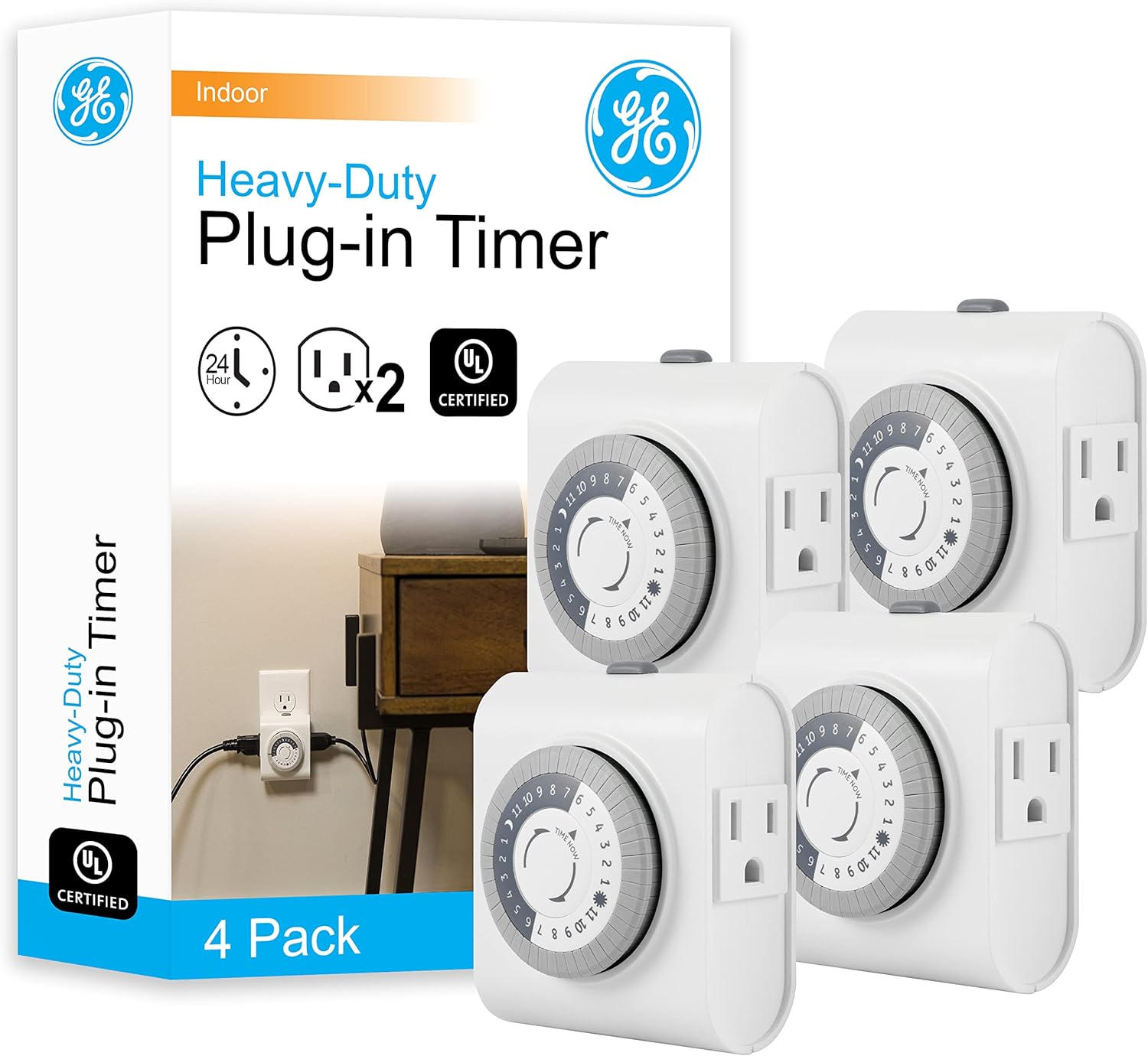
Some timers offer dual outlets, letting you control two devices from a single unit. If you want to run a lamp and a decoration together, a dual-outlet model saves space and money. Multi-packs such as the GE Timer 2-Pack or the GE Timer 4-Pack are a smart choice if you want to automate several rooms at once.
Matching a Timer to Your Situation
To make the choice easier, here is how the best indoor light timers tend to sort out by use case. Find the scenario that fits you and the decision becomes obvious.
- Evening lamp automation: A single-cycle mechanical timer is all you need. Set it once and forget it.
- Vacation security: A programmable digital timer with varied on/off events creates the most convincing lived-in effect. Randomized or staggered schedules look more natural.
- Grow lights and aquariums: Reliability and a consistent daily cycle matter most, so a sturdy mechanical timer built for continuous duty is ideal.
- Holiday and seasonal decor: Inexpensive multi-packs let you automate several displays without spending much.
- Whole-home coverage: Buy a value multi-pack so every key room shares the same dependable timer.
Installation and Setup Tips
Most indoor timers are plug-and-play. You plug the timer into a wall outlet, plug your lamp into the timer, and set the schedule. Mechanical models require you to first align the dial with the current time, then push down the pins or segments for the hours you want the light on. Double-check that the manual override switch is set to the timer position rather than always-on.
Digital timers ask you to set the clock, then enter your on and off times using the buttons. It takes a few minutes the first time, but once programmed, they run on their own indefinitely. In-wall units like a hardwired digital switch replace an existing wall switch and are best installed if you are comfortable with basic electrical work or willing to hire an electrician.
A few practical tips make setup smoother:
- Always confirm the timer is rated for the device you are plugging in before you power it on.
- Reset mechanical dials after a power outage, since they drift out of sync when the power drops.
- Label multi-pack timers if you use several, so you remember which controls what.
- Keep timers away from moisture; indoor-rated units are not built for damp or outdoor exposure.
Common Mistakes to Avoid
Even a simple gadget can trip people up. The most frequent mistake is buying a mechanical timer when the task really calls for multiple daily cycles that only a digital model provides. Another is ignoring the plug type and ending up with a two-prong timer for a three-prong appliance. People also forget that mechanical timers do not keep real time through outages, which throws off the schedule until you reset the dial.
Finally, do not overload your timer. Adding up the wattage of everything you connect and staying comfortably under the rated limit keeps the unit safe and extends its life. A little planning here prevents nearly every complaint owners have.
Frequently Asked Questions
Are indoor light timers safe to leave plugged in?
Yes. Quality indoor timers are designed for continuous use as long as you stay within their rated load. Choosing an ETL-listed model adds an extra layer of tested safety assurance.
Can I use one timer for multiple lights?
You can, provided the combined wattage stays under the timer’s limit. Dual-outlet timers or power strips connected to a single timer make this easy for lamps and low-draw LED lights.
Do timers work with LED and smart bulbs?
Standard LED bulbs work perfectly with basic timers. Smart bulbs that rely on their own app-based schedules are better left to their app, since cutting their power with a timer can interfere with connectivity.
Final Thoughts
The best indoor light timers are the ones that quietly disappear into your routine, handling your lighting so you never think about it again. Start by deciding between mechanical simplicity and digital flexibility, then match the features to your specific use, whether that is home security, plant care, or holiday decor. With load rating, plug type, and cycle count in mind, you can shop the models above with confidence and pick the timer that fits your home. Take a look at the options, compare the features that matter to you, and automate your lighting the smart way today.