 Naomi Tanaka
 Choosing the best cameras for homekit means more than grabbing whatever sits on sale. You want a camera that records to iCloud through HomeKit Secure Video, shows up cleanly in the Apple Home app, and respects your privacy. The right pick depends on where you point it: a nursery, a front porch, a back patio, or a wide living room. This guide ranks our favorite HomeKit-ready cameras for 2026, explains the specs that actually matter, and helps you match a camera to your space and budget without guessing.
Quick answer: For most homes in 2026, the best cameras for homekit is the eufy Security 4K Indoor E30 — our #1 rated choice for sharp footage, pan-and-tilt tracking, and no forced subscription. See the full ranked comparison, alternatives and buying advice below.

Pros
- 4K recording with pan and tilt motion covers a room without needing multiple fixed cameras
- AI on-device detection distinguishes people, pets and crying sounds before triggering auto-tracking
- Built-in spotlight enables color night vision as an alternative to standard infrared black-and-white footage
- Local SD card storage (sold separately) works fully without a monthly subscription
- Two-way audio allows real-time talk-back to check on kids, pets or visitors remotely
Cons
- MicroSD card is not included, so local storage requires a separate purchase before recording works
- HomeKit compatibility is capped at 1080p resolution, well below the camera's native 4K capture
- App updates are recommended for full feature performance, so older app versions may lose functionality over time
The camera is designed for indoor placement and connects through the eufy Security app, with support for HomeKit, Alexa and Google Assistant once paired to a home network. Panoramic View and Quick Focus Tap in the app let a specific area of the room be selected directly from the live feed instead of manually steering the pan-and-tilt motor.
- Indoor placement, plug-in power
- App-based setup with HomeKit, Alexa and Google Assistant support
- Pairs with an optional HomeBase S380 for expanded storage and features
HomeKit users should note the resolution cap drops to 1080p through that integration, even though the camera itself captures at 4K.
Footage can be stored entirely locally on a microSD card, sold separately, with no monthly subscription required to access recording, AI detection or two-way audio. A cloud storage option exists for anyone who wants offsite backup, but it is optional rather than required for core functionality.
- Local microSD storage, card not included
- No subscription required for core recording features
- Optional cloud storage available separately
Because local storage lives on a single SD card in the camera itself, physical access to the camera would also mean access to stored footage unless a HomeBase or cloud backup is added.
To use local recording out of the box, a microSD card needs to be purchased separately, and pairing with a HomeBase S380 adds expanded local storage plus additional smart home features beyond what the camera handles alone. AI detection and auto-tracking work without a HomeBase, but check the app for the current recommended version before setup.
- MicroSD card required for local recording, not included
- HomeBase S380 optional, adds storage and feature depth
- Latest app version recommended for full AI detection accuracy
Buyers focused purely on 4K local recording without any subscription should factor in the SD card as a separate line item at setup.

Pros
- 165° field of view in a 3:4 vertical aspect frames the full doorstep from packages to faces
- 940nm infrared LEDs light the porch at night without a visible red glow
- Runs on PoE or existing 8-24V AC/DC doorbell wiring, so most swaps skip a rewire
- Dual-band 2.4/5GHz Wi-Fi 6 with WPA3 encryption for a steadier connection
- IP65 housing withstands rain and dust at an exposed front door
Cons
- HomeKit Secure Video caps output at 1200p even though the sensor captures 2K, and needs an iCloud+ plan plus an Apple home hub
- Cloud-based pet, vehicle, package and face recognition require a paid Aqara subscription beyond local motion detection
- Full 2-way audio control only works inside the Aqara Home app, not through Alexa or Google
The G400 supports two power paths so it fits both new and existing doorbell setups. It can run on Power over Ethernet for a single-cable data-and-power connection, or it can reuse the existing 8-24V AC/DC transformer wiring already behind most doorbells, which keeps installation close to a like-for-like swap.
- PoE connection for a stable, single-cable install
- Compatible with 8-24V AC/DC transformer wiring already in the wall
- IP65-rated housing seals out rain and dust at an exposed entryway
Because two wiring paths are supported, the same doorbell can go into a home with a PoE switch near the entry or one that only has the original two-wire chime circuit, without adding a separate transformer.
The G400 records at 2K resolution with a 165° ultra-wide lens and a 3:4 aspect ratio, taller than the usual 16:9 doorbell frame, so a single shot covers a delivery on the ground and a visitor's face at the same time. Two night modes are built in.
- Spotlight Color Night Vision for identifiable color footage after dark
- 940nm infrared illumination that is close to invisible to the naked eye
- 3:4 vertical framing captures head-to-toe views most 16:9 cameras crop out
Note: streaming through HomeKit Secure Video limits playback to 1200p rather than the native 2K feed, and that cap also applies inside the Aqara Home app whenever both platforms are linked to the same camera.
The G400 is built to sit inside more than one smart home ecosystem at once. It offers full HomeKit Secure Video support alongside Alexa, Google Assistant and SmartThings compatibility, and adds RTSP/ONVIF support for NVR integration in more advanced setups.
- HomeKit Secure Video needs an iCloud+ subscription and an Apple home hub
- RTSP/ONVIF support allows connection to third-party NVR systems
- Local detection and 24/7 recording work without a cloud plan
Buyers who already run an Apple Home hub or an existing NVR get the most out of this camera, since it can hand footage to whichever system is already managing the rest of the household's cameras rather than requiring a single closed app.

Pros
- 2304x1296 (3MP) resolution with a 140° field of view and an f/1.8 lens for a wider, brighter frame than typical 1080p cameras
- IP65-rated housing withstands rain, dust and rugged outdoor mounting conditions
- Two night vision modes: color spotlight illumination and covert 940nm infrared detection
- Local motion and person detection work without a subscription
- Powers over a standard USB-C to USB-C cable up to 5 meters long
Cons
- Only supports 2.4GHz Wi-Fi, not 5GHz, even though it uses the Wi-Fi 6 protocol on that single band
- HomeKit Secure Video caps resolution at 1600x1200 rather than the native 3MP feed, and needs an iCloud subscription plus an Apple home hub
- Cloud-based pet, vehicle, package and face recognition require a paid HomeGuardian subscription beyond local detection
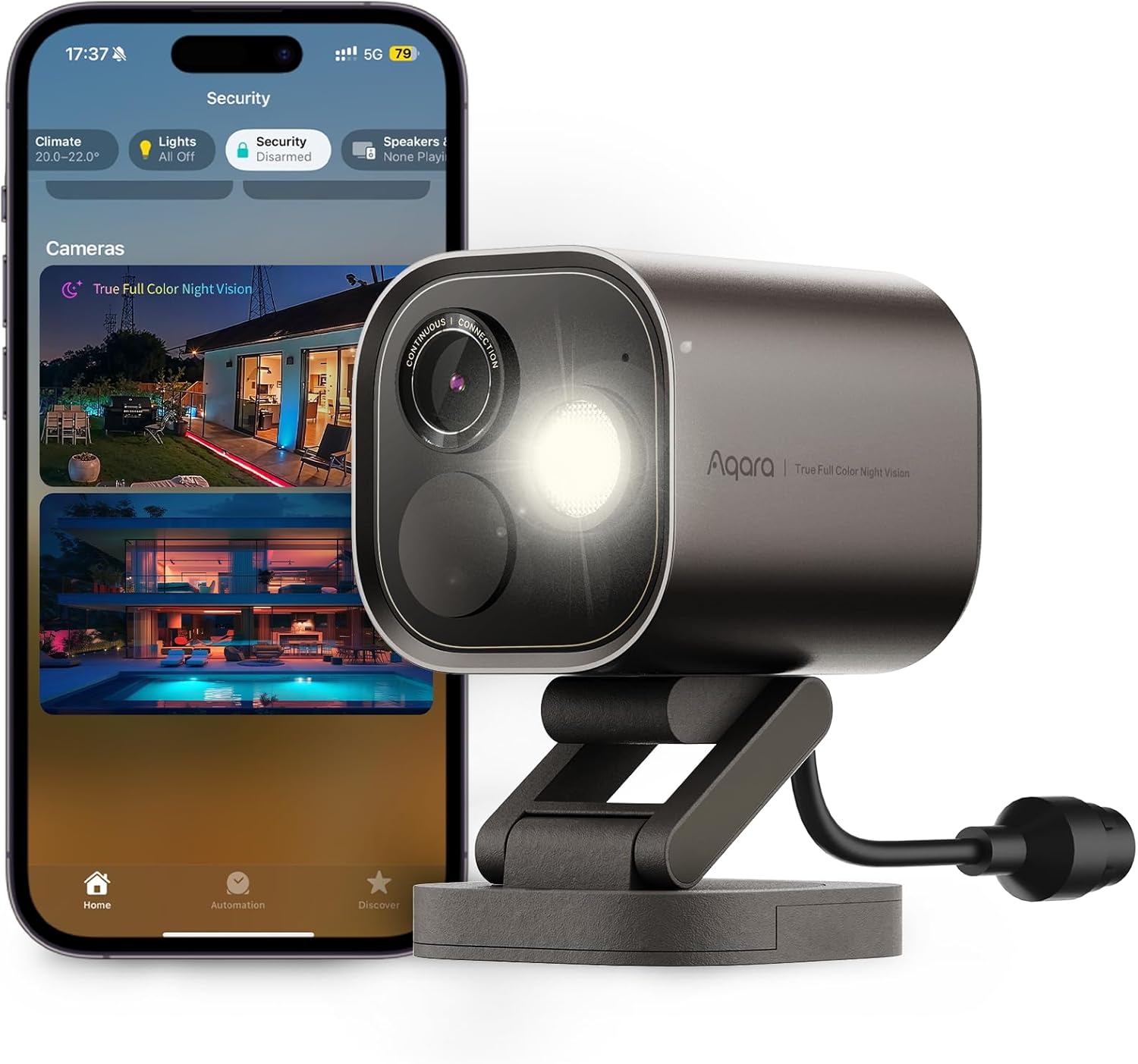
The G100 records at 2304x1296 (3MP) resolution through a 140° field of view f/1.8 lens, wider and brighter than a typical narrow-lens security camera. Two night vision modes are built in for different situations.
- 2304x1296 (3MP) resolution, 140° FOV, f/1.8 lens
- Spotlight Color Night Vision for identifiable footage after dark
- 940nm infrared mode for covert night monitoring
Note: when viewed through HomeKit Secure Video, resolution is capped at 1600x1200 rather than the native 3MP feed, and this cap also applies inside the Aqara Home app when both platforms are linked together.
The G100 is powered through a standard USB-C to USB-C cable rated for lengths up to 5 meters, using a DC 5V/1A adapter that is not included in the box, giving flexibility in where the camera can be mounted relative to a power source.
- USB-C to USB-C power cable, up to 5m in length
- DC 5V/1A power adapter required, sold separately
- IP65-rated housing for indoor or outdoor mounting
For a reliable Wi-Fi connection, Aqara recommends keeping the camera within about 10 meters of the router without major obstructions, which is worth checking before choosing a permanent outdoor mounting spot.
Local motion and person detection work out of the box without a subscription, while cloud-based recognition for pets, vehicles, packages and faces requires the paid HomeGuardian plan for AI event tagging.
- Local motion and person detection included at no extra cost
- HomeGuardian subscription unlocks cloud AI recognition and event tagging
- Compatible with HomeKit, Alexa, Google Assistant and IFTTT
Because the camera only connects over 2.4GHz Wi-Fi rather than 5GHz, placing it on a router band that is not already congested with other 2.4GHz devices helps keep the connection stable, especially in homes with many smart home gadgets.

Pros
- 160-degree field of view captures head-to-toe video instead of the narrow framing typical of standard doorbell cameras
- Color night vision reaches up to 6 feet, keeping faces visible in color rather than switching to infrared
- Works with existing wired doorbell chimes, so a separate indoor chime unit is not required
- Includes multiple mounting options and a Chime Kit in the box, covering different door frame widths out of the box
Cons
- Works exclusively with Apple HomeKit, so it is not usable with Android-only smart home setups or other ecosystems
- Requires an iCloud+ subscription and an Apple home hub device to unlock Face Recognition and Secure Video features
- Installation involves electrical wiring and may require power tools and electrical testing equipment, unlike simple battery-powered doorbells
This doorbell is wired rather than battery-powered, connecting to an existing wired doorbell system running 8-24V AC at 10 VA or higher. Installation involves working with electrical cabling and may require power tools and electrical testing equipment, so it is a more involved setup than a stick-on battery camera.
- Wired installation, 8-24V AC 10 VA+ required
- Replaces existing wired doorbell and chime wiring
- Comes with multiple mounting options and a Chime Kit
Amazon buyers are pointed to Logitech's pre-purchase home compatibility check before installing, since existing wiring needs to match what the doorbell expects. Anyone uncomfortable working with home electrical wiring may want an electrician for the install.
The doorbell is built to support Apple HomeKit Secure Video, which stores footage with end-to-end encryption tied to an iCloud+ subscription rather than a separate camera-brand cloud service. Face Recognition and rich notifications also depend on the same HomeKit Secure Video setup.
- End-to-end encrypted video through Apple HomeKit Secure Video
- Face Recognition and custom Activity Zones
- Requires an iCloud+ plan for Secure Video storage
Because storage and encryption route through Apple's ecosystem rather than a proprietary Logitech cloud, anyone without an active iCloud+ subscription won't get ongoing video history, even though the camera itself will still function for live viewing.
This doorbell only works within the Apple HomeKit ecosystem, so it needs an Apple home hub device, such as a HomePod, Apple TV, or compatible iPad left at home, to relay Secure Video features and notifications when away from the house. An iCloud+ subscription is required for Face Recognition and rich notification history.
- Apple HomeKit compatible home hub device
- Active iCloud+ subscription
- Existing wired doorbell chime system to connect into
Households already invested in Apple devices and HomeKit accessories will find this doorbell slots in naturally, while anyone using Android phones or a mixed smart home platform will find it does not integrate outside Apple's system at all.
What makes a camera work well with HomeKit
HomeKit compatibility is not one single feature. Some cameras only expose basic streaming, while others support HomeKit Secure Video (HSV). That difference shapes how you record, store, and get alerts.
With HSV, clips encrypt on your device and count against your iCloud+ storage instead of a paid camera plan. The Home app then handles people, pet, package, and vehicle detection. That keeps everything inside Apple’s privacy model.
Cameras that skip HSV still stream to the Home app, but their smart alerts often live in a separate manufacturer app. If a tidy, single-app experience matters to you, prioritize models that clearly list HomeKit Secure Video support.
Local recording versus cloud
Some picks, like the eufy E30, add 24/7 local recording through a microSD card. That gives you a continuous timeline without any monthly fee. Cloud storage through iCloud+ is convenient, but a local option is a smart backup if your internet drops.
How to choose the best cameras for homekit
Start with the room or entry point. Indoor cameras favor wide coverage and quiet operation. Outdoor cameras need weather sealing and reliable night vision. Doorbells add two-way talk and package alerts at your door.
Resolution and field of view
Higher resolution helps you read faces and license plates. A 4K sensor like the eufy E30’s captures fine detail, while 2K models such as the Aqara G100 still look crisp on a phone. Field of view matters just as much. The G100’s 140° FOV covers a wide patio, while a doorbell’s tall head-to-toe view shows a full person and any package on the step.
Night vision and audio
Color night vision beats grainy black-and-white for identifying details after dark. Look for a spotlight or infrared combo, which the G100 provides. Two-way audio lets you answer the door or tell a delivery driver where to leave a box, and every camera on this list includes it.
Wi-Fi and power
Wi-Fi 6 support, found on the Aqara G400 and G100, holds up better in busy households with many connected devices. Decide early between wired and battery power. Wired cameras and PoE doorbells never need recharging, while a plug-in indoor camera keeps setup simple.
Best HomeKit cameras by use-case
Rather than crown one winner for everyone, match a camera to your actual scenario. Here is how these picks break down.
Best overall indoor camera
The eufy Security 4K Indoor E30 earns the top spot for a reason. Its 4K sensor, pan-and-tilt motor, and AI auto-tracking follow a pet or crawling baby across the room. At $69.99 with a 4.5 rating across 2728 reviews, it balances price and capability better than anything else here. It also skips mandatory subscriptions thanks to local 24/7 recording. It is not for you if you need an outdoor or entryway camera.
Best for small spaces and tight budgets
If you want to cover a nursery, office, or entryway shelf without spending much, the Aqara G100 is the value champion at $39.99. It records in 2K, adds a spotlight and IR night vision, and works indoors or outdoors. Its 4.2 rating over 1425 reviews shows steady real-world reliability. Buyers wanting the sharpest possible detail should step up to a 4K model instead.
Best video doorbell
For your front door, the Aqara G400 pairs HomeKit Secure Video with a 2K head-to-toe view, a bundled chime, and IP65 weather resistance. Wired or PoE power keeps it always on, and Wi-Fi 6 helps the stream stay smooth. At $99.99 it costs more than the indoor picks, but a doorbell does a very different job. If you already own a wired chime and want Apple-first alerts, this is the one to beat.
Best doorbell for a pure Apple household
The Logitech Circle View Doorbell was built around HomeKit from day one, with face recognition, color night vision, and head-to-toe HD video. Its 3.5 rating across 1165 reviews reflects a pickier install and some Wi-Fi sensitivity, so plan for a strong signal at the door. It suits committed Apple users who want everything living inside the Home app, but it is not the pick if you also lean on Alexa or Google.
A practical HomeKit camera buying guide
Before you check out, run through a few specifics. These details separate a camera you love from one you return.
Check your iCloud+ plan and hub
HomeKit Secure Video needs an iCloud+ subscription and a home hub, such as a HomePod, HomePod mini, or Apple TV. One camera works on the entry iCloud+ tier, but several cameras may require a higher tier. Confirm your plan covers the number of cameras you plan to add.
Match power and placement
Measure the run to the nearest outlet for indoor cameras. For doorbells, verify your existing wiring voltage or plan for PoE. A camera rated IP65, like the G400, handles rain and dust, so do not put a plain indoor unit outside under an eave.
Think about resolution versus storage
A 4K stream looks stunning but eats more iCloud+ and local storage than 2K. If you keep only a few days of clips, 2K may serve you better and save space. Balance the detail you truly need against the storage you are willing to buy.
Explore the wider ecosystem
A camera is one node in your smart home. If you are still shaping your setup, our roundup of the best HomeKit cameras compares more indoor and outdoor options side by side. For entry monitoring specifically, the guide to the best HomeKit doorbells digs deeper into chimes, wiring, and package alerts.
Common mistakes to avoid
Even good cameras disappoint when they are set up wrong. Sidestep these frequent errors.
- Ignoring the hub requirement. Without a HomePod or Apple TV acting as a home hub, HomeKit Secure Video will not record. Buy the hub before the cameras.
- Confusing “works with HomeKit” and HSV. A camera can appear in the Home app yet still route smart alerts through its own app. Read the listing carefully.
- Overloading the entry iCloud+ tier. Stacking several cameras on the smallest plan can hit storage limits fast. Upgrade the tier or lean on local recording.
- Skipping night-vision needs. A backyard camera without a spotlight leaves you with washed-out footage. Choose color night vision where lighting is poor.
- Mounting an indoor camera outside. Weather ruins unsealed units quickly. For patios and driveways, start with the best HomeKit outdoor cameras instead.
Where these picks fit in your smart home
Cameras rarely arrive alone. Many buyers add locks, sensors, and plugs in the same weekend. If you are building out an Apple-centric setup, the broader guide to the best cameras for Apple HomeKit keeps everything aligned to the Home app so your automations trigger reliably.
For a budget-friendly starter kit, pair the affordable Aqara G100 for a room or two with a doorbell like the Aqara G400 at the front door. That combination covers your most-watched spots without stretching your iCloud+ storage or your wallet.
Frequently asked questions
Do all HomeKit cameras support HomeKit Secure Video?
No. Every camera here appears in the Apple Home app, but HomeKit Secure Video is a separate, stronger feature. HSV encrypts clips and stores them in iCloud+ with on-device analysis. Always confirm HSV is listed if you want that end-to-end privacy.
Do I need an iCloud+ subscription to use these cameras?
You need iCloud+ to use HomeKit Secure Video recording and a home hub like a HomePod or Apple TV. Some cameras, including the eufy E30, add local microSD recording that works without any cloud plan. That makes local storage a handy fee-free backup.
How many cameras can I run on HomeKit?
HomeKit itself supports many cameras, but iCloud+ tiers cap how many record to the cloud. The entry tier typically covers one camera, while higher tiers support more. Check your plan before adding a third or fourth unit.
Are wired doorbells better than battery models?
Wired and PoE doorbells like the Aqara G400 never need recharging and stream continuously. That reliability suits busy front doors well. Battery doorbells trade some uptime for easier installation, so choose based on your wiring and patience for setup.
Which of these is best for a nursery or pet camera?
The eufy E30 is the strongest choice for a nursery or pet cam. Its 4K resolution, pan-and-tilt motor, and AI auto-tracking follow movement across the room. Color night vision and two-way audio round out a reassuring monitor.
The bottom line
Pick the camera that matches your space, not just the highest spec sheet. The eufy E30 is our top all-round HomeKit camera for indoor detail, the Aqara G100 wins on value, and the Aqara G400 leads at the front door. Confirm your home hub and iCloud+ plan first, then buy the one that fits your scenario. Do that, and you get sharp footage, private storage, and alerts that land right inside the Apple Home app.