
 Ryan Delgado
 Choosing the best security cameras for home use can feel overwhelming when every brand promises crystal-clear video, smart alerts, and rock-bottom prices. The truth is that the right camera depends on your home layout, your internet setup, and how much you want to spend on monthly fees. This guide walks you through what actually matters so you can shop with confidence instead of guessing.
Rather than ranking each model one by one, we focus on the buying decisions that shape a smart home security setup: wired versus wireless, indoor versus outdoor, storage options, and the features that are worth paying for. Along the way we point you to popular, well-reviewed options so you can compare them directly on Amazon.




Why Home Security Cameras Are Worth It
A visible camera is one of the simplest deterrents against porch pirates, break-ins, and trespassers. Beyond deterrence, modern cameras give you real peace of mind: you can check on pets while at work, confirm a package arrived, or get an instant phone alert the moment motion is detected. For most households, a small camera investment pays for itself the first time it saves you a stolen delivery or a missed emergency.
Today’s cameras are also far easier to install than the bulky DVR systems of a decade ago. Many battery-powered models mount in minutes with no wiring at all, while wired kits deliver continuous recording for people who want maximum coverage. Understanding these categories is the first step toward finding the best home security camera for your situation.
Key Features to Look For When You Buy
Before comparing individual models, it helps to know which specifications genuinely affect daily performance. The marketing sheets are full of numbers, but only a handful of them change how useful a camera feels once it is on your wall.
Video Resolution and Night Vision
Resolution determines how much detail you capture. A 1080p camera is fine for general monitoring, while 2K and higher makes it far easier to read a license plate or recognize a face. If you want a sharp, affordable indoor view, the WYZE Cam v4 shoots in 2.5K, and the Blink Mini 2K+ two-pack offers crisp 2K coverage for multiple rooms. Just as important is night vision – look for color night vision, which the 2K Wireless Outdoor Camera provides so nighttime footage is far more usable than grainy black-and-white.
Wired vs Wireless Power
Wireless, battery-powered cameras like the 2K Wireless Outdoor Camera and the aosu Wireless Outdoor System are the easiest to place anywhere, since you are not tied to an outlet. Their trade-off is periodic recharging, though many now last one to six months per charge. Wired options such as the Kasa Pan/Tilt Camera or the Ring Floodlight Cam never run out of battery and are ideal for permanent, high-traffic spots.
Smart Motion Detection
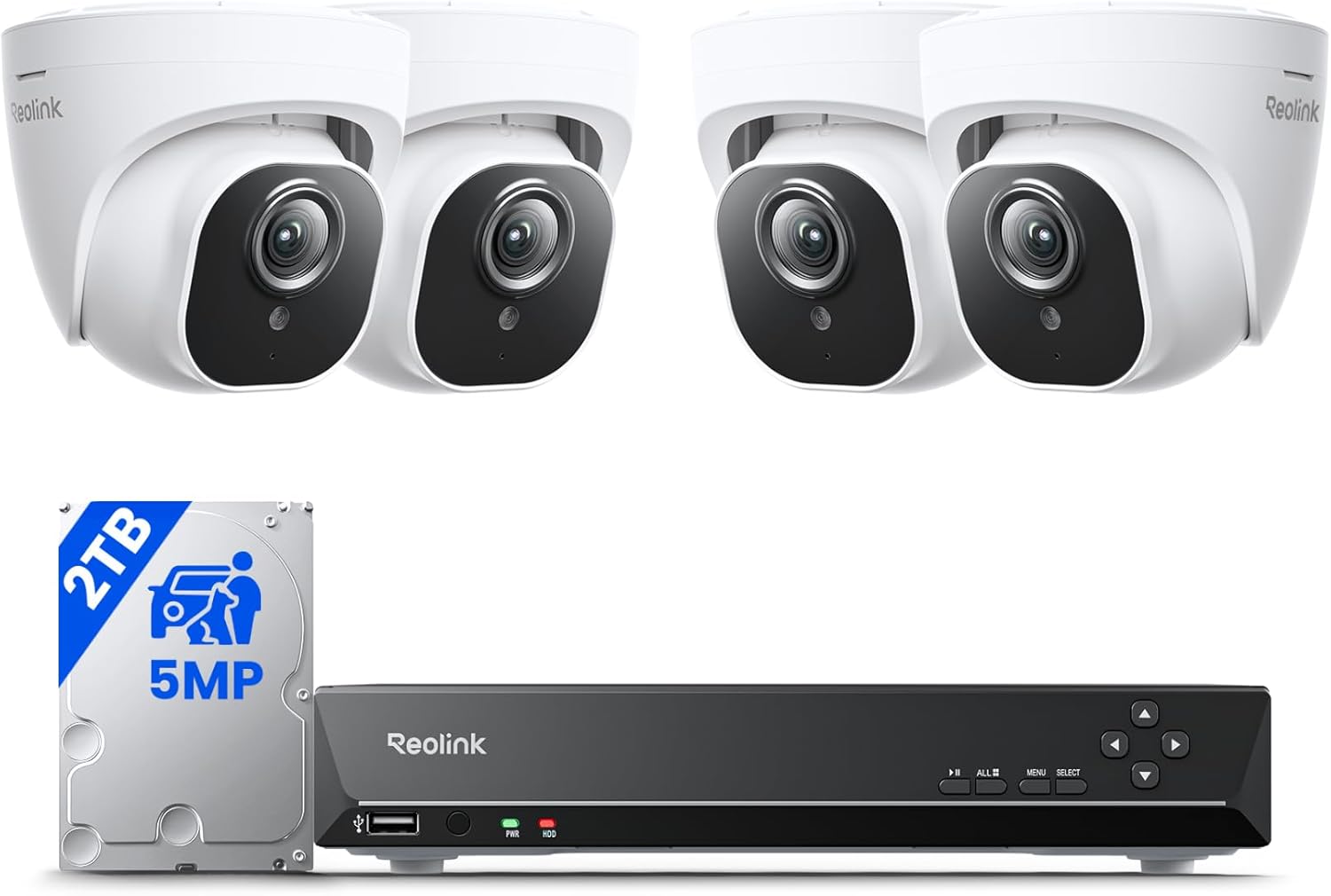
Basic motion sensors trigger on everything, including passing cars and swaying branches, which quickly leads to alert fatigue. AI-powered detection that distinguishes people, pets, and vehicles is the single biggest quality-of-life upgrade. The REOLINK 8CH System includes person, pet, and vehicle detection, helping you cut down on false alarms while still catching what matters.
Two-Way Audio and Sirens
Two-way talk lets you greet a delivery driver or tell a stranger to leave without opening the door. Many cameras pair this with a built-in siren and spotlight to actively scare off intruders. Both the Tapo Indoor Camera four-pack and the outdoor wireless models come with siren alarms for exactly this reason.
Indoor vs Outdoor Cameras
One of the most important choices is matching the camera to its environment. Indoor and outdoor units are built to different standards, and using the wrong one leads to poor results or early failure.
Indoor Monitoring
Indoor cameras prioritize wide viewing angles, pan-and-tilt movement, and features that double as baby or pet monitors. The Kasa Pan/Tilt Camera can rotate to follow movement across a room, while the Tapo C100 multipack lets you blanket several rooms affordably. Because they sit indoors, these cameras can be smaller and cheaper while still delivering clear 1080p or better footage.
Outdoor Protection
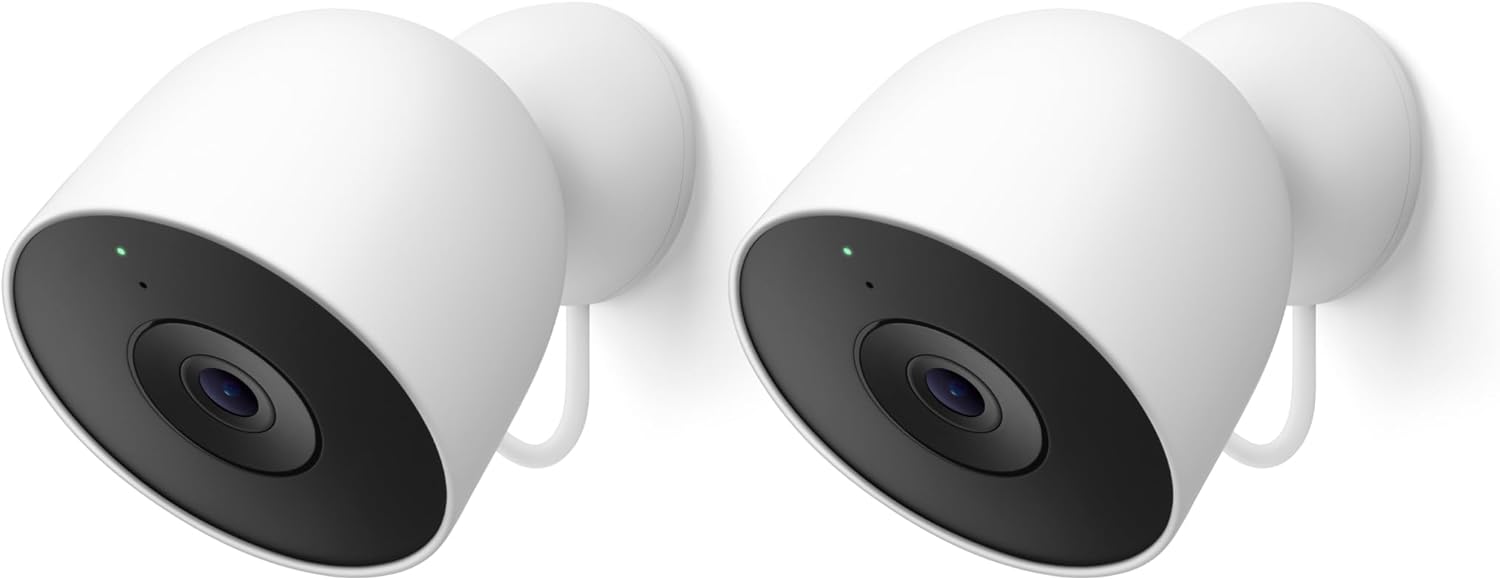
Outdoor cameras must be weatherproof and often need brighter night vision and longer range. The Google Nest Cam Outdoor is weather resistant with 2K video, and the Ring Floodlight Cam pairs a camera with powerful motion-activated floodlights to light up your driveway. For flexible placement without wiring, the aosu Outdoor System offers a wide 166-degree view and a long-lasting battery.
Storage: Cloud, Local, or Both
Where your footage lives affects both cost and privacy, so it deserves real thought before you buy. There are three common approaches, each with clear advantages.
- Cloud storage keeps recordings off-site so they survive even if a thief steals the camera, but it often requires a monthly subscription.
- Local storage on a microSD card or hard drive avoids recurring fees. The REOLINK System ships with a 2TB hard drive for continuous 24/7 recording with no subscription at all.
- Subscription-free models are increasingly popular. The WYZE Cam v4 and Kasa camera both support local storage with no mandatory fees, and several wireless outdoor cameras include free cloud storage.
If you dislike ongoing costs, prioritize cameras that record locally or advertise free cloud storage. If you value redundancy and remote access, a small subscription can be worthwhile.
Matching Cameras to Your Home Size
The right number and type of cameras scales with your property. Thinking about coverage up front prevents you from buying too little or overspending.
Apartments and Small Homes
A single indoor camera or a compact two-pack usually covers a small space. Budget-friendly picks like the Blink Mini 2K+ two-pack or a lone WYZE Cam v4 give renters strong coverage without a complicated install or drilling into walls.
Larger Houses and Multi-Point Coverage
Bigger homes with several entry points benefit from a full system. A multi-camera kit such as the REOLINK 4-Camera PoE System covers front, back, and side yards from a single recorder, while a four-pack like the Tapo indoor bundle handles multiple interior rooms at once. Mixing indoor and outdoor units gives you complete coverage.
Smart Home and App Integration
If you already use a voice assistant, choosing a compatible camera unlocks handy features like viewing a live feed on a smart display. The Google Nest Cam works seamlessly with Google Home, while the Tapo camera works with Alexa for voice control. A polished companion app is just as important as ecosystem support, since you will use it every day to review clips, adjust settings, and manage alerts.
It is also worth checking how well a brand handles software updates. Cameras that receive regular firmware improvements gain new detection features and security patches over time, which protects both your footage and your home network. Sticking with an established ecosystem rather than an unknown one-off brand often means better long-term support, more reliable notifications, and smoother integration when you add a second or third camera later.
Installation and Placement Tips
Even the best camera underperforms if it is mounted poorly, so a few placement basics go a long way. Position outdoor cameras seven to ten feet high, angled slightly downward, to capture faces while staying out of easy reach. Cover the most common approach paths first: front door, driveway, and back entrance. For indoor units, aim toward doorways and main living areas rather than into a corner. Battery models like the 2K Wireless Outdoor Camera make it easy to test an angle before committing, since there are no wires to route. Finally, keep cameras within reliable Wi-Fi range, or choose a wired system like REOLINK when signal strength at the perimeter is a concern.
Setting a Realistic Budget
Home security cameras span a wide price range, and more expensive does not always mean better for your needs. Entry-level indoor cameras can cost around twenty dollars, mid-range wireless outdoor cameras land near thirty to seventy dollars, and premium branded or multi-camera systems climb into the hundreds. Affordable options like the Kasa camera and the 2K wireless outdoor camera prove you can get strong performance without a big spend, while a system like REOLINK justifies its higher cost with included storage and multiple units.
When budgeting, remember to factor in any subscription fees over the life of the camera. A cheaper camera with a mandatory monthly plan can end up costing more than a slightly pricier subscription-free model.
Quick Buying Checklist
Before you click buy, run through these questions to make sure a camera fits your home:
- Placement: Do you need indoor, outdoor, or both, and is there an outlet nearby or should you go battery-powered?
- Resolution: Is 1080p enough, or do you want 2K and up for extra detail?
- Storage: Are you comfortable with a subscription, or do you prefer local recording?
- Smart alerts: Does the camera offer AI person and pet detection to reduce false alarms?
- Ecosystem: Does it work with the voice assistant and app you already use?
Final Thoughts
Finding the best security cameras for home use comes down to matching the right features to your specific home rather than chasing the highest spec sheet. Renters and small spaces do well with a simple indoor camera or compact two-pack, while larger homes benefit from a mixed setup of weatherproof outdoor cameras and a multi-room indoor system. Focus on resolution, smart motion detection, storage that fits your budget, and easy app control, and you will end up with a setup that genuinely protects your household.
All of the cameras mentioned here are popular, highly rated choices you can compare side by side. Use the list above to check current prices and features, then pick the option that best matches your coverage needs and budget so you can start protecting your home today.


