
 Hannah Lindqvist
 Choosing the Best Dimmers for a Brighter, Smarter Home
Lighting sets the mood of every room, and the fastest way to take control of it is with a good dimmer. Whether you want cozy evenings in the living room, focused light in a home office, or a gentle glow in the bedroom, the best dimmers let you fine-tune brightness with a single tap or slide. The trouble is that the market is crowded with smart switches, remotes, plug-in kits, and classic wall dimmers, and they are not all built for the same job. This buying guide walks you through what actually matters so you can pick a dimmer that fits your bulbs, your wiring, and the way you live.
Instead of ranking each product one by one, we focus on the decisions that shape your choice – bulb compatibility, wiring, smart features, and installation style. Along the way we point you to popular options so you can compare them directly on Amazon.



Why the Right Dimmer Matters
A dimmer does more than dim a bulb. Used well, it extends bulb life, cuts energy use, and reduces eye strain by matching light output to the time of day. A poorly matched dimmer, on the other hand, causes flicker, buzzing, and a narrow dimming range that never quite gets low enough. That is why the best dimmers are the ones chosen to suit your specific setup rather than the ones with the longest spec sheet.
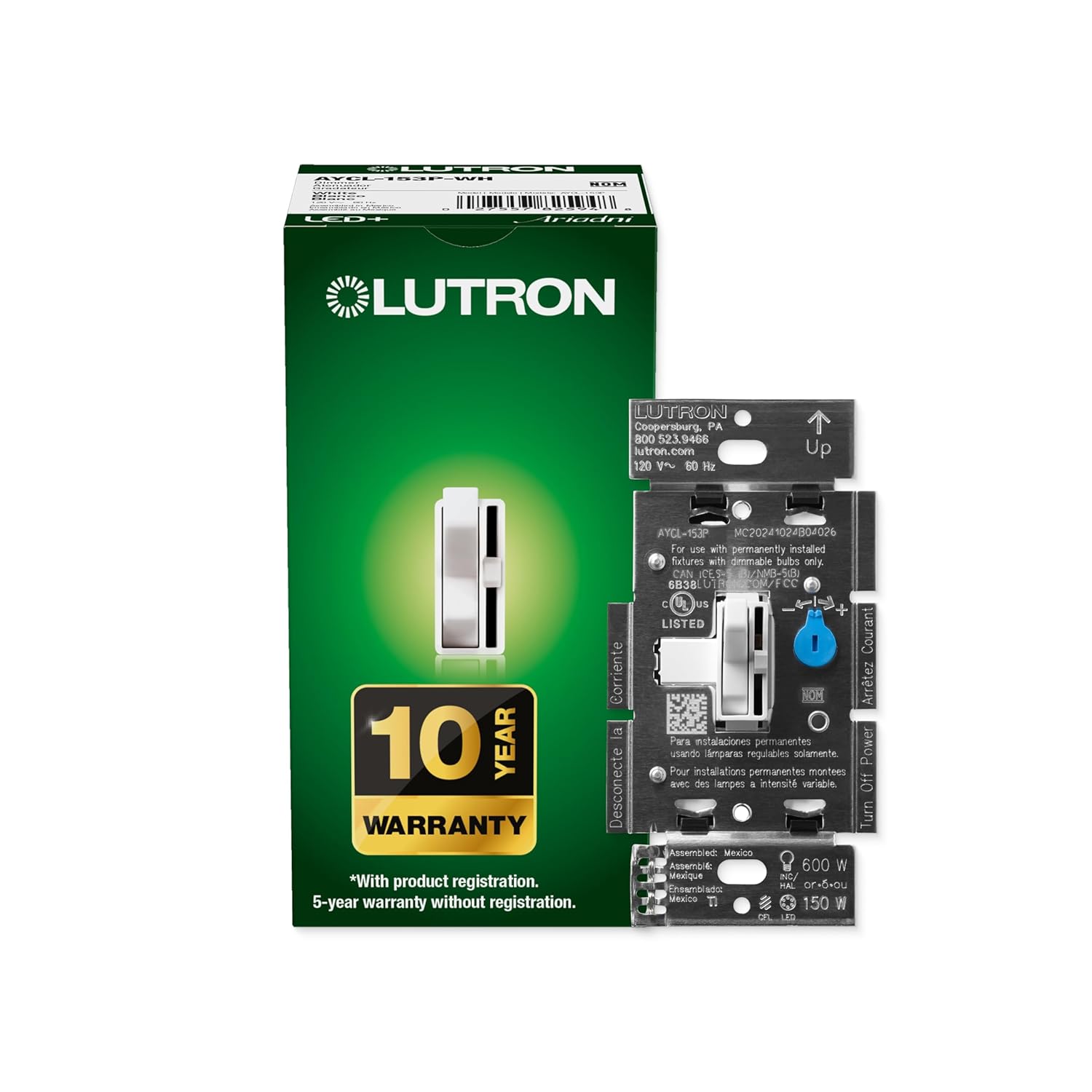
Modern LED bulbs made this decision more important than ever. Old dimmers were designed for incandescent loads and often struggle with the low wattage of LEDs. A purpose-built LED dimmer such as the Lutron Diva LED+ or the toggle-style Lutron Ariadni/Toggler LED+ is engineered to dim modern bulbs smoothly across a wide range, which is exactly what you want if you have replaced your home with LED lighting.
Key Factors to Consider Before You Buy
Bulb Compatibility
Start with the bulbs you already own. LED, halogen, and incandescent lights behave differently under a dimmer. If most of your fixtures use dimmable LEDs, prioritize a switch that clearly lists LED support and a high compatibility rating. Dedicated LED+ models are built to handle the finicky electronics inside LED bulbs, so they minimize the flicker and drop-out that plague generic dimmers. Always check that your bulbs are labeled “dimmable” – non-dimmable LEDs will not work smoothly no matter how good the switch is.
Neutral Wire vs No Neutral
Wiring is the single biggest reason a dimmer purchase goes wrong. Some smart dimmers need a neutral wire in the wall box, while others are designed to work without one. Older homes frequently lack a neutral wire at the switch, which rules out many models. The Lutron Caseta Original and the Lutron Diva Smart Dimmer are popular partly because they work with no neutral required, making them ideal for retrofits. By contrast, the Leviton Decora Smart and the Kasa Smart Dimmer require a neutral wire, so confirm your box before ordering.
Single-Pole vs 3-Way
If one light is controlled by a single switch, you have a single-pole setup. If two switches control the same light – common in hallways and staircases – you need a 3-way compatible dimmer. Most quality dimmers, including the Lutron Diva and Ariadni lines, support both single-pole and 3-way installations, but always verify this so your stairwell lights keep working from both ends.
Smart Features and Ecosystem
Smart dimmers add app control, voice commands, schedules, and automation. The catch is that they usually tie into a specific ecosystem. Decide which platform you use – Alexa, Google Home, Apple Home, or Matter – and buy accordingly. The Lutron Diva Smart and Lutron Caseta rely on the reliable Lutron Smart Hub and work with all the major assistants. The Leviton Decora Smart connects over Wi-Fi and supports Matter without a hub, while the Kasa Smart Dimmer offers straightforward Wi-Fi control with no hub required and a friendly price.
Installation Style
Not everyone wants to touch house wiring. If you would rather avoid the electrical box entirely, plug-in and wireless options are a lifesaver. The Lutron Caseta Plug-In kit dims floor and table lamps without hardwiring and includes a Pico remote. For smart bulb owners, the Philips Hue Dimmer Remote, the Philips Hue Wireless Dimmer V2, and the Philips Hue Wall Tap Dial mount anywhere with no wiring at all, controlling Hue lights instantly.
Types of Dimmers Explained
Standard Wall Dimmers
These replace your existing switch and offer manual control through a slider or toggle. They are affordable, dependable, and need no hub or app. LED+ versions like the Lutron Diva LED+ and Lutron Ariadni/Toggler LED+ are excellent choices if you simply want smooth, flicker-free dimming without any smart complexity. They are a smart first upgrade for anyone new to dimmers.
Smart Wall Dimmers
Smart wall dimmers look like standard switches but add connectivity. They let you dim from your phone, set schedules, and trigger scenes with your voice. The Lutron Diva Smart, Lutron Caseta, Leviton Decora Smart, and Kasa Smart Dimmer all fall into this category, each leaning toward a different ecosystem and wiring requirement.
Plug-In and Wireless Dimmers
Plug-in dimmers sit between the outlet and a lamp, giving you dimming without rewiring. Wireless remotes and dials control smart bulbs directly. The Lutron Caseta Plug-In kit is perfect for renters and lamps, while the Philips Hue Remote and Philips Hue Wall Tap Dial give Hue users flexible, install-free control anywhere in the home.
Matching a Dimmer to Each Room
Different spaces call for different features. In the living room, where you host guests and watch movies, a smart dimmer that supports scenes and voice control adds real value – the Lutron Diva Smart shines here. For a bedroom, gentle low-end dimming and quiet operation matter most, which is where a quality LED+ switch like the Lutron Diva LED+ earns its place.
Home offices benefit from consistent, glare-free light and easy scheduling, making a Wi-Fi model such as the Kasa Smart Dimmer a practical pick. In rentals or spaces where you cannot alter wiring, lean on plug-in and wireless solutions like the Lutron Caseta Plug-In kit or the Philips Hue Wireless Dimmer so you get full control without a screwdriver.
Installation Tips for a Smooth Setup
If you choose a hardwired dimmer, safety comes first. Turn off the circuit breaker before you start and use a voltage tester to confirm the wires are dead. Take a photo of the existing wiring so you can match connections. Identify whether your box has a neutral wire, since that determines which switches will even function. For 3-way circuits, follow the manufacturer’s diagram carefully – the traveler wires must be connected correctly.
Wireless and plug-in options remove almost all of this hassle. A Philips Hue Remote pairs in minutes and needs no tools, and the Philips Hue Wall Tap Dial simply sticks to the wall. When in doubt about wiring or if you are dealing with multiple circuits, hiring a licensed electrician is a worthwhile investment that protects both you and your home.
Common Mistakes to Avoid
- Ignoring bulb compatibility: pairing a non-dimmable LED with any dimmer leads to flicker and disappointment.
- Overlooking the neutral wire: buying a switch that needs a neutral when your box has none is the top cause of returns.
- Buying into the wrong ecosystem: a beautiful smart dimmer is frustrating if it does not talk to your assistant of choice.
- Forgetting 3-way needs: a single-pole switch will not properly serve a light controlled from two locations.
- Underestimating the load: check the wattage rating so your fixtures stay within the dimmer’s limits.
Frequently Asked Questions
Do I need a hub for a smart dimmer?
It depends on the model. Lutron Caseta and Diva Smart dimmers use the Lutron Smart Hub for reliable performance, while Wi-Fi models like the Kasa Smart Dimmer and the Matter-ready Leviton Decora Smart work without one.
Can I use a dimmer with smart bulbs?
Do not put smart bulbs on a traditional wall dimmer. Instead, keep them at full power and dim them with a compatible remote such as the Philips Hue Wireless Dimmer V2, which controls brightness through the bulb itself.
Will a dimmer save energy?
Yes. Lowering brightness reduces power draw and can extend the life of your bulbs, so a good dimmer pays for itself over time.
What is the difference between a slider and a toggle dimmer?
A slider gives you precise, continuous control over brightness and often remembers your last setting, while a toggle-style dimmer such as the Lutron Ariadni/Toggler LED+ blends in with standard switches and dims from a small side lever. Both work well, so the choice mostly comes down to the look you prefer on the wall.
Final Thoughts
The best dimmer is the one that fits your bulbs, your wiring, and your daily routine. If you want simple, reliable dimming, a dedicated LED+ wall switch is hard to beat. If you crave automation and voice control, a smart dimmer built for your ecosystem is the way to go, and if you cannot touch the wiring, plug-in and wireless options deliver the same comfort with none of the effort. Compare the options above on Amazon, match the features to your home, and enjoy lighting that finally does what you want.


