
 Ryan Delgado
 If you are building a reliable, whole-home smart lighting setup, choosing the best Z-Wave light switches is one of the smartest moves you can make. Unlike bulbs that lose their smarts the moment someone flips the wall switch, Z-Wave switches replace the switch itself, so your automations keep working no matter who touches the paddle. In this guide we will walk through what makes a great Z-Wave switch, how to match one to your wiring and hub, and which types of switches fit different rooms and use cases.
This is a practical buying guide rather than a product-by-product review. Instead of scoring each model, we will explain the features that matter so you can confidently pick the right switch for your home. Below you will find a curated shortlist of popular options to compare side by side.





Why Choose Z-Wave Light Switches?
Z-Wave is a low-power wireless mesh protocol built specifically for home automation. Every mains-powered Z-Wave device acts as a repeater, so the more switches you install, the stronger and more far-reaching your network becomes. That mesh design is exactly why Z-Wave light switches are so dependable for lighting, which is often the backbone of a smart home.
Compared with Wi-Fi switches, Z-Wave keeps traffic off your home network and tends to be far more stable at scale. Newer models built on the 800 series chipset, such as the Zooz ZEN71 800 Series Switch and the Leviton Decora Smart Switch, add Long Range support and better battery-free efficiency, extending signal reach across larger properties.
Switches vs. Smart Bulbs
Smart bulbs are easy to install, but they fail the “spouse test”: if someone flips the physical switch off, the bulb loses power and your automation breaks. A Z-Wave switch solves this by making the wall control itself smart. The bulbs stay dumb and cheap, the wall switch always works, and your schedules and scenes run reliably. For any room with standard fixtures, a switch is almost always the better long-term choice.
There is also a cost angle. A single smart bulb often costs as much as a switch, yet controls only one bulb. A switch controls every bulb on the circuit, so a room with four or five recessed lights becomes far cheaper to automate. Because the switch is hardwired, you also never deal with dead batteries or bulbs that drop off your network after a power blip.
What to Look For in the Best Z-Wave Light Switches
Not every Z-Wave switch is right for every home. Before you buy, run through the checklist below so the switch you choose matches your wiring, your hub, and the way you actually use each room.
On/Off vs. Dimmer
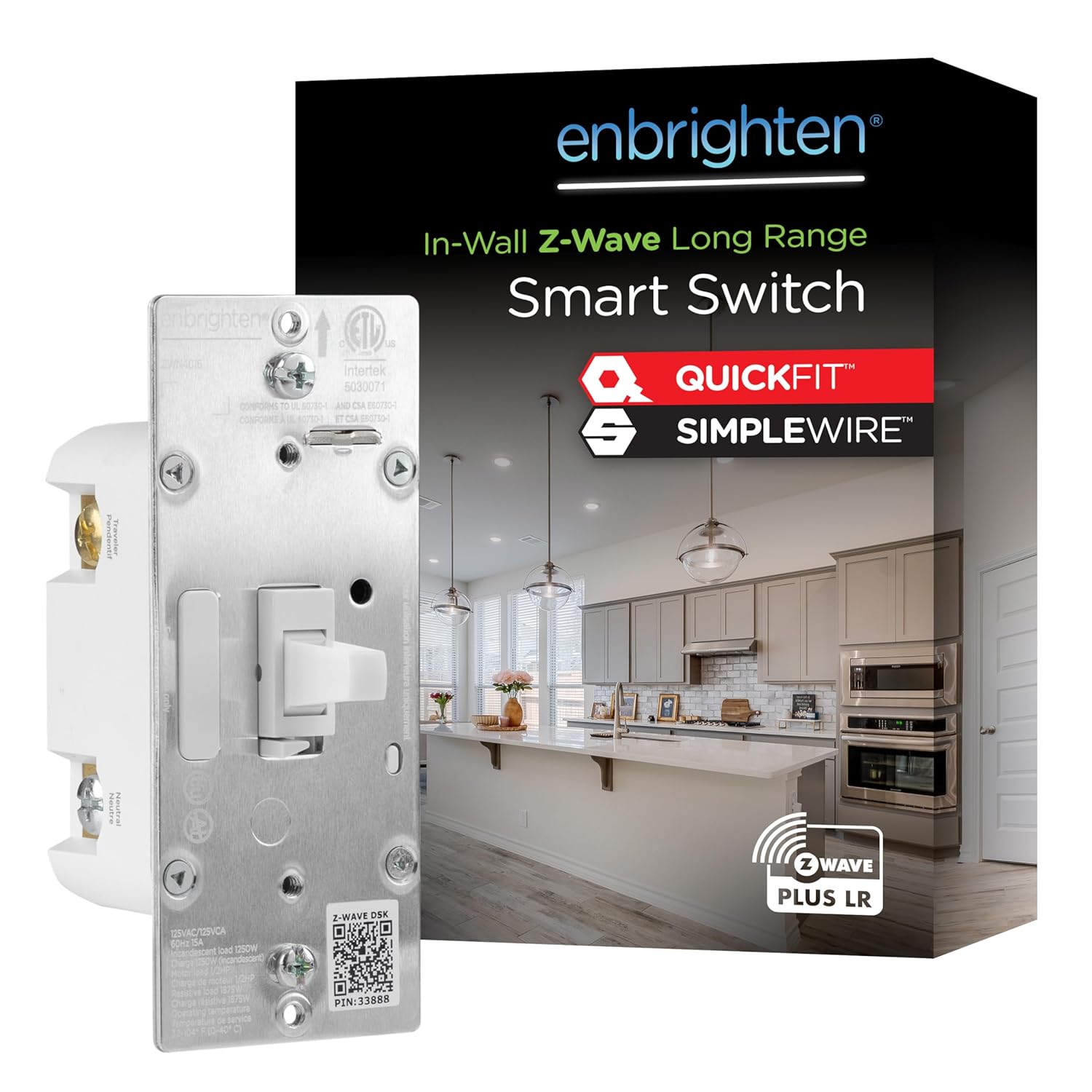
The first decision is whether you need simple on/off control or dimming. On/off switches like the Eaton Z-Wave Plus Switch and the Enbrighten Z-Wave Plus Switch are perfect for closets, garages, outdoor lights, and any fixture where brightness never changes. For living rooms, bedrooms, and dining areas where mood lighting matters, a dimmer such as the UltraPro Z-Wave Dimmer or the Enbrighten Z-Wave Dimmer gives you full control over light levels. Remember that dimmers should only be paired with dimmable bulbs.
Neutral Wire Requirement
Most modern Z-Wave switches require a neutral wire in the electrical box. Homes built or rewired in recent decades usually have one, but older houses may not. Before buying, pop off a wall plate and check for a bundle of white neutral wires. If your boxes lack a neutral, you will need to look specifically for a no-neutral model or consider an in-wall relay approach instead.
3-Way and Multi-Location Setups
Hallways and staircases often use two or more switches to control one light. Traditionally this meant buying a special add-on companion switch, which raised cost and complexity. Several newer switches simplify this dramatically. The Enbrighten 800 Series Toggle and the Zooz ZEN71 offer direct 3-way wiring with no add-on switch needed, letting you keep your existing dumb switch at the second location. If you prefer a traditional paddle look, confirm the switch is labeled “3-way ready.”
Toggle vs. Paddle Style
Aesthetics matter when a switch lives on your wall for years. Paddle-style Decora switches offer a clean, modern look, while toggle switches like the Enbrighten 800 Series Toggle match older or more traditional homes. Choose based on the other switches in your house so everything looks consistent.
Do Not Forget the Z-Wave Hub
Nearly every switch on this list requires a Z-Wave hub or controller to function. The hub is the brain that manages your mesh network, runs automations, and connects everything to apps and voice assistants. Popular options include SmartThings, Hubitat, Home Assistant with a Z-Wave stick, and dedicated Z-Wave hubs.
Products such as the Zooz ZEN30 Double Switch and the Zooz ZEN52 Double Relay explicitly list compatibility with SmartThings, Hubitat, and Home Assistant. If you already own a hub, verify the switch supports it. If you are starting fresh, pick your hub first, then buy switches known to work well with it.
Voice Assistant Support
Once paired to a hub, most Z-Wave switches integrate with Amazon Alexa and Google Assistant, so you can control lights by voice. The Enbrighten and UltraPro lines advertise this compatibility clearly. Keep in mind that voice control almost always flows through the hub, so the hub, not the switch itself, determines which assistants you can use.
Matching Switches to Rooms and Use Cases
Rather than buying identical switches for the whole house, think about what each room needs. A little planning up front saves money and avoids buying the wrong type twice.
Living Rooms and Bedrooms
These are prime candidates for dimmers. Being able to soften the lights for movie night or wake up to a gentle sunrise scene makes a real difference. A dimmer plus scene controller like the Zooz ZEN35 Dimmer adds programmable button taps, so a single switch can trigger multiple automations beyond just its own light.
Kitchens, Halls, and High-Traffic Areas
Reliability and easy multi-location control matter most here. Direct 3-way switches shine in hallways and stairwells, while robust on/off models handle bright task lighting in kitchens. Because these switches get used constantly, prioritize durable, well-reviewed brands.
Fans, Combos, and Specialty Wiring
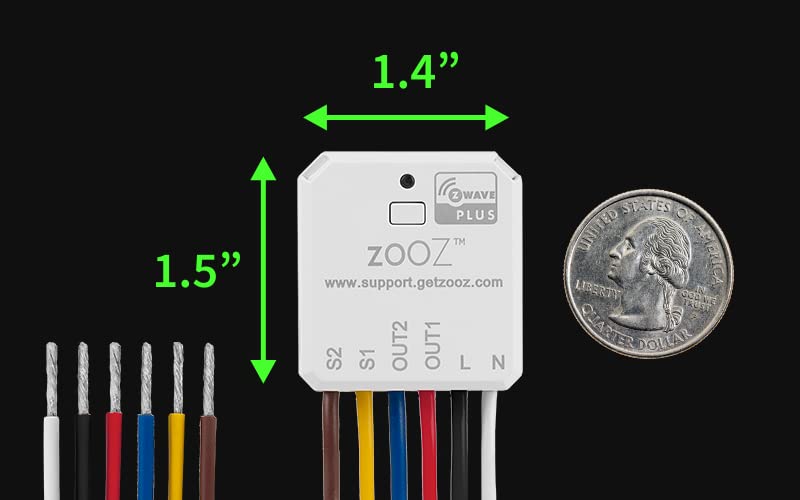
Some fixtures need more than a single switch. For a fan-and-light combo controlled from one box, a double switch like the Zooz ZEN30 handles both loads from one faceplate. When you want to independently control two separate light circuits, or add smarts behind an existing switch, an in-wall relay such as the ZEN52 fits inside the box and works with your current wall controls. These specialty devices unlock setups that standard switches simply cannot manage.
Installation Tips Before You Buy
Z-Wave switch installation is straightforward for anyone comfortable with basic electrical work, but a few points are worth checking in advance so the project goes smoothly.
- Turn off the breaker. Always cut power at the panel and verify with a tester before touching any wiring.
- Confirm your wires. Check for line, load, neutral, and ground. Features like QuickFit and SimpleWire on Enbrighten and UltraPro switches make connections easier in shallow or crowded boxes.
- Check box depth. Some smart switches are bulkier than standard ones. Deep or older boxes can be tight, so plan accordingly.
- Know your local codes. If you are unsure about any step, hire a licensed electrician. Safety is not the place to cut corners.
Building a Strong Mesh
Because each wired switch repeats the Z-Wave signal, install your switches gradually and let the network heal after each addition. Start near your hub and work outward. Long Range models like the ZEN71 and the Enbrighten 800 series help push coverage into detached garages and far corners of larger homes.
How to Make Your Final Choice
With so many capable options, the right switch comes down to a few simple questions. Answer these and your shortlist narrows quickly.
- On/off or dimming? Choose dimmers for living spaces and on/off for utility areas.
- Do you have a neutral wire? This determines which models will even work in your boxes.
- Any 3-way locations? Prioritize direct 3-way switches to avoid extra add-on hardware.
- Which hub do you run? Confirm compatibility with SmartThings, Hubitat, Home Assistant, or your chosen controller.
- What is your budget? Multipacks like the UltraPro 4-pack lower the per-switch cost when outfitting a whole home.
For most people, a mix works best: pair reliable on/off switches such as the Eaton Z-Wave Plus Switch in utility spaces with dimmers like the Enbrighten Z-Wave Dimmer where ambiance counts, and reserve specialty devices such as the Zooz ZEN30 or ZEN52 for fans and multi-load circuits.
Final Thoughts
The best Z-Wave light switches turn everyday lighting into a dependable, automated system that keeps working long after the novelty of a smart home wears off. By matching switch type to each room, confirming your wiring and hub, and building your mesh thoughtfully, you will end up with a setup that is both powerful and rock solid. Use the shortlist above to compare features and prices, then start with a room or two before expanding throughout your home. With the right switches in place, effortless, reliable smart lighting is well within reach.


